TP-Link with IPv6 disabled and all security features enabled - Wi-Fi is disabled for security reasons.
Real-time security
Standard Microsoft Account
Secure Boot enabled
Disabled some services
Virtualization enabled
O&O ShutUp10
O&O AppBuster
Show hidden files enabled
Hide extensions for known file types disabled
SMB1 - off
Hard_Configurator - Recommedend Settings
Validate Admin Code Signatures registry key enabled set via H_C
Block Remote Access set via H_C
Windows Script Host - Added Trust Policy = 0x00000002
LockBatchFilesWhenInUse = 1 (Enhanced security and performance for batch files)
PowerShell 7 - Constrained Language Mode - RemoteSigned
Windows PowerShell - Constrained Language Mode - RemoteSigned
Microsoft Defender hardened with Configure Defender [Hard_Configurator] (Customized level) - Cloud Block Level
Core Isolation: Memory integrity - enabled
Local Security Authority Protection - enabled
Microsoft Vulnerable Driver Blocklist - enabled
Reputation Based Protections all modules - enabled
Ransomware protection - enabled
Exploit Protection - All System Override enabled + 13/14 Override applied to the most vulnerable softwares
Firewall security
Microsoft Defender Firewall with Advanced Security
Device Bound Session Credentials (Standard) on Google
Local Network Access Checks for WebRTC
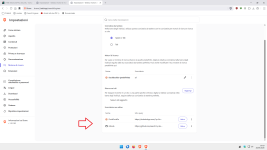
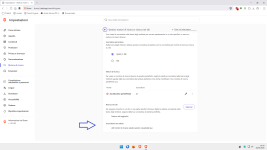
Always show confirmation dialog for new search engine overrides
Extensions:
uBlock Origin - Super Hard Mode (1p scripts + 3p + 3p frames + 3p scripts) outside the 9 TLDs.
API Void Script Stop - Extended Medium Mode (1p-frame + 3p-script + 3p-frame) within the 9 TLDs.
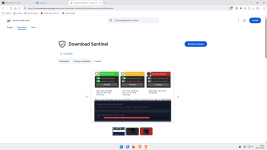
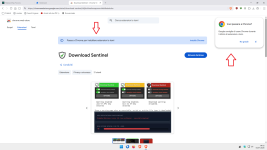
Download Sentinel
Search Engine Blocker - enabled on some websites
Video DownloadHelper - off by default
FetchV - off by default
(Secondary) Firefox:
Home page Start.DDG
Search engine = DDG
GPC enabled
Tracking protection: Custom Protection - All cross-site cookies
DNS over HTTPS : Max Protection
HTTPS-only-mode enabled
Pocket disabled
Clearing browsing data on exit
Firefox telemetry disabled
Protection against fraudulent content and dangerous software enabled - all enabled
Some FastFox.js settings
Some Arkenfox.js settings
Policies:
OverridePostUpdatePage set to ""
DontCheckDefaultBrowser = true
OverrideFirstRunPage set to ""
Extensions:
uBlock Origin - Super Hard Mode (1p scripts + 3p + 3p frames + 3p scripts) outside the 9 TLDs.
API Void Script Stop - Extended Medium Mode (1p-frame + 3p-script + 3p-frame) within the 9 TLDs.
Video DownloadHelper - (off by default)
HLS Downloader (off by default)
Secure DNS
System = Cloudflare DNS encrypted
Browsers = Next DNS DOH (Account) - All Security settings enabled - Blocking of all domains with non-European characters + dangerous TLDs - HaGeZi - Multi ULTIMATE
Desktop VPN
none
Password manager
built-in
Maintenance tools
Process Explorer
CCleaner - Block updates with firewall rule + some Hosts file rules
Thunderbird - hardened
Pop-Peeper Email Notifier
File and Photo backup
External SSD + Pen-drive USB
Subscriptions
None
System recovery
External SSD
Risk factors
Browsing to popular websites
Opening email attachments
Buying from online stores, entering banks card details
Logging into my bank account
Downloading software and files from reputable sites
Streaming audio/video content from trusted sites or paid subscriptions
Enabled RendererAppContainer (Chrome) via Chromium Command Line Switch
Added Sirius LLM as on-demand scan
Added these flags to Chrome - "Save PDF to Drive" -disabled + "Bind cookies to their setting origin's port" + "Bind cookies to their setting origin's scheme"
AMD Software Adrenalin Edition - AMD Crash Defender Service - (manual) + AMD External Events Utility Service (disabled)
Switched Microsoft Video to MPC BE, which was added to the WD Anti-Exploit list with 13 overrides
Switched Microsoft Photo to PhoXoSee which was added to the WD Anti-Exploit list with 13 overrides
Added "Safe Browsing Local Lists use v5 API" flag in Chrome
Added "Search Engine Blocker" extension on Chrome - enabled only on certain websites
Added "GenAILocalFoundationalModelSettings" policy on Chrome
Enabled LockBatchFilesWhenInUse = 1
Enabled "Input protection" flag on Chrome
Switched from uBoL in Firefox/Chrome to the API Void Script Stop (3p-script + 3p-frame)
Added to API Void Script Stop (1p-frame block)
Uninstalled uBo from Chrome
WinSboxModuleTamperingProtection set to true
Secure Boot Certificates 2023 applied
Switched from Chrome to Brave
Added QRCodeGeneratorEnabled = false policy to Brave
Are there any benefits to using Firefox or a Firefox-based browser if your main browser is Chromium-based? After all, everything should be compatible on Chromium, so what purpose does using Firefox serve?
To reduce bloat.
I prefer shell extensions to be as clean as possible.
Although Didier Stevens demonstrated,ages ago,that an overly bloated shell could pose security risks, I don't believe those arguments hold water today.