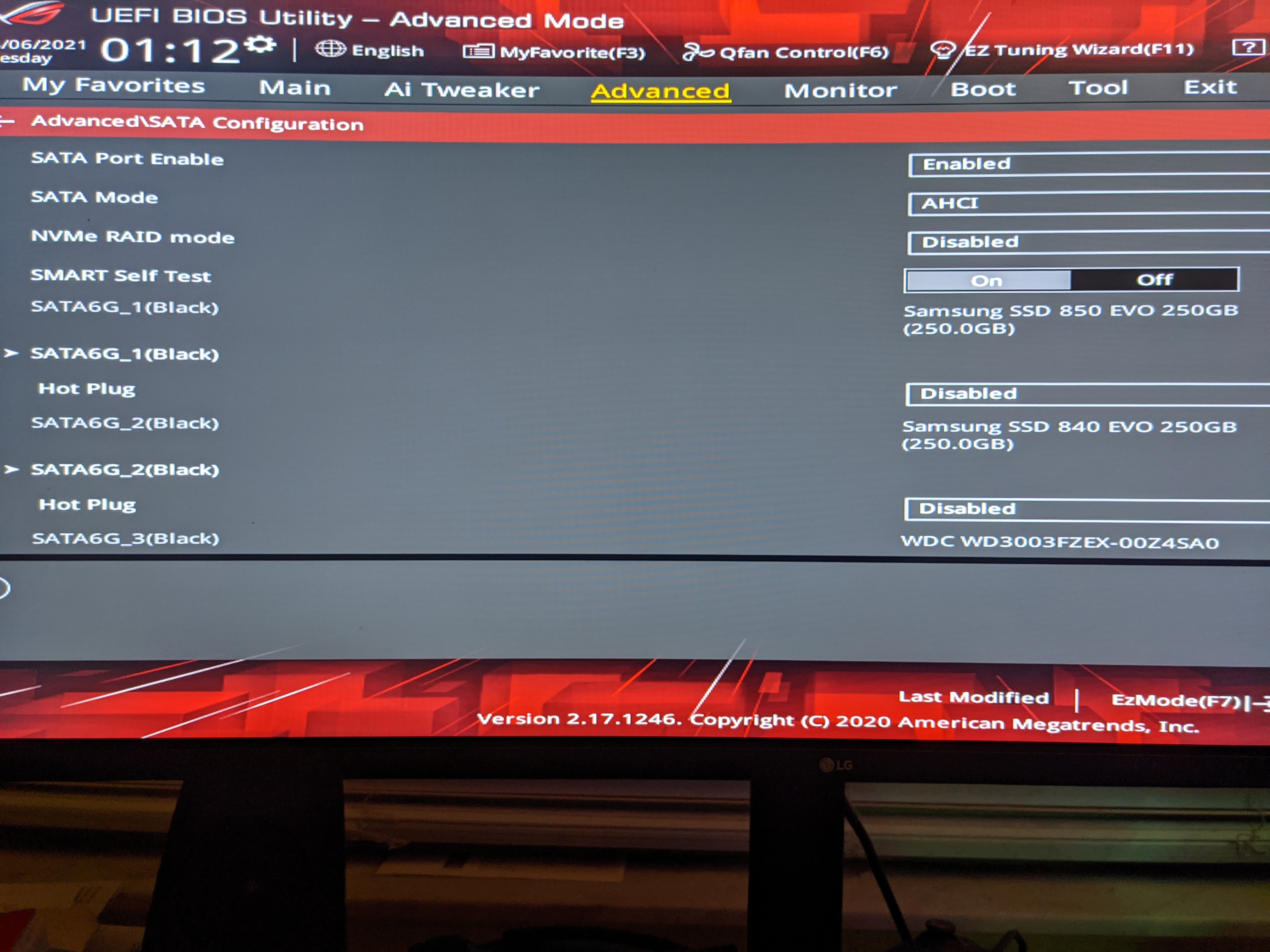
Advice Request Samsung Magician said all my connected drive AHCI is deactivated, but in BIOS AHCI mode is activated?

Share practical recommendations that address the author's needs.

SumTingWong

Level 28
Verified
Top Poster
Well-known
Motherboard is ASUS ROG STRIX X470F. My 4 drives are connected from the bottom to up which SATA port 1,2,3,4 and dvd/cd drive connected to sata port 5.
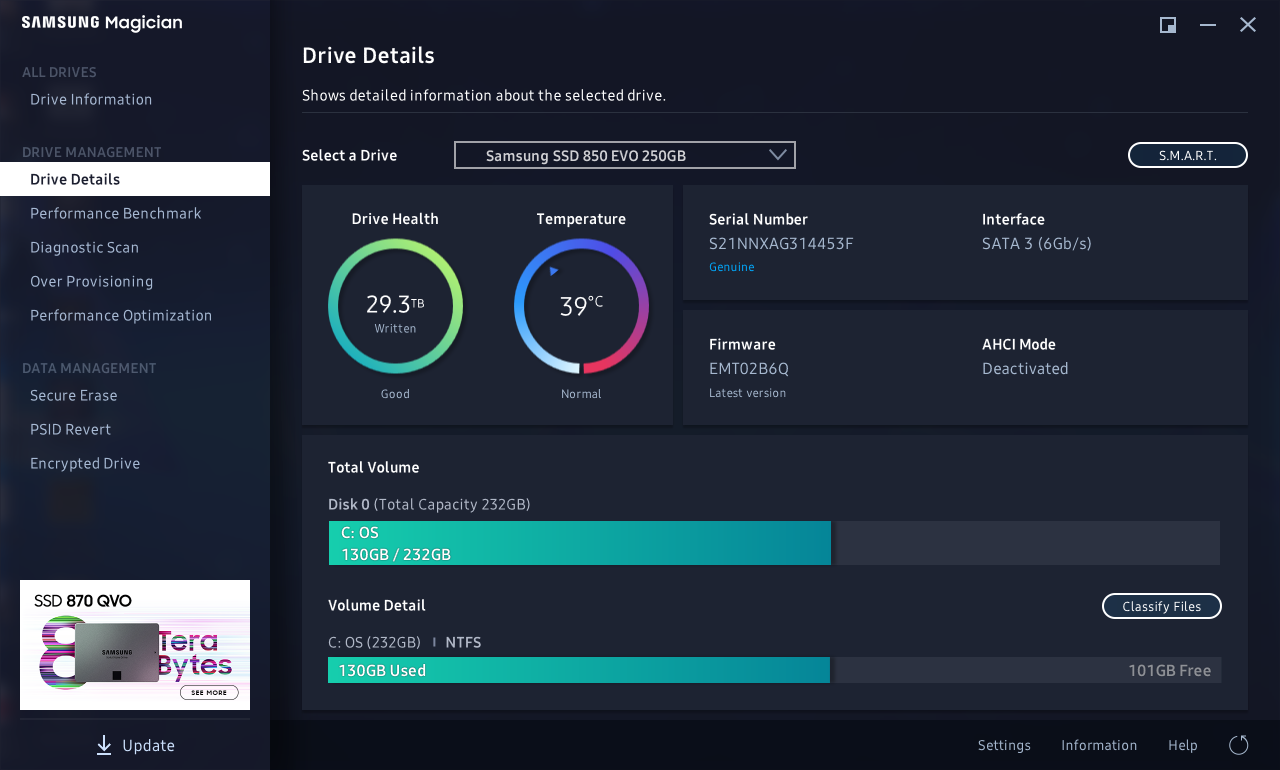
SamsungMagician_e2wZJDGiRa.png

PXL_20210406_051228870.jpg
 
Last edited by a moderator:
Are running the latest BIOS version for your mobo?
Its also a good idea to Install all motherboard drivers from the motherboard manufactures website.

There maybe an issue with your CD/DVD drive so you can also try temporary disabling that and see if there is any change.
 
Hmm, go the Device Manger > IDE ATA/ATAPI controller > Standard SATA AHCI Controller> Right click > Properties > Events tab what does it say?
 
Are running the latest BIOS version for your mobo?
Its also a good idea to Install all motherboard drivers from the motherboard manufactures website.

There maybe an issue with your CD/DVD drive so you can also try temporary disabling that and see if there is any change.
All motherboard drivers along with amd chipset are up to date. I haven't tried disconnect my cd/dvd so I will give that a shot later on today.

Hmm, go the Device Manger > IDE ATA/ATAPI controller > Standard SATA AHCI Controller> Right click > Properties > Events tab what does it say?

2/20/2021 1:32am Device migrated
2/20/2021 1:32am Device configured(mshd.inf)
2/20/2021 1:32am Device started(storahci)
 
Update: this is normal as far as I know. I asked this question on amd forums and it seems 2 other people and reddit has more than 2 people on the same boat as I am. Weird though.
 

Recently browsing

Members who viewed this thread in the last 5 minutes

Back
Top