- Describe the problem
- kb4589212 creating a boot loop ...Solved
- What have you tried?
- DISM etc... but issue was solved
This update was installed today:
 support.microsoft.com
As soon as I restarted my machine I had a Diagnosing PC boot loop.
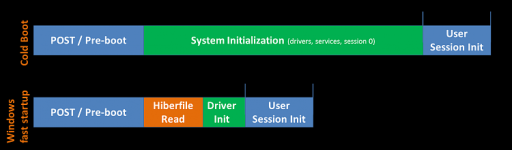
After some research I found that turning off Secure boot and Fast boot off in my bios solved the issue and the update reinstalled properly without the loop ocurring
I don't really see a need for these to be enabled
What are your thoughts?
KB4589212: Intel microcode updates for Windows 10, version 2004 and 20H2, and Windows Server, version 2004 and 20H2 | Microsoft Support
Describes the latest microcode updates from Intel for Windows 10, version 2004 and 20H2, and Windows Server, version 2004 and 20H2.
support.microsoft.com
As soon as I restarted my machine I had a Diagnosing PC boot loop.
After some research I found that turning off Secure boot and Fast boot off in my bios solved the issue and the update reinstalled properly without the loop ocurring
I don't really see a need for these to be enabled
What are your thoughts?