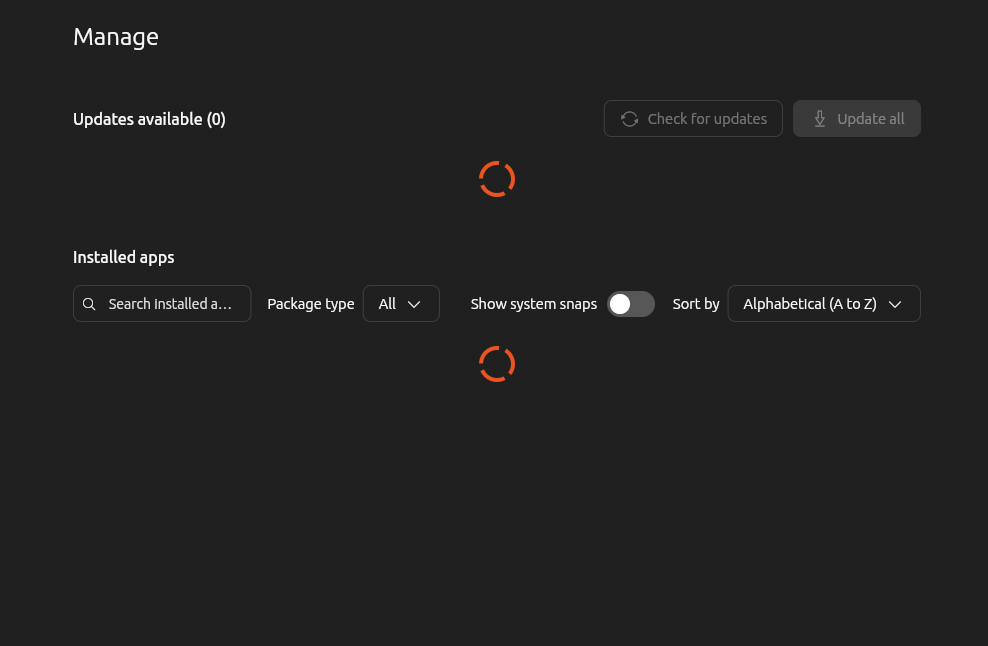
Hello. This can happen when the App Center cache, Snap metadata, or the APT package database is temporarily inconsistent. Try these steps in order.
1. Refresh Ubuntu’s package information
Open Terminal and run:
Code:
sudo apt update
sudo dpkg --configure -a
sudo apt --fix-broken install
Then restart the computer and check the App Center again.
2. Refresh the App Center Snap
First check its installed name:
Code:
snap list | grep -E 'snap-store|app-center'
On many Ubuntu versions, the App Center is provided by the
snap-store Snap. Refresh it with:
Code:
sudo snap refresh snap-store
If the App Center is still repeatedly refreshing, close it and clear only its user cache:
Code:
killall snap-store 2>/dev/null
rm -rf ~/.cache/snap-store
Then launch it again.
3. Reinstall the App Center if necessary
Only if the previous steps do not help:
Code:
sudo snap remove snap-store
sudo snap install snap-store
This does not remove your installed applications; it reinstalls the App Center itself. If your system reports that the package is named
app-center instead, use that package name rather than
snap-store.
4. Check for a temporary service or network issue
The App Center needs access to Ubuntu repositories and the Snap Store. A VPN, proxy, DNS problem, or interrupted update can cause the list to reload continuously. You can check the Snap service with:
Code:
systemctl status snapd --no-pager
snap changes
If there is a pending or failed Snap change, rebooting and running
sudo snap refresh may resolve it.
The safest first workaround is to update the package database, repair any interrupted package configuration, and refresh the App Center Snap. Avoid deleting system directories or manually removing APT files.