Hi,
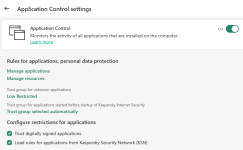
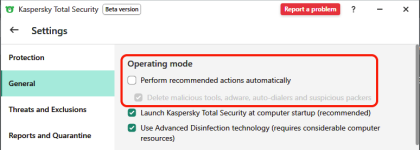
I recently found old projects(C#) that I did when I was in high school, and decided to take a look at them, so I opened them up in Visual Studio, and when I decide to run them, the application gets blocked in the 'Application Control' settings. Is there a way to get Kaspersky to actually prompt the user, since turning off Settings -> General -> Operating Mode -> Perform recommended actions automatically, doesn't do anything.
Everytime I want to run an application developed in VS, I have to go into Application Control, and set it to 'Trusted', for some reason this does not happen in IntelliJ.
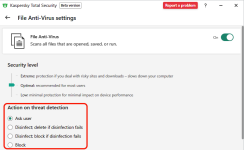
Does anyone know how I can get prompts whenever the behavior blocker detects anything?
Thanks.
I recently found old projects(C#) that I did when I was in high school, and decided to take a look at them, so I opened them up in Visual Studio, and when I decide to run them, the application gets blocked in the 'Application Control' settings. Is there a way to get Kaspersky to actually prompt the user, since turning off Settings -> General -> Operating Mode -> Perform recommended actions automatically, doesn't do anything.
Everytime I want to run an application developed in VS, I have to go into Application Control, and set it to 'Trusted', for some reason this does not happen in IntelliJ.
Does anyone know how I can get prompts whenever the behavior blocker detects anything?
Thanks.