New Update Vivaldi Desktop Releases

Minor update (3) for Vivaldi Desktop Browser 5.3​

This update includes a fix that should prevent users getting the wrong default search engine.

Autoupdate is temporarily disabled (also for those users still running Vivaldi 5.2). This is to assess feedback from the users who have upgraded thus far. Once autoupdate is re-enabled, this message will be removed. If you do not wish to wait, please download and update manually in the interim.

The following improvements were made since the second 5.3 minor update:
  • [Search] Migration can fail resulting in incorrect default search (VB-89628)

 

Changelog for update 4 for Vivaldi Desktop Browser 5.3​

This update promotes Mail from Beta to Stable and includes a couple of search fixes.

To enable Mail go to “Settings → General → Productivity features” and tick the option “Enable Mail, Calendar and Feeds”.

The following improvements were made since the third 5.3 minor update:
  • [New][Mail][Calendar][Feeds] Removing Beta label and upgrading version number and user agent to v1.0
  • [Bookmark] Page icon moves bookmarks to root folder (VB-89557)
  • [Calendar] Newly synced calendar is automatically set as default (VB-89798)
  • [Capture] Controls focus outline is incorrect (VB-89609)
  • [Chromium] Upgraded to 102.0.5005.108
  • [Download] Popup appears in video fullscreen (VB-89516)
  • [Extensions][Toolbars] Icon shows when toggling disabled (VB-89602)
  • [Mail] “Error: Key SELECTION_STORE_MAIL_KEY has already been set” is shown (VB-85757)
  • [Mail] Delete Permanently shortcut deletes everything when in Sender View (VB-89606)
  • [Mail] Delete dialog doesn’t show how many messages are being deleted (VB-89603)
  • [Mail] Hard to find which account received an email if received as BCC (VB-84768)
  • [Mail] Import from Opera is disabled (VB-85688)
  • [Mail] Mark all read shortcut in filtered unread, marks all unread (also unfiltered) messages read (VB-83606)
  • [Mail] Not reconnected when coming back online again (VB-88972)
  • [Mail] POP mail server settings layout is broken (VB-89550)
  • [Mail] Status messages and indicators for prefetch not appearing (VB-89566)
  • [Mail] Status messages should show in the window that contains mail (VB-89613)
  • [Mail] The error, “ConstraintError Unable to add key to index ‘[accountId+path]'” is still shown for some users (VB-89774)
  • [Mail] Can’t delete folder with non-ASCII characters (VB-89800)
  • [Mail] Error: “Not yet support for changing primary key” (VB-87689)
  • [Mail][Calendar] Remove optional oAuth consent prompt parameter from auth request (VB-89641)
  • [Mail][Settings] Make sure two columns can fit default window width (VB-89642)
  • [Mail][Windows] Colour picker in mail composer is difficult to use (VB-73360)
  • [Search][Extensions] Cannot change the default search in 5.3 if a search engine extension was installed in 5.2 (VB-89670)
  • [Search][Windows] Group policy defined search engine fails to load (VB-89757)
  • [UI] Image properties for AVIF doesn’t work (VB-88314)
 

Minor update (6) for Vivaldi Desktop Browser 5.3​

This update includes fixes for Mail, Calendar and Search.

The following improvements were made since the fifth 5.3 update:
  • [Blocker] Importing a new blocker list from a URL can fail (VB-89638)
  • [Calendar] Can’t create task (VB-89937)
  • [Calendar] Invalid color error with alpha value (VB-89315)
  • [Mail] Email client does not start for some users (VB-89850)
  • [Mail][Calendar] Clear refresh and access_tokens when removing mail and calendar accounts (VB-89868)
  • [Mail][Keyboard] Selecting multiple mail in a thread using Shift+cursor keys is unreliable (VB-78809)
  • [Profiles][Crash] When removing profile (VB-89275)
  • [Search] Removing of the current default shouldn’t be offered (VB-89869)
  • [Settings] “Don’t allow sites to use javascript” setting is not respected (VB-89545)
Note: To enable Mail go to “Settings → General → Productivity features” and tick the option “Enable Mail, Calendar and Feeds”.
 

Minor update (7) for Vivaldi Desktop Browser 5.3​

This update includes fixes for Mail, Calendar and a minor Chromium increase, with security fixes.

The following improvements were made since the sixth 5.3 update:
  • [Calendar] Google calendar data not synced for some users (VB-90114)
  • [Calendar] Warn about destructive delete operation (VB-89887)
  • [Chromium] Upgraded to 102.0.5005.136
  • [Mail] Does not start for some users (VB-89426)
 

Minor update (8) for Vivaldi Desktop Browser 5.3​

This update includes fixes for Mail and a minor Chromium increase, with security fixes from upstream (including CVE-2022-2294).

The following improvements were made since the seventh 5.3 update:
  • [Chromium] Upgraded to 102.0.5005.149
  • [Linux][Media] Update URLs for proprietary codecs to use 103.0.5060.53-107578
  • [Mail] Stuck on ‘Running mail filters’ (VB-90299)
  • [Mail] Various hangs
 
I used to really like this browser, but unfortunately I feel there are better alternatives out there with better tracker protection such as Brave and Firefox. Also, Brave has fingerprinting protection which Vivaldi does not at all. The worst thing, is if you use this browser these days you could be putting yourself at risk since the latest Chromium updates can take weeks/months, in this case, to get pushed to the browser. Also, my opinion too, it has become extremely bloated. I know though this browser can be very useful for some users who like a lot of features and a very nice UI.
 
I used to really like this browser, but unfortunately, I feel there are better alternatives out there with better tracker protection such as Brave and Firefox. Also, Brave has fingerprinting protection which Vivaldi does not at all. The worst thing is if you use this browser these days you could be putting yourself at risk since the latest Chromium updates can take weeks/months, in this case, to get pushed to the browser. Also, in my opinion, too, it has become extremely bloated. I know though this browser can be very useful for some users who like a lot of features and a very nice UI.
I agree. It has become bloated indeed. Also, they should have designed their settings following the Chromium browser's design language. It's easy to get used to the settings of Edge or Brave for example. Vivaldi is totally different and often hard to find what I'm looking for.
Believe it or not, Google Chrome is the least bloated Chromium browser among the popular ones. It used to be Edge when it came out but not anymore.
 
This update includes a fix for pre-populated search engines being re-added on upgrade.

Autoupdate is temporarily disabled because a new build will be issued shortly with a fix for “[Address bar] Does not get focus on new window (VB-90852)”. If you do not want to wait, download manually via the link below.

The following improvements were made since the initial 5.4 stable release:
  • [Downloads] The search section of the download button states “Your download history is empty” (VB-90845)
  • [Panel] Cannot type characters using dead keys into the downloads panel (VB-90844)
  • [Settings][Search] Pre-populated search engines are re-added on upgrade (VB-90892)
  • [Tabs] Cannot select multiple tabs after certain steps (VB-90881)
  • [UI][Languages] Translation updates
  • [Windows][Installer] Stop adding elevation service entry to the registry (VB-90860)


This update includes a fix for the address field not being correctly selected in newly created windows.

The following improvements were made since the first 5.4 minor update:
  • [Address bar] Does not get focus on opening a new window (VB-90852)
 
Last edited:
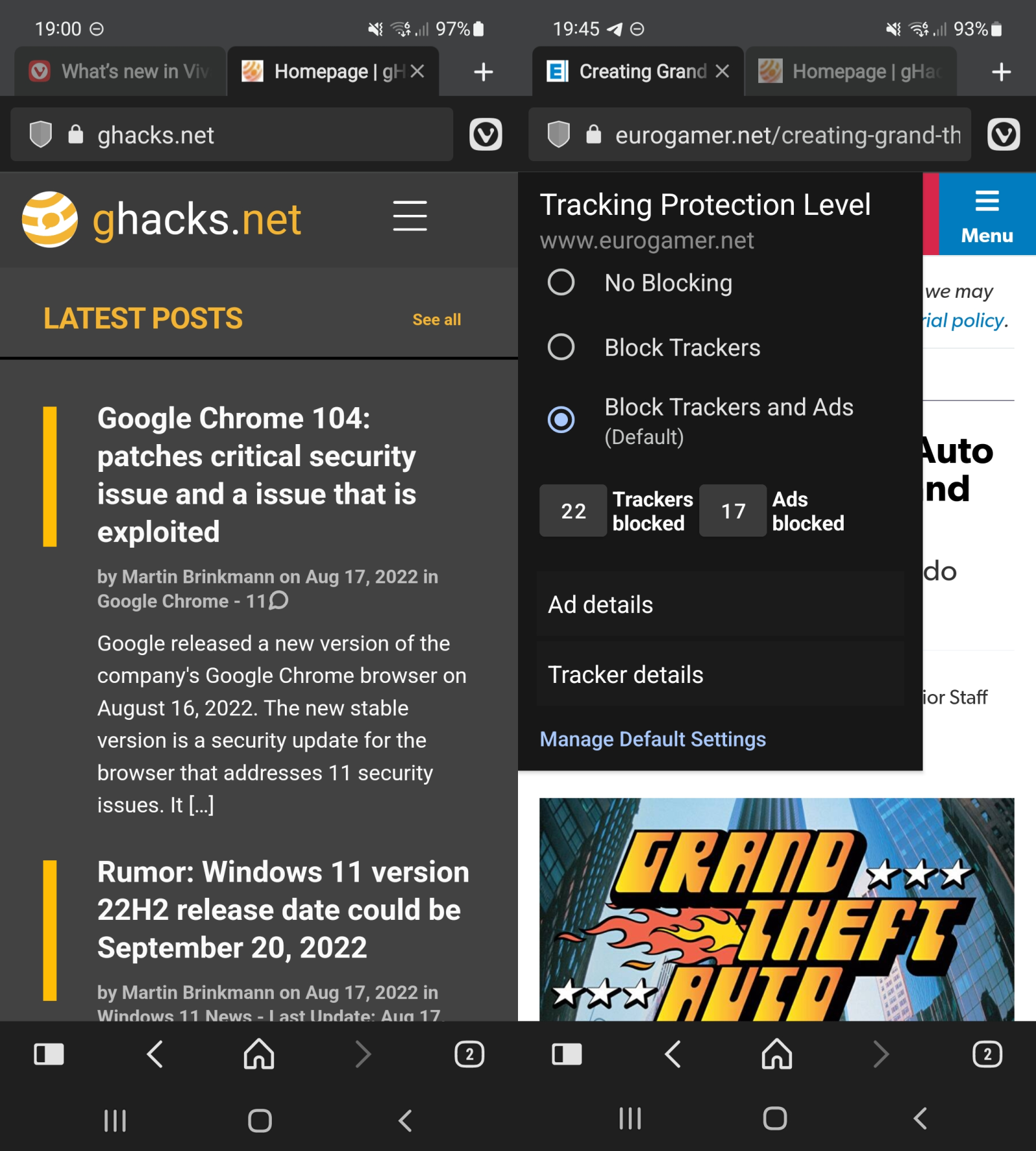
Vivaldi Technologies released a new version of its Vivaldi for Android browser. Vivaldi 5.4 for Android makes a number of changes, including improved privacy statistics, a new close other tabs option, and a restructured menu.

Vivaldi 5.4 for Android is available already. It is distributed via Google Play, but direct downloads are also provided on the company's website.
 
Last edited:
This update fixes several Mail/Calendar/Feeds issues and resolves a problem with private windows.

The following improvements were made since the third 5.4 minor update:
  • [Calendar] Cannot open .ics file directly (VB-91078)
  • [Dev Tools] Color picker pipette fails (VB-90728)
  • [Feeds] No message found if travelling between time-zones (VB-90171)
  • [Languages] sr-Latn choice of UI language was converted to sr [Cyrillic] (VB-80833)
  • [Linux][Media][Arm] Problems playing proprietary media for new users (VB-91211)
  • [Mail] All mail can be permanently deleted with a single key stroke (VB-91143)
  • [Mail] Signature disappears when switching between accounts, with signature on top (VB-90908)
  • [Mail][Notes] Editing link in composer doesn’t work (VB-89143)
  • [Panels] Cannot type characters using dead keys into the reading list (VB-90974)
  • [Window management] Can not close private window intro tab (VB-90896)
 
This update includes fixes from the Chromium project and a couple of other small changes.

The following improvements were made since the sixth 5.4 minor update:
  • [Address bar][Security] Low severity issue which could cause the address field to fail to update (VB-91252)
  • [Chromium] Upgraded to 104.0.5112.126
  • [Search] Update Ecosia favicon for new installs (VAB-6221)
 
Vivaldi 5.5 brings in a Tasks Panel in the sidebar, easier account set-ups for the built-in Vivaldi Mail and Calendar, and Address Field improvements that enhance speed. Now available on your desktop and notebooks.
 
This update includes improvements to URL autocompletion, some crash fixes and a minor Chromium bump.

The following improvements were made since the initial 5.5 stable release:
  • [Address bar] First word is hidden when selecting a search from the drop down (VB-92073)
  • [Address bar] Search engine autocomplete complicates getting to a URL (VB-92064)
  • [Address bar] Wrong autocomplete for typed history items (VB-92081)
  • [Address bar][Crash] When typing into a newly opened tab (VB-91571)
  • [Address bar][Crash][Bookmarks] When item with no title (VB-92140)
  • [Calendar] In dialog editor “All Day” checkbox is missing for events (VB-92078)
  • [Calendar][Tasks] The state for “Show Completed tasks” is incorrect (VB-92034)
  • [Calendar][Tasks] You cannot “Show completed tasks” if you have no tasks outstanding (VB-92033)
  • [Chromium] Upgraded to 106.0.5249.113
  • [Crash] On startup (VB-92095)
 
This update includes security fixes from the Chromium project and improvements to full-screen handling on macOS and Windows.

The following improvements were made since the first 5.5 minor update:
  • [Chromium] Upgraded to 106.0.5249.123
  • [Crash] Frequently on certain sites: related to accessibility code (VB-92277)
  • [Settings] Blank page when opening an insecure page in new tab, after enabling “Always Use Secure Connection” (VB-90643)
  • [Windows][Media] There is a small transparent border with rounded corners when in full-screen video (VB-92219)
  • [macOS][Settings] Window controls unreachable in full-screen (VB-90960)
 

You may also like...