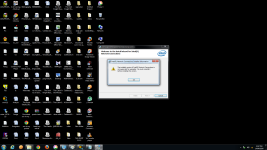
WARNING! Your flash player may be out of date. Please update to continue. "flashplayerpro"

Yeah..I did. Still nothing on the PC. Other devices are able to connect through wireless network of the same connection. PC not working either on LAN or wireless. Before starting the Malware bytes anti Malware today I had just downloaded it from my PC. Its only after that or maybe sometime after it while using FSS,FRST,malwarebytes anti rootkit or zoek it must have happened. Otherwise the internet wouldn't be working on other devices. Screen.png
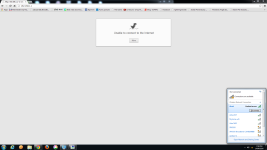
 
I think I've found the solution, I remembered of something, but I am not 100% sure :)

But we need two steps to get it done:


> Re-run zoek with the script below and attach here fresh zoek log results.
NOTICE: This script was written specifically for this user, for use on that particular machine. Running this on another machine may cause damage to the operating system


Code:
SystemSpecs;
 
Last edited:
Unistalled the previous version
Tried installing the new one
Error:
device driver software was not successfully installed
Ethernet Controller no driver found
 
Sorry my bad this message was display but still some installation took place.
I am able to access the internet now.
Btw what was the problem?
 
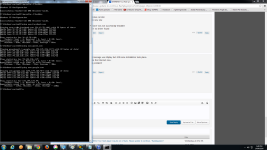
I think the problem of DNS redirect still persists. The results on pinging facebook.
 

Attachments

  • Screenshot.png
    Screenshot.png
    191.8 KB · Views: 113
Yeah i think its working fine for the PC now.
Thanks a lot. :D
I have the same problem of DNS redirection leading me to a flash player update page on my laptop and android devices. What should I do for that? Is the problem in my modem? Should I use open DNS or google DNS for preventing such problems in the future?
 
Should I use open DNS or google DNS for preventing such problems in the future?

Yes, this is a good idea. You probably need to reset your modem.

Tell me why don't you have antivirus installed on your PC?

After you answer, we can move on to your Laptop, it is infected too.
 
should I try installing google dns in modem settings itself or at the end terminals?
Well there are too many virus malwares etc a single anti virus wont work for them all as it is. To top it off there are these free trials which get stuck to you computer even on uninstalling them they continue to exist on your computer.
I have already reset my modem. But will resetting it be a permanent solution?
What should I run first on my laptop?
 
should I try installing google dns in modem settings itself or at the end terminals?

You can set it on your router. Look here how --> http://www.howtogeek.com/167533/the-ultimate-guide-to-changing-your-dns-server/

Well there are too many virus malwares etc a single anti virus wont work for them all as it is. To top it off there are these free trials which get stuck to you computer even on uninstalling them they continue to exist on your computer.

It is true. But, it is mandatory to have antivirus installed. Microsoft Security Essentials is my recommendation.

I have already reset my modem. But will resetting it be a permanent solution?

Probably yes. Try. Or change DNS.

What should I run first on my laptop?

When we finish here, open new topic.
 
okay I have set the DNS server addresses to google public DNS.
one last thing about my PC I wanted to also activate the Wireless Connectivity. The connection used is D-Link DWA-525 Wireless N 150 Desktop Adapter(rev.A2) but doesn't seem to be working. Is this also a driver related problem?