Last edited:
Open MalwareTips from your Home Screen or desktop. Follow discussions, find answers and pick up where you left off.
If you cannot find an install option, update your browser or use its bookmark option to keep MalwareTips close.
After installation, open the app and sign in. Enable push notifications in Preferences if you want alerts. On iPhone and iPad, push requires a Home Screen web app and iOS or iPadOS 16.4 or later.
Sign in to manage notificationsInstallation is optional. Your notification settings stay under your control.
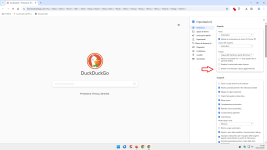
Are you asking if we disabled the "what's new" page or what do we have set for home page and/or opening new tab?
I've configured Vivaldi to display a blank page for the startup, homepage, and new tab.
chrome://whats-new/
Can confirm it doesn't bother me. I don't mind seeing what's new in Firefox and when it updated to be honest."What's new" page.
But it wasn't a question.
Perhaps this feature doesn't bother forum members.
The good, old days of Yahoo search as the browser home page.This is so 2001, haven't set a homepage in 15 years![]()
I think Sampei.Nihira said it was about the "What's new" page after updates, not about a homepage or new tab page.haven't set a homepage in 15 years
I don't see a Whats new in Libra Wolf, must look next time but I don't remember seeing it or in Brave either???
Brave recently changed how it surfaces release information, so many users no longer see a “What’s new” or release notes tab immediately after updating. Instead, changes are now documented on dedicated release‑notes pages.
Members who viewed this thread in the last 5 minutes