

The MalwareTips app
Your community, one tap away.
Open MalwareTips from your Home Screen or desktop. Follow discussions, find answers and pick up where you left off.
- Home Screen access
- Optional push alerts
- Your community
You're ready to explore.Explore what's new
Installation instructions
iPhone & iPad
- Open MalwareTips in Safari and tap Share. You may need to open the Page Menu first.
- Choose Add to Home Screen. If it is not listed, use Edit Actions to add it.
- Keep Open as Web App enabled if shown, then tap Add.
Android
- Open MalwareTips in Chrome or another browser that supports app installation.
- Open the browser menu and look for Install app, Install and create shortcut, or Add to Home screen.
- Choose Install and confirm. Wording varies by browser.
Desktop
- Chrome: use the install icon in the address bar, or the menu under Cast, save and share.
- Edge: open the menu, then More tools, Apps and Install this site as an app.
- Safari on Mac: choose Share or File, then Add to Dock. Firefox on Windows: look for the web apps button in the address bar.
If you cannot find an install option, update your browser or use its bookmark option to keep MalwareTips close.
Keep up with your conversations
After installation, open the app and sign in. Enable push notifications in Preferences if you want alerts. On iPhone and iPad, push requires a Home Screen web app and iOS or iPadOS 16.4 or later.
Sign in to manage notificationsInstallation is optional. Your notification settings stay under your control.
You are using an out of date browser. It may not display this or other websites correctly.
You should upgrade or use an alternative browser.
You should upgrade or use an alternative browser.
Poll What is Your Preferred Cloud Service Provider
-
 Thread starter
Digmor Crusher
Thread starter
Digmor Crusher
- Start date
- 62 Replies
- 11,725 Views

amitkumargiri
Level 1
Mega cloud storageWhich provider do you use and why?
G
Guilhermesene
Here's the same thing as @Gandalf_The_Grey , but I love Dropbox.
Dropbox is the pioneer in the field of cloud storage.
In my opinion, it is far superior to Google Drive, for example, and even to Onedrive, which many functions have copied.
Dropbox is the pioneer in the field of cloud storage.
In my opinion, it is far superior to Google Drive, for example, and even to Onedrive, which many functions have copied.


telegram is my favor.
my own privately hosted Nextcloud....(contacts/calendars & files) for privacy and being in control of my data
What happens if there is a fire or any weather event ?

What happens if there is a fire or any weather event ?
Being privately hosted doesn't mean it's locally stored. Most likely, @kC77 is renting a VPS and running everything from there.

wrong... locally hosted in my home officeBeing privately hosted doesn't mean it's locally stored. Most likely, @kC77 is renting a VPS and running everything from there.
backupsWhat happens if there is a fire or any weather event ?
wrong... locally hosted in my home office
hahahahaha! OFC I was!


IceDrive for me.

EascapenMatrix
Level 1
Using MEGA and Google Drive.
forgottenuser79643
Level 8


Onedrive. The 365 subscription is actually a great offer for anyone who needs Microsoft Office. And before anyone suggests one of the free alternatives, they are good enough only if you don't use advanced Office features and none offer 100% file compatibility although this improved over the years.
Last edited:
I voted other. I use Backblaze because it is fast and I don't have to worry about storage overcharge. I would also vote for OneDrive, since I have an Office 365 subscription, but as I can't sync my D: drive it is pretty worthless right now as my C: drive is small compared to my D:.

Gandalf_The_Grey
Level 86
Verified
Honorary Member
Top Poster
Content Creator
Well-known
Forum Veteran
I moved my OneDrive folder to D using this tutorial:I voted other. I use Backblaze because it is fast and I don't have to worry about storage overcharge. I would also vote for OneDrive, since I have an Office 365 subscription, but as I can't sync my D: drive it is pretty worthless right now as my C: drive is small compared to my D:.
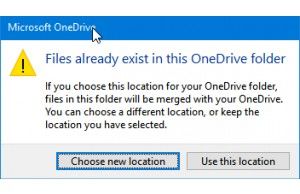
How to move your OneDrive folder
Here's how to move your OneDrive folder in Windows

Setup PCPC setup
Onedrive because I'm cheap
Thanks, I'll try it later. But my D drive is bigger than OneDrives allowance quota, so I'm using it mainly for projects currently in development. Everything else goes to D drive, and everything goes to Backblaze. But I keep back blaze just as a last resort. I also keep OS images in one external USB drive and the D drive to another external USB drive, both of which are only online during the sync times and are ketp disconnected by default.I moved my OneDrive folder to D using this tutorial:
How to move your OneDrive folder
Here's how to move your OneDrive folder in Windowswww.laptopmag.com
Recently browsing
Members who viewed this thread in the last 5 minutes
You may also like...
-
 MalwareTips News Fake coding interviews spread Mac backdoors beyond crypto firms
 -
N
Serious Discussion How safe is cloud storage really ?
-

-

-
