


The MalwareTips app
Your community, one tap away.
Open MalwareTips from your Home Screen or desktop. Follow discussions, find answers and pick up where you left off.
- Home Screen access
- Optional push alerts
- Your community
You're ready to explore.Explore what's new
Installation instructions
iPhone & iPad
- Open MalwareTips in Safari and tap Share. You may need to open the Page Menu first.
- Choose Add to Home Screen. If it is not listed, use Edit Actions to add it.
- Keep Open as Web App enabled if shown, then tap Add.
Android
- Open MalwareTips in Chrome or another browser that supports app installation.
- Open the browser menu and look for Install app, Install and create shortcut, or Add to Home screen.
- Choose Install and confirm. Wording varies by browser.
Desktop
- Chrome: use the install icon in the address bar, or the menu under Cast, save and share.
- Edge: open the menu, then More tools, Apps and Install this site as an app.
- Safari on Mac: choose Share or File, then Add to Dock. Firefox on Windows: look for the web apps button in the address bar.
If you cannot find an install option, update your browser or use its bookmark option to keep MalwareTips close.
Keep up with your conversations
After installation, open the app and sign in. Enable push notifications in Preferences if you want alerts. On iPhone and iPad, push requires a Home Screen web app and iOS or iPadOS 16.4 or later.
Sign in to manage notificationsInstallation is optional. Your notification settings stay under your control.
You are using an out of date browser. It may not display this or other websites correctly.
You should upgrade or use an alternative browser.
You should upgrade or use an alternative browser.
Poll What kind of ad/tracker blocking do you use?
General Security Discussions
147 Replies
20,377 Views

Guys, don't waste your time testing your ad blocker or your DNS on the Turtlecute website. I opened it in Chrome and I'm not using any DNS for ad blocking, let alone any ad blocking extension, and it still says it's 100%. Don't waste your time. Is your DNS blocking ads? If so, then don't worry, enjoy your browser and have fun. Oh, before I forget, what about me? If you use an ad blocker, such as uBOL, Adblock, Adblock Plus, then enjoy your browsing and don't worry about these tests, that's superstition. 
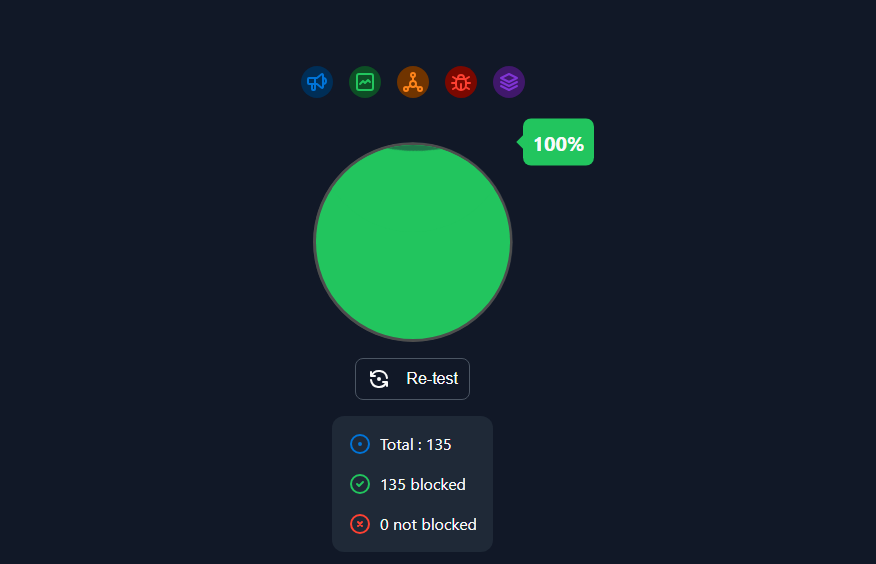

I do not even get 100% with NextDNS and uBOLand it still says it's 100%

Disable everything, and you'll get 100%. This test is more like an anti-adblocker.I do not even get 100% with NextDNS and uBOL

I am much more interested in blocking trackers than ads.
Every now and then (rarely) I run some tests using Firefox + Privacy Badger as a control + browser development tools.
Compared to Chromium browsers, Firefox development tools have the advantage of providing better information about who actually blocked the trackers.
They can tell you if a tracker has really been blocked by Privacy Badger, uBlock Origin, the browser's anti-tracker feature, DNS, CORS...
Chromium browser development tools can only tell you if the tracker has been blocked by the client (adblock, browser if it has an anti-tracker feature...) or by the DNS.
So I delete PB and check if a single tracker taken only by PB is also blocked by something else.
Then, of course, I report the various results and/or changes in Chrome as well.
It seems like a slow check, but it's actually quite fast.
I usually use the websites highlighted at the bottom.
WhoTracks.Me
Every now and then (rarely) I run some tests using Firefox + Privacy Badger as a control + browser development tools.
Compared to Chromium browsers, Firefox development tools have the advantage of providing better information about who actually blocked the trackers.
They can tell you if a tracker has really been blocked by Privacy Badger, uBlock Origin, the browser's anti-tracker feature, DNS, CORS...
Chromium browser development tools can only tell you if the tracker has been blocked by the client (adblock, browser if it has an anti-tracker feature...) or by the DNS.
So I delete PB and check if a single tracker taken only by PB is also blocked by something else.
Then, of course, I report the various results and/or changes in Chrome as well.
It seems like a slow check, but it's actually quite fast.
I usually use the websites highlighted at the bottom.
WhoTracks.Me

I use either Adguard for desktop or uBlock Origin with Firefox, and multi-account containers in place of privacy and anti-tracking.
For the phone, I use the Adguard app with Chrome or Quetta.
For the phone, I use the Adguard app with Chrome or Quetta.

Out of interest what settings do you use & which filters with AdGuard Desk? I've used it for some years but it does tend to cause more issues than uBlock on FF for example, I believe I overdo things with AG (desk) so I'm interested as to which settings others use?I use either Adguard for desktop or uBlock Origin with Firefox, and multi-account containers in place of privacy and anti-tracking.
For the phone, I use the Adguard app with Chrome or Quetta.

For me even in default settings it did get a BSOD, but that was because it wasn't working well with AVG antivirus, I think it would interfere with some third party antivirus.Out of interest what settings do you use & which filters with AdGuard Desk? I've used it for some years but it does tend to cause more issues than uBlock on FF for example, I believe I overdo things with AG (desk) so I'm interested as to which settings others use?
F
ForgottenSeer 114717
All shall remain an ad-free hell until Gorhill gives up.

Out of interest what settings do you use & which filters with AdGuard Desk? I've used it for some years but it does tend to cause more issues than uBlock on FF for example, I believe I overdo things with AG (desk) so I'm interested as to which settings others use?
I've been using the ff.
User rules
Bypass Paywalls Clean Filter
Browse Websites Without Logging In
ClearURLs for uBO (unofficial)
AdGuard Base Filter
AdGuard Tracking Protection Filter
EasyPrivacy
Legitimate URL Shortener
Peter Lowe's Blocklist
AdGuard Social Media Filter
AdGuard Cookie Notices Filter
AdGuard Popups Filter
AdGuard Mobile App Banners Filter
AdGuard Other Annoyances Filter
AdGuard Widgets Filter
Adblock Warning Removal Filter
Fanboy's Annoyances
Online Malicious URL Blocklist
Today, while waiting for my daughter and husband to arrive for lunch, I did a quick test (trackers) with this website:
HAZ – Hannoversche Allgemeine
As usual, I used Privacy Badger as my only control.
In the three images below, the trackers appear to be blocked only by PB:
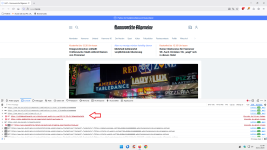
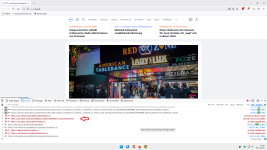
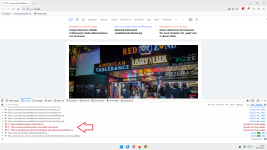
After disabling PB control, which is blocked by Firefox's trackers feature, uBo, DNS:
Tracking feature:
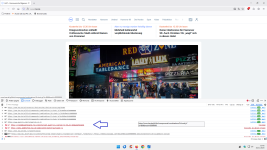
DNS:
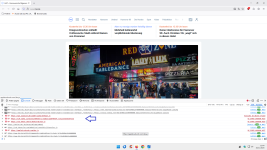
Tracking feature:
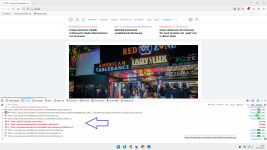
All trackers have been blocked without PB.
PB utility = 0
P.S.
In Chrome, all trackers that appear to be blocked only by PB are blocked by DNS.
HAZ – Hannoversche Allgemeine
As usual, I used Privacy Badger as my only control.
In the three images below, the trackers appear to be blocked only by PB:
After disabling PB control, which is blocked by Firefox's trackers feature, uBo, DNS:
Tracking feature:
DNS:
Tracking feature:
All trackers have been blocked without PB.
PB utility = 0
P.S.
In Chrome, all trackers that appear to be blocked only by PB are blocked by DNS.
It appears that this test has been updated recently:
Test Ad Block - Toolz
Test Ad Block - Toolz
Changelog 12/21/2025
- Enhanced build optimization with HTML/CSS/JS minification
- Added code splitting for vendor bundles
- Implemented performance budgets for bundle size monitoring
- Upgraded Babel packages to latest versions
- Removed node-sass dependency
- Added CSS minimization plugin
- Updated adblock host lists
- Improved template rendering
It appears that this test has been updated recently:
Test Ad Block - Toolz
Changelog 12/21/2025
- Enhanced build optimization with HTML/CSS/JS minification
- Added code splitting for vendor bundles
- Implemented performance budgets for bundle size monitoring
- Upgraded Babel packages to latest versions
- Removed node-sass dependency
- Added CSS minimization plugin
- Updated adblock host lists
- Improved template rendering

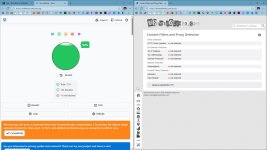
with controld hagezi TIF only
Every test has significant limitations and provides only a basic indication.
I get this with DNS alone.
HaGeZi Multi ULTIMATE + AG Tracking Protection filter
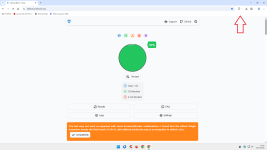
and only (it seems, but it's not so) + 1% with uBo enabled.
On the other hand, the benefits in terms of privacy/security from also using uBo (or AG/uBoL) are vastly superior.
I get this with DNS alone.
HaGeZi Multi ULTIMATE + AG Tracking Protection filter
and only (it seems, but it's not so) + 1% with uBo enabled.
On the other hand, the benefits in terms of privacy/security from also using uBo (or AG/uBoL) are vastly superior.

ditto 1% here with ubo + HaGeZi... (at least they post an advisory about ubo -- do this or that...)Every test has significant limitations
+ 1% with uBo enabled.
On the other hand, the benefits in terms of privacy/security from also using uBo

Recently browsing
Members who viewed this thread in the last 5 minutes
You may also like...
-

-

-
 New Update Replacing uMatrix
 -
-
M
- Opera
- Maciej Kocemba
- · 0