Advice Request Which Disk Defrag Software do you use?

Please provide comments and solutions that are helpful to the author of this topic.

Which Disk Defrag Software do you use?


  • Total voters
    142
Status
Not open for further replies.
Auslogics Disk Defrag portable edition here.
It is a good defragmenter, but the reason why I use it, is that I like to see the graphics disk sectors map and Windows default tool doesn't offer this function (however making a good job in my opinion).
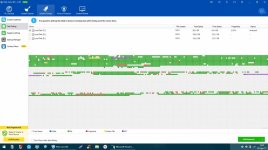
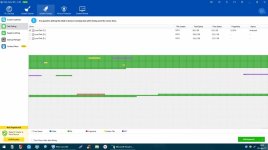
Same here, I use WiseCare just to see, how it looks before and after. This job was done in about 5 minutes:
 

Attachments

  • 5O612lo.jpg
    5O612lo.jpg
    125.9 KB · Views: 571
  • W0d3KPo.jpg
    W0d3KPo.jpg
    118.3 KB · Views: 562
I use PerfectDisk Pro.
I do not use the OptiWrite feature that avoids fragmenting as it slows down the accesses.
But I sure find the different defrag options very useful, like the one for putting the most accessed files on the fastest part of the HD or the other one to maximize free space if you just want to split up a partition.

Edit: It also has an useful feature to find files by NTFS number which is very at hand when you want to check some chkdsk work.
 
Update,
I have O&O installed and tried it on my 2TB Firecuda, as you know it is new I bought a set of them.
O&O reports that to defrag it with 12% fragmentation will take nearly 2 days (1 day 18hrs)
I find this perplexing and slow compared to other Defrag options out there.
 
Considering buying Diskeeper... for now back to PerfectDisk, but its somehow slow for my win10 laptop
 
Last edited:
Update,
I have O&O installed and tried it on my 2TB Firecuda, as you know it is new I bought a set of them.
O&O reports that to defrag it with 12% fragmentation will take nearly 2 days (1 day 18hrs)
I find this perplexing and slow compared to other Defrag options out there.
Try out defraggler , they will certainly double that ammount of time for you ;) if you use the thourough defrag option. But on a more serious note: o&o does a great job!
 
Windows one, do just what i need, no need 3rd party one.

In the past (not sure if still valid) , Windows use to relocate moved blocks defragmented by 3rd party defraggers...

Basically :

User use defragger and it relocate the blocks > Windows relocate moved blocks as it see fit > defragger re-relocate them > Windows see that happening re-re-relocate them again = continuous fight between the 2 defraggers :p
 
By nature all disk defragmentation software have different algorithms same like cleaning tools, therefore as long it's reliable and not prone to errors then nothing should pose risk to any system.
 
Status
Not open for further replies.

You may also like...