

The MalwareTips app
Your community, one tap away.
Open MalwareTips from your Home Screen or desktop. Follow discussions, find answers and pick up where you left off.
- Home Screen access
- Optional push alerts
- Your community
You're ready to explore.Explore what's new
Installation instructions
iPhone & iPad
- Open MalwareTips in Safari and tap Share. You may need to open the Page Menu first.
- Choose Add to Home Screen. If it is not listed, use Edit Actions to add it.
- Keep Open as Web App enabled if shown, then tap Add.
Android
- Open MalwareTips in Chrome or another browser that supports app installation.
- Open the browser menu and look for Install app, Install and create shortcut, or Add to Home screen.
- Choose Install and confirm. Wording varies by browser.
Desktop
- Chrome: use the install icon in the address bar, or the menu under Cast, save and share.
- Edge: open the menu, then More tools, Apps and Install this site as an app.
- Safari on Mac: choose Share or File, then Add to Dock. Firefox on Windows: look for the web apps button in the address bar.
If you cannot find an install option, update your browser or use its bookmark option to keep MalwareTips close.
Keep up with your conversations
After installation, open the app and sign in. Enable push notifications in Preferences if you want alerts. On iPhone and iPad, push requires a Home Screen web app and iOS or iPadOS 16.4 or later.
Sign in to manage notificationsInstallation is optional. Your notification settings stay under your control.
You are using an out of date browser. It may not display this or other websites correctly.
You should upgrade or use an alternative browser.
You should upgrade or use an alternative browser.
Advice Request Which security software has the best looking interface
-
 Thread starter
alakazam
Thread starter
alakazam
- Start date
- 37 Replies
- 5,686 Views
Share practical recommendations that address the author's needs.


Shadowra
Level 42
Verified
Top Poster
Content Creator
Malware Tester
Well-known
High Reputation
Forum Veteran
For free:
Microsoft Defender: Included in Windows 10, lightweight, free, very clear and complete interface, excellent protection.
Paid:
- Norton :Clear interface, good detection rate, it knows how to be forgotten. However, beware of false positives.
- F-Secure: Very clear interface (reminds me of Microsoft Defender), no settings to do, very good detection rate
- Kaspersky : A clear interface, very good detection rate and adjustable to.

Microsoft Defender: Included in Windows 10, lightweight, free, very clear and complete interface, excellent protection.
Paid:
- Norton :Clear interface, good detection rate, it knows how to be forgotten. However, beware of false positives.
- F-Secure: Very clear interface (reminds me of Microsoft Defender), no settings to do, very good detection rate
- Kaspersky : A clear interface, very good detection rate and adjustable to.

Don't have it installed ATM but for me it was Trend Micro's interface.
F
ForgottenSeer 94633
I've always liked it:
- Kaspersky (nice, clean, subdued interface) -
- B1 Free Archiver (probably the most beautiful interface in this type of program - no longer supported program - a pity)
There are probably more such programs, but this is an endless list
- Kaspersky (nice, clean, subdued interface) -
- B1 Free Archiver (probably the most beautiful interface in this type of program - no longer supported program - a pity)
There are probably more such programs, but this is an endless list


Setup PCPC setup
Strongly dislike Defender's interface but that's off-topic (too scattered, too many outside links, too much jargon). This is strictly personal opinion but I like the Dark Mode of Sandboxie's Sandman interface.
It's geeky software, also with a lot of jargon, but if you have mastered it for your personal needs (very basic for me), you'd like whatever it looks like.
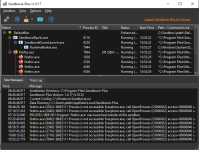
It's geeky software, also with a lot of jargon, but if you have mastered it for your personal needs (very basic for me), you'd like whatever it looks like.
I do like F-Secure's but it's quite big and in your face on smaller screens. Resizing is only temporary and reverts when opening from the system tray. Sounds petty, but it's one minor annoyance!For free:
Microsoft Defender: Included in Windows 10, lightweight, free, very clear and complete interface, excellent protection.
Paid:
- Norton :Clear interface, good detection rate, it knows how to be forgotten. However, beware of false positives.
- F-Secure: Very clear interface (reminds me of Microsoft Defender), no settings to do, very good detection rate
- Kaspersky : A clear interface, very good detection rate and adjustable to.
F
ForgottenSeer 94633
Mks_Vir / Arcabit has a simple neat interface You will not get lost in it

ESET in my opinion


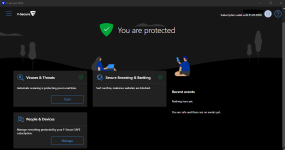
F-Secure Safe looks good with dark theme, my vote goes for that 
F
ForgottenSeer 94633
Sometimes it is so beautiful that does not go hand in hand with functionality and efficiency.
This most often applies to AV programs from the "lower shelves" - nice interfaces and hopeless effectiveness.
But there are also exceptions
This most often applies to AV programs from the "lower shelves" - nice interfaces and hopeless effectiveness.
But there are also exceptions
Avast. Free Avast has a nice minimal interface that opens to intuitive green and purple setting menus. Even the new Avast One has a decent interface once you look past the goofy pictures on the main screens. Avast One Mobile AV looks good too.
A close second for me is Bitdefender. The blue, black and green really pops out of the monitor and it is laid out very well.
C.H.
A close second for me is Bitdefender. The blue, black and green really pops out of the monitor and it is laid out very well.
C.H.

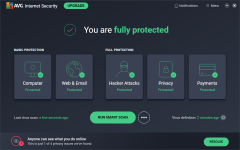
I don't really have a favorite, but if I have to choose one, then it will be AVG. I love the colors and the design. Avast Free is nice too with its simple approach, but AVG is prettier (excluding those UI ads).


icarus
Level 2
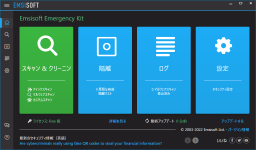
1.avgWhen it comes to interfaces, which security software do you think has the best-looking one?
2.zonealarm nextgen
3.vipre
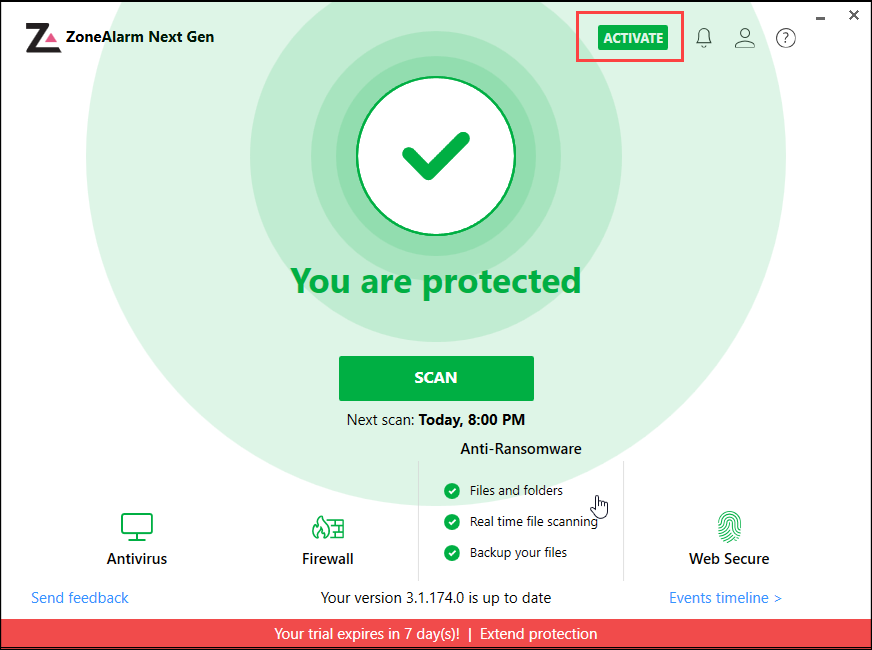

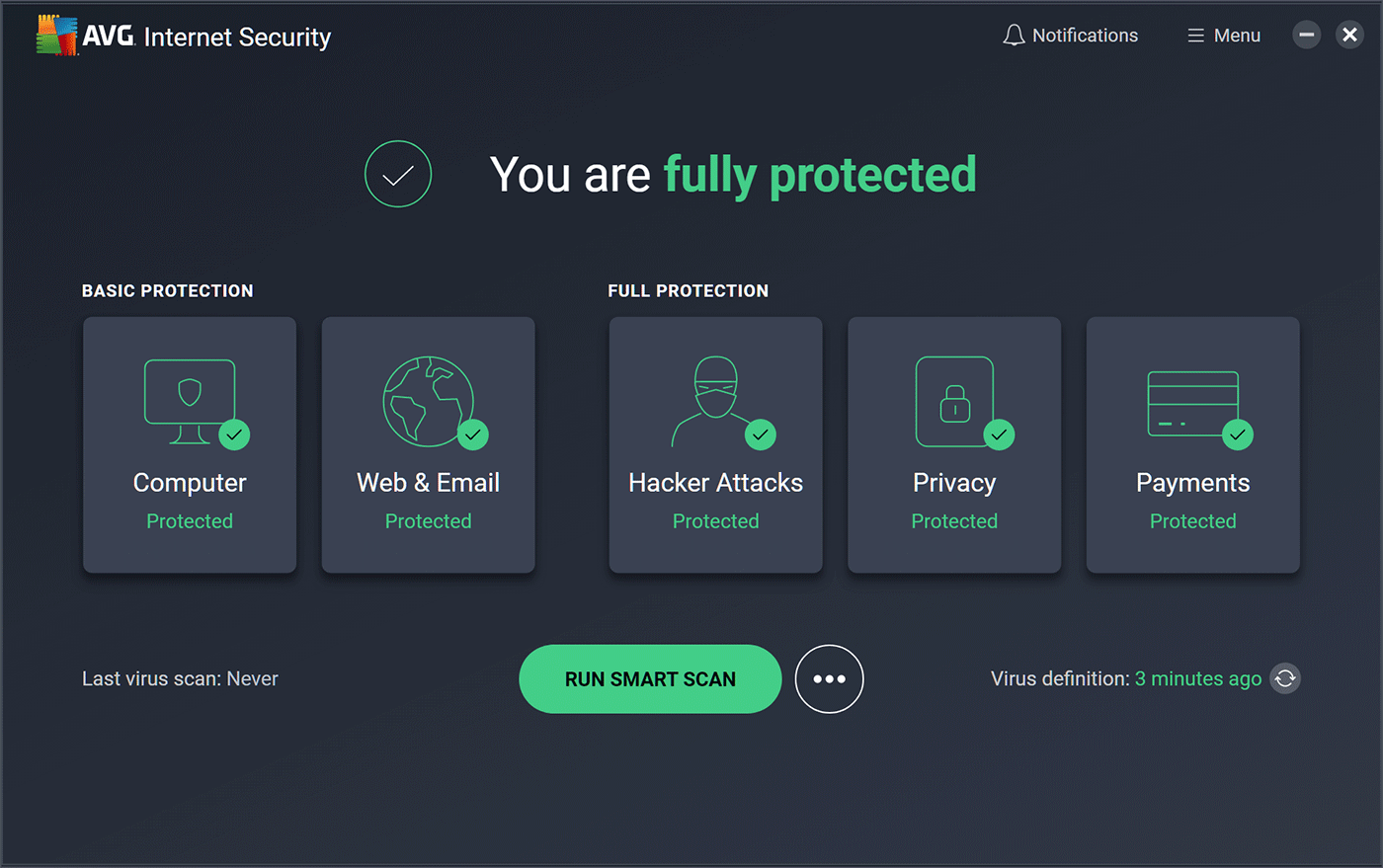
so sad to see virobot not get any update anymore but old days i love that look:
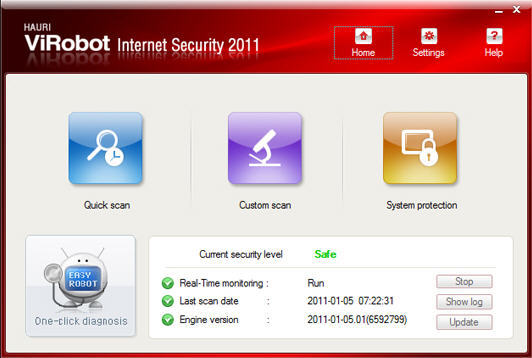

Nobody mentioned McAfee? I think the updated version of it looks nice.
TrendMicro, Avast, Bitdefender and Kaspersky are also good-looking.
G-Data, Avira, Bullguard, Defender, Norton, and WV are not good-looking and user-friendly, IMO.
TrendMicro, Avast, Bitdefender and Kaspersky are also good-looking.
G-Data, Avira, Bullguard, Defender, Norton, and WV are not good-looking and user-friendly, IMO.
Recently browsing
Members who viewed this thread in the last 5 minutes
You may also like...
-

-
 Software Review Qihoo 360 Total Security 2026 Free
 -
Software Review AVG Free Antivirus
-
-