
You may choose more than one.


Open MalwareTips from your Home Screen or desktop. Follow discussions, find answers and pick up where you left off.
If you cannot find an install option, update your browser or use its bookmark option to keep MalwareTips close.
After installation, open the app and sign in. Enable push notifications in Preferences if you want alerts. On iPhone and iPad, push requires a Home Screen web app and iOS or iPadOS 16.4 or later.
Sign in to manage notificationsInstallation is optional. Your notification settings stay under your control.

Remote Registry is not automatic by default.1. Telemetry Services: These collect data about your usage, which can be a privacy concern.
2. Remote Registry: This allows remote users to modify your registry.
3. Windows Search: It indexes your files for faster searching, but it can be a privacy issue.
4. Cortana: This digital assistant collects a lot of personal data.
5. OneDrive: If you don't use it, disable it to prevent unnecessary cloud syncing.
6. Windows Defender: If you're using a third-party antivirus, this is redundant.
7. BITS (Background Intelligent Transfer Service): This can be exploited by malware.
Remember, always backup before making changes.
Yes, it's generally safe to disable the Background Intelligent Transfer Service (BITS) if you're not using any Microsoft services that rely on it, such as Windows Update or MSN Explorer. However, disabling BITS might affect the functionality of these services. Always ensure to create a system restore point before making such changes.Remote Registry is not automatic by default.
I do not have Cortana and OneDrive; uninstalled.
Windows defender needs to interaction; it disables itself when 3rd party AV is installed.
Is it safe to disable Background Intelligent Transfer Service?
Who does not need Windows update!Yes, it's generally safe to disable the Background Intelligent Transfer Service (BITS) if you're not using any Microsoft services that rely on it, such as Windows Update or MSN Explorer. However, disabling BITS might affect the functionality of these services. Always ensure to create a system restore point before making such changes.
Apologies for the confusion. You're correct, Windows Update is crucial for system security and performance. Disabling BITS may impact Windows Update as it uses BITS to download updates. So, it's recommended to keep BITS enabled.Who does not need Windows update!
plus in group policy editor: Computer configuration: Administrative template: Windows components: Data collection and preview builds: Allow telemetry or diagnostic data: Enable (Off).Connected User Experiences and Telemetry
Print Spooler
That was my policy, but I discovered disabling services such as sysmain and Windows search does not offer significant boost to performance or enhance security, so I kept them automatic.I disable most things that don't break Windows itself, that is almost everything.

Does this policy disable telemetry? What is the benefit of disabling this in the group policy?plus in group policy editor: Computer configuration: Administrative template: Windows components: Data collection and preview builds: Allow telemetry or diagnostic data: Enable (Off).
Theoretically speaking, it can limit, but not completely disable, telemetry; no one can succeed to cut off MS telemetry; however, reducing telemetry as much as possible is better than nothing.Does this policy disable telemetry? What is the benefit of disabling this in the group policy?
Services I have disabled or set to manual on Windows 11 because I find them unnecessary, don't use them, or they give me issues.plus in group policy editor: Computer configuration: Administrative template: Windows components: Data collection and preview builds: Allow telemetry or diagnostic data: Enable (Off).
Of course choosing what to disable depends on your hardware and uses.Services I have disabled or set to manual on Windows 11 because I find them unnecessary, don't use them, or they give me issues.
Services I have disabled
BitLocker Drive Encryption Service
Connected User Experiences and Telemetry
Downloaded Maps Manager
Print Spooler
Program Compatibility Assistant Service
SynTPEnh Caller Service
Windows Biometric Service
Windows Error Reporting Service
Windows Insider Service
Windows Search
Workstation
Services I have set to manual
Connected Devices Platform Service
Intel Bluetooth Service
Intel(R) Graphics Command Center Service
Intel(R) HD Graphics Control Panel Service
Themes
A program crash triggers the error reporting service, showing a "Windows is looking for a solution" message, yet it only transmits data.Windows Error Reporting Service, and Windows Insider Service
I have 2 PCs; after Windows 11 install, I find Insider service automatic and running on one, while manual and not running on the other one.A program crash triggers the error reporting service, showing a "Windows is looking for a solution" message, yet it only transmits data.
I disabled the Insider service because someone here reported an automatic update to the Insider build without enrollment.

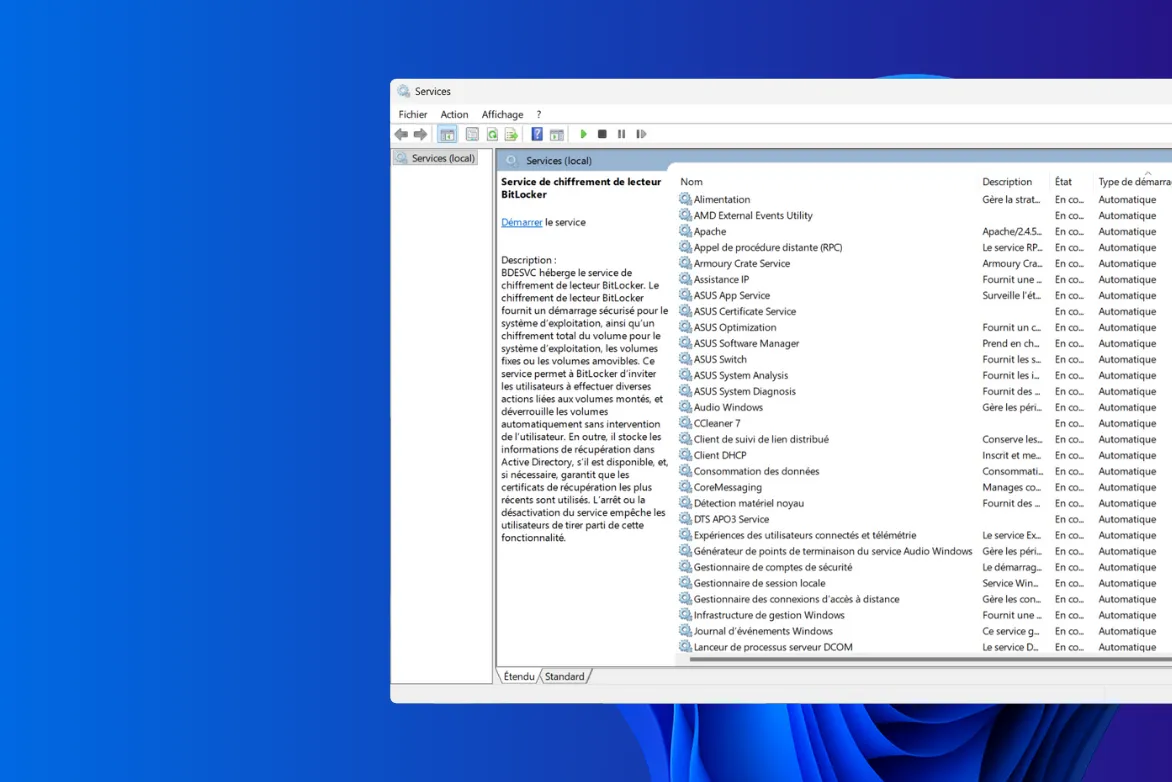
 assistouest.fr
 github.com
Why Program Compatibility Assistant Service and Windows Search can represent security risk?The risky services that can be disabled on most computers at home:
Other services:
- ActiveX Installer.
- Remote Desktop Services (RDP) / Terminal Services.
- Windows Remote Management (WinRM).
- Remote Registry.
- Print Spooler Service.
See also:
- Application Experience.
- Bluetooth Support Service.
- Offline Files.
- Program Compatibility Assistant Service.
- Smart Card.
- Smart Card Removal Policy.
- Telephony.
- Windows Error Reporting Service.
- Windows Search.
- WSDPrint (WSD-Print Service).
Disabling unnecessary services in Windows : Services list and guide
Speed up your Windows PC by disabling unnecessary services. A step-by-step guide to optimizing performance and freeing up system resources.
For advanced users:

DisableUnnecessaryServices/DisableUnnecessaryWindowsServices.ps1 at main · super0xbad1dea/DisableUnnecessaryServices
Disable Unnecessary Services, based on recommendations of Microsoft - super0xbad1dea/DisableUnnecessaryServices
Why Program Compatibility Assistant Service and Windows Search can represent security risk?
Yes, the Program Compatibility Assistant Service (PcaSvc) in Windows can be exploited by attackers, though such cases are relatively uncommon. Its primary function is to assist with running older applications on newer versions of Windows by applying compatibility settings. However, its legitimate components can be misused in certain scenarios.
Potential Abuses of PcaSvc
- Malicious Use of pcalua.exe:
Attackers have been known to exploit pcalua.exe, a component of the Program Compatibility Assistant, to launch malicious executables. By using specific command-line switches, such as -a, they can execute harmful code either locally or from remote shares, leveraging the trust associated with Windows system tools .- UAC (User Account Control) Bypass:
Security researchers have demonstrated methods to bypass UAC protections by manipulating the Program Compatibility Assistant. This involves creating a fake pcadm.dll and using Event Tracing for Windows (ETW) calls to trigger the loading of this malicious DLL, thereby circumventing UAC prompts .- Interference with Job Objects:
The Program Compatibility Assistant uses job objects to monitor processes. This mechanism can interfere with applications that rely on job objects for process management. For instance, certain applications might be unintentionally added to a PCA job, preventing them from being associated with other job objects, which can disrupt their intended behavior .
Yes, it is generally safe to disable the Windows Remote Management (WinRM) service on most personal and non-server systems, especially if you do not require remote management capabilities.
You can safely disable WinRM if:
When to Disable WinRM
- You do not use PowerShell Remoting, Windows Management Instrumentation (WMI) over HTTP, or other remote management tools that rely on WinRM. (malwaretips.com).
- Your system is not part of a domain or enterprise environment where remote management is necessary.
- You are focused on hardening your system against potential remote exploits.
Leaving WinRM enabled can increase your system's attack surface: reddit.com+1malwaretips.com+1
Risks of Keeping WinRM Enabled
Disabling WinRM helps mitigate these risks, especially if remote management is not needed.
- Open ports: WinRM listens on ports 5985 (HTTP) and 5986 (HTTPS), which can be targeted by attackers. syxsense.com
- Credential theft: If not properly secured, WinRM can be exploited to harvest credentials.
- Lateral movement: Attackers gaining access to one machine can use WinRM to move across the network. reddit.com+1citizenside.com+1
To disable the WinRM service: syxsense.com
How to Disable WinRM
Alternatively, you can disable it via the command line:
- Press Win + R, type services.msc, and press Enter.
- Scroll down and locate Windows Remote Management (WS-Management). syxsense.com
- Right-click on it, select Properties.
- Set the Startup type to Disabled.
- Click Stop if the service is running, then click OK.
powershell CopyEdit Set-Service -Name WinRM -StartupType Disabled
Stop-Service -Name WinRM
Important Notes
In summary, disabling the WinRM service is a prudent step for enhancing security on systems where remote management is not necessary. Always ensure that such changes align with your system's requirements and consult with IT professionals if unsure.
- Disabling WinRM will not affect Remote Desktop Protocol (RDP) or other remote access methods.
- If you use Windows Admin Center, PowerShell Remoting, or other tools that rely on WinRM, you should keep it enabled.malwaretips.com
- In enterprise environments, consult with your IT department before disabling WinRM, as it may be required for remote management tasks.
Members who viewed this thread in the last 5 minutes


