Advice Request Windows 8 Refresh Question

Please provide comments and solutions that are helpful to the author of this topic.
Status
Not open for further replies.

MrExplorer

Level 28
Thread author
Verified
Nov 15, 2012
1,765
3,059
2,667
I had Refreshed my Windows 8. Now there is a folder in C Drive of Win.Old Can i Delete it.
What does Refresh mean.
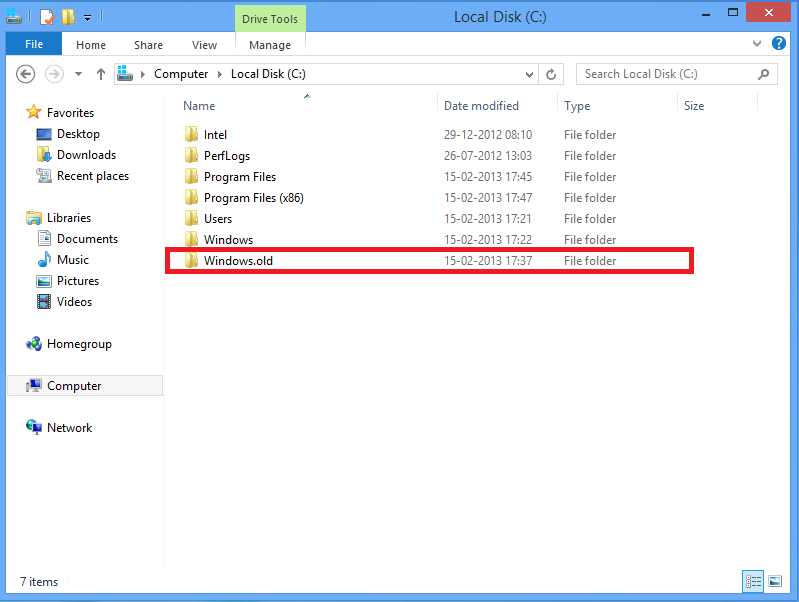
Refresh.png
 
refresh is like reinstalling OS..... but your file and personalization settings and metro apps are not removed.....only desktop application are removed....
 
samit said:
refresh is like reinstalling OS..... but your file and personalization settings and metro apps are not removed.....only desktop application are removed....

I am not able to delete that folder can i use Unlocker to delete that file.
 
If I'm right that, that happens you've wanted to keep your personal settings like Documents and what not but like samit said every thing else is removed. If you are not needing that anymore, it can be deleted. All it does is take up space on the Hard Drive, which depends on how big it is it can get annoying. :)
 
Simple answer, use the Help files that come with Windows, or check the Microsoft site:
http://windows.microsoft.com/en-GB/windows-8/restore-refresh-reset-pc

MrExplorer said:
What does Refresh mean.
 
Win.Old is useless to me as My all Personal Files are already copied to their places during Refresh Process.
 
I am still a bit skeptical on Unlocker 1.9.1 for windows 8. Last update was back in 2011. Just because it works in windows 8, it does not mean is fully optimized for windows 8. Just my 2 cents.
 
Like samit said as well with Disk Cleanup.

Here's how to remove the Windows.Old folder, again with built-in Windows tool:
http://windows.microsoft.com/en-GB/windows-8/how-remove-windows-old-folder
 
You are using the restore factory setting version but so called refresh. In that case your files and documents remains intact however would go back from the first place itself where its issue free and no problems at all.

Pretty useful for some serious issue that could solved in a one time click before the final resort option.
 
If you want to remove these files. here is a very simple and effective method to remove these files. I have done this many times.
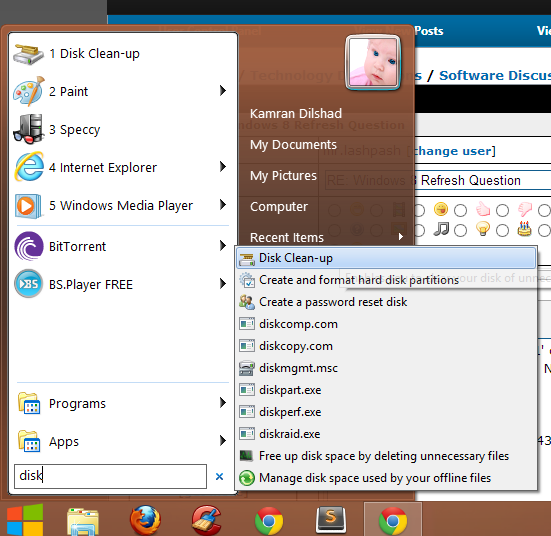
1. go to start menu and type "disk clean"
image.png


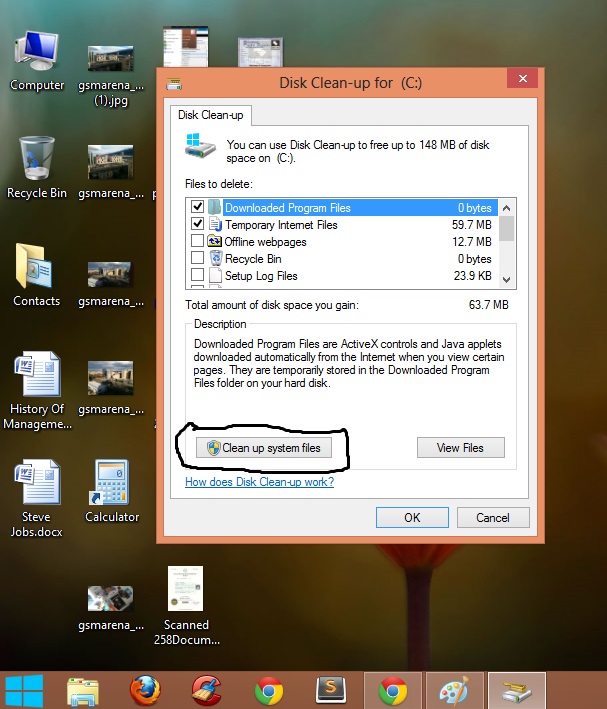
2 open Disk Clean-up and select Clean-up system files. from here you can delete your desired files and folders.
image.jpg


i hope you will find this helpful.
:)
 
And none of any Windows settings, documents, and others are removed.

Just applications installed are on the deletion process.
 
Status
Not open for further replies.