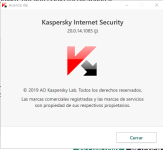
I turn on my PC and that happened, Kaspersky is on patch J, no changes and this never happened before.
I noticed by right-clicking a file and saw Windows Defender file scan on there.
Anti-malware service executable on task manager is running too.


Open MalwareTips from your Home Screen or desktop. Follow discussions, find answers and pick up where you left off.
If you cannot find an install option, update your browser or use its bookmark option to keep MalwareTips close.
After installation, open the app and sign in. Enable push notifications in Preferences if you want alerts. On iPhone and iPad, push requires a Home Screen web app and iOS or iPadOS 16.4 or later.
Sign in to manage notificationsInstallation is optional. Your notification settings stay under your control.
 Thread starter
fabiobr
Thread starter
fabiobr

Clean uninstall Kaspersky and reinstall lastest version .View attachment 241221
Turn off Kaspersky protection and then turn on again, that happened. "Status not available".
Seems like Kaspersky, for some reason, it's not being able to register itself to Windows Security central.
Nope, just installed Kaspersky when installed Windows.One question, have you disabled WD, so that it does not run at startup?


It has happened to me too with Comodo Internet Security. Sometimes the AV can't register in Windows Security Center (even if it's running well) and Windows Defender re-activates.View attachment 241220
I turn on my PC and that happened, Kaspersky is on patch J, no changes and this never happened before.
I noticed by right-clicking a file and saw Windows Defender file scan on there.
Anti-malware service executable on task manager is running too.

Members who viewed this thread in the last 5 minutes