Solved Windows Updates issues

Status
Not open for further replies.

Overkill

Level 31
Thread author
Verified
Honorary Member
Feb 15, 2012
2,128
1,989
2,979
54
USA
Briefly explain your current issue(s)
some updates won't install
Steps taken to resolve, but have been unsuccessful
none really
How do you guys install windows updates? Do you check them all or leave what windows has checked and install or do you do a few at a time? Is there a certain way that is supposed to be better? I have always just installed whatever updates are ticked by default and then do the rest once the others are finished, and hide the ones i'm not interested in. I have been trying to install updates to my laptop and family desktop after reformatting but for whatever reason quite a few fail and the installer was using over 2gb of ram! This is surely not normal? I honestly never check the ram until last night when I saw "trusted installer" using over 2gb of ram.
 
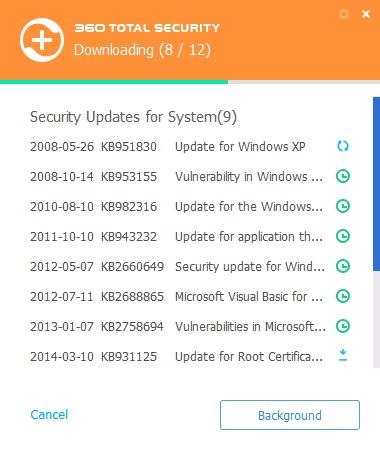
360ts-security-updates.jpg

set it and forget it
 
  • Like
Reactions: frogboy
Upvote 0
Trusted Installer uses the resources available, and may utilise the CPU too. I recommend switching the PC to High Performance settings and let it finish.

Reboot the system once completed.

WU - I install only Important and Security updates, uncheck Recommended updates and the bottom option.

Try using the Windows Disk Cleanup tool under Safe Mode to remove old Windows Update files.

Check the Troubleshooting options via Control Panel, or Microsoft Fix It website.
 
  • Like
Reactions: Overkill
Upvote 0
Usually if I've verified that the patches are safe to install then no hesitation to accept the installation process and later on its already done with reboot required.

Trusted Installer are part of Windows OS function where some parts of components needs to gather resource in order to complete the operation so that should be normal.

Windows Updates error should be posted when everything went unsuccessful.
 
Upvote 0
Thanks guys. I re-installed once again and this time on my laptop ALL the updates installed fine. Must be those minions screwing around :D
 
Upvote 0
Status
Not open for further replies.