


You may never find an Acxiom page with your name on it, even if the company’s marketing products contain information about you. A people-search lookup won’t settle the question.
U.S. consumers can use separate Acxiom routes for opting out, requesting access, and asking for deletion. Start with what you want the company’s response to tell you.
Overview
The opt-out concerns Acxiom’s marketing products
Acxiom directs consumers from its privacy center to a marketing opt-out. Use it when your goal is to stop the covered sale of your information.
This is different from removing an address that anyone can look up on a public people-search page. You can’t verify the Acxiom request simply by searching for your name.
The company also says the opt-out does not pull back information provided to marketers before your request. Continued mail isn’t a reliable test of whether it processed your request.
Asking for a copy and asking for deletion are different actions
Acxiom’s privacy center separately offers access, deletion, or correction where those choices are available. Access tells you what it keeps; deletion asks it to remove information.
An opt-out is useful when you’re concerned about marketing use but don’t need a copy of the information. It does not automatically generate an access report.
If you want to see what the company has before asking it to delete information, consider requesting access first. Don’t start with deletion if that would defeat your own purpose.
Choose a route based on the outcome you need
- Use the U.S. marketing opt-out if your immediate goal is to stop the covered sale going forward.
- Use the privacy center for access or deletion, and read what verification applies before you share further details.
- Keep the confirmation for the particular request you made, not just a screenshot of the privacy homepage.
- Follow up separately with a sender whose mail or messages you want to stop.
- Use the appropriate country contact if you live outside the United States instead of assuming the U.S. form applies.
Use Acxiom’s U.S. Marketing Opt-Out
Start on the provider’s public page
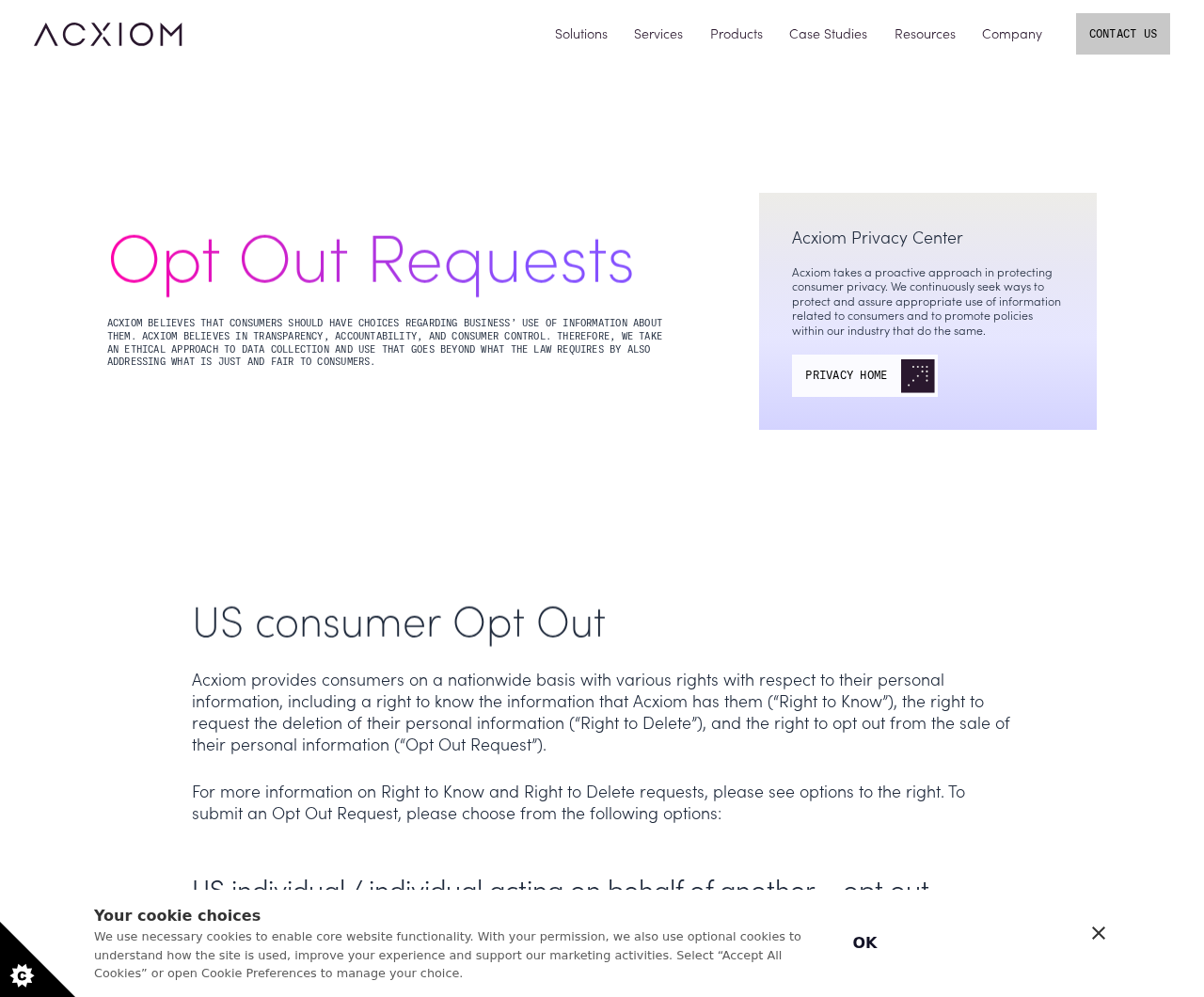
Open Acxiom’s Opt Out Requests page and look for the U.S. consumer section. It explains what the company means by an opt-out and where to start.
Choose the individual route if you’re acting for yourself. If you’re helping someone else, read the authorized-agent instructions rather than submitting the request in their name without their permission.
A privacy menu can also offer choices about site cookies. Changing whether a website may use optional cookies on your visit does not file a marketing opt-out.
Similarly, an unsubscribe link in a promotional message normally deals with that sender. Do not use it as a substitute for the Acxiom request when the broker is your concern.
Match the request to the information you want covered
Use the contact information that identifies the record you’re concerned about, following the form’s instructions. Check what you actually entered rather than relying on what you intended to submit.
If you’ve used more than one address or email, decide which are relevant. Don’t submit someone else’s information because they once lived at the same address.
If the form permits multiple identifiers, review the final list before submitting. A request about your current address does not tell you how a separate old record was matched.
Keep a private note of which categories you included. A note can say you included an old mailing address without copying that address into every follow-up file.
Finish the step that validates the request
Acxiom says you need access to an email inbox to answer its confirmation message. Leaving after a submission screen without completing the email step can leave the request unvalidated.
Check the address you supplied and look in the spam folder if the message doesn’t arrive. Don’t treat an unrelated retailer email as a response to your Acxiom request.
Use a confirmation only when it corresponds to the request you just initiated. If the message doesn’t make sense, open the provider’s support information directly.
Acxiom also lists a telephone option for people without a valid email address. Get the number from its published opt-out page instead of trusting one in a forwarded message.
Record when you confirmed, not only when you submitted
Acxiom says it processes the request within two weeks after you respond to the confirmation email. It also warns that the effect may take longer.
Save the acknowledgment or reference if one appears. Write down the confirmation date so you can distinguish a pending verification from a request the provider should have processed.
When asking about status, include the request type and its date. There’s no need to copy all your personal details into the initial note.
An acknowledgment for marketing opt-out is not an acknowledgment for deletion. If you filed both, keep the records separate so you can follow up on the one still open.
Use the Privacy Center When You Need Access or Deletion
An access request answers what Acxiom has about you
If your concern is an older address or an incorrect identity match, you may want to find out what the company holds before deciding what to change.
Start at the privacy center and choose the access option available to you.
Read the notice about verifying identity instead of assuming it will use the same steps as marketing opt-out.
Use the official route for any required verification. Never put a copy of your ID or a private report into a forum post to ask whether a result looks right.
When you receive a report, store it securely. If you need to discuss one entry with support, share only what is needed to identify the issue.
Deletion is a separate request with a separate result
Acxiom describes a way to ask for deletion of personal information. A marketing opt-out confirmation doesn’t tell you that a deletion request was made or granted.
Read the response for the scope and any stated limits.
If a reply says a particular record could not be matched, ask about that issue rather than assuming every record was removed.
Acxiom says available rights and instructions can vary by state. Check the applicable notice before assuming correction, deletion, and marketing opt-out all have the same conditions.
If you are asking about someone else, use only a route you’re authorized to use. Acxiom publishes instructions for people acting on behalf of another person.
Protect the copy you keep for follow-up
A response can be useful without saving every identifier beside it. Keep the date, reference and request type in a private place that you can find again.
If you retain a copy of an access report, consider whether it has information you don’t need.
Don’t automatically send the whole report to a marketer just to stop one mailing.
You can ask a sender what address or account it used without forwarding unrelated details. Keep the follow-up specific to the mailing or message that prompted the question.
What to Do if Your Acxiom Opt-Out Seems to Have Stalled
- Confirm that you used the U.S. consumer marketing opt-out, not a cookie control or general contact form. Make sure you’re following the request you intended.
- Check that you responded to the confirmation email and record that date. If you didn’t receive one, check the inbox you entered and use Acxiom’s contact instructions if needed.
- Compare the elapsed time with Acxiom’s published processing estimate. If you need to follow up, provide the reference or submission details through its official channel.
- If your real goal is an access report, correction, or deletion, open the privacy center and select that request separately. Read the identity verification requirements for that request.
- If a specific company’s mail continues, contact that sender through its own published route. Don’t assume one mailing proves Acxiom ignored your opt-out.
Interpret continued mail without jumping to a conclusion
A marketer could already have your address, have it from a different provider, or have scheduled a mailing in advance. The envelope does not distinguish among those possibilities.
If you want the mail stopped, address the sender as well as the broker. Ask the sender whether it offers a direct marketing preference or a removal request.
If a piece of mail claims you must pay to complete an opt-out, don’t use its contact details. Compare the message with the request you started on Acxiom’s page.
A change in the volume of ads or mail after your request is also not proof that every marketing record disappeared. Verify the status of the specific request instead.
Treat past and present contact information carefully
If you recently moved, an envelope might be addressed to a former household. Identify which contact detail in that mailing concerns you before sending a new privacy request.
A recent move also doesn’t prove the old contact data came from Acxiom. The company’s opt-out may be useful, but it can’t answer who supplied a particular sender.
If you want to know whether Acxiom has a previous address, use the access route rather than filing multiple duplicate opt-outs. Read the verification instructions for that route.
If the response describes what it knows about you but the oldest address matters most, ask about that record specifically. Do not email a large collection of relatives’ addresses.
Track different privacy requests on different lines
Say you submitted a marketing opt-out and later asked for deletion. Give each request its own label with the date, channel, and any reference the provider gave you.
If one is still waiting on the confirmation step, finish that step for the exact request. Don’t forward an earlier confirmation expecting it to validate a different action.
If Acxiom reports it couldn’t verify the access request, review its instructions or contact support. Don’t assume that outcome also canceled the separate marketing opt-out you already confirmed.
If you ask for a correction, say which fact you believe is wrong and where you saw it.
Check what remedy is available before assuming the company will edit that record.
Other requests may be better for a narrower concern
Acxiom’s privacy center identifies a separate option for California consumers to limit certain use of sensitive personal information in its marketing data products. The opt-out is not that same choice.
If you are concerned about just one merchant’s messages, its own preferences can be the more direct starting point. Use the broker opt-out for the broker’s practices.
For California’s separate broker deletion process, use CalPrivacy’s official DROP overview. Check eligibility rather than assuming an Acxiom confirmation counts there.
For an international request, use Acxiom’s country guidance. The company says it handles only anonymous or aggregate information in some places, which may affect the answer you receive.
For any of these routes, avoid filling a second form while unsure what the first one did. An answer about one request is more useful when you can identify it.
Frequently Asked Questions
Can I look myself up on Acxiom to see whether the request worked?
The company’s process concerns information in marketing products, not a public directory entry you can simply open. Keep your confirmation and ask for the status through Acxiom if needed.
If the question is which information it holds, use the separate access request. A search result for your name doesn’t answer that question.
Does Acxiom’s marketing opt-out delete my information?
The opt-out and deletion have different routes in the privacy center. An opt-out covers the sale addressed by the request; deletion asks for different action on information the company holds.
Check the response for the request you actually chose. If you need both, keep their confirmations separate.
When does Acxiom start processing the request?
Acxiom says it processes the opt-out within two weeks after you respond to the confirmation email. It cautions that the change may take longer to become fully effective.
Count from confirmation, not when you first opened the page. If you cannot find a response, use the contact details on its official opt-out page.
Why am I still receiving marketing mail?
Acxiom says the opt-out doesn’t recall information supplied to marketers before the request. A sender might also have obtained the address elsewhere.
Ask the sender about stopping its mail and check your Acxiom request separately. Continued mail doesn’t identify the data source by itself.
Can I opt out without an email address?
Acxiom publishes a phone route for U.S. consumers who don’t have a valid email address. Use the current number on its own opt-out page.
If you are acting for another person, review the separate authorization information before contacting the company. Avoid entering their details without permission.
What if I no longer live in the United States?
Acxiom’s opt-out page has a separate section for requests outside the United States. Check the countries and contacts listed there rather than copying the U.S. procedure.
The company says it handles different kinds of information in different markets. Read the response for what it says about your country and request.
The Bottom Line
Use Acxiom’s marketing opt-out if your goal is to stop the covered sale going forward, then finish the confirmation and keep its date for any follow-up.
Choose access or deletion separately if you want information about the records themselves. A mailer that already has your address still needs its own response.

Join the discussion
0 commentsShare your experience or ask a question about this article.
Community experiences
Did this happen to you?
Your experience could help someone recognize the same scam. Submit a private report for our team to review.
I experienced this tooReports are reviewed before publication. Sharing publicly is always your choice.
Discussion
Start the conversation
Have a question or something useful to share? Add the first comment.