


A warning about AI-powered attacks can leave a small-business owner with an uncomfortable question. Is this another distant enterprise story, or something your own team needs to address?
The ARTEX headline sounds dramatic, especially when it mentions intrusions measured in hours. Understanding the warning starts with separating the actual threat from the assumptions around it.
Overview
ARTEX is a testing framework that attackers are abusing
ARTEX is an AI-driven penetration-testing framework, not automatically a fraudulent service or a virus on your computer. Authorized testing and criminal intrusion differ fundamentally in permission and scope.
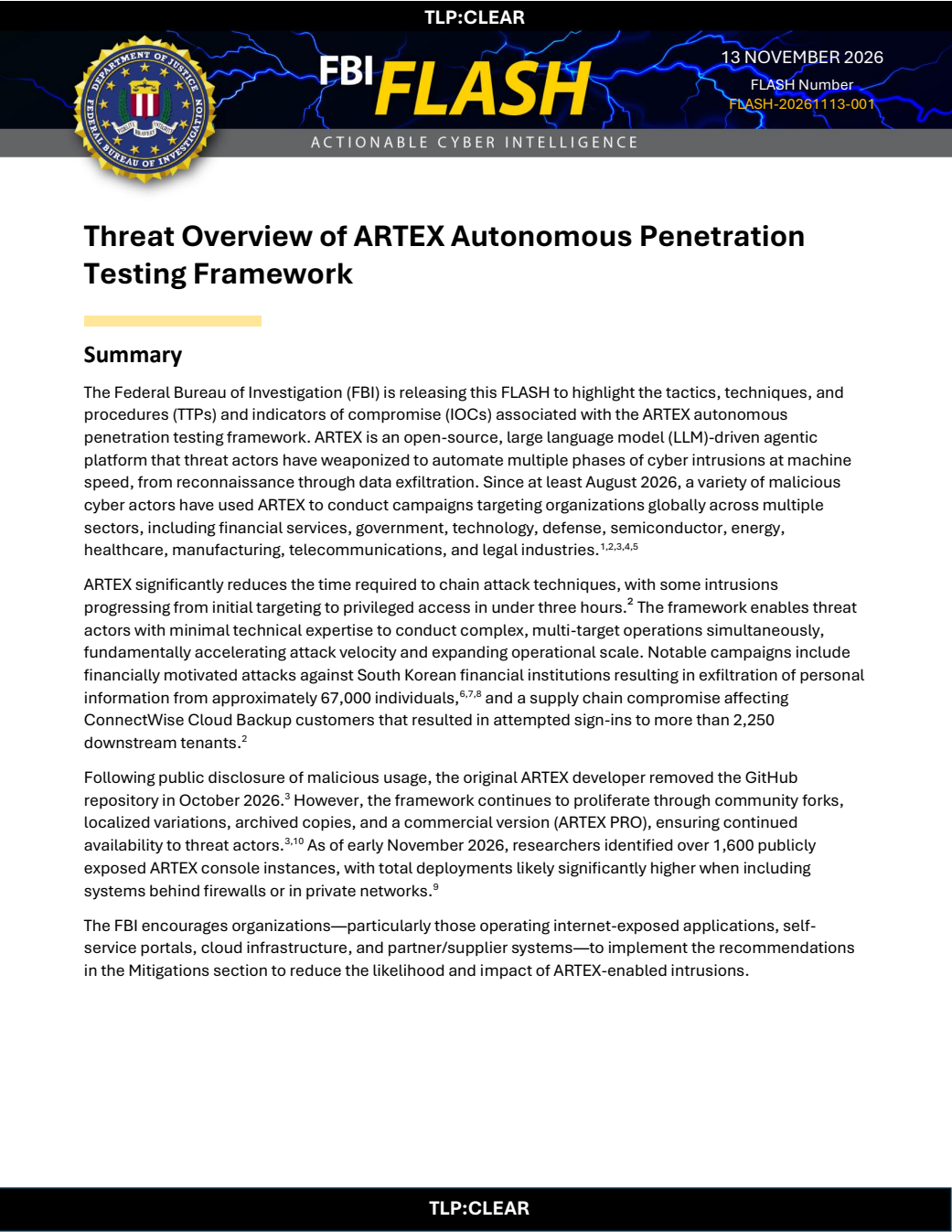
The FBI’s November 13 advisory describes malicious actors using the framework to automate intrusion activity. The warning concerns that abuse, not a claim that every user is criminal.
Some observed attacks progressed from initial targeting to privileged access in under three hours. That describes particular intrusions, not a guaranteed timetable or universal ability to defeat security.
The immediate audience is organizations with exposed systems
The advisory covers internet-facing applications, cloud environments, partner connections, and supplier systems. A small organization can depend on these services even without running its own data center.
For example, a business may authorize an application to handle backups or other cloud tasks. That application’s permissions matter separately from an employee’s normal sign-in.
The practical issue is fast containment of real access
An AI label should not distract you from the access attackers actually obtain. Investigators need to identify affected accounts, application permissions, exposed services, and subsequent changes.
- Inventory public-facing systems and identify who is responsible for maintaining them.
- Review application access alongside ordinary employee accounts and administrative roles.
- Preserve relevant logs while an authorized responder contains suspicious activity.
- Follow the affected vendor’s specific instructions rather than deleting integrations indiscriminately.
Why This Is More Than a New AI Buzzword
A conventional intrusion often involves repeated checking, comparing results, and deciding what to examine next. Automation can reduce the human delay between those activities.
ARTEX coordinates agents that use external language models and security tools. An operator supplies objectives, while the framework organizes tasks and shares results between its components.
That does not create access out of nothing. Attackers still need weaknesses, exposed credentials, excessive permissions, or another workable path into the target environment.
The danger is how quickly those separate opportunities can be connected. A weakness that seems minor in isolation can become important when another compromised account supplies additional permissions.
Defenders may see plenty of suspicious activity while still struggling to investigate it promptly. A noisy attack is not harmless when the response process moves too slowly.
This is why the FBI focuses on both prevention and response. Reducing unnecessary exposure helps before an intrusion, while clear authority to contain access matters afterward.
How ARTEX-Enabled Intrusions Can Unfold
Step 1: Attackers examine an organization’s reachable systems
The starting point may be a less prominent service rather than the main website. Employee portals, older applications, and partner connections can receive less routine attention.
An organization may not immediately recognize every exposed system as its responsibility. A service introduced for one project can remain reachable after the original team moves on.
The useful defensive question is therefore concrete: which systems can outsiders reach, who owns each one, and when was its security last checked?
Step 2: A weakness or credential provides an entry point
The FBI describes multiple intrusion paths rather than one universal ARTEX exploit. Exposed credentials and vulnerable applications require different fixes, even when the same framework assists the attacker.
Changing an employee password will not patch a vulnerable server. Patching a server will not automatically revoke an application credential that someone already copied.
The responder needs to establish the route involved and contain that route. A generic instruction to reset everything can miss the credential or permission that actually matters.
Step 3: The attacker determines what the access permits
Compromised access is valuable because of what it authorizes. An application credential may allow operations that do not look like a person signing into an inbox.
That makes application activity and identity changes important investigation records. Looking only at employee login failures can leave a misleading impression that nothing significant happened.
Authorized administrators should compare suspicious operations against expected vendor behavior, approved changes, and the application’s legitimate role. Familiar application names alone do not settle that comparison.
Step 4: Additional access may be created
The advisory describes persistence, including changes to application credentials and account permissions. These changes can provide another route after the original entry point is closed.
Imagine replacing a compromised key while overlooking another key added during the intrusion. The first repair matters, but the added access remains a separate problem.
For that reason, recovery needs a review of relevant changes, not just the original alert. Removing confirmed unauthorized access should happen through an appropriately authorized response process.
Step 5: Business data or connected services become the target
Depending on the permissions obtained, attackers may attempt to reach mail, files, customer information, or other systems. Each access claim needs evidence from the affected environment.
A sign-in event does not by itself prove that customer records were extracted. Conversely, an absence of visible desktop symptoms does not clear compromised cloud access.
The investigation should distinguish attempted activity, successful authentication, accessed resources, and confirmed data transfer. Those distinctions affect customer communication and the steps needed to restore trust.
The ConnectWise Example Needs Careful Reading
Microsoft’s original ARTEX investigation describes abuse of compromised third-party application credentials in a ConnectWise-related campaign. Existing application permissions helped create a downstream access route.
The important point is not that every ConnectWise customer lost data. Microsoft distinguishes affected applications and successful authentication from evidence that information was actually accessed or extracted.
A business needs to determine whether the specific affected applications were authorized in its environment. An application display name is weaker evidence than its actual application identifier.
Historical application authorization can matter here too. Removing an integration from routine use does not necessarily answer whether its credentials or permissions were available during the relevant period.
For affected environments, the published guidance emphasizes preserving evidence and keeping affected connections disabled until formal restoration instructions arrive. Deleting enterprise applications immediately can destroy useful configuration information.
That is a case-specific containment approach, not an instruction for every reader to disable all backups. Have the service provider or administrator identify the integration before making disruptive changes.
What a Small Business Should Ask Its IT Provider
You do not need to become a cloud investigator to ask useful questions. Start by identifying who is responsible for your email, backups, website, and customer-facing applications.
Ask whether any current vendor advisory applies to your actual services. Request the affected product and application identifiers, rather than accepting a general assurance about using reputable software.
Then ask what logs are available and how long they are retained. An investigation becomes harder if important sign-in or configuration records disappear before anyone preserves them.
Discuss how the provider can revoke suspicious application access without destroying evidence. Agree who may authorize emergency containment and who must be notified about business disruption.
Finally, ask how restoration will be verified. A service working again is useful operationally, but it does not prove every unauthorized credential or permission was removed.
What to Do If Your Business May Be Affected
-
Send the original advisory to your administrator or managed-service provider through an established channel. Ask whether the named systems or applications are present in your environment.
Do not follow an unsolicited caller who claims the warning requires you to install a new remote-access tool.
-
Identify an incident owner and record the first known suspicious event. Collect the relevant system, account, and vendor details before different teams start making uncoordinated changes.
Use a trusted communication channel if your normal email service may be involved in the incident.
-
Preserve available sign-in, application, configuration, and security records. Keep original timestamps and time zones so events from different services can be compared accurately.
Evidence collection should support urgent containment, not become a reason to leave confirmed hostile access active.
-
Have an authorized responder contain confirmed suspicious access. Depending on the finding, that can involve restricting a connection, revoking permissions, or rotating a specific credential.
For affected ConnectWise integrations, use the vendor’s current containment and restoration instructions instead of treating every similarly named application as compromised.
-
Review what changed after the first suspicious access. Examine added credentials, new owners, altered privileges, forwarding arrangements, and other relevant modifications within the investigated scope.
Record why each change is authorized or suspicious, rather than relying only on whether its name appears familiar.
-
Determine the actual business impact before announcing a broad conclusion. Separate unsuccessful attempts from confirmed access and distinguish exposed information from confirmed extraction.
Involve appropriate legal, privacy, and incident-response advisers when customer information or reporting obligations may be affected.
-
Restore services deliberately after containment and necessary remediation. Confirm that approved users and applications still have only the access their work requires.
Monitor the restored environment for related activity, and document the conditions that justified bringing the service back.
-
Report criminal activity through appropriate official channels, including IC3 for relevant US cases. Preserve evidence privately and share it only with authorized recipients.
Refuse unsolicited recovery offers that request credentials or advance payment in exchange for a promised cleanup.
Why a Personal Antivirus Scan Is Not a Cloud Investigation
Endpoint protection can help with malicious files and activity on a supported computer. It cannot independently inspect every application permission inside your organization’s cloud accounts.
If the issue concerns a stolen application credential, scanning an employee laptop may leave the actual access unchanged. Identity review and vendor coordination remain necessary.
The reverse is also true: repairing cloud permissions does not automatically clean a device that separately received malicious software. Respond to the findings rather than assuming one remedy covers everything.
This article explains the intrusion warning and organizational response. It is not a removal guide for a single malware family, and ARTEX does not identify one universal infection.
Useful Priorities Before an Incident Happens
Reduce the number of forgotten public applications and remove access that no longer serves a business purpose. Each unnecessary connection adds something else to maintain and investigate.
Make responsibility visible by recording a service owner for each critical system. That person should know where vendor advisories arrive and who can authorize emergency changes.
Use narrowly scoped application permissions and maintain a process for reviewing new access requests. Broad permissions should require a clear business reason, not simply a convenient default.
Practice the communication path for a serious alert. Finding the right administrator after hours should not depend on the one employee currently away on holiday.
These improvements address the conditions attackers exploit, whether they use ARTEX, another framework, or manual tools. The AI label changes urgency without making ordinary access controls irrelevant.
What an Alert Can and Cannot Tell You
A burst of requests may justify investigation, but it does not identify ARTEX by itself. Authorized testing, ordinary automation, and hostile activity can produce superficially similar events.
Compare the activity with approved testing schedules and expected service behavior. If a supplier was conducting an authorized assessment, establish the agreed scope before treating it as an intrusion.
Keep attack attribution separate from urgent containment. Your team can block confirmed unauthorized access without first proving which framework, language model, or individual operated the attack.
Similarly, an unfamiliar network address should be evaluated with its surrounding events. A changing address list is not a complete substitute for identity and application monitoring.
A useful incident record explains what was attempted, what succeeded, and what changed afterward. That account is more actionable than a screenshot carrying only an alarming AI label.
When communicating internally, identify which findings remain provisional. This lets staff take protective steps without turning an early technical suspicion into an unsupported customer-data announcement.
Frequently Asked Questions
Is ARTEX itself a scam or a computer virus?
No, it is a penetration-testing framework that can be used with authorization. The warning concerns attackers abusing it to conduct intrusions, not every legitimate testing activity.
Does the FBI warning mean my own business was hacked?
No, the warning describes observed campaigns and risks. Your administrator needs to check your actual services, access records, and relevant vendor advisories before reaching that conclusion.
Can attackers always gain access within three hours?
No, that timing describes some observed intrusions. It is not a universal success rate, and the same reports describe activity that did not successfully authenticate.
Will changing my email password fix application access?
Not necessarily, because applications can use separate credentials and permissions. An administrator should identify the compromised access and review related changes rather than assuming one password controls everything.
Should I immediately delete every third-party application?
No, indiscriminate deletion can disrupt services and remove useful evidence. Follow incident-specific instructions and have an authorized responder preserve configuration before making irreversible changes.
What should an ordinary customer of an affected company do?
Verify any incident notice through the company’s official channel and follow its specific instructions. Do not give credentials to callers who use the headline as a support pretext.
The Bottom Line
Take confirmed suspicious access seriously and involve the person responsible for your systems immediately. Prioritize containment, preserved records, and removal of unauthorized permissions rather than reacting to the AI label.
If your business uses an affected integration, follow its vendor’s restoration guidance and verify the remaining access. Do not assume a password reset or desktop scan finishes the investigation.

Join the discussion
0 commentsShare your experience or ask a question about this article.
Community experiences
Did this happen to you?
Your experience could help someone recognize the same scam. Submit a private report for our team to review.
I experienced this tooReports are reviewed before publication. Sharing publicly is always your choice.
Discussion
Start the conversation
Have a question or something useful to share? Add the first comment.