


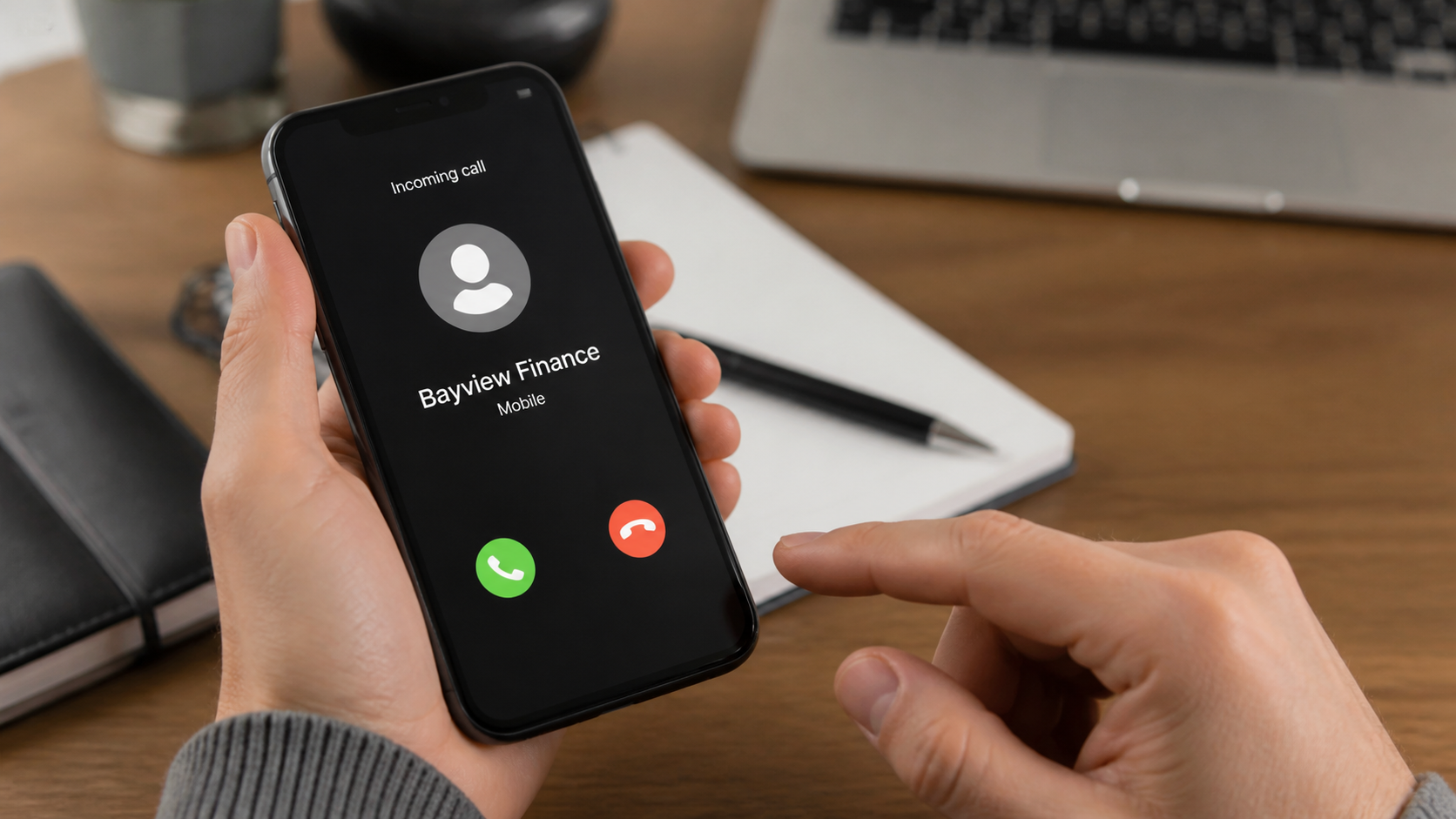
Your phone rings again. A polished recording says the Bayview Finance underwriting department has reached a final decision about your loan, but your approval will expire unless you speak with an agent today.
You may never have applied for that loan. The caller is counting on curiosity, financial pressure, or a familiar company name to keep you listening.
Overview
The caller borrows a financial name to create instant authority
Bayview Finance scam calls are unsolicited robocalls or live calls that claim to concern a loan application, underwriting decision, debt, mortgage, or pre-approved credit offer. The speaker may use names such as Bayview Finance, Bayview Lending, or Bayview Loan Servicing.
Similar names have been used by legitimate financial businesses, which is precisely why impersonation works. A familiar name on caller ID does not establish who placed the call, and the callback number may lead only to the fraud operation.
The immediate goal is usually to make the recipient respond. Once connected, an agent can collect identity information, demand an advance fee, sell a questionable lead, or pressure the victim into sharing bank access.
The story changes depending on what the recipient reveals
A person who says they applied for credit may hear that approval is ready. Someone who denies applying may be told identity thieves opened an account and urgent verification is required.
Common versions include:
- A loan has passed underwriting but needs final verification
- A pre-approved offer expires at the end of the day
- An outstanding balance must be resolved before legal action
- A mortgage account has been transferred to a new servicer
- A processing, insurance, or release fee is required
- The recipient must press a number to decline or opt out
- A local callback number is provided for a supposed account specialist
The danger is more than an annoying robocall
Repeated calls can be harassment, but engaging may expose a Social Security number, date of birth, employer, income, bank account, card number, or online-banking code.
A stolen identity can support credit applications and account takeover. An advance payment can be lost immediately, while repeated “verification” charges may follow.
The Federal Trade Commission warns that legitimate lenders do not guarantee credit before reviewing an application, and a lender demanding payment before delivering promised funds is a major scam sign.
Caller ID Does Not Verify Bayview Finance
Caller ID can be spoofed. The number displayed on your phone may belong to a real business, an innocent person, a disconnected line, or a local area code selected to increase answer rates.
Reverse-search results can also be misleading. Scammers rotate numbers quickly, and complaint sites may combine reports about different callers using the same label.
Do not call back through the voicemail. If you genuinely have a Bayview-related loan or mortgage, use the number printed on a recent statement, the back of a payment card, or an official website you opened yourself.
A real account issue should be verifiable without disclosing sensitive information to the person who initiated the call.
What a Real Loan Process Should Look Like
A legitimate application starts with a lender you chose or a clearly identified marketplace. You should receive disclosures explaining the legal lender, requested amount, annual percentage rate, fees, repayment term, and conditions.
Prequalification can occur before a full credit inquiry, but it is not the same as guaranteed funding. Final approval normally depends on identity, income, credit, and other underwriting information.
A real lender can send terms through a secure portal or written document. It should give you time to review them, compare offers, and ask questions without losing everything during one phone call.
Fees must be disclosed clearly. They should not arrive as a surprise demand for gift cards, cryptocurrency, or a personal transfer before funds can be released.
Check the lender through the Nationwide Multistate Licensing System where applicable, as well as the relevant state regulator. Confirm the exact company, website, address, and license rather than searching only the caller’s brand name.
If you already have a mortgage, use your latest statement to identify the servicer. A transfer of servicing should be documented, and payments should not suddenly move to an individual account because of a voicemail.
What Criminals Can Do With a Loan Application
A completed loan profile can contain nearly everything needed for identity fraud: name, address, Social Security number, birth date, employer, income, bank, and credit history.
Criminals may attempt new loans, credit cards, account recovery, tax fraud, or mobile-carrier changes. Even unsuccessful applications can create hard inquiries and confusing lender notices.
Bank routing and account numbers can support unauthorized debit attempts. Card details may be tested with small transactions before larger charges are made.
A one-time code can be more immediately dangerous than a static detail. It may authorize a login, new payee, password reset, or digital wallet enrollment while you remain on the call.
Employment and debt information also makes later impersonation more believable. A follow-up caller may refer to the same loan amount and pretend to be a regulator investigating the first company.
That is why a victim should not wait for visible theft before acting. Freezing credit, protecting email, and contacting banks can reduce damage while the information is still being tested.
Why Pressing a Number to Opt Out Can Backfire
Some Bayview Finance recordings say to press a key if you are no longer interested. That sounds like a convenient opt-out, but on an unverified robocall it can confirm that a real person answers the number and follows instructions.
A confirmed number may receive more calls from the same operation or be included in lead lists sold to other marketers and scammers. The next caller can use a different company name while building on the same loan theme.
Do not press buttons, provide a verbal “yes,” or call back simply to demand removal. End the call, block the number, and use the complaint tools offered by your carrier or phone platform.
If you believe a legitimate lender is trying to reach you, find its official website independently and call the published number. Ask whether an application exists in your name without repeating information from the suspicious caller.
Repeated calls from changing numbers do not prove that many lenders are competing for your business. Automatic dialing systems can rotate caller IDs and local-looking area codes to improve the chance that someone answers.
How the Scam Works
Step 1: An automated dialer targets thousands of numbers
The campaign places large volumes of calls using changing numbers. A short recording mentions underwriting, loan processing, or a final review and asks the recipient to press a key or call back.
The operator may have only a phone number. The victim supplies the missing context by saying whether they recently applied for credit, own a home, or have an overdue balance.
Step 2: A deadline makes the offer feel personal and urgent
The recording claims a file is about to close, a rate will change, or an approval code will expire. Urgency discourages the recipient from checking the company independently.
Frequent calls can create the impression that a serious institution is persistently trying to reach you. Volume is not proof of legitimacy.
Step 3: The agent collects an application profile
A live agent asks for name, address, birth date, employment, income, debt, property, and credit information. The questions resemble a loan application, which can make invasive requests seem normal.
The agent may already know basic data from lead lists or breaches. Repeating correct information is a persuasion technique, not authentication.
Step 4: The victim is promised approval or frightened with fraud
If the victim needs money, the caller announces approval despite poor credit. If skepticism appears, the script can switch to an identity-theft emergency requiring the same sensitive details.
Both paths create a reason to provide a Social Security number, bank login, card, or one-time code before ending the call.
Step 5: An advance payment is introduced
The supposed lender may request insurance, processing, document, tax, collateral, or transfer fees. Payment may be demanded through a transfer app, gift card, cryptocurrency, or debit-card transaction.
Calling the payment refundable does not make it safe. The promised loan may never appear, and another fee can be invented immediately afterward.
Step 6: Bank access or identity data is exploited
A criminal can attempt unauthorized withdrawals, new credit, SIM takeover, or email recovery. If remote-access software was installed, the attacker may see balances and authentication prompts directly.
Some operations simply sell the completed “application” to other marketers. Even then, false consent and exposed personal data can trigger months of unwanted calls and fraud attempts.
Step 7: The number changes and follow-up callers appear
When a number gains complaints, the campaign switches caller IDs. A second agent may pose as compliance, a bank investigator, or a recovery company.
Victims who paid are especially valuable targets because criminals know which story worked. A refund offer that requires another fee is a continuation of the scam.
Company, Address, and Fulfillment Checks
The caller’s label is not the legal lender
Ask for the complete legal entity, licensing identifier, website, and written offer. Compare them with state lending records and documents obtained independently.
Do not assume every company containing “Bayview” is connected. Similar naming can hide an unrelated lead generator or impersonator.
The address must match official licensing records
A legitimate lender should have a verifiable business address tied to its legal entity. A virtual office, unrelated residence, or address copied from another company deserves investigation.
Never mail identity documents or payments to an address supplied only during an unsolicited call.
Support should work through established channels
Call the known servicer or lender using your statement. Ask whether the callback number, employee, and account message are genuine.
A caller who refuses written terms or says verification is possible only while you remain on the line is preventing due diligence.
The loan must have a traceable application and disbursement
Confirm when and where you applied, the amount requested, disclosures, interest rate, repayment schedule, and delivery method. A verbal promise is not a funded loan.
Money should not depend on purchasing gift cards or transferring a “release” payment to an individual.
How to Respond to Repeated Calls
Let unknown calls go to voicemail. Save recordings, dates, numbers, and the exact company names used, then block the numbers without pressing an opt-out key inside the call.
Register eligible numbers with the National Do Not Call Registry and report deceptive calls to the FTC and Federal Communications Commission. Registration will not stop criminals, but reports help identify patterns.
Use carrier spam controls and silence-unknown-caller features. If you still need calls from doctors, schools, or clients, review voicemail rather than answering every unfamiliar number.
Check your credit reports if the caller knew unusually specific financial details. Information may have come from a breach or an earlier application.
What to Do if You Have Fallen Victim to This Scam
- End the call and preserve evidence. Save voicemail, caller ID, callback numbers, texts, emails, payment instructions, names, and timestamps before blocking contact.
- Contact your bank or card issuer. Report every detail shared and payment sent. Request freezes, replacements, transfer recalls, disputes, and stronger account authentication.
- Protect your identity. Place a fraud alert or credit freeze, review credit reports, and use IdentityTheft.gov if a Social Security number or identity document was exposed.
- Secure email and mobile accounts. Change reused passwords, enable multifactor authentication, add a carrier account PIN, and inspect recovery settings and active sessions.
- Verify any real loan separately. Contact the lender on your existing statement and ask whether applications, balances, or changes were created without permission.
- Check affected devices. If you installed software or opened a file, disconnect remote access and run Malwarebytes to detect malicious or unwanted programs.
- Block dangerous follow-up pages. AdGuard can help stop known phishing domains and malicious redirects, but bank and identity recovery still require direct action.
- Report and reject recovery scams. Notify the FTC, FCC, police when appropriate, and the impersonated company. Never pay an upfront fee to recover the original loss.
Is Your Device Infected? Run a Free Malware Scan
Slow performance, constant pop-ups, or strange behavior? These are classic signs of a malware infection. A quick way to check is to scan your device with Malwarebytes Free, one of the most trusted malware removal tools available. If you only visited a scam page and didn’t download or install anything, this scan is optional.
The free version detects and removes the most common threats, including:
- Adware — the cause of those annoying pop-ups
- Browser hijackers — unwanted redirects and changed homepages
- Trojans and spyware — hidden programs stealing your data
- Potentially unwanted programs (PUPs) — software you never asked for
👉 Select your device below — Windows, Mac, or Android — then follow the simple steps to download Malwarebytes, scan your system, and remove any threats it finds. The scan usually takes 5 to 20 minutes.
Run a Malware Scan with Malwarebytes for Windows
Malwarebytes is one of the most popular and trusted anti-malware tools for Windows — and it’s completely free for removing infections. It catches threats that many antivirus programs miss, including adware, browser hijackers, and trojans. Follow the steps below to scan your PC and remove what Malwarebytes finds.
Download Malwarebytes
Click the button below to download the latest version of Malwarebytes for Windows from the official source. The free version is all you need — it will scan your computer and remove adware, browser hijackers, and other malicious software at no cost.
Download MalwarebytesOfficial installer for Windows 11 and 10. Your download starts right away.Want real-time protection? See Malwarebytes Premium Malwarebytes Free for WindowsScans and removes malware at no cost
-
Install Malwarebytes
When the download finishes, open your Downloads folder and double-click the MBSetup file. If Windows shows a User Account Control pop-up, click “Yes” to allow the installation.

Follow the On-Screen Prompts to Install Malwarebytes
The setup wizard will walk you through a few quick screens:
-
Choose where you’re installing the program — “Personal Computer” or “Work Computer” — then click Next.

-
Malwarebytes will now install on your device. This usually takes under a minute.

-
When installation is complete, the “Welcome to Malwarebytes” screen will open automatically.

-
On the final screen, click Open Malwarebytes to launch the program.

-
Optional: Check for rootkits with a Custom Scan
You don’t need to change any settings for a normal scan. The standard Threat Scan in the next step is enough for most problems, so you can go straight to it.
If you also want to check for rootkits, use a Custom Scan. In current versions of Malwarebytes, rootkit scanning is only available there:
- On the Scanner tile, click the three-dot menu and select Advanced Scan.
- Choose Custom Scan. In its options, check Scan for rootkits.
- Select your system drive (usually C:\) as the location to scan, then start the scan. It takes longer than a Threat Scan.
- When it finishes, review and quarantine the results as described in the steps below.
Rootkit scanning isn’t available on Windows devices with ARM processors.
Start the Scan
Click the blue Scan button. Malwarebytes will automatically update its virus database and start checking your computer for malware.

-
Wait for the Scan to Finish
The scan checks your entire system for browser hijackers and other malicious programs, so it can take 5 to 20 minutes depending on your computer. Feel free to do something else — just check back occasionally to see the progress.

-
Quarantine the Detected Threats
When the scan is done, you’ll see a list of everything Malwarebytes found — malware, adware, and potentially unwanted programs. Click the “Quarantine” button to remove all of them at once.

Malwarebytes will now remove the malicious files and registry entries and move them safely into quarantine.

-
Restart Your Computer
Some threats can only be fully removed after a reboot. If Malwarebytes asks you to restart, click Yes. Once you’re logged back in, Malwarebytes has finished removing the threats it found.

When the scan is done, check whether the problems you noticed have stopped. If they continue, see the options below.
If you are still having problems with your computer after completing these instructions, then please follow one of the steps:
- Run a computer scan with ESET Online Scanner
- Ask for help in our Windows Malware Removal Help & Support forum.
Run a Malware Scan with Malwarebytes for Mac
Malwarebytes for Mac is a free on-demand scanner that removes the malware other security software tends to miss — adware, browser hijackers, and unwanted programs included. Cleaning an infected Mac with Malwarebytes has always been completely free, and it’s our go-to recommendation. Follow the steps below to scan your Mac and remove what Malwarebytes finds.
-
Download Malwarebytes for Mac
Click the button below to download the latest version of Malwarebytes for Mac.
Download MalwarebytesOfficial installer for macOS. Your download starts right away.Want real-time protection? See Malwarebytes PremiumMalwarebytes Free for MacScans and removes malware at no cost -
Open the Malwarebytes setup file
When the download finishes, open your Downloads folder and double-click the setup file to begin the installation.

-
Follow the On-Screen Prompts to Install Malwarebytes
The Malwarebytes for Mac Installer will guide you through a few quick screens. Click “Continue” and keep following the prompts until the installation completes.



When the installation is complete, Malwarebytes opens to the Welcome to Malwarebytes screen. Click “Get started“.
Malwarebytes needs Full Disk Access to check your whole Mac. When it asks, open System Settings > Privacy & Security > Full Disk Access, turn on Malwarebytes (it may be listed as Malwarebytes Protection), and confirm with your password or Touch ID. Then return to Malwarebytes. On macOS Monterey and earlier, this setting is in System Preferences > Security & Privacy > Privacy.
-
Select “Personal Computer” or “Work Computer”
Malwarebytes will ask what type of computer you’re installing it on. Click either Personal Computer or Work Computer, whichever applies.

-
Start the Scan
Click the “Scan” button. Malwarebytes will automatically update its detection database and begin checking your Mac for malware.

-
Wait for the Scan to Finish
Malwarebytes will scan your Mac for adware, browser hijackers, and other malicious programs. This can take a few minutes, so feel free to do something else — just check back occasionally to see the progress.

-
Quarantine the Detected Threats
When the scan is done, you’ll see a list of everything Malwarebytes found. Click the “Quarantine” button to remove all the threats at once.

-
Restart Your Mac
Malwarebytes will now remove all the malicious files it found. Some threats can only be fully removed after a reboot — if Malwarebytes asks you to restart, allow it. Once you’re logged back in, check whether the problems you noticed have stopped. If they come back, save the scan report and ask for help in our forum.

If the problems you noticed continue after the scan, see the options below.
If you are still experiencing problems while trying to remove a malicious program from your computer, please ask for help in our Mac Malware Removal Help & Support forum.
Run a Malware Scan with Malwarebytes for Android
Malwarebytes for Android scans your phone or tablet for malware, adware, and potentially unwanted apps. The free version scans only when you start a scan. Real-time protection, which checks apps automatically, is part of the paid Premium version.
-
Download Malwarebytes for Android.
You can download Malwarebytes for Android by clicking the link below.
Get Malwarebytes for AndroidOpens Google Play in a new tab.Want real-time protection? See Malwarebytes Premium for AndroidMalwarebytes for AndroidScans your phone and removes malware at no cost -
Install Malwarebytes for Android on your phone.
In the Google Play Store, tap “Install” to install Malwarebytes for Android on your device.

When the installation process has finished, tap “Open” to begin using Malwarebytes for Android. You can also open Malwarebytes by tapping on its icon in your phone menu or home screen.

-
Follow the on-screen prompts to complete the setup process
When Malwarebytes opens, it walks you through a short setup. Tap Get started and follow the prompts. If you see an offer for a trial or a paid plan, read it before you accept. You can skip it and keep using the free scanner.
Malwarebytes will ask for permission to access the files on your phone so it can scan them. Tap Allow, or turn on the permission in the Android screen that opens, then return to Malwarebytes.
-
Run a scan with Malwarebytes for Android
On the main screen, tap Scan now. In some versions, you open the menu, tap Scanner, and then tap Run a scan.
-
Wait for the Malwarebytes scan to complete.
Malwarebytes will now start scanning your phone for adware and other malicious apps. This process can take a few minutes, so we suggest you do something else and periodically check on the status of the scan to see when it is finished.

-
Remove the detected apps.
When the scan has been completed, you will see a list of the threats that Malwarebytes for Android has detected. Next to each detected item, tap the menu icon (three dots), then choose to uninstall the app or delete the file. Android then asks you to confirm. Tap OK or Uninstall to remove the app.
-
Restart your phone.
When the detected apps are removed, restart your phone if Malwarebytes asks you to. Then check whether the problems you noticed have stopped.
If the problems you noticed continue after the scan, see the options below.
If you are still having problems with your phone after completing these instructions, then please follow one of the steps:
- Ask for help in our Mobile Malware Removal Help & Support forum.
- Only as a last resort, reset your phone to factory settings. Read the warning below first.
- Back up your photos, videos, files, and messages, for example to your Google account or a computer.
- Make sure you know your Google account email and password. The phone asks for them after the reset. If you changed the password recently, Google recommends waiting 24 hours before you reset.
- On a Samsung phone, also make sure you know your Samsung account password.
- If you use an authenticator app for two-step verification, move your accounts to another device or save your backup codes first.
Stay Protected: Block Ads and Malicious Sites
No scan can prove a device is completely clean, so it helps to block threats before they reach you. Most infections start with a malicious ad or a fake download button — so blocking them at the source is your best defense.
We recommend AdGuard, which blocks malicious ads, phishing pages, and dangerous redirects before they can reach you.
👉 Download AdGuard and browse safely
Frequently Asked Questions
Are all calls using the Bayview name fraudulent?
No. Legitimate businesses may use similar names. The warning concerns unsolicited calls that cannot be verified through official records and that request sensitive data or advance payments.
Should I press a number to opt out?
Do not interact with a suspicious robocall. Hang up, block it, and use your carrier’s reporting tools instead.
Can a lender approve me before checking my credit?
A firm guarantee before reviewing an application is a warning sign. Legitimate lenders evaluate identity, income, credit, and ability to repay before making a final offer.
What if caller ID shows a real company number?
Caller ID can be spoofed. End the call and contact the company through a statement or its independently located official website.
Is a processing fee always illegal?
Loan costs can exist, but an unsolicited telemarketer demanding advance payment before delivering promised credit is a serious fraud signal. Review written disclosures independently.
Why do the calls keep coming from new numbers?
Automated campaigns rotate spoofed numbers to bypass blocking and appear local. Blocking, carrier filtering, and reporting are more useful than arguing with callers.
The Bottom Line
A Bayview Finance call is not trustworthy merely because the recording sounds professional or caller ID looks familiar. Verify every loan or account issue through records you already trust.
Never pay to release an unsolicited loan, and keep Social Security numbers, bank credentials, and one-time codes away from incoming callers.

Join the discussion
0 commentsShare your experience or ask a question about this article.
Discussion
Start the conversation
Have a question or something useful to share? Add the first comment.