

A tiny rolling camera promises to make someone miles away feel present at home. Blinky Bot’s pitch is appealing when a call never feels quite long enough.
Before paying $287.99 for the Echo, though, look past the affectionate videos. The details that matter most are scattered across product pages, policies, and buyer accounts.
Overview
What Blinky Bot promises
Blinky Bot sells app-controlled cameras that can move around a home. Its marketing frames them as a way for couples, relatives, and friends to share ordinary moments across distance.
The range runs from the lower-priced PRO to the more expensive Echo. The Echo page reviewed showed $287.99 and advertised 4K video, two-way audio, self-charging, and a 30-day battery.
That collection of features sounds like a purpose-built invention. A customer could reasonably assume that Blinky Bot designs and stocks the hardware it presents under its own name.
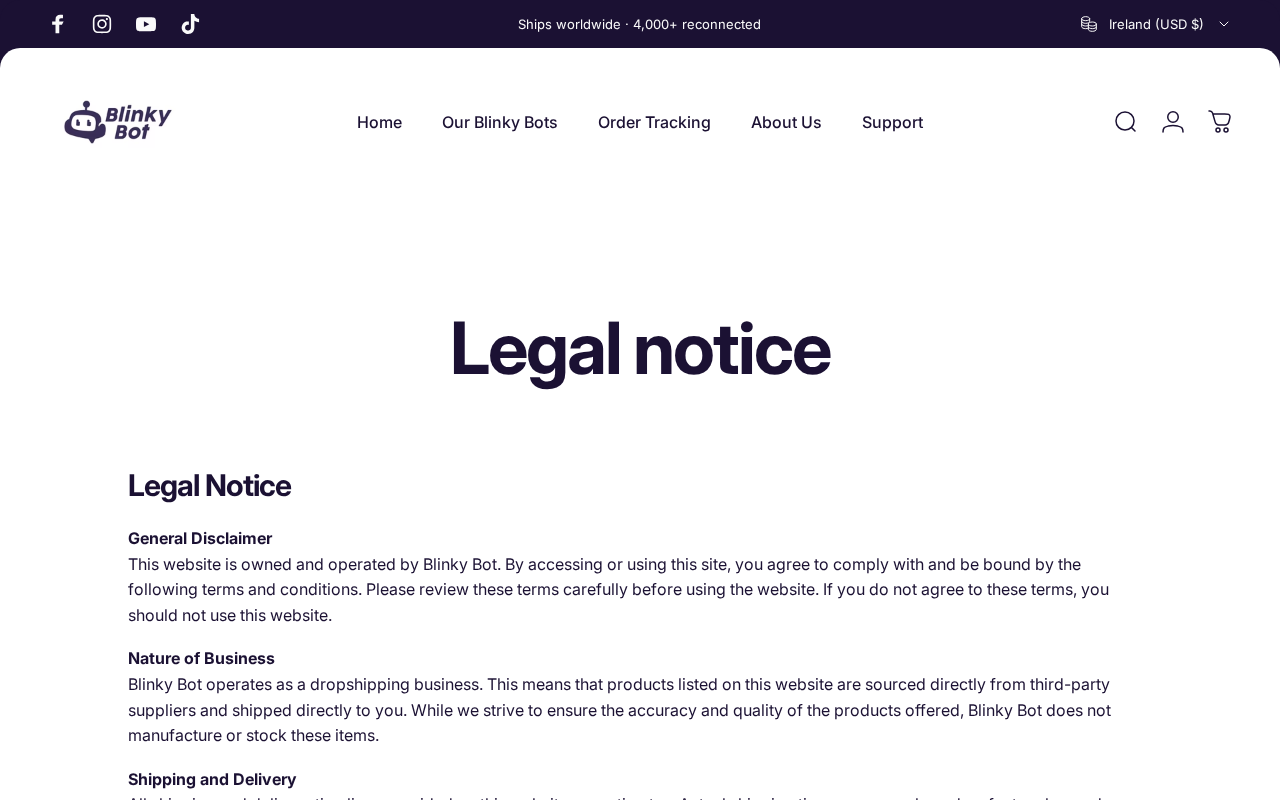
Its legal notice tells a more specific story. The company says it operates a dropshipping business, sourcing products from third-party suppliers rather than manufacturing or stocking them itself.
Dropshipping is not automatically dishonest. It does, however, change what a careful buyer should verify: the underlying model, actual specifications, supplier support, shipping origin, and realistic return route.
What our checks established
We reviewed Blinky Bot’s live product pages, legal notice, refund rules, shipping page, and contact information. We also compared the pitch with an established robot-camera maker’s specifications.
- The seller openly describes itself as a dropshipper, not a manufacturer.
- Its contact page identifies a trade name and an Outlook email, but no legal company name, street address, or telephone number on that page.
- The broad satisfaction language does not neatly match the narrower refund exclusions.
- Shipping estimates differ between the policy and an Echo product FAQ.
- Some independent reviewers say they received an Enabot-branded model; those individual reports have not been independently verified.
These are concrete reasons to scrutinize the offer. They are not proof that every order fails, every claim is false, or that the physical device cannot work.
Our current assessment
Blinky Bot is best treated as a commercial-risk investigation, not a confirmed theft operation. A live storefront, listed products, and positive customer accounts exist alongside troubling inconsistencies.
The clearest documented issue is transparency. A buyer sees Blinky Bot branding up front, then discovers in a legal notice that the seller neither makes nor stocks the devices.
The second issue is the gap between a comforting “no hassle” message and the actual refund rules. That difference matters most after a disappointing delivery.
The practical question is not simply whether a robot arrives. It is whether the specific model, performance, service, and recourse justify the price on the day you order.
Why This Offer Is So Persuasive
The advertising sells an emotional outcome before it sells a camera. Missing someone is real, and quietly “being there” may feel more meaningful than another scheduled call.
On the Echo page, the robot appears beside messages about sharing daily life. The product is not presented as another home-security accessory sitting in a crowded market.
That distinction matters. A buyer comparing cameras might inspect sensor resolution, app permissions, warranty terms, and manufacturer support. Someone buying a sense of closeness may skip those questions.
The copy also compresses several different features into one smooth story. Movement, video, sound, charging, battery life, and remote access seem like a single seamless experience.
In practice, each feature needs its own conditions. Video quality depends on the camera and connection. Remote access depends on the app and service. Movement depends on floors and obstacles.
A camera may perform some tasks adequately while falling short in others. A verified delivery does not establish that every advertised specification is correct for that exact model.
How the Blinky Bot Sales Funnel Works
Step 1: A warm promise gets the click
Blinky Bot positions its devices around long-distance relationships, family check-ins, and pets. This is a more powerful opening than a dry list of camera specifications.
The visitor is invited to picture a familiar scene: dinner, a pet wandering through the room, or a loved one dropping in without another formal video call.
There is nothing wrong with emotional advertising by itself. The concern appears when that feeling becomes a substitute for checking which hardware actually ships and who supports it.
Step 2: The product lineup makes upgrades feel natural
The site offers PRO, Expert, and Echo versions. The reviewed Echo listing showed $287.99, while a PRO listing showed $87.99. Prices can change.
Features are distributed across versions, so a buyer must compare the exact listing they selected. A claim visible on Echo should not be assumed to apply to PRO.
Likewise, photos of one model do not prove that a different option has the same camera, app, battery, charging dock, or onboard storage.
Before checkout, capture the model name, selected quantity, plug type, complete order total, and feature list. These details become important if the delivered unit differs.
Step 3: Big technical claims deserve model-level proof
The Echo listing advertises 4K video and up to 30 days of battery life. The site does not, on the pages we reviewed, explain a test method for continuous use.
“Up to” can describe a favorable standby scenario rather than daily driving and streaming. Ask for hours of active video use, not only a headline measured in days.
Also ask whether “4K” means the camera sensor, saved video, live stream, or an upscaled output. Those are different things for an actual owner.
If the seller cannot identify the exact hardware model, compare the delivered packaging and app name with specifications from the original manufacturer before assuming a match.
Step 4: The legal notice changes the picture
The store’s legal notice says Blinky Bot is a dropshipping business. It says third-party suppliers ship products directly and that Blinky Bot does not manufacture or stock them.
This disclosure is unusually relevant here because the storefront’s branding can suggest a proprietary device. The notice does not identify every supplier or prove where each package originates.
A reseller can provide genuine value through curation and support. Yet the buyer should know whether the markup buys dependable service, a distinct bundle, or merely a renamed listing.
Some independent reviewers report receiving devices labeled Enabot EBO SE. Enabot’s own site describes EBO SE as a real robot camera with 1080p video.
Those reports do not establish that every Blinky model is Enabot hardware. They are enough to justify checking the box, model number, app, and serial information when a unit arrives.
Step 5: Shipping promises compete with one another
On the Echo page, standard delivery was presented as 7 to 10 days and priority delivery as 5 to 8 days. The shipping policy gives similar estimates.
A product FAQ elsewhere says orders arrive within 3 to 5 working days. These are not the same promise, particularly for an international order.
The shipping policy also warns that import duties or taxes may be charged to the customer. That possible extra cost is easy to miss beside “FREE delivery.”
Ask where your exact order ships from and whether the delivery window begins at purchase or dispatch. A tracking label alone does not prove a parcel is moving.
Step 6: The return language needs a careful reading
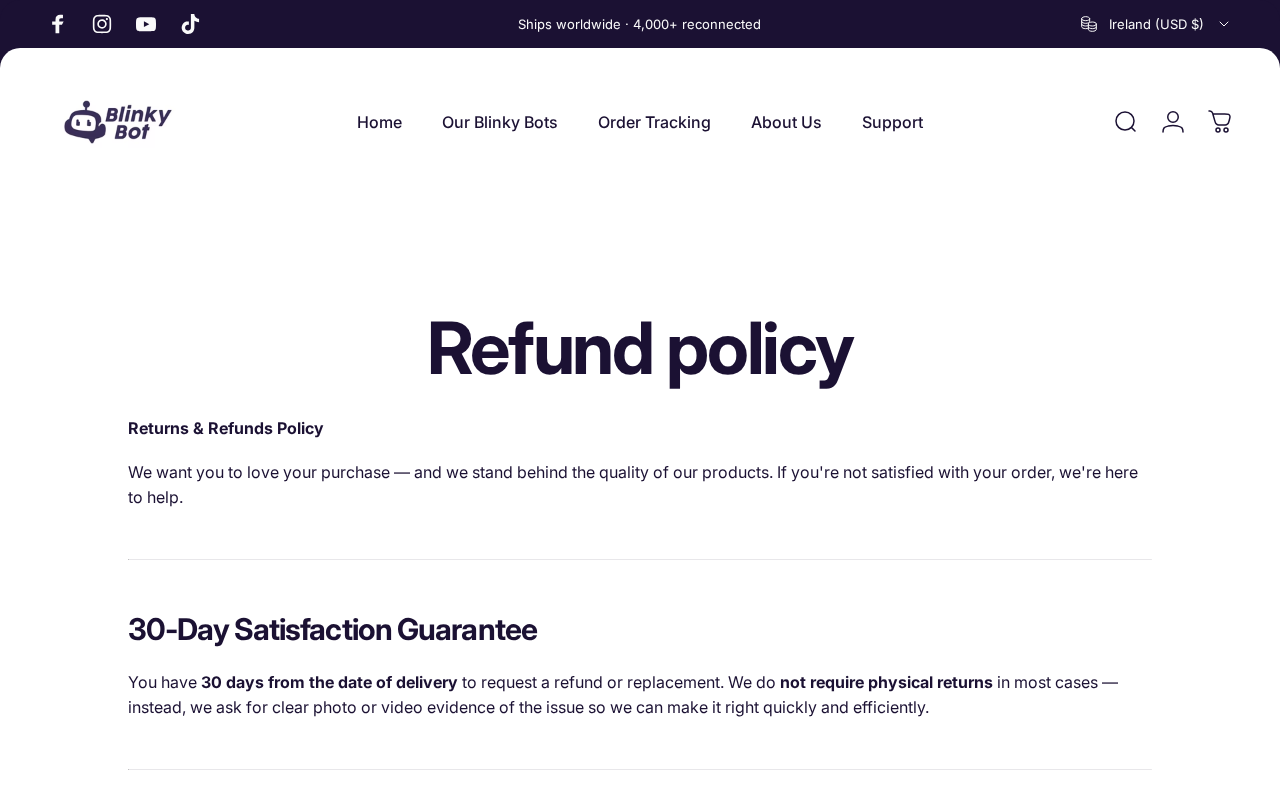
The product page says “no hassle” and offers a 30-day satisfaction guarantee. Its refund policy, however, lists eligible problems and excludes buyer’s remorse in most cases.
That policy says photo or video evidence is normally needed. It also excludes sale items, while the product page displays a sale price. The combination deserves written clarification.
A separate shipping policy says unused items can be returned within 30 days, with return shipping deducted. That sounds broader than the main refund policy.
A buyer should not have to guess which page controls. Save both policies, ask which rule applies to the selected item, and request a return address before paying.
The site’s stated EU cooling-off exception may protect some buyers, but eligibility depends on location and applicable law. Do not assume the seller’s summary fully describes your rights.
The Device May Be Real While the Buying Decision Is Still Risky
A useful distinction gets lost in many online reviews: receiving a working camera is not the same as receiving the product you thought you bought.
One independent reviewer said a Blinky Expert order arrived as an Enabot EBO SE and still worked. Others described setup problems, delayed shipping, and difficulty obtaining refunds.
These are self-reported experiences, not a controlled sample. Positive accounts exist too, including buyers who say the robot was fun and easy to use.
For a purchaser, the model identity is decisive. If a device is sold under new branding, its camera resolution, app ownership, warranty, and privacy policy may follow the original maker.
Enabot’s own EBO SE page specifies 1080p video. That does not disprove a separate Blinky Echo 4K claim, because Echo may be a different model.
It does show why comparing all Blinky products to one review photograph is unreliable. Match the delivered SKU first; then compare like with like.
Price comparisons require the same care. A cheaper robot from another seller may be an older version, lack an accessory, or have different regional warranty terms.
Still, if the exact model and bundle match, a large markup needs an explanation. Better service could justify it, but the service must be visible when something goes wrong.
Company, Address, Support, and Fulfillment Checks
A trade name is not a legal company name
The contact page we reviewed gives the trade name Blinky Bot and an Outlook email. It does not identify the registered entity behind the checkout on that page.
That omission limits a buyer’s ability to compare the storefront with the card statement, invoice, privacy policy, or a business registry.
If you order, keep the checkout receipt and check the actual merchant descriptor. Ask the seller for its legal name before relying on a warranty promise.
An address should explain where returns go
We did not find a postal address on the reviewed contact page. The legal notice invokes Irish law, while the storefront ships worldwide and offers country-specific plug options.
Those facts do not prove a fake address or an unlawful operation. They do make the physical return route especially important for a buyer outside Ireland.
A return address should be provided in writing before shipping a device back. Never assume the sender address on the parcel is an approved returns destination.
Support is most valuable after delivery
The product page advertises 24/7 customer support, but the same page also says replies arrive within 24 hours on weekdays. Those are materially different expectations.
Some Help entries display unfinished template text instead of an answer. This does not show support never responds, but it weakens confidence in the page’s maintenance.
Ask a specific pre-sale question about an app name, warranty, or return address. Keep the answer. A generic reply is less useful than a concrete written commitment.
The supply chain remains partly opaque
The legal notice establishes third-party sourcing and direct supplier shipping. It does not name the factory, importer, fulfillment partner, or origin for the exact model offered.
That uncertainty matters more for a camera than for a decorative item. A connected device can capture sound and video inside private rooms.
Before enabling it, identify the actual hardware maker and app publisher. Read the app permissions, firmware update process, cloud-storage options, and account-deletion procedure.
A familiar product design is not evidence of malicious surveillance. It is a reason to confirm who operates the software and who can access recordings.
What to Do If You Ordered a Blinky Bot
- Save the offer as it appeared when you paid. Keep the product page, selected model, price, delivery promise, order confirmation, and both refund-policy pages. Screenshots help if wording changes.
- Check what was actually charged. Compare the confirmation with your card statement, including shipping protection, priority delivery, taxes, extra units, or unexpected recurring charges. Do not assume a future charge is authorized.
- Inspect the package before discarding it. Photograph the label, manufacturer name, model number, serial label, accessories, and any app instructions. These details can resolve a product-mismatch dispute.
- Test the advertised features promptly. Try live video, two-way audio, charging, motion, and app setup during the stated return window. Record a short example if something does not work.
- Request a remedy in writing. Email the seller with your order number, the exact problem, and the outcome you want. Ask for return authorization and the return address before mailing anything.
- Contact the payment provider if the seller does not resolve it. Explain whether the item was not delivered, significantly different, defective, or billed incorrectly. Provide evidence and meet your issuer’s dispute deadline.
- Secure a connected device you decide to keep. Use a unique app password, enable available account protections, install firmware updates, and review camera permissions. Disconnect it if you cannot identify the app publisher.
A purchase dispute is not a malware infection. Security software will not fix a shipping or warranty problem; address the order and payment directly.
How to Compare Robot Cameras Before Buying
Start with the exact model, not the most emotional advertisement. Search that model number together with the app publisher and manufacturer, then compare current prices for the same bundle.
Ask whether the camera sends video through a vendor cloud or can store it locally. Find out if recordings require a subscription, even when the basic app is free.
Check the device’s battery claim under active use. A month of standby time has little value if the robot needs recharging after a short live session.
Consider whether it works on your floor type and over your home Wi-Fi. Thick carpet, door thresholds, dead zones, and crowded networks can matter more than a glossy specification.
Finally, compare the return and warranty terms, not just the sticker price. A slightly more expensive device with local support may cost less than an uncertain international return.
Frequently Asked Questions
Is Blinky Bot a confirmed scam?
No. Our review found a functioning storefront and product listings, alongside documented transparency and policy concerns. We cannot verify every buyer’s outcome or label every transaction fraudulent.
Does Blinky Bot manufacture its robots?
Its legal notice says it operates as a dropshipper, sourcing products from third-party suppliers. That page says Blinky Bot does not manufacture or stock the items it sells.
Is a Blinky Bot the same as an Enabot robot?
Some reviewers say they received Enabot hardware after ordering a Blinky model. We have not independently verified every shipment. Check the exact model printed on your package.
Will the Echo really run for 30 days?
The seller advertises up to 30 days, but the reviewed page does not explain active-use testing. Request hours of live streaming and movement for your selected model.
Can I return it just because I changed my mind?
The site’s refund policy generally excludes buyer’s remorse, with an EU cooling-off exception. Its shipping policy describes unused returns more broadly, so request written clarification before ordering.
What if the robot arrives under another brand?
Document the packaging and model number before setup. Compare it with the listing and ask the seller for an explanation or remedy if the delivered device differs materially.
The Bottom Line
Blinky Bot sells a compelling idea, but its own legal notice says it is a dropshipper. The product, policies, and support terms deserve more scrutiny than the emotional ad suggests.
Do not assume every delivery is bad or every advertised feature false. Verify the exact model, all-in price, app ownership, shipping origin, and return rules before deciding.
If you already ordered, keep the evidence and act within the return and payment-dispute windows. A clear written record gives you the best chance of a fair resolution.

Join the discussion
0 commentsShare your experience or ask a question about this article.
Discussion
Start the conversation
Have a question or something useful to share? Add the first comment.