


You’ve just posted a TikTok you thought would do well. It barely moves. Then a website offers more views than your last ten posts combined.
The price sounds small enough to try. Before you pay, check what the seller is actually promising to deliver.
Overview
Buying a number isn’t the same as buying distribution
If a seller promises a fixed bundle of TikTok views or followers, you may be buying movement on a counter rather than access to an interested audience.
A website can claim that every interaction comes from a real person. That label doesn’t tell you who saw your video, why they watched, or whether they’ll return.
An ad puts a video in front of an audience. A fixed follower package promises a number. Both cost money, but they don’t buy the same thing.
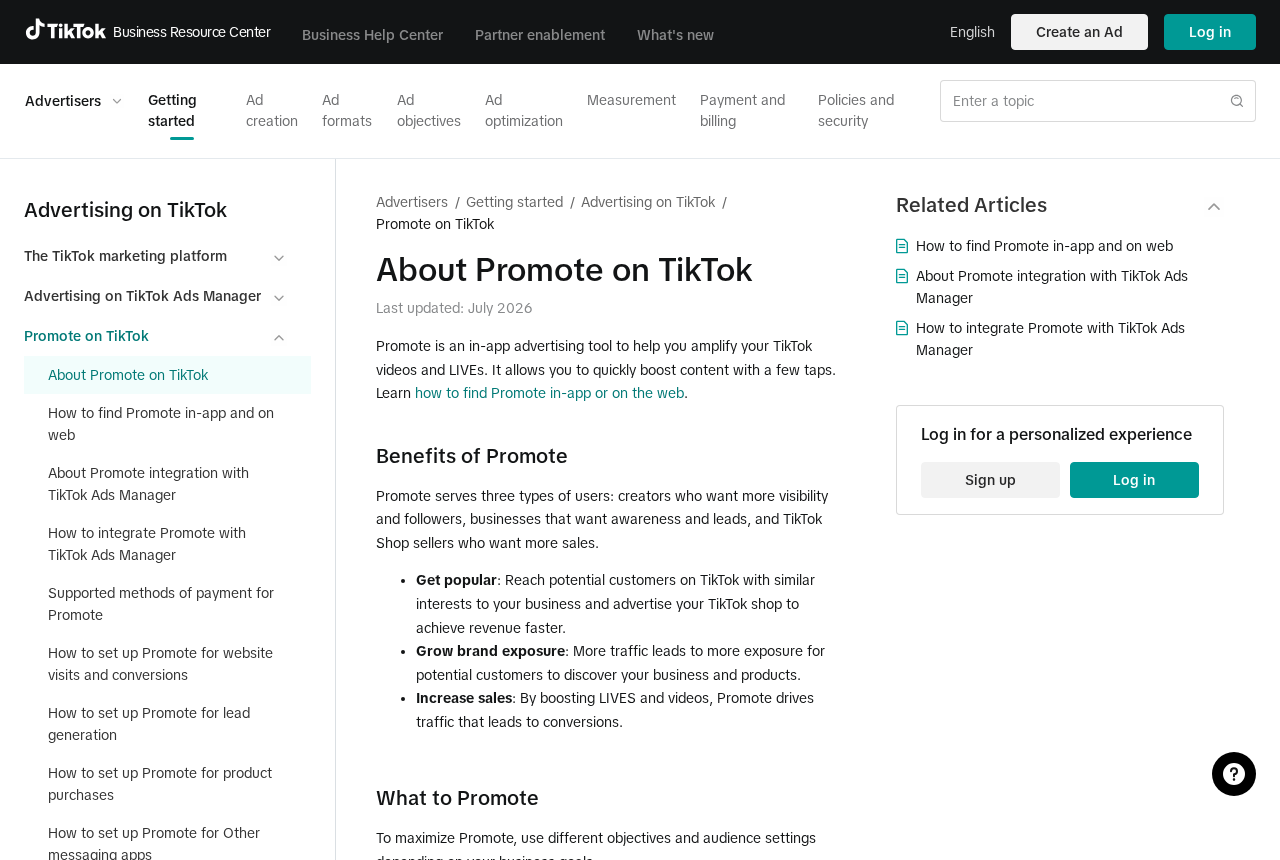
TikTok’s official Promote documentation describes an advertising tool with different objectives and audience settings. It isn’t a shop that sells fixed packs of followers.
Look beyond the cheapest package
The amount on the first price card doesn’t tell you what the seller wants next. Some offers need only a public post URL; others ask for access to your account.
That difference matters. A public video link doesn’t let someone sign in. A password or a verification code can expose drafts, messages, business assets, or payment settings.
Other sellers market advertising accounts they describe as aged or trusted. The price doesn’t explain who owns those accounts or whether you can keep using them after a review.
For a creator, the cost isn’t only the amount paid. It’s the time spent repairing access or explaining why the numbers in a sponsorship report can’t be relied on.
Ask what will still be useful next week
Check the outcome you wanted before anybody talked about a fast boost. If you hoped to attract customers, a large view number with no interested visitors won’t answer that need.
- A fixed follower count doesn’t tell you whether those accounts will stay active.
- A public counter isn’t a receipt for an ad campaign you can inspect.
- A growth guarantee is not the same as a refund guarantee.
- A replacement ad account doesn’t restore the campaign data or audience you lost.
- A seller who wants your sign-in code is asking for more than a post link.
You don’t need to establish that every sold view came from a bot. The question is whether the service can demonstrate legitimate distribution you can measure.
What Different TikTok Growth Offers Actually Sell
View and follower packages
A typical package starts with a unit count. More units cost more, while a larger bundle may carry a lower price per unit.
That pricing makes it feel comparable to ordinary advertising. The catch is that the seller describes the number it promises, not how it reaches people who chose to watch.
Artificial engagement can be removed when a platform detects it. Even if the counter moves at first, the increase doesn’t prove that your content reached a relevant audience.
Look at what happened after the jump. Did viewers watch long enough to understand the video? Did they visit the profile, ask relevant questions, or do anything else you intended?
One quiet post is no evidence of fraud. A seller’s claim of thousands of interested new viewers needs more support than a number changing on one screen.
Pre-made ad accounts
An ad account advertised as aged is being sold on the strength of someone else’s account history. You may not know who originally enrolled it or controls its recovery details.
Ask what would happen if the account asks for a business document you don’t have. A guarantee to replace it doesn’t let you prove you own the original account.
If someone else controls the account, you may lose access to its receipts and ad settings. That’s a real cost when you’re running a business.
Use an account you can administer through your own organization’s established process. Don’t buy a login because a seller says the usual verification is too much work.
Growth services that want to run the account for you
A course, advertising consultant, and overnight follower seller are different businesses. The important question is what the contract promises and which permissions the provider will need.
A service charging for campaign management should be able to explain its work without first asking for a password. Start with a scope, a budget, and a reporting method.
Where the platform supports assigned roles, use only the permissions needed for the job. Make sure your business can revoke access without depending on the contractor.
Ask who controls billing and who can approve a new campaign. Paying for advice doesn’t mean the adviser needs permission to change a bank card or add a new administrator.
Compare the Offer With an Actual Advertising Campaign
Choose an outcome you can verify yourself
Choose an outcome you can check afterward. Depending on the post, it might be people seeing the video, relevant site visits, or inquiries.
A view count can make sense alongside watch time or clicks. It can’t tell you on its own whether a campaign brought the people you were trying to reach.
For example, a local repair business might care about quote inquiries from people within driving distance. A large follower count from an unknown audience doesn’t answer that question.
Set a modest budget and choose what you’ll measure before any spending. A plan you can check next week is more useful than a promise nobody can independently verify.
Keep campaign settings and receipts in an account you control
If you choose paid distribution, look for an expense you can track, an objective you chose, and a campaign you can pause. Keep the payment and reporting history.
Use official TikTok tools you opened independently. Don’t log in through a salesperson’s button if you aren’t sure whose page is handling your credentials.
Compare an invoice with the campaign dashboard you reached yourself. A contractor’s screenshot may describe real work, but it shouldn’t be your only way to confirm it.
An official ad can underperform. The difference is that you can see what you spent and evaluate whether its settings matched what you wanted.
Report results with the context a sponsor needs
If you sell sponsorships, a follower total can affect what somebody pays. It may also affect what they expect you to deliver.
A large jump from a third-party package doesn’t automatically make last month’s audience report false. It does mean you should be clear about the timing and source of the change.
Separate organic figures, official paid distribution, and traffic you can’t explain. Don’t tell a sponsor a follower was a qualified new customer unless you can support that claim.
A smaller, credible audience is easier to describe than a screenshot full of people you can’t account for. Keep the history so you don’t have to reconstruct it later.
Check Which Access You Handed Over
A public link creates a different problem from a login
If you only gave the seller a URL to a public post, that doesn’t mean they have the account password. Focus on the purchase and any unusual changes in traffic.
Record what the seller said it would deliver and what you can verify. If engagement disappears, save the original invoice and any messages about refunds or replacements.
You may also see unsolicited messages offering to repair an account or restore followers. A person who knows the public video doesn’t gain access to anything private from that alone.
A password or an approved request needs a security check
If you entered your TikTok login on the seller’s page, change the password through the original app or site. Replace the same password anywhere else you reused it.
Review trusted devices, active sessions, connected accounts, and contact information where the platform makes them available. Look for changes you don’t recognize rather than guessing who made them.
If someone had permission to work in your business account, ask who added each person or partner. Remove access you no longer want through the platform’s official controls.
Check whether an ad was launched or its budget changed. Keep account recovery and billing disputes separate so the right team can address each.
An unexpected payment isn’t a separate offer to negotiate
A message claiming you need to pay to hold onto your new followers doesn’t create an obligation. Check the terms you accepted and the payments actually recorded.
If an authorized purchase didn’t match the offer, tell the seller what was missing through its known support channel. Request a written resolution rather than accepting an unexplained upgrade.
For a transaction you didn’t authorize, contact the bank or card issuer. Give it the actual amount and merchant description from its statement.
What the Platform Can Remove That the Seller Can’t Replace
TikTok’s explanation of fake engagement says the platform prohibits services that artificially inflate interactions. That includes selling followers or likes.
The seller can’t control whether TikTok later removes an interaction that its own systems flag. A replacement promise is about the package, not how the platform treats it.
If a seller offers to refill missing followers, ask yourself what that would fix. It won’t prove the original audience was genuine or make your past campaign figures reliable.
On the other hand, a drop in genuine followers sometimes happens for ordinary reasons. A change by itself doesn’t tell you the source of every interaction.
For a business, keep a dated copy of the dashboard and a record of when the package ran. That helps you separate a temporary jump from ongoing audience activity.
If a policy notice arrives, read it inside the real account first. Don’t pay a seller who claims they alone can speak to a platform reviewer for you.
When ending an agency relationship, take back the access you granted without locking out colleagues who still need it. Check your records against the current list of permissions.
Before approving the next campaign, make sure it uses your own business or creator account and a method you can explain to whoever pays the bill.
What to Do If You Bought TikTok Views, Followers, or Account Access
-
Pause new spending and record what was sold. Save the offer, order total, and any guarantee. Keep a note of whether you provided a post link, password, code, or permission.
Don’t send another payment to keep the original package active while you review it.
-
If you shared access, secure the actual account. Open TikTok yourself. Change the exposed password and review sessions, contact details, and other available account security settings.
For a business account, review user and partner access too. Remove authorizations that don’t belong there and confirm who can spend money.
-
Compare the claimed result with your own analytics. Save the dates and the available traffic information. Check whether the change produced the audience behavior you expected.
Don’t use the boost as evidence of organic growth when speaking to sponsors or clients.
-
Check billing in the place that processed it. Compare the receipt with your bank or card statement. Take disputed or unfamiliar charges to the appropriate provider.
If you asked the seller for a refund, preserve the request and response. Don’t give a stranger remote access to process anything.
-
Report requests for credentials or impersonation. Use TikTok’s own reporting route for an offer presented in the app. Include the part asking for access without exposing private account details.
If you can’t log in, go through official recovery rather than a third party promising an instant unlock.
- Move future spending to a process you control. Define what you want to measure and who can authorize a budget. Don’t rent another profile to replace a bad purchase.
Frequently Asked Questions
Is TikTok Promote the same as buying views from a reseller?
No. Promote is TikTok’s own advertising tool. Its delivery can be measured in the platform, while a fixed third-party package promises a counter value.
Does a jump in views prove the service delivered real people?
No. A bigger number doesn’t establish who watched, how long they stayed, or whether they were interested. Look for evidence that fits the claim.
Can an agency manage ads without knowing my password?
Use the platform’s official access controls where available. Decide which permissions the agency needs and which the business will keep before granting access.
What if the seller only wanted a public video link?
That’s less access than a password or code. Check the order and actual engagement first. Act on any additional details you later provided.
Will TikTok suspend my account if I buy followers?
An individual outcome isn’t guaranteed. Artificial engagement can be removed and may put an account at risk. Don’t repeat the purchase to replace missing followers.
Can I get a refund if the numbers disappear?
Start with the terms and receipt, then ask the seller in writing. If the transaction is unauthorized or disputed, contact the payment provider through its established process.
The Bottom Line
Don’t buy fixed bundles of TikTok views or followers, and don’t buy a stranger’s ad account. Neither gives you a reliable audience you can measure and keep.
If you already paid, save the order and check what access you gave away. Secure the account first if credentials were shared, then address the charge.

Join the discussion
0 commentsShare your experience or ask a question about this article.
Discussion
Start the conversation
Have a question or something useful to share? Add the first comment.