


You bought a gadget, and now CLARIOHOME.COM is on your card statement again. The new charge may have nothing to do with another item in the mail.
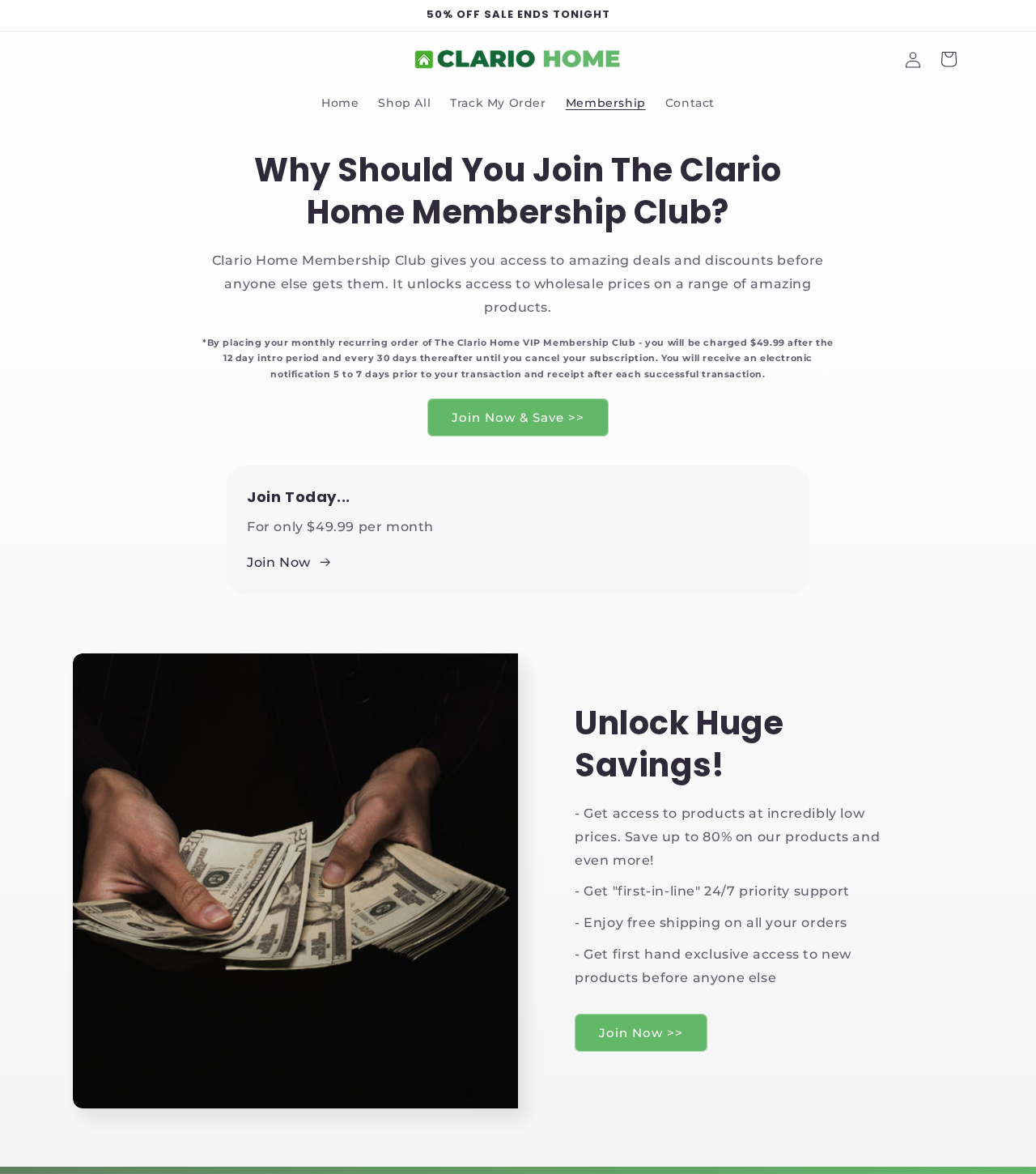
Clario Home sells a paid VIP club alongside physical products. The amount and timing in its published pages are worth checking against your actual receipt.
Overview
A discount can be tied to a paid membership
Clario Home tells shoppers to select VIP pricing to join, or use guest pricing to buy without enrolling. The distinction matters more than the discount itself.
The VIP program is a shopping membership. A renewal does not necessarily mean you ordered a new charger, TV stick, watch, or any other physical product.
The seller’s pages show two different prices
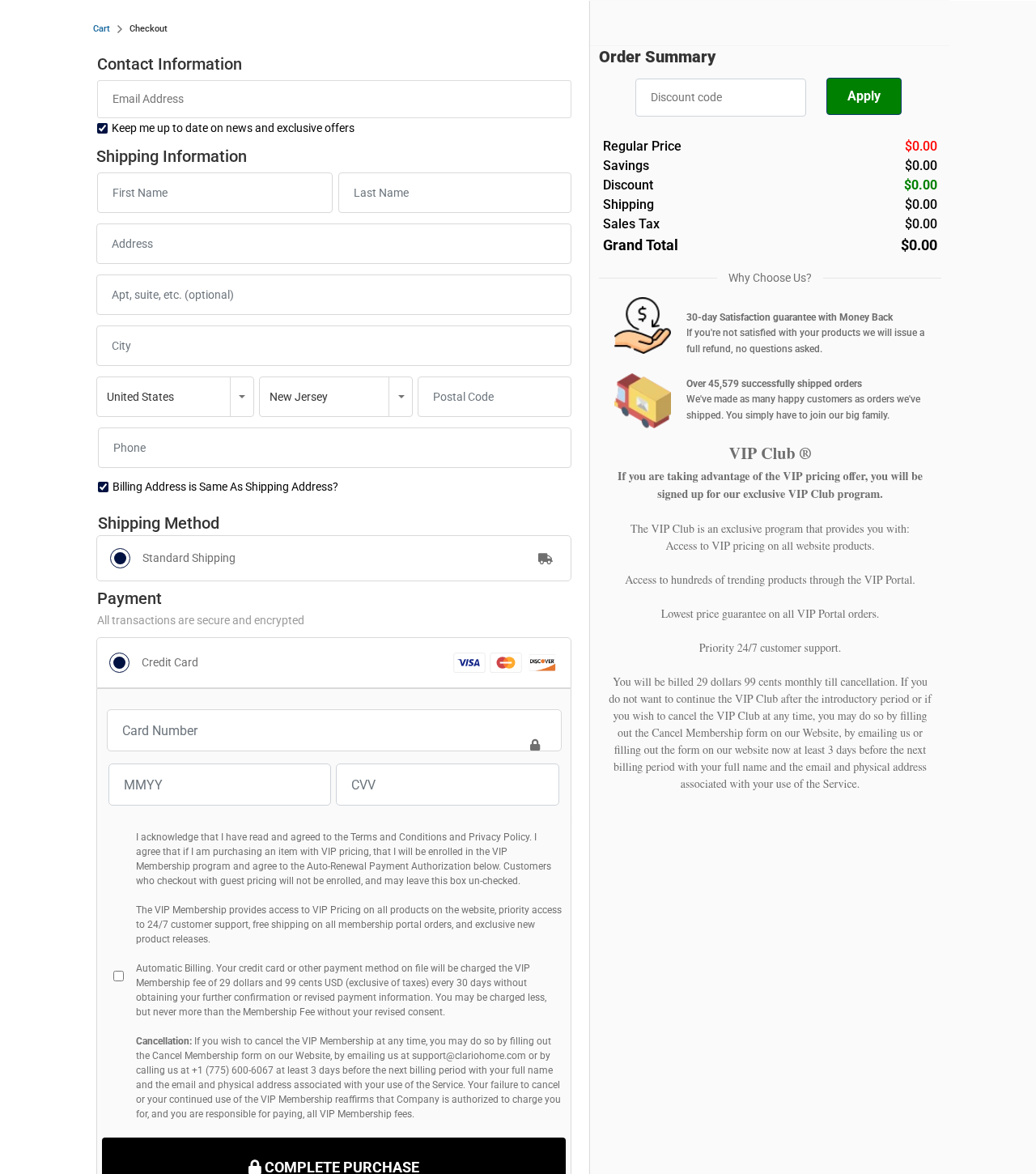
The membership page and terms show $49.99. An unfilled checkout page on the seller’s domain displays $29.99 every 30 days in its VIP disclosure.
The blank page does not identify a product or a customer’s agreed rate. It establishes a discrepancy between public displays, not what anyone was actually charged.
It also shows $0.00 for an empty order summary. That is not a free product or a trial price. The VIP text is the relevant part of that page.
Canceling a renewal and getting money back are separate
- Find the original order and match it to the merchant descriptor.
- Ask to cancel VIP billing, not just promotional email.
- Request a refund for each posted membership charge you dispute.
- Use the physical-product return policy only for the item itself.
Do not buy through a Clario VIP offer if the displayed renewal amount and first charge date are unclear. A gadget discount is not worth an open-ended bill.
How Clario Home VIP Billing Works
Step 1: Distinguish the guest price from the VIP price
Clario Home’s public membership page describes a guest purchase at the full price and a separate VIP option. Look for which one your confirmation actually lists.
The amount due today is not the full answer. A lower item price can be attached to later membership charges that are not included in today’s total.
If a promotion sends you directly to a payment page, look for the guest alternative and check the recurring terms before entering details. Leave if they are unclear.
Our Hyper Charge Pro investigation covers the charger claims. The billing question here is whether the purchase also created a separate paid club membership.
The VIP benefits are described as access to lower prices, selected products, shipping and support. That is a paid service, not extra performance built into the gadget.
Ask for the guest total if you are comparing prices. Compare it with the VIP total plus the fees you would expect to pay before you cancel.
If a seller says the benefits will save more than they cost, check whether you actually plan to shop there again. A one-time order rarely needs recurring access.
Step 2: Read the amount and first billing date together
The published Clario Home terms say the first $49.99 charge comes 12 days after purchase. They describe subsequent charges every 30 days, before applicable taxes.
The club page presents the same introductory period. An introductory period is not the same as a one-time purchase, even if no VIP payment appears on day one.
Read the date rather than assuming you have a full month before the first charge. If you don’t want the club, cancel as soon as you notice it.
The terms allow a lower fee than $49.99. The generic checkout’s $29.99 disclosure is still a reason to ask what you authorized and when that price applies.
At the published $49.99 rate, three debits add up to $149.97 before applicable taxes. That can cost more than the original gadget without sending you any additional units.
The membership page says it sends electronic notice five to seven days before billing. If nothing arrived, check spam and the email you used for the order.
Do not rely on getting a reminder. Note the upcoming billing date from your records and act before it, even if a notice is missing.
Step 3: Look for a separate posted transaction
A product receipt and a membership receipt may appear on different dates. Compare each with the statement instead of assuming the second debit is a duplicate product order.
If the merchant says the fee is for VIP access, ask which order created it and for the enrollment record. Request the actual disclosure and consent from that checkout.
Do not infer consent from the presence of a payment card on file. Conversely, if you knowingly selected a VIP plan, explain the problem with the subsequent billing accurately.
The empty checkout showed the VIP authorization box unchecked. That tells you what the unfilled screen looked like, not what it did after a product was selected.
If a statement shows a pending charge, ask your issuer how it handles pending and posted transactions. Save the date you first noticed it in either case.
Step 4: Act before the next payment, then check the result
The membership page says to cancel at least three business days before billing. The terms say at least three days. Use the more conservative timing and contact them immediately.
Calendar days and business days can differ around weekends and holidays. If you’re already close to the next debit, send the request now and keep the timestamp.
Ask for the effective cancellation date and whether another payment is scheduled. A generic message that support received your request is not confirmation that billing stopped.
If you call, note the time and any case number, then follow up in writing. A copy of your request makes it easier to show when you canceled.
Who to Contact About a CLARIOHOME.COM Charge
Match the statement entry to an actual receipt
The terms identify CLARIOHOME.COM as the card statement descriptor. Search your receipts for that domain and for the original item name, rather than relying on the product name alone.
If you see a similar name without a matching receipt, ask your bank to help identify the transaction. Do not assume two stores share an operator because names resemble.
When someone else in the household placed the order, ask them to check their confirmation. It may use a different email from the one you use for banking.
Use the address published for membership support
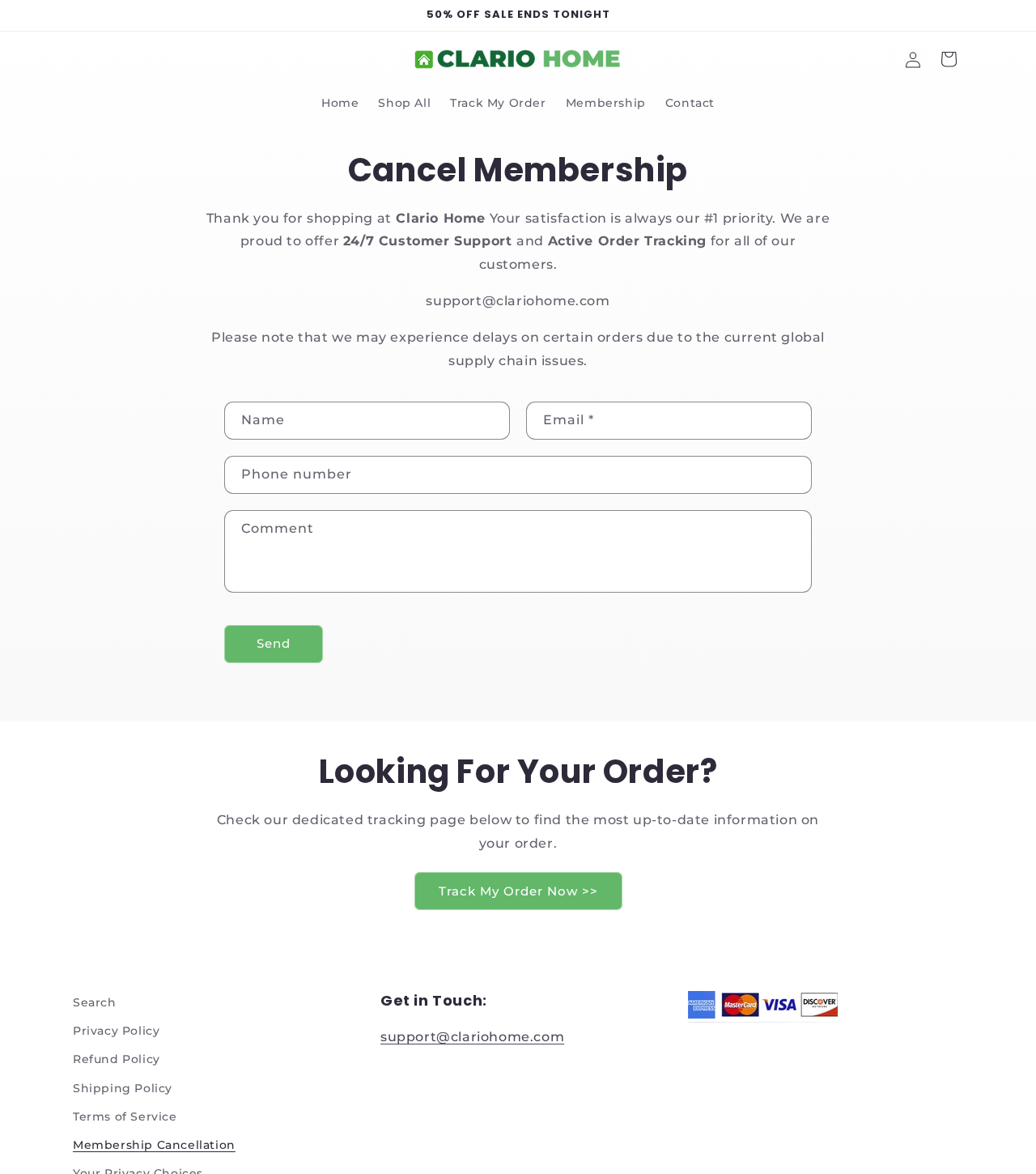
The seller’s cancellation page lists support@clariohome.com and a cancellation form. Open the site independently and use the footer’s Membership Cancellation link, not one in an unexpected message.
The form asks for identifying order information. Give the minimum needed to locate your purchase, and never include your full card number, security code, or banking password.
The club page also suggests replying to the original order confirmation. Verify that the reply address still belongs to the same seller before giving it order information.
Get the return address for your particular item
The physical-product policy says to contact support before sending the item back. A website contact or shipping label is not proof of the correct return destination.
Ask where to send it, whether a label is provided, and whether the result will be a refund or store credit. Keep that answer before paying postage.
If you received more items than you intended to order, preserve the order summary, shipping label and package contents. Compare the quantity ordered with what was billed.
Read the reported outcomes without treating them as rules
In a customer account on Trustpilot, one buyer describes discovering three $49.99 charges and getting two back. Another says charges continued after assurances they would stop.
A June 2026 consumer report describes $49.99 debits after a TV-stick purchase. These are attributed accounts, not proof that all gadget buyers were enrolled without consent.
Three Different Deadlines for Three Different Problems
Membership charge: Clario Home’s terms give up to 20 days after a membership charge posts to request a full refund. They exclude customers who used membership benefits during that time.
List each charge by amount and date. Do not assume the newest charge starts the same refund clock for all earlier payments.
If a prior charge falls outside the seller’s stated period, still tell the issuer why you dispute it. Ask which evidence and deadlines apply to that transaction.
If support says you used a benefit, ask which benefit, on what date, and which order it relates to. Keep its explanation with your refund request.
Physical order cancellation: The refund policy says to request cancellation within 12 hours after placing the order, before dispatch. Once dispatched, it directs you to the returns process.
Physical return: That policy gives 30 days after receipt to request a return for a potential refund or store credit. It does not promise automatic cash refunds for every return.
The written policy and a satisfaction banner are not interchangeable. Before agreeing to store credit or a partial refund, ask what it would settle and what stays open.
If both the membership and the product charge are disputed, put them on separate lines. That makes it harder for an answer about one to be mistaken for both.
If the physical order has not shipped, include the order timestamp with your cancellation request. That is the relevant record for the 12-hour policy.
For a product already delivered, retain the delivery date and any return authorization. The purchase date does not start the seller’s stated 30-day product-return period.
What to Do About a Clario Home VIP Charge
- Save the record. Keep the original receipt, statement entry, dates, screenshots of the terms shown to you, and any support messages.
- Ask for cancellation now. Use the seller’s membership cancellation route or support address. State plainly that you want all future VIP billing stopped.
- Request the refund separately. Include each charge you dispute, the amount, and its posting date. Ask for a written answer on those particular charges.
- Track the next statement. Check that the refund posts and the membership does not renew. If either fails, follow up with the existing case record.
- Contact your issuer promptly. If you never authorized the charge, or it continued after cancellation, explain what happened and ask about dispute deadlines and preventing repeat charges.
A direct request can read: Please cancel my Clario Home VIP membership and confirm the date billing stops. Separately, please refund the charge dated [date] for [amount].
If the seller says no membership exists, ask it to identify the payment using the date and descriptor. Your bank may be able to supply a transaction reference.
If support confirms a refund but it has not posted, ask when it was issued and for a reference your issuer can trace. Do not email a replacement card number.
Do not wait for the seller’s response before checking a payment-provider deadline. The merchant’s 20-day policy is not the same as your issuer’s dispute window.
Keep product tracking, membership confirmation and card credits separate. A returned parcel does not prove VIP billing stopped, and a canceled membership does not prove the product was refunded.
If an order was paid through a wallet, check its recurring-payment settings as well as the merchant confirmation. Ask the provider whether a merchant authorization remains active.
If support offers to keep your account open at a lower rate, decline explicitly if you want it closed. Save the reply rather than assuming silence counts as cancellation.
The FTC’s general subscription guidance recommends keeping cancellation records and monitoring your statements. Apply that advice to the specific order and debits you can document.
We checked public pages and customer reports. We did not buy a product, sign up, submit a cancellation form or test how a specific refund was handled.
Frequently Asked Questions
What is a CLARIOHOME.COM charge?
The seller uses that descriptor. It could relate to an item purchase or VIP billing. Check the amount and date against receipts or ask your issuer to identify it.
Is Clario Home VIP $49.99 or $29.99?
The club page and terms show $49.99, while a generic checkout displays $29.99. The correct amount for your case depends on the offer and disclosure you received.
When does the first $49.99 charge happen?
The published membership terms say 12 days after purchase, then every 30 days. Check the first billing date for your exact offer and cancel early if unwanted.
Does returning a charger cancel VIP membership?
Do not assume it does. Request cancellation of the club separately and get confirmation that no future membership charge is scheduled.
Can I request a refund after a VIP charge posts?
The seller’s terms give up to 20 days and exclude use of benefits during that time. Ask for the specific charge back and keep your request.
What if Clario Home charges me after confirming cancellation?
Save the confirmation and the new transaction. Follow up with the seller, and ask your payment provider about a dispute and measures to prevent another charge.
The Bottom Line
Skip the Clario VIP price unless the seller makes the renewal amount and first charge date clear. If you want only the gadget, do not accept a membership discount.
If CLARIOHOME.COM is already billing you, cancel VIP now, request a refund for each disputed charge, and contact your issuer promptly if the debits continue.

Join the discussion
0 commentsShare your experience or ask a question about this article.
Discussion
Start the conversation
Have a question or something useful to share? Add the first comment.