


A token purchase can feel simple until the wallet opens. Suddenly, the plain English on the website gives way to names and instructions you have never seen.
That gap between what the page promises and what the wallet shows is worth getting familiar with. A Griffain-branded trading page is a useful example.
Overview
A GRIFFAIN purchase page on the wrong domain
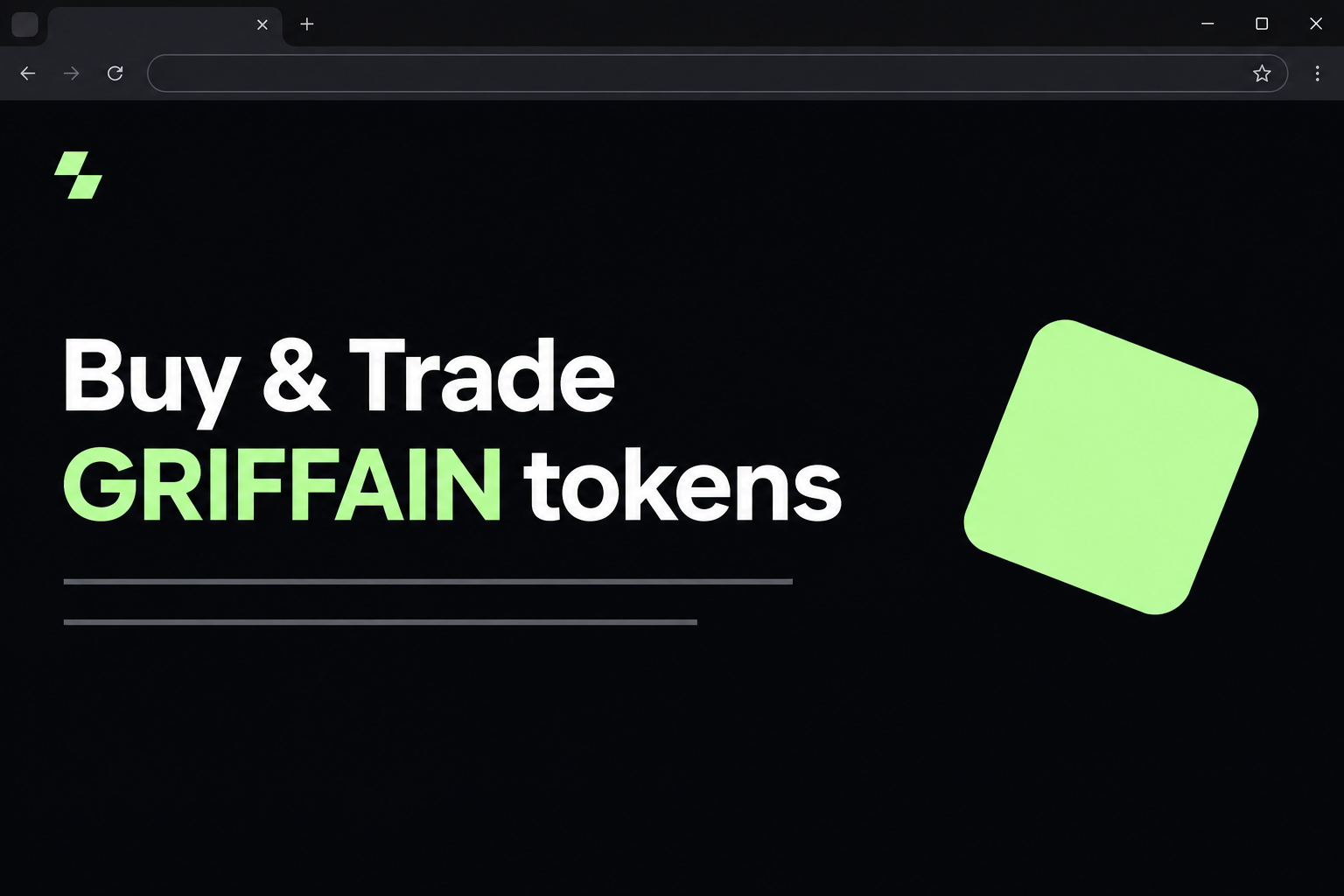
The fake Griffain website at griffain[.]network offered to sell GRIFFAIN tokens for SOL. It presented itself as an official trading platform and displayed a wallet chooser.
The real Griffain site is griffain.com, where the project presents its Agent Engine. The token is also documented in Kraken’s Griffain disclosure.
These facts confirm the project and asset have an identity separate from the imitation. They are not a recommendation to buy the token or use any particular trading service.
Unlike a giveaway, this page did not need you to believe in a free prize.
It asked a more ordinary question: would you like to buy a token you were already looking for?
That makes the fake website a purchase impersonation, not an accusation that the Griffain project is stealing funds.
The risk comes from putting a wallet in contact with an unverified venue.
What the fake page showed
The page used a dark background, pale green accents, and a claim that it was an official trading platform. Its main headline advertised buying and trading GRIFFAIN.
It mentioned purchasing with SOL and gave readers a clear path to connect a wallet.
A small header also contained wording beginning with “test,” which sat oddly with the site’s official claim.
More importantly, there was no trustworthy evidence that the .network website was a trading venue operated or approved by Griffain.
The suffix in the address was not a minor spelling choice.
The recorded flow went as far as a wallet selection panel with familiar Solana wallet names.
It did not reveal an actual trade, a confirmed transfer, or the program such an approval would invoke.
- A matching ticker is not proof of the asset you will receive.
- The word “official” on a sales page is the site’s own claim.
- The wallet picker confirms what the page displays, not who published it.
- Any transaction presented after connecting still needs its own review.
The three things to verify before a trade
First identify the asset. A Solana token’s mint address distinguishes it from another token that uses the same ticker, logo, or spelling.
For the second check, identify the venue. You should know how you reached it and whether the project or exchange documents that route.
The last check is the transaction itself. Neither a matching mint address nor a familiar wallet tells you what the specific request will spend or allow.
Those checks answer three different questions.
Doing one well does not make the others optional, particularly when you arrived by clicking a link in an unfamiliar result or a social reply.
How the Scam Works
Step 1: The website catches someone who already wants to trade
The imitation takes a visitor with a clear goal and gives them a seemingly direct route.
It is easier to believe a purchase page when you were planning to buy anyway.
There is no prize to assess, and an ordinary card checkout is not expected. On a decentralised trading page, connecting a wallet can look like the normal next move.
The original capture does not tell us how people reached griffain[.]network.
A search result, a message, and a shared post can all put an unverified address in front of someone.
Treat the URL in the browser as the real object of your check. The description of the link may say “Griffain exchange” without having anything to do with the project.
Step 2: The page tries to settle the question of authority for you
The imitation calls itself an official trading platform. It pairs that claim with a modern interface and wording about buying using SOL, which fits the real asset’s context.
The label does not tell you what entity operates the page. Compare the address against the project site or a venue you already use, rather than comparing shades of green.
Even if you recognise the asset, ask where it is being offered.
The real project operating an Agent Engine and this page claiming to run a trading venue are different propositions.
Seeing HTTPS does not change that analysis. Encryption protects the connection to the site in your address bar, not your assumption about who put it there.
Step 3: The user sees wallet choices they recognise
The fake page presents a wallet picker with names including Solflare, Phantom, and Trust Wallet. It uses familiar wallet names to make the transition from website to account feel routine.
A wallet picker can look normal even when the requesting site is not.
You do not have to proceed to the next screen to check whether the trading venue was genuine.
Closing that panel is a better move than using a second account to experiment.
If the whole site is unverified, it has not earned a connection from any of your wallets.
The capture establishes the connection prompt, not what the wallet would have been asked to sign. That uncertainty matters when deciding whether a reported loss is connected with this page.
Step 4: A purchase request can conceal an action you did not intend
When you mean to buy a token, seeing something leave your wallet is expected. That makes it especially important to ask what should arrive in return.
A genuine swap has stated inputs and outputs. If you see an unexpected transfer or an unfamiliar permission instead, the website’s wording does not turn that action into a swap.
Accepting a request without understanding it can expose funds, and an ongoing approval can outlast the session. Opening a chooser or connecting is a separate action with a different risk.
If your wallet shows a warning or cannot describe the request, reject it. No token purchase is so urgent that you have to accept an action you cannot identify.
What to Do if You Have Fallen Victim to This Scam
-
Stop trading on the imitation site. Do not accept more requests, even if the page tells you to retry a failed purchase or complete a waiting trade.
If no wallet connected and no request was approved, close the tab. Use browser history for the address if you need it, without loading the page again.
-
Check the wallet you actually used. Read its activity from the time of the visit and disconnect the untrusted domain from connected apps if it is still listed.
Check the right account. A browser wallet can have several accounts, and the one selected now may not be the one that received the website’s request.
Opening a picker alone does not prove your wallet has lost funds. Look for an approved action, unexpected balance movement, or a secret you may have entered.
-
Work out whether the alleged trade happened. Record what went out, what came back, and whether the wallet describes the entry as a swap, transfer, or something else.
If there is an outgoing asset and no expected receipt, make a note of the time and transaction record. Do not try another trade to recover the first one.
Review and revoke unfamiliar permissions when appropriate using your wallet’s trusted instructions. Removing a connection is not a substitute for reviewing approvals.
-
Treat a shared phrase or private key as a different emergency. A website should never need either one to sell you GRIFFAIN.
Start fresh with a separate recovery phrase on a trusted device, then move remaining trusted assets if you can do so safely. Ask the wallet provider about any locked assets.
Do not move unfamiliar tokens or follow a link someone sends in response to a public report. A supposed recovery offer can create a second loss.
-
Bring the right evidence to the right place. If an exchange was involved in the payment, use its official support route and supply the transfer details.
If your wallet was self-custodied, the provider can help you understand the activity but generally cannot undo a confirmed transfer. Record the address and network before filing a report.
U.S. readers can use the FTC’s crypto fraud reporting guidance. Share public transaction identifiers when requested, not private keys or recovery information.
How to Compare a Swap With What You Meant to Do
Start with the offer you expected
Imagine you asked to exchange some SOL for GRIFFAIN. Before approving anything, you should be able to explain which account is paying and which asset should appear in return.
The price and the chain fee are separate considerations. Seeing a small network fee does not mean the rest of the transaction is small or safe.
Compare what is displayed on the site with the request in your wallet. A big difference in the asset or destination means you should stop rather than hope it reconciles.
If you meant to buy through a platform account rather than through a wallet, return to that account’s normal entry point. A lookalike site cannot complete its pending orders.
If the only thing you can see clearly is a service fee or a signature request, that is not enough to establish that the quoted swap will happen.
Keep the asset and its name separate
A token can carry familiar text in a wallet without being the one you sought. Check the identifying mint against information from the venue or project through a trusted path.
An unexpected token can also appear after an unrelated transaction. Do not open a link embedded in its description or try to move it simply to make it disappear.
Your first question is whether the record shows the asset you intended to receive. Its name and icon might be clues, but they are not the deciding evidence.
Check any receipt against your transaction history. A success message from the same suspect page does not tell you whether the token arrived in the expected account.
Do not confuse agent permissions with ordinary trading
Someone shopping for GRIFFAIN may also have read about AI agents. Those product features do not make every delegation request from a website using the name normal.
Buying a token does not require you to give an unknown program broad authority over your holdings. If the wallet’s request does not fit the intended action, reject it.
The right point to research a service is before connecting. You can learn how an agent works without giving a similarly named site permission to operate your wallet.
Frequently Asked Questions
Was griffain.network the official Griffain trading website?
The documented .network page was an imitation. The project’s main address uses .com, and the imitating page’s claims and wallet picker do not establish a relationship with the project.
Do not test the suspect site to see whether it still works. Use an independently verified source to identify the venue before making a trade.
Does this mean GRIFFAIN itself is a scam?
No, this article concerns a site pretending to offer GRIFFAIN through an official trading page. A real asset can be used as a lure without involvement from its project.
Deciding whether the asset is suitable for you is a separate issue. The existence of a legitimate asset never makes all pages offering it safe.
Why did the site ask for SOL instead of a credit card?
It was presenting itself as a Solana trading page. Paying in SOL sounds plausible in that setting, which is precisely why the currency alone is not a useful authenticity check.
Look for an independently verified venue, then compare what the wallet would send with what it would receive. Do not assume a payment automatically forms a swap.
Can a hardware wallet make the fake website safe?
No, a hardware wallet helps protect key material, but you can still approve a transaction that does something you did not intend.
Keeping the key offline does not validate the website.
Reject a prompt you do not understand. Do not proceed just because the device asks you to confirm it physically.
Is it enough to disconnect after clicking Buy Token?
That depends on what happened after the click. Disconnect the site and separately check whether you signed a transaction, granted permissions, or shared a recovery phrase.
If you approved nothing and entered no secrets, the response is usually different from a case with an unexplained transfer. Verify the details in your own wallet history.
What if the trade says failed but my balance fell?
Check the asset, fee, and transaction details. A failed attempt can still involve a network fee, while a separate successful action may also appear in your history.
If you cannot reconcile the difference, contact the official wallet or exchange support team. Do not trust an explanation offered by the page that asked you to trade.
The Bottom Line
The fake Griffain page tried to make an unofficial token purchase look routine. Its main selling point was not a prize, but a familiar-looking place to trade.
Check the venue, token, and transaction as separate things. If you already approved something, the wallet activity matters more than whatever the website says happened.

Join the discussion
0 commentsShare your experience or ask a question about this article.
Community experiences
Did this happen to you?
Your experience could help someone recognize the same scam. Submit a private report for our team to review.
I experienced this tooReports are reviewed before publication. Sharing publicly is always your choice.
Discussion
Start the conversation
Have a question or something useful to share? Add the first comment.