


A Telegram notification says there is a security problem. It gives you 24 hours to verify your account before it is deleted.
Open the app and the message looks almost official. The place where it opens can tell you more than the name on the notification.
Overview
A phone notification opens a new conversation
One user reported receiving what looked like a Telegram security alert. It warned that their account would be deleted unless they verified it within 24 hours.
Tapping the notification opened a new conversation. The profile was named Telegram in an unusual font, appeared to have a badge, and displayed a button inviting the user to verify.
The user said they blocked and reported the account. The report gives no screenshot or destination for the button and does not describe any information being handed over.
A message delivered by Telegram can come from another user
Telegram delivers messages from ordinary accounts as well as its own service notices. The app name on a phone notification tells you where the message arrived.
Telegram’s FAQ identifies its genuine service notification chats and explains that Telegram will never ask for your two-step verification password or verification codes.
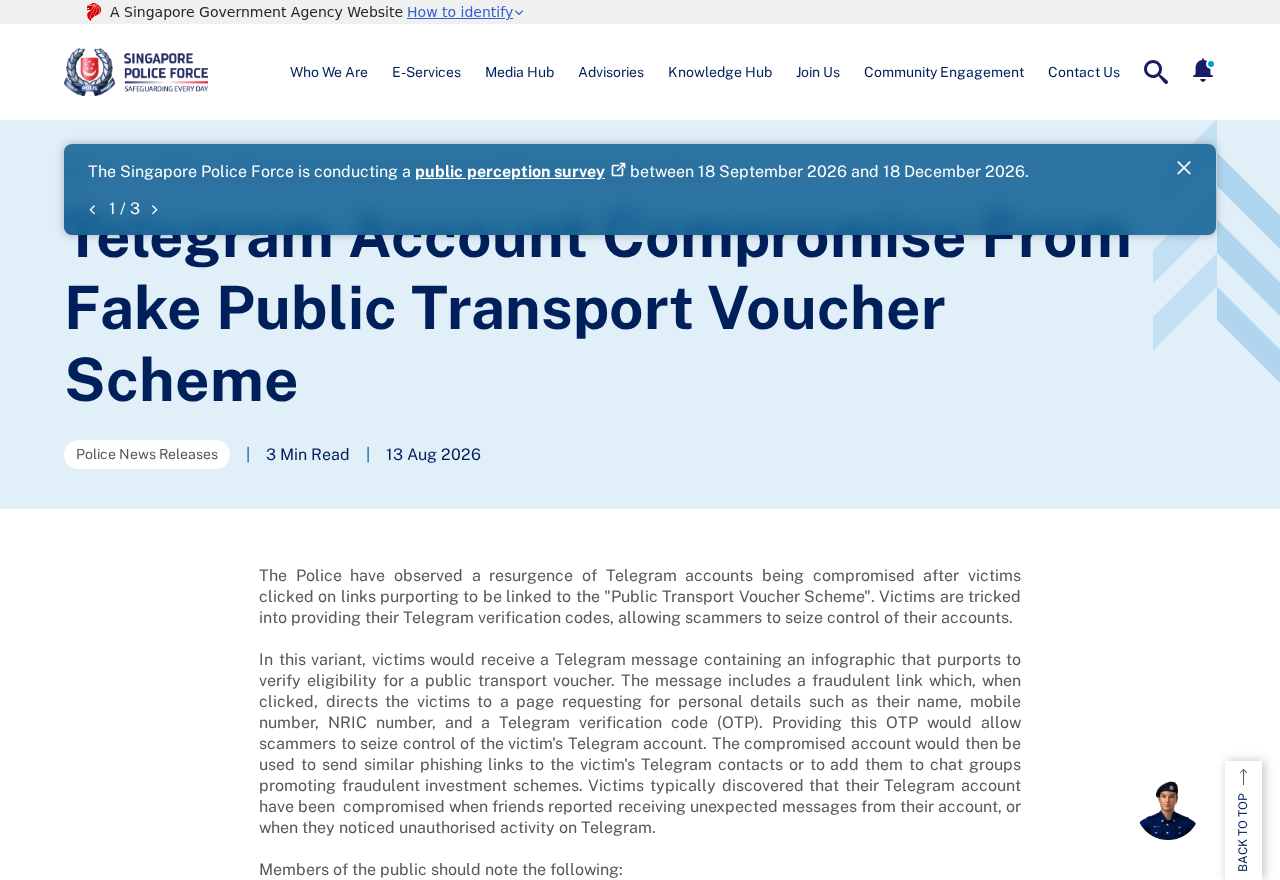
The image above shows a Singapore Police Force alert about a separate Telegram account takeover scheme.
It shows why an unexpected verification request can be dangerous even when the story is different.
An apparent badge cannot answer what the button will do
The recipient thought the profile had a verification badge.
Without a copy of the message, there is no way to tell whether the mark was part of the name or interface.
You can check the account without pressing its button. Start in Telegram’s settings or open the FAQ independently and compare what you see with the service’s own guidance.
- An ordinary conversation can arrive under a notification labeled Telegram.
- A profile can use a familiar name or an official-looking symbol.
- The reported message used a 24-hour deletion threat to push the recipient to verify.
- A button in a new chat does not establish that the sender handles account security.
- If the message wants a code, password, or login approval, close it and review your account separately.
How the Scam Works
Step 1: The warning arrives inside the app you trust
An email from an unknown sender is easy to ignore. An alert that opens the messaging app you use every day can feel like it came from the service itself.
Look at where the message opens. A profile name at the top of an ordinary conversation belongs to the sender.
It is separate from the label the phone gives the app.
In this case, the recipient noticed a fresh chat and unfamiliar profile details. A genuine service notice can be checked through Telegram’s own documentation without replying to the sender.
If you use Telegram for work, family, or community groups, a deletion threat may feel especially urgent. Take a moment to verify where the message came from before acting.
Step 2: The profile looks official at a glance
A short name, a mark that resembles a badge, and a security label can be enough to make someone glance past the rest of the profile.
Telegram’s verification guidelines explain what its own verification mark means for eligible public accounts. The official FAQ separately identifies the service conversations Telegram uses for important notices.
A person can confuse a mark shown next to a name with proof that a message came from platform staff. Check the account and the request together before trusting either.
The public report does not establish how the displayed badge was produced. The practical check is whether the account matches a service channel named in Telegram’s documentation.
Step 3: A 24-hour deadline makes the decision feel immediate
The message says an account problem will become permanent if the recipient waits. That pressures people to tap before checking whether any restriction appears in their real account settings.
You may already have Telegram open. Leave the conversation, open Settings normally, and check your devices and security options from there.
If you see a separate restriction inside the actual app, follow the app’s help route or the official FAQ. A private chat cannot establish the action needed to restore access.
Treat the deletion deadline as part of the sender’s claim. If the issue is real, you should be able to discuss it through Telegram’s published support route.
Step 4: The supposed verification request crosses into account access
The recipient stopped before using the button. That leaves its destination unknown. Other account phishing cases documented by police ask users to supply information needed to access their accounts.
A login code belongs to the sign-in you started. If it arrives after a stranger asks you to verify, pause and review the account from a device you already control.
Do not read a code back, forward the message containing it, or share a screenshot that includes it. Keep your two-step verification password private.
A login approval can also be sensitive. If an app prompts you to approve a device you do not recognize, leave the approval unanswered and check existing sessions.
Step 5: An unauthorized session can put contacts at risk
If someone does get into a Telegram account, they may use the trusted profile to contact other people. A message from your account can carry more weight than a stranger’s.
Open Telegram’s device list from a trusted device and review active sessions.
Sign out of unfamiliar ones using the genuine app. Keep the device you control signed in while you work.
If you find suspicious outgoing messages, warn the recipients through a route you trust. Explain that the message or request may have come from someone using your account.
The reported user did not say their account was taken over. These steps apply if you interacted with the message and later see signs that someone accessed your account.
How to Check Telegram Security From Inside the App
Go to Settings and find the device or active-session controls. Telegram describes these controls in its FAQ. The exact menu label can vary by device and app version.
Look at the device type and when the session last connected. A session can show an approximate location, so use the other details to help decide whether you recognize it.
If you cannot identify a session you do not need, use the app’s controls to end it. Review your two-step verification settings and confirm that the recovery email is yours.
If a session you recognize belongs to a device you no longer use, remove it as part of the review. That makes a later unfamiliar entry easier to notice.
For a genuine alert, read the text inside Telegram’s established service chat. If you still have doubts, use the help link or support instructions from Telegram’s website.
If your phone number suddenly stops receiving ordinary calls or messages, contact your mobile provider through its published support channel. Tell it if you suspect an unauthorized number transfer.
## Check What You Approved Before You Sign Out
Look back at the security messages you received around the same time.
Check which app or service sent each message and whether it described a sign-in, a code, or another action.
If you only tapped the notification, record that. If you opened a button, note whether it stayed within the chat, opened a browser, or displayed a separate sign-in screen.
If you entered your phone number, keep a record of any new login alert. A number is useful evidence about the request, but it is different from an accepted session.
If you entered a code, check your device list immediately. A code that no longer works can still have been used while it was valid.
If you used a password elsewhere, secure those other accounts through their own sites. Start with the email account used for recovery, especially if you no longer recognize its sign-ins.
If a device is out of your possession, review that session separately. Removing an old session you recognize can help distinguish it from access you never approved.
Group owners should ask a trusted administrator to check changes made while the account was exposed. Note which administrators, invite links, or public messages changed during the affected period.
If someone lost access and you are helping them, preserve the messages that came from their account. Give them a way to reach contacts without relying on that same account.
Keep screenshots with any live codes covered. The date, name, and description of the request are useful for reporting without revealing a credential someone might still try to use.
What to Do if You Have Fallen Victim to This Scam
Match your response to what happened. Viewing a message, sharing a code, and losing access to the account call for different actions.
-
Stop replying and preserve the message. Save the profile and its request without copying any live codes into the screenshot. Report and block the account.
-
Use Telegram from a device you trust. Open the device list and end unfamiliar sessions. Keep the session you control active while securing the account.
-
Review two-step verification. Change an exposed password and secure its recovery email. Update the email account’s password too if you reused it.
-
Warn contacts if your account sent messages you did not write. Reach them through a separate channel and tell them to ignore requests for payments or codes.
-
Use Telegram’s official support form if you cannot sign in. Include the relevant account details and avoid sharing any password or recovery code.
-
Contact your bank if the incident led to a payment. Use the bank’s own app or number and preserve the chat, payment receipt, and case reference.
If you only opened the conversation and did not use its buttons, report it and review any unexpected device alerts. There may be nothing else to reverse.
If you used the button and entered information, write down what you gave. A phone number, a password, and an active login code create different risks.
Look for messages sent to recent contacts while you were locked out or away. If you administer a group, ask another administrator to check for unfamiliar changes or announcements.
Beware of accounts offering paid recovery. Give account information only through Telegram’s own support route. Never provide a fresh code to someone who says they can restore the account.
If the fake chat sent a file or led to an unexpected download, review what was installed. A trusted Malwarebytes scan can help check for malicious software on supported devices.
AdGuard can help block some known phishing pages. A blocker cannot assess whether a private chat represents Telegram or revoke access you already granted.
Frequently Asked Questions
Why did the alert say Telegram on my phone?
Your phone groups notifications under the app that delivered them. Telegram can display alerts from individual chats as well as service messages.
Open the app yourself and look at the conversation where the alert appeared. Check Telegram’s FAQ for the genuine service chat details if the sender is unclear.
Can a profile badge prove the request is legitimate?
Telegram explains how its platform verification works. A symbol that resembles a badge in a profile is not enough to establish what you are being asked to do.
Use the published service contact information and judge the request. Telegram says it does not ask users for verification codes or two-step verification passwords.
Will I lose my account if I ignore the 24-hour message?
The deadline in the reported private conversation does not establish a genuine account action. Check the actual app for a restriction and use the official help route if needed.
Avoid asking the private sender for an extension or proof. Their reply cannot independently confirm Telegram’s plans for your account.
What if I gave the sender a code but can still sign in?
Open Telegram on a trusted device and inspect active sessions immediately. End unfamiliar ones and review two-step verification and your recovery email.
Check whether your profile sent messages you did not write. Warn affected contacts through another route so they can avoid acting on those messages.
Do I need to reset my phone because I viewed the message?
Viewing an ordinary message without using its button or opening a file does not by itself establish a device infection. Focus on what you actually opened or installed.
If a download appeared or an app asked for unexpected permissions, review those changes from a trusted device and get help if you cannot identify them.
How do I report the fake account?
Use Telegram’s reporting option for the message or profile and block it after preserving evidence. Keep the date and a copy of the request.
If you lost access to your account, use Telegram’s official support form. Report any related money transfer to your bank separately.
The Bottom Line
Ignore a fake Telegram security alert that threatens deletion unless you use a button in a private chat. Check your account through the app and Telegram’s published help.
If you gave away a code or approved a login, review active sessions immediately. End unfamiliar access and tell contacts about any messages you did not send.

Join the discussion
0 commentsShare your experience or ask a question about this article.
Discussion
Start the conversation
Have a question or something useful to share? Add the first comment.