


Your Microsoft account still accepts a familiar verification method, but its security page says that method is scheduled for removal. The warning can feel confusing at first.
Before changing anything else, check which method carries that message and when its removal will happen. Those details determine whether you should continue or cancel.
Overview
The message concerns a particular verification method
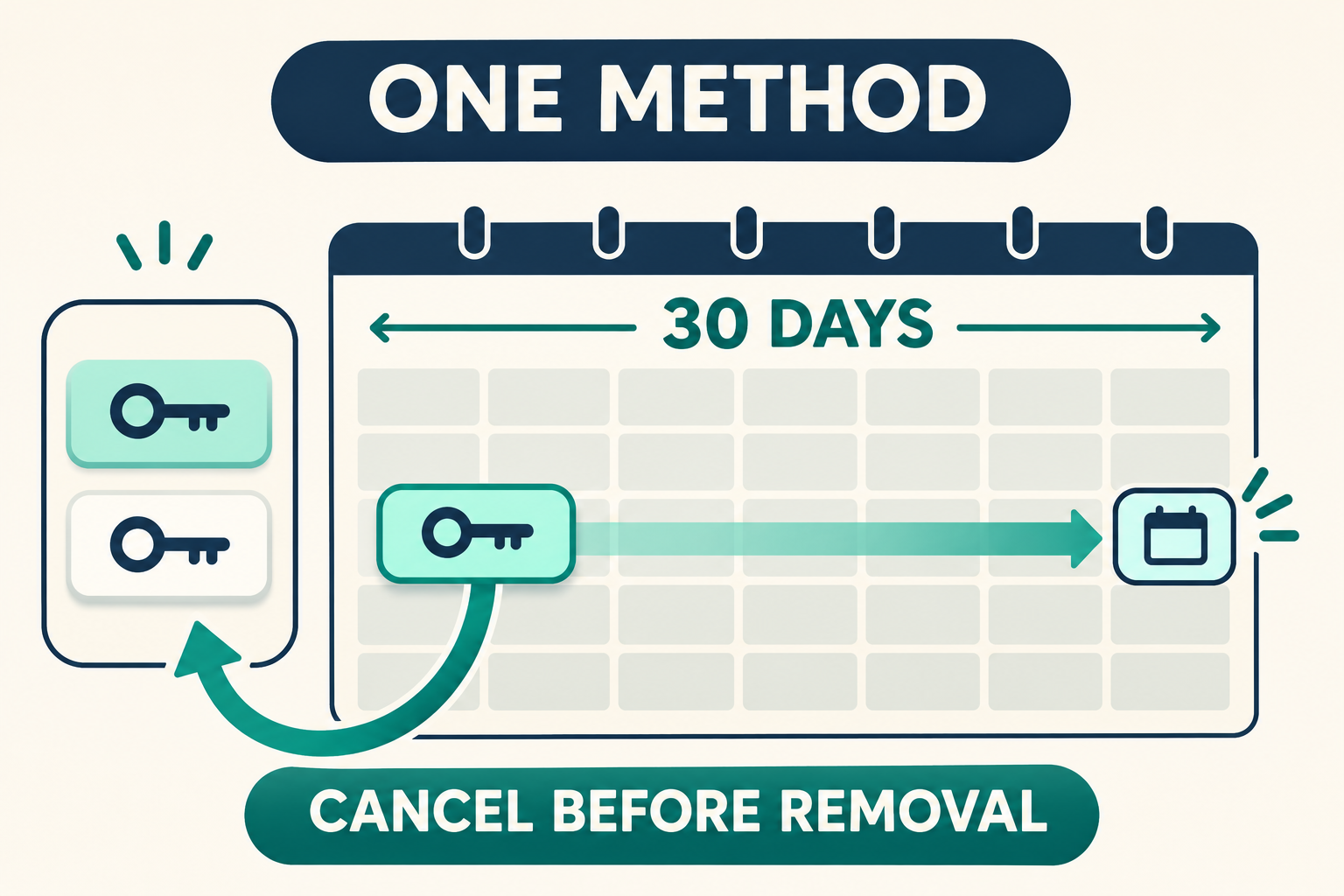
Microsoft’s scheduled-removal guidance describes a 30-day waiting period before an individual verification method disappears from a personal account.
The method remains usable until the date and time shown beside it. Seeing the pending status does not, by itself, mean your account is locked.
Start with the method’s identity rather than the largest warning on the page. An old telephone number and your only working authenticator deserve different decisions.
You can cancel before the scheduled removal
On the account’s Additional security page, expand the affected method to inspect its scheduled date and available cancellation option.
Microsoft calls that option Cancel removal. Use it if you changed your mind, still need the method, or never requested its removal.
Microsoft warns that an unexpected request may mean somebody else has access. Canceling the pending change should therefore lead into a wider account-security check.
Preserve working access before making further changes
- Identify the exact method carrying the pending status.
- Check the displayed removal date and time carefully.
- Confirm another method actually works before retiring anything.
- Cancel an unfamiliar removal through Microsoft’s official account page.
- Keep account-recovery problems separate from this individual-method notice.
This explanation covers personal Microsoft accounts. A workplace or school account may use an administrator-managed process with different controls and support arrangements.
What the 30-day period actually means
A verification method is one way Microsoft checks that you control the account. Depending on your setup, it might involve an authenticator, email address, or passkey.
Removing one method changes that list of available checks. It does not mean deleting your Microsoft account, erasing OneDrive files, or canceling an Office subscription.
The crucial distinction is between a pending method change and the account’s overall condition. Read the actual security page rather than guessing from an email headline.
| What you see | What it tells you | What to check next |
|---|---|---|
| One method marked for removal | That particular method has a pending change. | Expand that row and inspect its date. |
| The method still supplies verification | Microsoft says it works until removal occurs. | Test an independent alternative while access remains available. |
| A removal request you never made | Someone else may have account access. | Cancel the change and review account security. |
| No successful sign-in at all | You have a broader access problem. | Use Microsoft’s official sign-in assistance route. |
Microsoft’s wording refers to a scheduled date and time, not simply the end of whichever calendar day you remember initiating the request.
Use the value shown in your account rather than counting days from a notification. If timing matters, record the displayed information privately without publishing method details.
Do not intentionally wait until the final minutes to decide. A missed deadline can turn a straightforward cancellation into a more complicated access problem.
Check the pending change without losing access
Step 1: Reach the security page independently
Open a trusted browser and navigate through your Microsoft account’s own security settings. Avoid treating a link inside an unexpected message as your starting point.
Microsoft’s support article links directly to the relevant account page. Use that official route if you are unsure where the setting belongs.
Before proceeding, confirm that the account shown is the personal account you intended to inspect. Several signed-in accounts can make otherwise correct instructions confusing.
For example, a browser may remember both a personal Outlook address and an employer account. A change visible in one does not describe the other.
If you already have a trusted signed-in session, preserve it while you investigate. Signing out everywhere before checking alternatives can remove a useful route back.
Step 2: Identify the method and scheduled timestamp
Expand the verification option marked for removal. Compare its identifying details with the telephone number, email address, authenticator, or other method you recognize.
Masked details can look similar, especially when several addresses share an ending. Pause if you cannot confidently tell which method the row represents.
Read the scheduled timestamp and look for Cancel removal. The existence of that option matters more than whether a notification sounded urgent.
Do not remove another method simply to make the list look tidier. First establish why the existing request exists and whether your remaining access is dependable.
Step 3: Check an alternative before accepting removal
Consider what happens after the selected method disappears. You need a method that you personally control and can actually use, not merely a familiar-looking list entry.
A backup email address is not useful if you cannot sign into its mailbox. An authenticator entry is not useful if its device is inaccessible.
Where possible, confirm the alternative through a normal verification request without closing your current trusted session. Do not approve a prompt you did not initiate.
Microsoft’s security-information guidance explains adding another verification option through your account’s sign-in settings.
Choose an option currently offered to your account. Microsoft notes that adding a new telephone number may be unavailable as it phases out some SMS options.
Avoid building a plan around an option that your screen does not offer. Email, an authenticator, and passkeys have different prerequisites and availability.
Step 4: Keep or cancel the requested removal
If you requested the change and another method works, you can leave the selected method scheduled for removal. Keep track of the displayed deadline.
If the change was a mistake, select Cancel removal before that deadline. Recheck the affected method afterward so you understand its resulting status.
If you did not request it, use the unexpected-change response below. It covers both canceling the removal and dealing with newly added methods you do not recognize.
Do not assume canceling one request removes an intruder’s access. It reverses that pending change, not every possible modification somebody could have made.
Three common situations and the better decision
You are retiring an old telephone number
You recognize the request because you changed mobile providers or stopped using a number. The pending status itself is therefore unsurprising.
The remaining question is whether future verification can reach you another way. Check that alternative before relying on the old number’s eventual disappearance.
If the number is no longer under your control, do not use it as a dependable backup during the waiting period merely because Microsoft still lists it.
Canceling removal does not restore ownership of a reassigned number. Account controls cannot make an obsolete telephone line safe to receive your verification messages.
Use another available method you control, and follow Microsoft’s instructions for the actual options displayed. Avoid substituting a friend’s number as a rushed workaround.
You clicked Remove on the wrong entry
Two similar email addresses can make an accidental selection easy. If the method you still need is scheduled, cancel its removal while that control remains available.
Then inspect the full list again before changing the intended entry. Distinguish the methods using their visible identifying details rather than their position on the page.
Microsoft’s removal instructions explain that the workflow includes an acknowledgment and a scheduling action.
Those confirmations are worth reading because they concern future access, not ordinary preference settings. Repeatedly scheduling and canceling changes creates unnecessary uncertainty.
You never requested any method change
An unexpected request deserves prompt attention even when the method still works. The waiting period provides an opportunity to stop the change before it takes effect.
The response sequence below explains how to handle that unexpected change. Do not accept an unknown replacement merely because it appears alongside yours.
Follow Microsoft’s account-security guidance for securing access and reviewing protection options that fit your account.
If your password may be exposed, change it through Microsoft’s own settings. Use a unique password rather than a variation shared with another service.
Check the security of any email mailbox used for verification as well. A method connected to an insecure mailbox is not an independent safeguard.
Choose the branch that matches your account
Open the situation below that best matches what you can actually do. These sections explain decisions; they do not connect to or alter your account.
I requested the change and another method works
Keep the planned removal if the selected method is genuinely obsolete. Retain your working alternative and check the account after the scheduled date passes.
If your circumstances change before that date, return to the affected row and consider canceling. A decision made weeks earlier may no longer fit.
I requested removal but my backup does not work
Cancel removal while that option remains available, then repair your alternative access. Do not let an untested backup become your only route by default.
If you cannot make any method work, stop removing information and use Microsoft’s official assistance. Additional removals will not repair a broken verification route.
I do not recognize the scheduled removal
Cancel the request and review unfamiliar methods immediately. Treat the pending change as a possible account-access warning rather than an ordinary maintenance reminder.
Complete a wider security review through Microsoft, including any connected verification mailbox. Do not share codes with someone claiming they can cancel the change for you.
I cannot get into the account to cancel
Open Microsoft’s official Sign-in helper guidance and use its labeled helper button. That route identifies sign-in problems rather than assuming you can reach security settings.
The helper asks for the email address or telephone number you are trying to use, then offers appropriate next steps. Enter that information only through Microsoft’s route.
Do not pay a recovery agent who promises to override Microsoft’s controls. A stranger cannot prove account ownership by requesting your verification codes.
Understand the limits before making another change
Microsoft says you cannot remove every verification method from this list. At least one method must remain, so removing the last entry is not a cleanup strategy.
That minimum does not guarantee your remaining method is suitable. Keeping one inaccessible email address technically listed does little to protect your practical access.
Think in terms of independence as well as quantity. Two methods dependent on the same unavailable device can fail together when you need them.
For example, an authenticator and a verification mailbox accessible only on one broken phone may not provide the backup arrangement you expected.
This does not mean you should immediately redesign every security setting. Resolve the pending removal first, then improve your setup without discarding working access prematurely.
A method-removal deadline also does not establish why Microsoft asked for verification during another task. Sign-in checks can appear independently of this pending change.
Read the prompt in front of you and use a known method. Do not approve repeated requests simply because the account already has a scheduled change.
Keep expectations realistic when seeking help. Explain the exact message, the affected method’s general type, and whether you can still sign in.
Never publish the full method, recovery code, verification code, or account identifier in a public support conversation. Describe the problem without handing over access information.
Check whether your backup really is independent
Suppose your pending method is an authenticator on an old phone. An alternative mailbox helps only if you can open it without depending on that same phone.
Try the mailbox through its own normal sign-in process before relying on it. Knowing the address is different from knowing that you can access its messages.
A passkey can likewise depend on where it is stored. Identify the device or password manager providing it, rather than assuming its name guarantees independence.
If the only usable alternative shares the same point of failure, canceling removal can give you time to improve that arrangement without sacrificing established access.
A private reminder can record your decision and displayed deadline without storing passwords or verification codes. Revisit the account afterward to confirm the intended outcome.
For a workplace or school account, contact your organization’s support team instead. Personal-account instructions cannot determine what an administrator has configured for your organization.
What to Do If the Removal Request Was Not Yours
-
Open the official security page independently and cancel the unfamiliar request before its displayed deadline. Check that you are inspecting the correct personal account.
-
Check for newly added verification methods and remove only those you do not recognize. Preserve an established working method you control rather than clearing the entire list.
-
Follow Microsoft’s account-security guidance to protect access, including any connected verification mailbox. Canceling the pending removal does not reverse every other possible unauthorized change.
-
If you cannot reach the security page, use the official Sign-in helper linked above. Never provide a one-time code to someone promising remote cancellation.
Frequently Asked Questions
Can I still use the method during the waiting period?
Yes, Microsoft says the scheduled method remains usable until the date and time shown. Check its actual entry rather than assuming access stops immediately.
Does this mean my whole Microsoft account is locked?
No, this particular notice concerns an individual verification method. If you cannot sign in, investigate that separate access problem through Microsoft’s official assistance.
Where can I cancel the planned removal?
Open your personal account’s Additional security page, expand the affected method, and look for Cancel removal before its scheduled date and time.
What if somebody else requested the removal?
Cancel the request and remove newly added methods you do not recognize while preserving established access. Then secure the account, because cancellation alone does not reverse every change.
Can Microsoft support remove the waiting period for me?
Do not rely on promises of an override. Microsoft’s guidance states that support cannot access or change protected account information on your behalf.
Can I remove all my verification methods together?
Microsoft says at least one verification method must remain. More importantly, preserve an option you control and have checked before retiring a working method.
The Bottom Line
For Microsoft verification method removal, identify the exact entry, check its timestamp, and preserve working alternative access before letting the pending change proceed.
Cancel a mistaken or unfamiliar request before removal occurs. If the request was unexpected, continue with a wider account-security review through Microsoft’s official settings.

Join the discussion
0 commentsShare your experience or ask a question about this article.
Community experiences
Did this happen to you?
Your experience could help someone recognize the same scam. Submit a private report for our team to review.
I experienced this tooReports are reviewed before publication. Sharing publicly is always your choice.
Discussion
Start the conversation
Have a question or something useful to share? Add the first comment.