


The notification says an order for a laptop you never bought has already been processed. Calling the number on the receipt feels like the quickest way to stop the charge.
For Lindy Ralph, the real account activity didn’t match the order she saw. That mismatch is the reason to check somewhere else before calling.
Overview
The A$699 Laptop Was the Bait
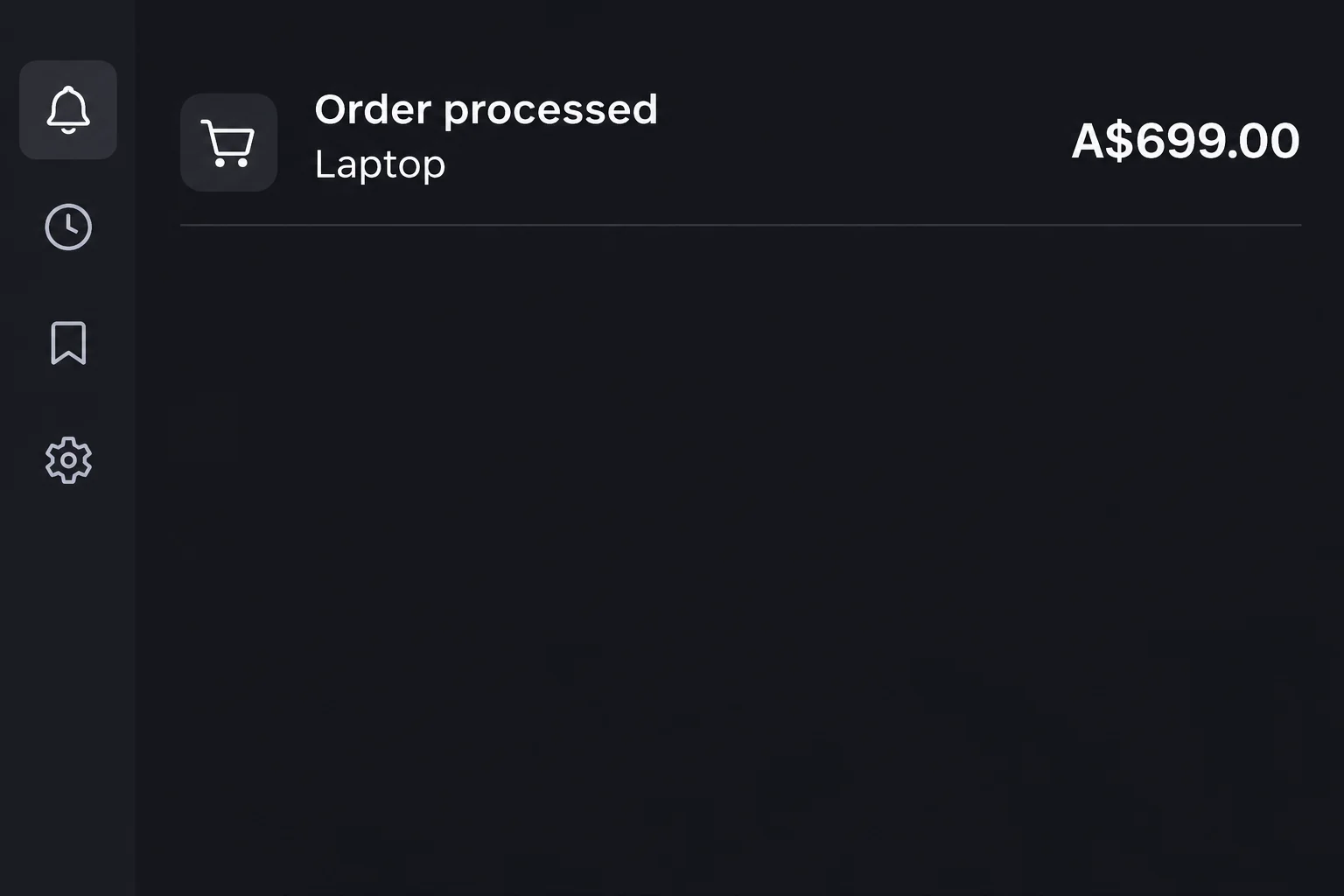
In her account for The Guardian, Australian writer Lindy Ralph describes a notification in an app she trusted. It said a laptop order for A$699 had been processed.
She called the number shown on the receipt, and the person who answered claimed to be PayPal. Ralph then received messages that looked like they came from the payment service.
She reported losing more than A$3,000 across her credit card and savings account. The A$699 was the supposed order, not the total she said disappeared.
The illustration above represents the reported notification, not Ralph’s original screen. Her account doesn’t identify who controlled the app notification or establish that PayPal itself sent the message.
A Trusted App Can Display an Untrusted Request
It helps to separate what the app shows from who submitted the information. Opening a familiar app doesn’t tell you whether a particular receipt describes a real transaction.
Australia’s Scamwatch documents purchase alerts that tell recipients to call a number to dispute a made-up charge. The agency has seen the bait in several formats, including app notifications.
That doesn’t mean every unexpected order is fake. Someone could have used a real account without permission, a merchant name could look unfamiliar, or a notice could be incorrect.
You can check those possibilities without calling the number in the receipt.
The actual activity in your bank and payment accounts is a better starting point than a voice answering the callback.
What to Check Before You Make Contact
- Open the bank app you normally use and look for the amount in both pending and recent activity.
- Open PayPal yourself if you use it and see whether there is a corresponding payment, request, or invoice.
- Look at card and savings activity separately if you use both accounts, especially after speaking to anyone.
- Don’t tell an unsolicited caller what’s in a text verification message or approve a request they describe.
- If an account shows genuine suspicious activity, contact that provider through a route you found independently.
These checks matter even when a message arrives at an inconvenient moment.
You do not have to prove that an order is fake before leaving the original notification and checking your accounts.
How the Fake PayPal Laptop Order Scam Works
Step 1: An Order Appears Before You Can Decide Whether It Is Real
The order notification in Ralph’s account looked familiar enough to make the problem feel immediate. It didn’t ask her whether she wanted a laptop; it said the purchase had happened.
That framing can make reading a bank statement feel too slow. The message offers a seemingly simpler action: get someone on the phone who can undo the order.
A real receipt will usually have something you can verify with the provider. The useful question is whether the same transaction appears when you open your account yourself.
If the alert does not match an actual transaction, don’t call the sender to explain the discrepancy.
You can alert the app or payment provider without using the disputed contact details.
Step 2: The Number in the Notice Puts You in the Wrong Conversation
The number was presented as the one to call if Ralph had not ordered the laptop. The greeting on the other end claimed the caller had reached PayPal.
The greeting tells you who the person claims to be. It doesn’t verify anything when the number came from the same message as the order.
PayPal’s Australian guidance on invoice scams warns against calling numbers in suspicious invoice notes. It also distinguishes reporting an invoice from paying it.
You can leave the call even if you aren’t sure what the first instructions meant.
Reopen the official app or find support on the website yourself, then make a fresh contact.
Step 3: A Fake Support Conversation Draws Out Information
Ralph says the person on the phone quickly asked to confirm credit card information. She also described receiving messages with codes that appeared to be part of the exchange.
An unexpected code tells you that somebody or something initiated an action. It does not tell you the person speaking to you is authorized to handle that action.
If you get a message while you’re on the phone, read what the message itself says the code or approval is for.
Don’t let the caller tell you what it means.
Keep any verification code to yourself.
If a message refers to bank access, a payment, or a new device you didn’t request, decline it and verify the activity through the provider.
Step 4: New Transactions Can Be Far Larger Than the Bait
Ralph checked after hanging up and found large pending transactions. Her account describes activity across her credit card and savings, not simply a second charge for the original laptop amount.
That matters when deciding where to look. If you only search for A$699 in one app, you can miss a different amount or activity in another account.
Check the accounts you exposed during the call and identify which provider handles each pending or posted item.
An alert in one app doesn’t establish the full extent of the loss.
The source does not establish exactly what every code authorized.
When you report a case, describe the code message or approval you remember rather than guessing how each transaction was made.
What to Look For When You Check Your Accounts
The Notice, the Request, and the Payment Are Different Things
A notification can say an order was processed without showing that anything left your account. A payment request inside PayPal can also exist without your having paid it.
Start in the official PayPal app or open the service independently in a browser. Look at Activity for a completed or pending payment, and check any request without accepting it.
Then check your own credit card and bank accounts. Record the date, amount, merchant or recipient, and current status of anything you don’t recognize.
If a suspicious payment appears on your card but not in PayPal, don’t assume it has to be handled by PayPal. Contact the institution where the actual activity is recorded.
If You See a Request but No Payment, Don’t Pay to Cancel It
A real request can still ask you to pay for something you never ordered. An on-screen request and an actual debit are two different things.
Read the status in your account without approving the request. Report an unwarranted invoice through PayPal if it’s there, and leave any note attached to it unanswered.
There’s no need to give a caller your card details to make a request go away. If you’re unsure what the status means, contact PayPal independently.
If You Shared No Details, Check Before Taking Bigger Steps
Opening a notice is different from sharing a code or approving a payment. Tell the provider what you actually did instead of telling it you must have been hacked.
If an unfamiliar item does appear later, contact the institution that lists it. Keep the original notification for comparison, but don’t assume it explains all new activity.
Give the Fraud Team a Timeline, Not Just the Laptop Amount
Start with when the notice arrived and how you contacted the sender. Mention any text messages, payment prompts, or personal information involved without repeating an actual password or secret code.
List suspicious card items separately from withdrawals or transfers out of a bank account. That helps each provider identify the correct activity instead of searching only for the bait amount.
If you don’t know which action you approved, say that clearly.
Give the provider the time and wording of the message if you saved it, and ask what it can verify.
Check your incident reference before you leave the call. Ask how the provider will update you and confirm the route you should use if another suspicious item appears.
What to Do if You Have Fallen Victim to This Scam
End the callback and check your accounts independently.
Stop sharing information and hang up. Open the bank or PayPal app yourself, rather than using any link or number the receipt or caller supplies.
If you only saw the message, report it through the app that delivered it. Don’t authorize a payment to check whether an order exists.
Contact the card issuer and bank if you shared payment details.
Use the number on your physical card or the provider’s official app. Say which card or account details you gave away, and ask about locking access and replacing cards.
Check both card activity and savings or transaction accounts. Tell the provider about unrecognized pending or posted items, including those that do not match the supposed purchase amount.
Report codes, approvals, and possible changes to account access.
If you shared a code or approved something, explain when it happened and which service sent the prompt. Ask the provider to check what the action authorized.
Reset a password you disclosed through the service’s own settings on a trusted device. Review recovery details and unfamiliar sign-ins if the provider offers that option.
Make each dispute through the provider that handled the payment.
Use PayPal Australia’s fraud reporting page to reach the Resolution Centre. Choose Report a problem, select the payment, then choose the option for unauthorized activity.
Report separate card or bank transactions directly to the institution that handled them. Ask what it can do about any pending items and what evidence it needs.
A dispute is a request for review, not a guarantee that a specific payment will be returned.
Preserve the original notice and the order in which things happened.
Save the notice, any follow-up alerts, and the time and duration of the call. Record bank or platform references without posting account information publicly.
If you are in Australia, you can make a report to Scamwatch. A scam report is separate from the payment dispute you make with your provider.
Treat any surprise offer to help recover the loss as unverified.
Keep your existing bank case reference handy, but don’t send it to someone who contacts you unexpectedly. Start with the institution handling the original dispute.
Don’t share a code, approve a new payment, or pay a fee offered as a shortcut to recovery. Ask your real provider how it will contact you about the case.
Frequently Asked Questions
Did PayPal Really Charge A$699 for a Laptop?
The A$699 was the purchase shown in the notice Ralph reported. The source does not establish a real PayPal laptop purchase for that amount.
Your own notice could be different. Check your actual PayPal Activity and bank records before deciding what happened, and ignore the number printed on the notice itself.
Can a Purchase Notice Appear Inside a Real App?
Yes, a real app can display a notice that describes an unverified order. Scamwatch lists app notifications alongside texts, emails, and calendars as places the bait may appear.
That doesn’t mean the whole app was compromised. It means you still need to verify who made the request and whether the purchase exists.
What if the Caller Knows My Name or Card Details?
Information that is correct isn’t proof of authority. Don’t fill in missing details or read out a code because a stranger seems to know something about you.
End the conversation and tell your provider what the caller already appeared to know. Ask whether it recommends replacing the card or taking another security step.
Should I Wait Until a Pending Transaction Clears?
Report the suspicious item as soon as you see it. The provider can tell you what action is available while it is pending and what may have to wait.
Keep the date, amount, and reference even if the item disappears from view. Check for changes and use the same incident number if you have to follow up.
Does the Incident End When I Lock My Card?
Locking a card can help limit card activity, but it need not stop a separate transfer or secure an account login.
Tell your bank if more than one account is involved.
Ask what has been blocked, what is still pending, and what else needs checking. Keep the institution’s answer so you know whether you need to follow up.
Is There One Refund Policy for Everyone Who Responds?
Recovery depends on the provider, payment method, and details of the case. Don’t assume another person’s outcome means you must get a refund or cannot make a claim.
Report accurately what you did and what was taken. Let the provider review the particular transactions instead of leaving them unreported because you feel embarrassed.
The Bottom Line
Don’t call the number on an unexpected laptop receipt. Check the purchase in the genuine payment and bank accounts first, using apps or contact details you opened independently.
If you already called or shared information, stop the exchange and contact the affected providers. Look beyond the original amount and report each suspicious transaction you can find.

Join the discussion
0 commentsShare your experience or ask a question about this article.
Community experiences
Did this happen to you?
Your experience could help someone recognize the same scam. Submit a private report for our team to review.
I experienced this tooReports are reviewed before publication. Sharing publicly is always your choice.
Discussion
Start the conversation
Have a question or something useful to share? Add the first comment.