


A “Periodic Due Diligence” email says your webmail needs a quick identity check. It makes the request sound like something every account holder has to do.
There’s nothing unusual about a busy inbox getting another security notice. What’s unusual here is the job the message expects you to do.
Overview
A compliance notice with no clear owner
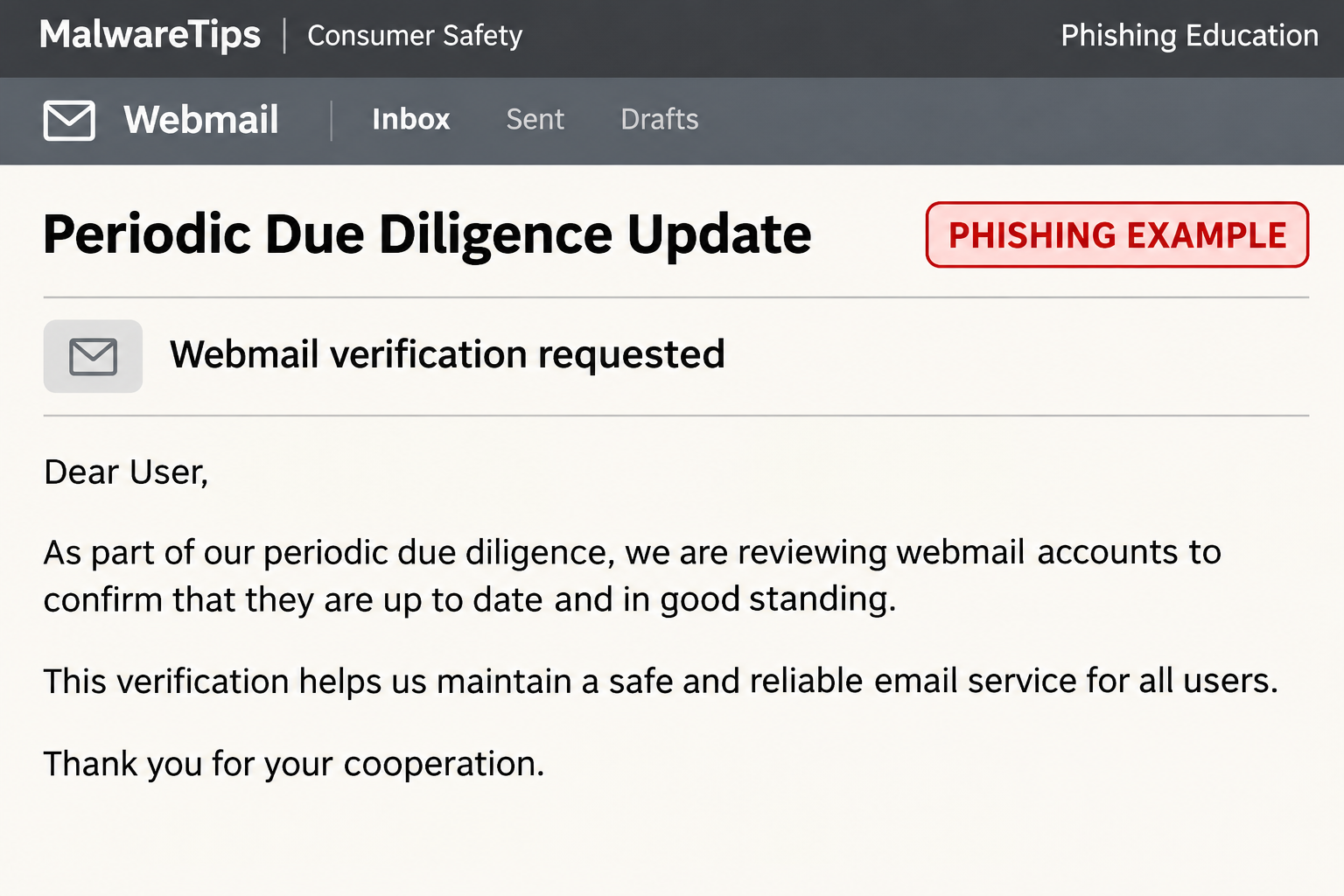
The “Periodic Due Diligence” phishing email presents a human verification check as routine webmail maintenance. It threatens to interrupt access if you skip the check.
The phrase sounds formal, but it doesn’t name an actual account event you can verify. No trusted administrator, existing ticket or independently opened account page confirms the alleged requirement.
The example gives the recipient two apparent choices, including one that sounds like a postponement. Neither option needs to be tested to find out whether your mailbox works.
The lead image is an illustration of that pretext. The actual sample used a longer security notice, a purported anti-bot policy and an instruction to sign in.
The supposed bot check turns into a password request
The documented verification button opened a page styled to resemble cPanel Webmail. Instead of showing the promised human check, it asked for an email address and password.
cPanel makes web hosting software. A provider can use its interface to offer webmail, but cPanel branding on an unfamiliar site does not connect that site to your hosting account.
The unrelated destination was the clearest technical warning. You do not need to visit it to test the claim; start from the host or webmail address you already know.
The concern in this example is loss of account access and mailbox privacy. There’s no evidence in the documented message that a file was needed to perform the alleged check.
What to look for in your copy
- A due diligence, compliance or anti-bot heading with no matching notice in your account.
- A warning about service interruption that arrives outside the normal support process.
- A supposed human check that sends you straight to a password form.
- A webmail login at a location your hosting provider did not give you.
- Buttons asking you to act on the message rather than through the provider portal.
One phrase alone won’t identify every fake. A legitimate provider could use the words “due diligence” in an entirely different context.
What makes this case dangerous is the combination of the alleged requirement and an unrelated page asking for the password that protects your mailbox.
How the Periodic Due Diligence Update Scam Works
Step 1: The email borrows the language of routine account maintenance
The sender doesn’t accuse you of fraud or claim you missed a bill. Instead, the message makes verification sound like a recurring task that everyone has to complete.
That framing can work particularly well if someone else configured your email. You might not know which settings your website host, domain registrar or outside IT contractor manages.
“PDD” gives the request the feel of an established policy. It remains an unexplained abbreviation unless the organization you actually use confirms what it means and who must comply.
If the message reaches a business, check whether anyone has seen the same task in an existing ticket. Don’t use the email’s own wording as evidence that a policy exists.
Step 2: The sender offers a choice that keeps you inside the message
The example includes a postpone option beside the verification option. That can make it resemble a real account prompt instead of a single demand to click.
Treat both labels as text supplied by the sender. The reported evidence identifies the destination behind the verification action; it does not establish what the other button does.
You don’t have to click “Ignore For Now” to ignore the email. Close it, and open a fresh tab for the legitimate account if there’s a real question.
If a coworker is waiting on a reply, use a known chat or telephone number to confirm the mailbox is operational. That’s faster than asking an unknown page for reassurance.
Step 3: The page looks like software you may already use
The documented page resembles cPanel Webmail, a familiar interface at many small-business and shared-hosting providers. Recognizing its appearance can make an unfamiliar address easier to miss.
Focus on how you got there. An existing bookmark, the link in your hosting account or help from your actual administrator provides a known route. The unsolicited button does not.
You may use a host-specific webmail address rather than an address containing the word cPanel. The provider can confirm which one is yours; the logo cannot.
There is no need to compare form behavior or try a spare password. If the page is not the service you intended to reach, leave it.
Step 4: A password disclosure creates a mailbox problem
The verification pretext ends where the password form begins. A person who enters their real credentials should treat them as exposed, even if the form displays an error afterward.
Email account access can put invoices, contact lists and password reset messages in reach. The exact risk depends on which permissions and services are tied to the account.
For a local business, the address may be printed on a website and used by several staff members. The recovery plan should account for everyone who uses that mailbox.
Look beyond your webmail password if the same one also opens a control panel or another service. Give your administrator a list of affected accounts without sending the password itself.
Why Webmail and Your Hosting Panel Need Separate Checks
A familiar logo doesn’t identify your provider
cPanel is software that a hosting company can operate for its customers. The organization with the information needed to verify your specific mailbox is normally your host or IT administrator.
An unfamiliar page can copy a widely used product. You shouldn’t have to identify its font or layout to decide whether to hand over a password.
Open your provider’s portal the way you normally do. Check with the company that runs the mailbox, which may not be the one that registered the domain.
Know which password was exposed
A webmail credential can belong to one email address. A hosting control panel credential may have broader access, including other mailbox settings, depending on your service.
If you are unsure which one you typed, tell your provider that the login form was styled as webmail and describe which account you were trying to use.
For a mail client such as Outlook or Thunderbird, your app may ask for a new password after the legitimate reset. Update it only inside the app you already use.
If your company uses a separate identity provider, follow its procedure rather than trying to change the same password in multiple places without knowing where it is managed.
A real interruption has another way to check
Start with a simple test message to an address you control. Use no sensitive content. Record the send time and check the result from the recipient’s normal inbox.
If delivery fails, take the error to the provider through an existing support route. Real troubleshooting does not depend on the continued availability of a button in an unexpected email.
If the host confirms a genuine maintenance task, ask for the steps inside its support portal. That lets you follow the real process without endorsing the original message.
What to Do if You Have Fallen Victim to This Scam
-
Close the page and note what happened.
Tell your host or workplace security team if you only visited, typed an address or shared a password. Those are different exposures and don’t all require the same response.
Save the subject and receipt time. You don’t need to capture an image of the fake login or visit it again.
-
Reset the affected password through the real provider.
Use your established hosting or webmail portal from a trusted device. If you can’t sign in, reach the administrator through an existing number or support ticket.
Replace any reused password on the hosting panel, recovery email or other services. Set a unique password for each account rather than substituting one shared replacement.
-
End access that may have survived the change.
Ask your provider how to invalidate active sessions and revoke application passwords or tokens for the account, if those features exist in your service.
Check recovery methods and two-factor settings. Re-enroll only through the verified service, and don’t approve authentication prompts you didn’t start.
-
Look for messages or settings you didn’t create.
Review forwarding addresses, filters, sent items and any automatic replies. If you have administrative help, ask the provider to check recent logins around the time of disclosure.
Preserve suspicious settings before changing them, following any instructions from the incident team. An inbox that still receives mail can also be sending a copy elsewhere.
-
Protect the people and transactions tied to the address.
If you use the mailbox for orders or invoicing, warn whoever approves payments. Verify changed instructions with suppliers through a previously established contact.
Ask the host whether it can trace suspicious outgoing messages. If notifications to customers are needed, send them through a known safe channel.
-
Match device cleanup to what actually happened.
An email-only or password-only incident needs mailbox protection, not a claim that the computer is infected. If you separately ran a download, tell your administrator that specifically.
Keep the device out of sensitive accounts if you suspect an installation. Follow the organization’s cleanup process instead of accepting a scanner suggested by the original email.
What to Change for Mailboxes Used by a Team
If a team knows one shared password, a normal reset can turn into an informal message circulating the new one. Don’t send the replacement into the same potentially exposed mailbox.
Have the owner identify which apps and people legitimately need access. Examples include the order system, a help desk tool and the employee who handles returns.
Ask the host whether individual access or delegation is available. Individual credentials make it easier to remove a departing employee or trace an unexpected sign-in.
Check whether old devices and applications still connect after the reset. Remove access that no one needs and record the expected replacements so an outage can be diagnosed later.
For an address used in account recovery, list the services that rely on it. The most important follow-up may be a reset link someone could request elsewhere, not another email.
If this mailbox belongs to a customer you support, use your existing service agreement or incident process. Don’t make a unilateral change that could lock out the authorized owner.
For an inbox that collects website inquiries, check whether the application still sends to it. A password reset can break an integration even if the inbox opens normally.
Make one test submission through the real website after the host confirms it is safe. Verify delivery from the inbox and remove the test message when you are done.
If a contractor used the account in the past, ask whether their access still exists. A change to the password doesn’t tell you whether forwarding or delegation has been removed.
Put the confirmed sign-in address in a shared internal guide. That gives the next employee a route to the right service before a convincing notice arrives.
If your host cannot provide sign-in history, record that limit. Don’t tell coworkers the account was untouched just because the available logs didn’t show any unfamiliar activity.
Check the inbox again after the next scheduled batch of automated messages. Some reporting tools only send once a day, so an immediate check can miss a broken connection.
If another “verification” email arrives after the reset, report it separately. It might be a second copy of the original mailing, not a sign that the reset failed.
Frequently Asked Questions
Is “Periodic Due Diligence” a standard cPanel webmail task?
The phrase alone is not proof of a standard requirement. This email led to an unrelated page asking for credentials, not a verified task inside the recipient’s hosting account.
What if my employer really uses cPanel?
That makes the imitation more familiar, not more trustworthy. Sign in through the address your administrator gave you and report the email through your workplace process.
Should I click “Ignore For Now” instead of the verification button?
No. You can ignore the request without using either control. Close the message and verify any service issue by going directly to your provider.
Can a fake webmail page still display the correct logo?
Yes. A logo is a picture, not evidence of who operates a site. Use your provider’s known route to reach the real login.
What if I gave only my email address?
An address alone isn’t a password, but it can help someone aim later messages at you. Be cautious with follow-ups and report any unexpected authentication request.
Does a password reset remove a forwarding rule?
Don’t count on it. Review mailbox rules and forwarding separately or ask the provider to check them, especially if a work account handled confidential messages.
The Bottom Line
Skip the links in the Periodic Due Diligence update email. Its supposed human check was a route to an unrelated webmail password form.
Use your host’s real portal instead. If you typed a password, reset it through that portal and have the mailbox checked for sessions, forwarding and other unauthorized changes.

Join the discussion
0 commentsShare your experience or ask a question about this article.
Discussion
Start the conversation
Have a question or something useful to share? Add the first comment.