


A payment receipt can arrive at just the right moment to slip into a busy morning. If you’re waiting for confirmation, a familiar subject line can be all it takes.
When a receipt asks for something unusual, set it aside before you investigate. The actual payment can be checked without reopening the attachment.
Overview
PhantomStealer is malware, not a banking document
PhantomStealer is information-stealing malware for Windows. Researchers have seen it inside different chains involving business-themed attachments, including a reported campaign using fake bank transfer confirmations.
In separate analysis, researchers at Breakglass examined a payment-themed script associated with a loader tracked as JSGuLdr. These findings describe different samples, not one identical route for every victim.
What the lures share is timing and context. In finance or procurement, staff often have good reason to open ordinary receipts quickly, so another one can feel routine.
What a real payment confirmation can and can’t prove
You can confirm whether a payment cleared in your bank’s official portal or in company payment records.
An attachment does not create a transaction or authorize a change to payout instructions.
A real vendor name, valid invoice number, or recent thread subject helps the message make sense. None of that settles whether the file itself is safe to run.
Where a payment is due, reach the vendor at a contact number you already had. Don’t ask the email’s author to verify the email by replying to the same message.
What attackers may want from the Windows computer
Independent researchers describe a stealer rather than a program anyone needs to read a receipt. Different variants and samples can target different sets of information.
Browser data, including saved sign-ins and session information, is a practical concern for somebody who ran a suspicious attachment. The name alone doesn’t prove what was copied.
On a shared finance PC, start by identifying the systems actually used there. A payroll portal, mailbox, and vendor directory are separate places to check for unusual activity.
- A notice in the inbox is not the same event as launching its contents.
- A paid invoice is not proof that the accompanying email is genuine.
- If someone sent files from your account later, that is a separate indicator to report.
- Updated banking details should be verified even when they appear in a real thread.
- Removal does not undo a transfer or revoke access already taken from a browser.
PhantomStealer refers here to Windows information theft. Similarly named threats are not interchangeable, and a phone alert should not automatically be interpreted using a Windows research report.
If your antivirus supplied a longer detection name, copy the full wording.
Your support team can match a real alert to the device rather than to the first result in search.
An employee might remember that a document didn’t display, while accounting only knows a supplier received revised payment instructions.
Give both teams the timeline if they are handling the same issue.
Those facts don’t prove that the attachment caused the second event. They do give the security team a reason to check mail and endpoint records together rather than in isolation.
A message that promises to explain a failed download can also be a new attempt to get attention.
Use the incident number and the help desk’s known number to verify it.
How the PhantomStealer Infection Happens
Step 1: A receipt or business document borrows a familiar workflow
Payment notices arrive routinely in many offices. A fake confirmation has an advantage when the person reading it expects to see a bank, amount, or reference already that day.
Researchers at Seqrite reported business lures in more than one PhantomStealer investigation. A transfer-themed attachment doesn’t mean every edition of the malware arrives with that same story.
Verify the payment through a separate route, even if you are in a hurry.
If accounting can see the funds or transaction record directly, you don’t need the attachment to check.
Step 2: The attachment isn’t an ordinary receipt
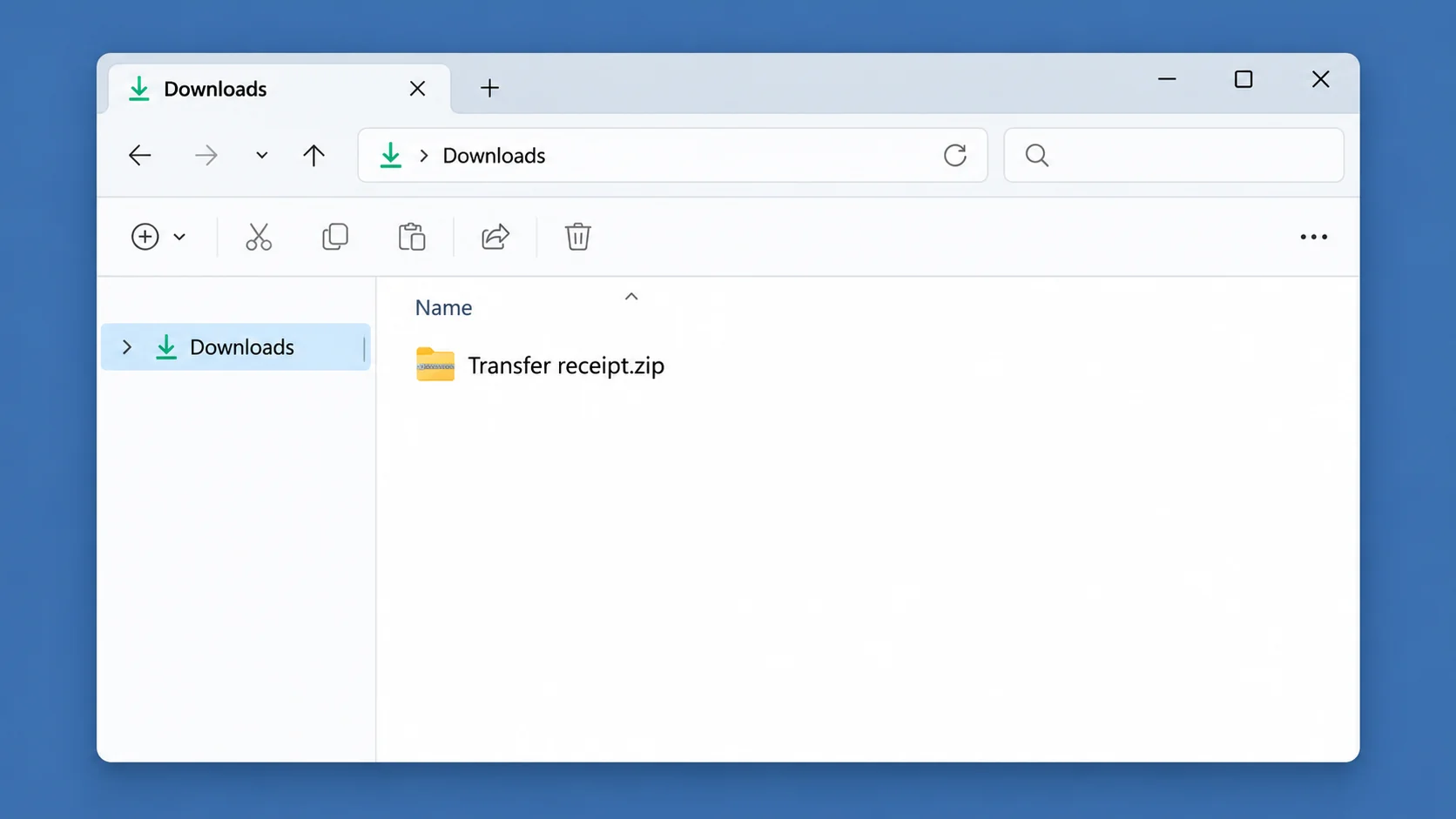
Some reported activity used an archive or another file type instead of a normal document. Windows may not make the difference obvious if you’re relying only on the icon.
An archive can contain files of multiple types. If a message calls something a receipt and asks you to open another file or approve software, stop and ask why.
Tell your help desk what you saw without extracting or opening more files.
If a file is still in your downloads, its name and approximate size are enough for an initial report.
Step 3: A loader starts a second program
Once the unsafe component runs, the loader can start the information stealer.
You may be left with nothing that looks like a receipt, or without a clear indication of what happened.
Failure to display a payment confirmation therefore doesn’t prove the file failed to run. Consider what Windows asked, what you approved, and what endpoint protection recorded.
A Windows component can also have a familiar name during ordinary use.
Don’t delete it or assume it is malware simply because a threat report mentions a name that looks similar.
Step 4: Stolen access can be used after the attachment is gone
If information was taken, a criminal could try to open accounts that were used on the affected PC. That may come later, not while you are looking at the desktop.
For a company, watch for altered payment instructions and messages sent from a mailbox without permission. Those are plausible downstream risks, not proof of theft in every PhantomStealer case.
Inbox rules and delegated access deserve attention because someone can leave changes behind. Ask the email administrator to review those alongside the normal password and sign-in checks.
What to Do if You Opened a Suspect PhantomStealer Attachment
-
Find out which part of the attachment opened. Record whether you previewed the email, saved the archive, extracted it, or ran a file.
Don’t go back to the message for a live demonstration.
If a program ran or you aren’t sure whether it did, take the PC offline when you can safely do so. Use a different device for urgent work.
-
Report the attachment and possible account exposure together. Give your workplace security team the message subject, sender, filename, and time. Tell them if work portals were already signed in.
Don’t forward the attachment as a normal message unless your organization’s reporting process specifically asks for it. Use its phishing-reporting route or call the help desk.
-
Pause any payment change you haven’t independently verified. If the notice affects a transfer, contact the bank or vendor using details from before the email arrived.
Verify the destination and transaction through records you already trust.
If money already moved, tell the bank quickly and ask about its fraud and recall procedures. Note the receiving details and transaction identifier, without posting them publicly.
-
Review email and financial access from a trusted device. Focus first on email recovery, finance tools, and password management. Use an account administrator where your role doesn’t show full history.
Ask about session removal, suspicious forwarding, and recovery changes. Different services do not end all previous access in exactly the same way when a password changes.
-
Warn people who might receive a convincing follow-up. Let relevant colleagues or vendors know which message subject and payment instruction are under review, without sending them the unsafe file.
If the mailbox sent new messages on its own, identify who received them. The person responsible for the account can coordinate a warning through a trusted channel.
-
Keep records for the bank or security team. Save an existing screenshot, alert time, names of affected accounts, and support case numbers.
Don’t include passwords or financial exports in a public report.
Write down any relevant action you took before asking for help. That includes restoring a quarantined file, approving an installer, or signing in again afterward.
How to Remove PhantomStealer From Windows
Step 1: Read the original alert before deleting evidence
Use Windows Security > Virus & threat protection > Protection history. Microsoft’s Protection History guide describes how to understand blocked, quarantined, and other entries.
If the antivirus window shows a current action, follow trusted instructions rather than choosing Allow or Restore. On a company PC, get approval before changing the protection state.
The same receipt may sit in the mailbox, Downloads, and a shared drive. Tell your organization where copies went instead of trying to erase the message from every account yourself.
Step 2: Document what each tool saw
Keep the original security alert separate from the wording used by the email. A tool might flag an archive, a script, or a later detection, and those are different findings.
Ask workplace support whether they have enough evidence to check other endpoints. You don’t need access to that investigation just to explain where the message came from.
For a personal PC, write down whether the item was caught before you opened it, or only after an application appeared to run.
If you’re uncertain about the timing, say so clearly.
Step 3: Use a verified Windows scanner if you’re handling your own PC
Download the Malwarebytes installer for Windows through its established distribution route. Avoid a download sent in a follow-up to the receipt.
Follow the standard setup prompts and check the publisher. If the computer belongs to an employer, wait for its approved installer or instructions rather than installing a tool yourself.
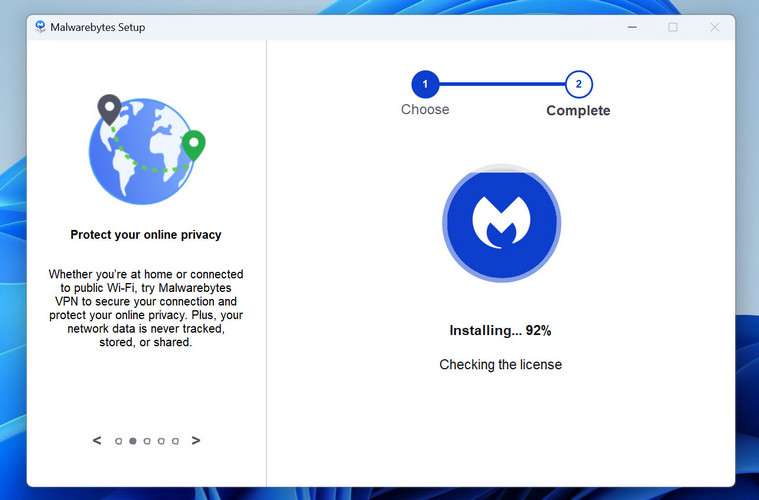
When the app opens, run a scan and read the completed results. The images show the setup and scan stages, and the buttons can move between releases.
Quarantine confirmed threats through the scanner. If a restart is required, follow the prompt, then check for returning detections or an unusual warning that was not present before.
Don’t use the affected computer to open the banking portal just to see if it still works. Account access can wait until your incident or support check allows it.
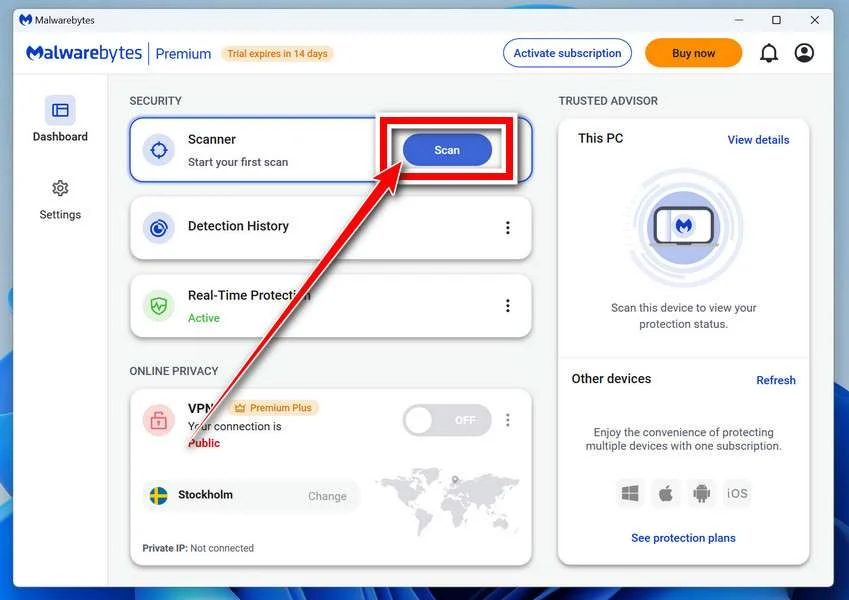
The Malwarebytes Premium option is optional and uses an affiliate link. It doesn’t recover transferred funds or confirm that a supplier’s bank details are correct.
Step 4: Reopen normal access only after checking residual risks
Remove the remaining copy of the suspect attachment from a personal device once you are sure it doesn’t need to be preserved. Have IT handle copies on shared systems.
Apply Windows and browser updates through normal update controls. If detections keep returning, use the MalwareTips support forums or seek professional help.
When you resume payments, confirm affected vendor records against earlier verified instructions. An invoice is a business record and should not double as proof that a new destination is authorized.
Step 5: Give the mailbox a separate review
If support confirms a problem with your mailbox, review the sent and deleted folders with them. Changes to forwarding or access can remain after a new password has been set.
Tell your administrator whether the account was used in a mail client or through a browser. That might help narrow the records they need to check.
Don’t delete suspicious sent messages before support says it can preserve them. Other recipients may need the subject, timestamp, and a safe contact number to verify their own exposure.
If the attacker copied genuine vendor correspondence, coworkers may see believable follow-ups later. A warning should explain whom to call instead of reproducing unsafe links or attachments.
Step 6: Put payment approval back on a trusted route
Check that the approved supplier record is still correct before approving a new transfer. The person verifying the details should have contact information that predates the incident.
Do not rely on a phone number added below an email signature. If you have two independent contacts at the supplier, use your normal escalation process to resolve discrepancies.
If the bank gives you a case number, save it with the date and transaction details. That makes it easier to resume the discussion without trusting unsolicited recovery messages.
Frequently Asked Questions
Does a completed payment make the email legitimate?
A real payment can happen near the time a fake notice arrives. Check the official transaction record and verify the sender independently before you trust any attachment.
I only opened the message. Did I run the stealer?
Opening a message is not the same action as running a file inside it. Tell support if you also clicked an external link, downloaded a file, or approved anything afterward.
Does every PhantomStealer file use JSGuLdr?
The loader appears in one documented research chain. Independent investigations describe other packaging and approaches, so the name isn’t a rule for recognizing all malicious attachments.
Can I delete all copies once the scanner finds nothing?
For a work incident, ask the security team before deleting potential evidence. For a personal incident, the suspicious copy can go once you no longer need it for support.
Does changing my email password resolve a fraudulent transfer?
It addresses one kind of access, not a completed payment. Call the bank separately and ask what options are available for the transaction and any new instructions.
Are items with the word Phantom all from the same malware?
The word appears in the names of different threats. Keep the exact alert and explain which operating system, file, and incident it refers to when you ask for help.
The Bottom Line
With PhantomStealer, a receipt is the pretext, not the proof. Verify the payment in the real system instead of trusting what an attachment says you need to open.
If you ran an unsafe file, treat the computer, the mailbox, and any affected transfers as separate checks. The sooner those checks reach the right people, the better.

Join the discussion
0 commentsShare your experience or ask a question about this article.
Community experiences
Did this happen to you?
Your experience could help someone recognize the same scam. Submit a private report for our team to review.
I experienced this tooReports are reviewed before publication. Sharing publicly is always your choice.
Discussion
Start the conversation
Have a question or something useful to share? Add the first comment.