

WhatsApp, the popular messaging app used by billions of people worldwide, has become a breeding ground for scammers and cybercriminals. One of the most common scams that users encounter is the ‘Subscription Expired’ scam messages. These messages are designed to trick users into believing that their WhatsApp subscription has expired and they need to renew it immediately. In reality, these messages are nothing more than a ploy to steal personal information or install malware on the victim’s device.
How the Scam Works
The ‘Subscription Expired’ scam messages typically arrive in the form of a text message or a notification within the WhatsApp app itself. The message usually claims that the user’s subscription has expired and they need to renew it immediately to continue using the app. To make the scam appear more legitimate, scammers often use official-looking logos and branding.
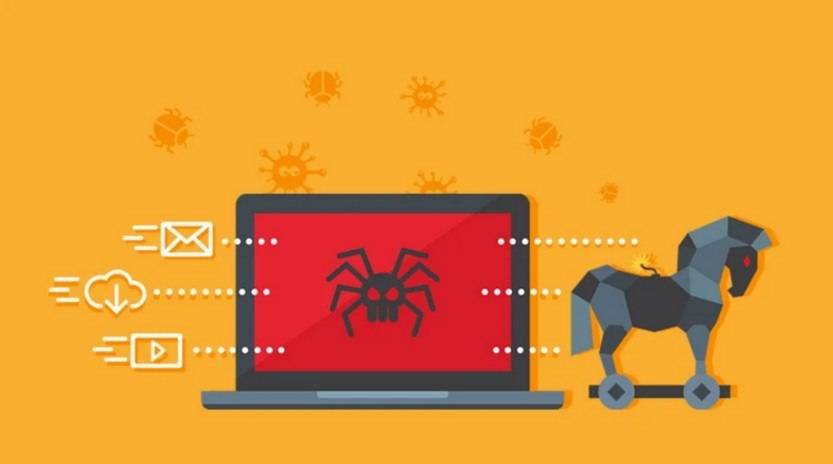
Once the user clicks on the link provided in the message, they are directed to a fake website that mimics the official WhatsApp website. On this fake website, users are prompted to enter their personal information, such as their name, address, and credit card details, to renew their subscription. In some cases, the fake website may also ask users to download a file or app to complete the renewal process.
By providing their personal information or downloading the file, users unknowingly give scammers access to their sensitive data or install malware on their devices. This can lead to identity theft, financial loss, or unauthorized access to personal accounts.
What to Do If You Have Fallen Victim
If you have fallen victim to the ‘Subscription Expired’ scam, it is important to take immediate action to protect yourself and minimize the potential damage.
- Disconnect from the internet: If you suspect that your device has been compromised, disconnect from the internet to prevent further unauthorized access.
- Scan for viruses or malware: Run a scan with a reliable antivirus or anti-malware software, such as Malwarebytes Free, to detect and remove any malicious software.
- Change your passwords: Change the passwords for all your online accounts, including your WhatsApp account, email, and banking accounts. Use strong, unique passwords for each account.
- Monitor your accounts: Keep a close eye on your bank statements, credit reports, and other financial accounts for any suspicious activity. Report any unauthorized transactions or identity theft to the relevant authorities.
- Enable two-factor authentication: Enable two-factor authentication on your online accounts whenever possible. This adds an extra layer of security by requiring a verification code in addition to your password.
Protecting Yourself from WhatsApp Scams
While it is impossible to completely eliminate the risk of falling victim to WhatsApp scams, there are several steps you can take to protect yourself:
- Be skeptical of unsolicited messages: Be cautious of messages or notifications that claim your subscription has expired or require immediate action. Verify the information independently before taking any action.
- Check the sender’s identity: Pay attention to the sender’s phone number or email address. Scammers often use fake or unfamiliar contact information.
- Verify official communications: If you receive a message claiming to be from WhatsApp or any other company, verify its authenticity by visiting the official website or contacting customer support directly.
- Keep your software up to date: Regularly update your WhatsApp app and operating system to ensure you have the latest security patches and bug fixes.
- Educate yourself: Stay informed about the latest scams and phishing techniques. Be wary of sharing personal information or clicking on suspicious links.
Summary
WhatsApp ‘Subscription Expired’ scam messages are a common tactic used by scammers to deceive users and steal their personal information. These messages often appear legitimate and prompt users to renew their subscription by providing personal information or downloading malicious files. If you have fallen victim to such a scam, it is crucial to take immediate action to protect yourself, including disconnecting from the internet, scanning for malware, changing passwords, and monitoring your accounts. To prevent falling victim to WhatsApp scams, it is important to be skeptical of unsolicited messages, verify the sender’s identity, and keep your software up to date. By staying informed and taking necessary precautions, you can reduce the risk of becoming a victim of WhatsApp scams.

Join the discussion
0 commentsShare your experience or ask a question about this article.
Discussion
Start the conversation
Have a question or something useful to share? Add the first comment.