


A receipt arrives for an order you never placed. The greeting names someone else, and the Gmail address contains a dot you never use.
Before deciding somebody has entered your inbox, separate the address on the message from the account activity you can actually recognize.
Overview
A punctuation difference can still identify your inbox
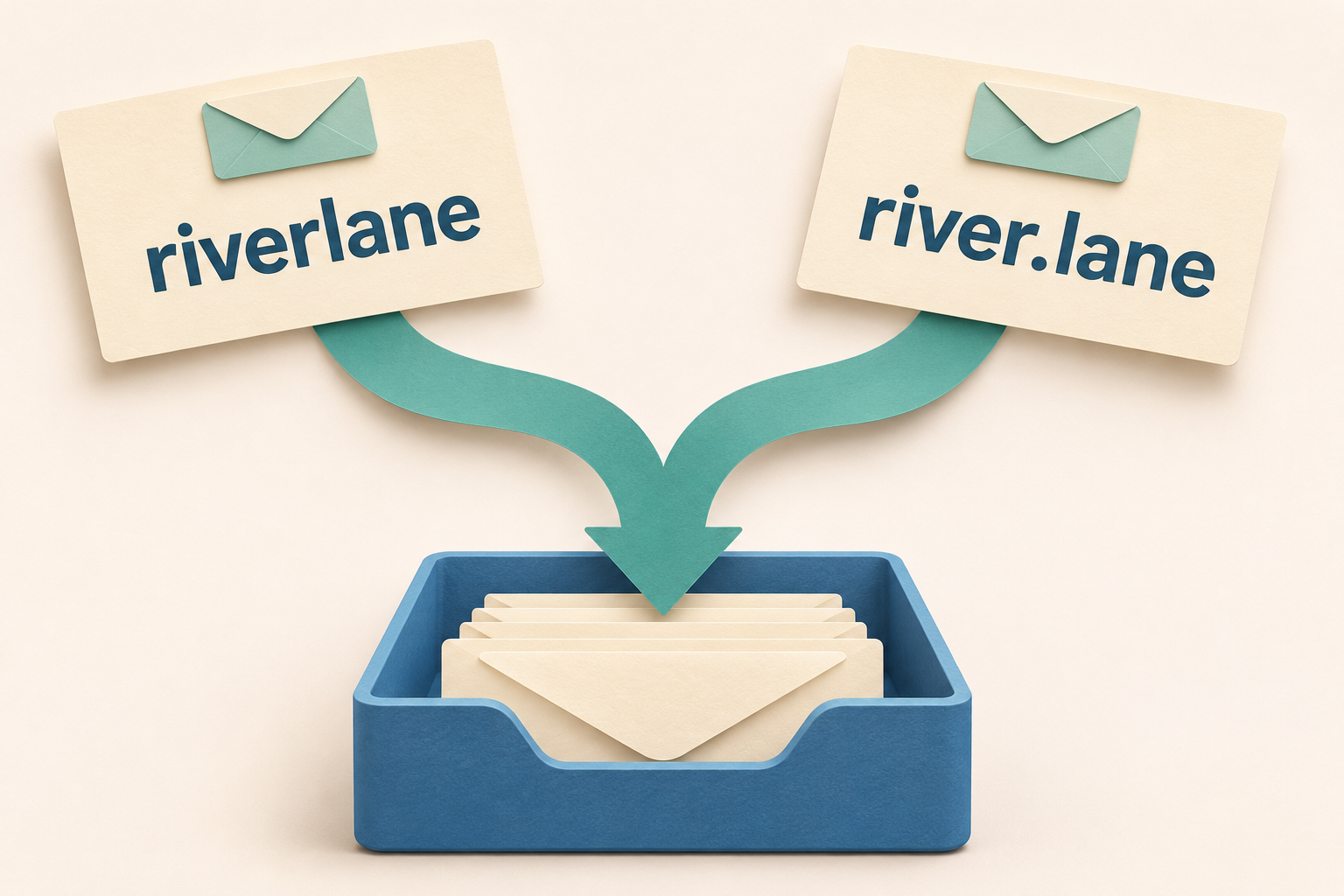
For a personal address ending in @gmail.com, adding or removing dots within the username does not create a separate Gmail account.
Google explains this in its guidance about dotted Gmail addresses. Those dotted versions deliver to the same inbox.
The rule concerns dots within the part before the at sign. It does not make different letters or numbers interchangeable.
The recipient’s name answers a different question
A store may have your email address attached to somebody else’s customer record. Receiving its notification tells you where that notification was delivered.
It does not establish who entered the address, whether an order was genuine, or whether anyone accessed your Google Account.
- Compare the complete address before interpreting a punctuation difference.
- Keep another customer’s information private while addressing unwanted delivery.
- Investigate activity inside your account when something changed without permission.
The next action depends on the actual mismatch
A harmless mailing error, a suspicious payment request, and messages sent without your knowledge call for different responses.
Start by identifying which situation you have. Avoid using a stranger’s receipt as an invitation to explore their shopping account.
How Dotted Gmail Addresses Reach the Same Inbox
Think of dots as an alternate presentation of the same personal Gmail username. Moving that punctuation does not divide ownership between two people.
The following fictional labels illustrate the comparison without displaying a working email address. They represent only the username portion.
- Username written without a dot
riverlane- The same letters written with a dot
river.lane- A genuinely different character sequence
riverlane7- The comparison that matters
- The first two contain identical letters after removing dots. The third contains an additional number and requires a different comparison.
Apply that illustration only to personal Gmail addresses. Its labels are not working addresses, and the diagram does not describe another provider’s delivery rules.
For work, school, and other organizational addresses using Gmail, Google says dots can change the address. An administrator determines the relevant organizational arrangement.
An inbox that looks like Gmail can therefore have different addressing rules. Read the domain after the at sign before applying the personal-account rule.
Other email providers also need their own guidance. A familiar name before an unfamiliar domain is insufficient to establish equivalent delivery.
Google does not allow another person to register a dotted version of an already taken personal Gmail username as a separate account.
Consequently, a dotted recipient line does not demonstrate that two Gmail users are sharing the same mailbox. The customer record still needs its own explanation.
Separate the Delivery Address From the Customer Record
Consider a fictional shopper who enters your address while ordering shoes. Their name can appear throughout the receipt even though the notification reaches your inbox.
The store’s customer name and the destination email serve different functions. One describes the store’s record; the other directs its message.
A successful delivery cannot confirm that the shopper controls that inbox. It also cannot tell you whether the mistake was accidental or deliberate.
A repeated receipt might mean the incorrect address remains stored. Repetition alone cannot identify the person responsible or prove they know your password.
The useful distinction is between information arriving and actions occurring. An incoming message is something somebody sent you; an unauthorized sent message concerns your account’s behavior.
| What you notice | What that observation can establish |
|---|---|
| Only the username’s dots differ | For personal Gmail, the different punctuation still identifies your inbox. |
| Another name appears beside your address | The displayed customer or recipient name differs from the address owner. |
| A receipt lists an unfamiliar purchase | A purchase notification arrived, requiring separate verification of any actual charge. |
| Sent messages contain writing you never sent | Your account shows activity that deserves prompt security investigation. |
Keep those observations separate when asking a merchant for help. Explaining the wrong delivery is clearer than declaring an account takeover without supporting activity.
A concise description can identify the sender, approximate delivery dates, and unwanted message category. It need not repeat another person’s delivery address or purchase details.
If a company needs a reference number, provide it privately through its verified support route. Public discussion rarely needs a complete receipt.
What an Unexpected Receipt Does and Does Not Mean
A receipt can be genuine while its destination address is wrong. It can also be fabricated, so inspect the requested action before trusting the story.
For example, an unexpected booking email might simply announce a reservation. A message demanding a cancellation fee introduces a separate payment request that needs independent verification.
Do not pay to make an unfamiliar receipt disappear. Visit the relevant company’s known website independently if you need to ask about misdirected notifications.
If you already use that company, inspect your own account through your usual route. Compare actual orders there rather than following the email’s invitation.
Likewise, check your own payment records if you suspect a charge. An amount printed in somebody else’s email is not your bank statement.
Receiving an authentication code also does not make the associated account yours. Someone may have entered the wrong address during registration or recovery.
A reset link can feel like an easy way to remove your address. Using it changes the problem from unwanted mail to accessing somebody else’s service.
Ask the service to correct the contact association through its legitimate support process. Let its staff verify the customer without your entering that customer’s account.
For medical, travel, or financial notices, share only the minimum details needed to report mistaken delivery. Their sensitive contents deserve particular care.
You do not need to locate the intended recipient yourself. Guessing at similar addresses risks distributing private records to another unrelated person.
When the Address Is Missing or Truly Different
Sometimes the visible To line does not contain your address at all. That situation needs a separate explanation before you focus on punctuation.
Google’s misdirected-message help describes Bcc delivery, forwarding, and service-generated addresses among the possibilities.
A Bcc recipient can receive a message without appearing in its visible To or Cc fields. That absence alone does not reveal unauthorized access.
Forwarding can also deliver a copy originally addressed elsewhere. On a computer, the message’s More menu offers Show original for examining additional delivery information.
Google identifies an X-Forwarded-For header as a clue to Gmail forwarding. Treat that as delivery context, and keep the complete header private.
This does not require setting up forwarding, changing delegates, or testing somebody else’s mailbox. You are distinguishing a received copy from a direct address match.
If the address differs by a letter or number, do not erase that difference mentally. The personal Gmail dot rule cannot explain it.
Record the distinction and use the relevant service’s support guidance. Avoid declaring a delivery failure from the visible recipient line alone.
Choose the Situation That Matches Your Message
Leave links, codes, and files untouched while choosing your route. These branches explain the immediate decision without collecting your address or message contents.
My personal Gmail address differs only by dots
The punctuation fits ordinary personal Gmail delivery. If the contents concern another customer, ask the legitimate service to correct its contact record.
A suspicious demand still deserves a separate assessment. Matching delivery does not authenticate the sender or make the message’s instructions trustworthy.
The address is mine, but the customer’s name differs
Focus on the customer record attached to your address. Use verified support for sensitive notices, and avoid claiming or changing the other customer’s account.
If you recognize the merchant, compare only your own orders. Keep unfamiliar customer details out of public help requests.
I found sent messages or security changes I do not recognize
Move to Google’s account-security process through your usual account page. Unexpected outgoing activity or changed recovery information needs attention beyond correcting an email address.
If you cannot sign in, use Google’s official recovery route. Do not follow a recovery link supplied by an unverified person offering help.
What to Do When Another Person’s Mail Keeps Arriving
-
Check the actual destination before interpreting the greeting. Expand the recipient details and compare the complete address with your own.
For a personal Gmail account, check whether only dots differ. Preserve any other character difference when describing the problem.
-
Decide whether the message appears ordinary or suspicious. A recognizable newsletter and an urgent request for credentials need different treatment.
Google permits notifying an apparently legitimate sender about a mistake. For suspicious messages, avoid replies, links, files, and personal disclosures.
-
Use an independently verified correction route. Open the company’s known website yourself and find its support or privacy contact.
Explain that your address receives notices for another customer. Ask for the email association to be corrected without accessing that customer’s account.
-
Handle legitimate marketing separately from sensitive account notices. Gmail’s available Unsubscribe control can help with an unwanted, recognizable mailing list.
Do not treat every unsubscribe link inside an unfamiliar message as safe. Suspicious mail belongs in the appropriate spam or phishing reporting path.
-
Keep a brief private record if mistaken delivery continues. Note when you contacted the service and which message category remains affected.
That makes follow-up specific without collecting an unnecessary archive of somebody else’s purchases, appointments, or personal information.
-
Investigate separate evidence of unauthorized activity promptly. Review your Google Account directly if you find unexplained outgoing messages or security changes.
Follow Google’s compromised-account guidance for activity review and recovery. A dotted receipt alone does not establish that situation.
Keep Useful Mail While Correcting the Problem
A broad blocking rule can hide messages you actually need, especially when you shop at the same store as the person using your address.
Before suppressing a sender, consider whether it also sends your receipts, security notices, or delivery updates. Correcting the underlying contact record offers a more precise outcome.
Suppose you receive another customer’s weekly delivery notices from a supermarket you also use. Blocking every supermarket message could conceal your next legitimate order update.
Describe the other customer’s notification series to verified support instead. Ask what information they need to stop that series without changing your own customer record.
Do not forward a collection of private receipts to prove persistence. Start with dates and subjects, then supply limited details if authorized staff request them.
Keep the explanation narrow when discussing the issue with family. Someone seeing a different name on your screen may otherwise assume their own account was affected.
A recurring subscription message can remain annoying even when your Gmail account is secure. The inconvenience is real without requiring a stronger security conclusion.
Security review still matters when independent warning signs appear. Google’s guidance includes unfamiliar security events, recovery changes, and messages in Sent that you did not write.
If those signs exist, address them directly rather than spending time moving dots in your displayed address. Punctuation does not repair unauthorized access.
Once the immediate issue is resolved, use one consistent spelling when giving out your address. That can reduce confusion in human communication without changing Gmail’s rule.
Frequently Asked Questions
Does somebody else own the dotted version of my personal Gmail address?
No separate personal Gmail account can be registered using only different dot placement in your existing username. Those versions lead to the same inbox.
A different customer name on an incoming message concerns the sender’s record. It does not create another owner for your dotted address.
Will adding a dot stop the unwanted receipts?
Changing dot placement will not create a new delivery destination for personal Gmail. The sender needs to correct the address stored in its customer record.
Should I reset the account mentioned in someone else’s receipt?
Do not use recovery messages to enter an unfamiliar customer’s account. Ask the legitimate service to remove the mistaken email association through verified support.
Do these rules also apply to my work or school inbox?
Google distinguishes organizational addresses from personal Gmail accounts. Dots can matter for work or school, so check the domain and consult your administrator.
Why did a message arrive without my address in the To field?
Bcc delivery or forwarding can explain that situation. Check recipient details and Google’s misdirected-message guidance before deciding the visible To field proves an error.
When should I investigate my Google Account’s security?
Investigate unfamiliar sent messages, security events, or recovery changes through your Google Account. An incoming receipt with different dot placement is insufficient by itself.
The Bottom Line
Dotted Gmail addresses belong to one inbox when only the dots differ in a personal Gmail username. Correct mistaken customer records through verified support.
Keep another person’s receipts private and leave their account untouched. If you already followed a suspicious request, assess that exposure separately through the relevant service.
Unrecognized outgoing messages or security changes deserve prompt account protection. Base that response on actual activity rather than punctuation in an incoming address.

Join the discussion
0 commentsShare your experience or ask a question about this article.
Community experiences
Did this happen to you?
Your experience could help someone recognize the same scam. Submit a private report for our team to review.
I experienced this tooReports are reviewed before publication. Sharing publicly is always your choice.
Discussion
Start the conversation
Have a question or something useful to share? Add the first comment.