New Update Announcing Windows 11 Insider Preview builds [Mega-Thread]

Hello Windows Insiders, We have new releases today with builds across Beta and Experimental, and are excited to begin rolling out the new Windows Insider experience to retail Windows 11 builds this week! New Windows Insider Program changes launching into retail After validating through the Windows Insider channels, and receiving much feedback from the Insider community, we are excited to begin rolling out the new program changes into retail. This means those on standard retail Windows 11 builds (i.e. non-Windows 11 Insider Preview Builds) will begin seeing the new channel experience in the WIP UI settings. This can be found under Settings > Windows Update > Windows Insider Program. Please note this will be a gradual roll out, so don’t worry if you are on a retail build and do not see the new channel options just yet – these will roll out to everyone over the coming weeks. For more information about the changes that the new WIP experiences bring, read the original announcement blog here. We have also updated the Windows Insider Program website, as well as the Windows Insider Program Documentation Hub to reflect the new program changes. If you are not currently running a Windows 11 Insider Preview Build, there has never been a better time to start flighting – you’ll get early access to new Windows 11 features, enhance your say in the development of Windows, and now in most cases, you will be able to switch channels or exit the program without having to do a full reinstall of Windows if you find it's not working for you. See the WIP Documentation Hub for more information. Thank you to everyone who has provided feedback on the new WIP experiences – we continue to listen to your feedback and look forward to providing more resources and updates in the coming weeks! New builds this week Today we are releasing new Windows 11 Insider Preview Builds. See your channel release notes here:
For those on other specific build versions, here are today’s new builds and release notes:
  • Beta (26H1): Build 28020.2366
  • Experimental (26H1): Build 28120.2374
  • Experimental (Future Platforms) – Including Canary 29600 series: Build 29617.1000
    • Please note we have not yet launched the new Windows Insider program changes for those in Experimental (Future Platforms), currently Canary 29600 builds. We will be providing an update on this in the very near future.

Notable new features:

[Taskbar]

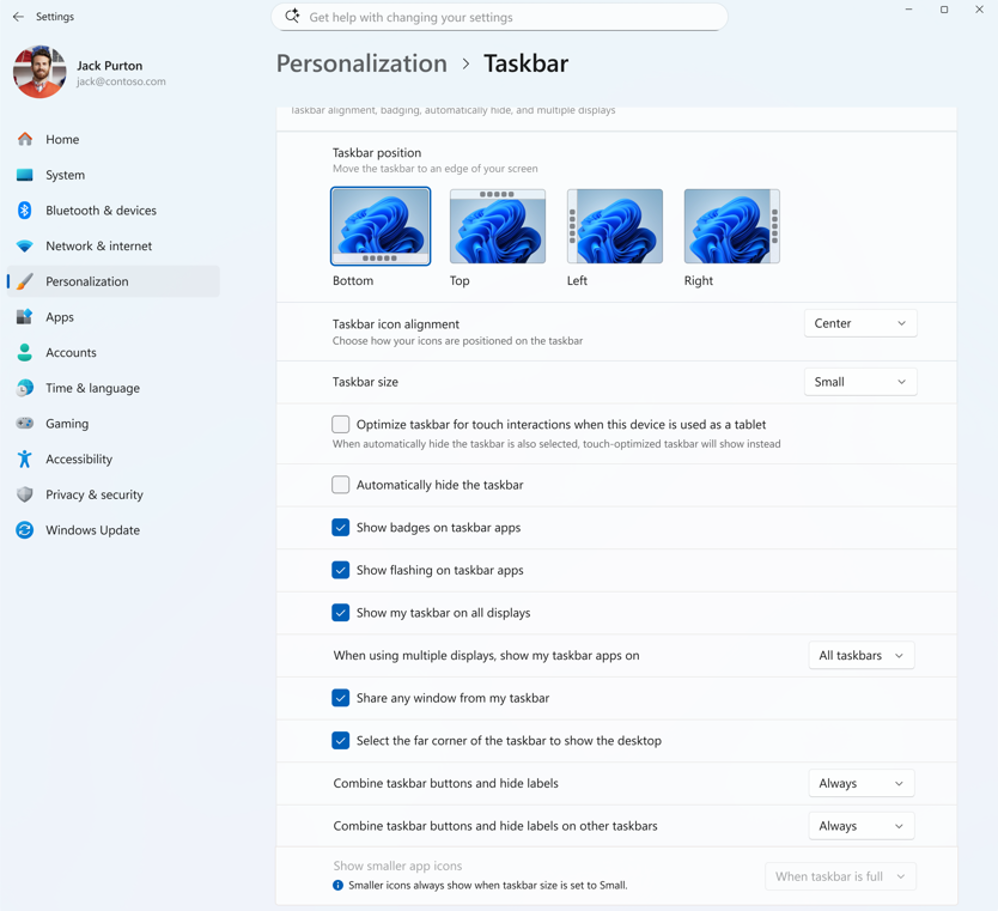
New Taskbar size setting Release channel: Experimental
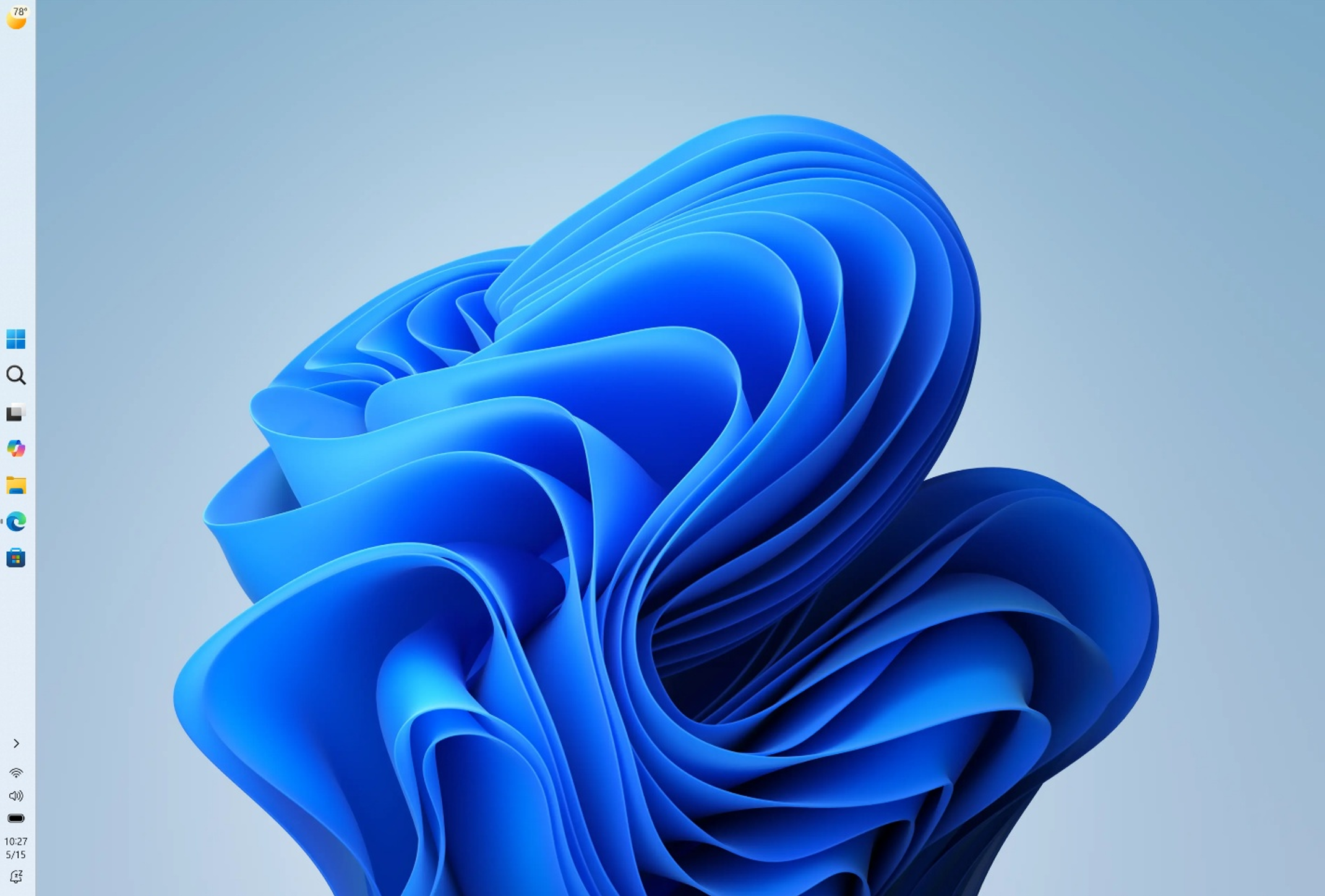
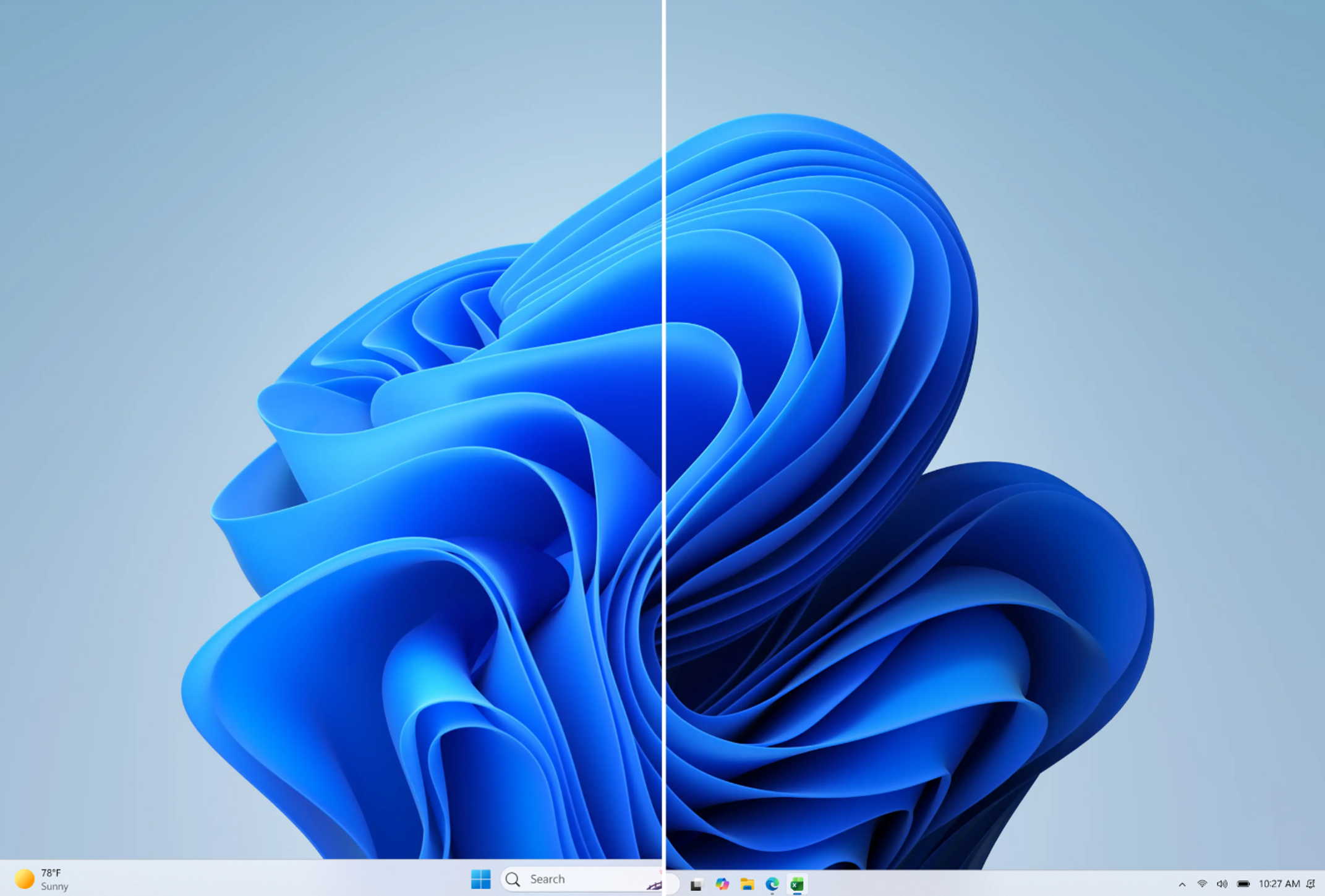
  • Taskbar customization just got easier. As we continue to make improvements to the Taskbar experience mentioned last month, we've introduced a dedicated Taskbar Size setting, making it simpler to find, understand, and personalize your ideal taskbar experience.
[caption id="attachment_179025" align="aligncenter" width="998"]Screenshot showing ability to change taskbar size Screenshot showing ability to change Taskbar size[/caption] Thanks, Stephen and the Windows Insider Program team

Source: Announcing new builds for 26 June 2026, retail launch of new WIP improvements
 
Hello Windows Insiders, We have new releases today with builds across Beta and Experimental. New builds this week Today we are releasing new Windows 11 Insider Preview Builds. As a reminder, all Insiders can find the release notes for your device based on the new channel system, even if you haven’t moved yet. This is to make finding build information as easy as possible during the transition. See your channel release notes here:
For those on other specific build versions, here are today’s new builds and release notes:
  • Beta (26H1): Build 2820.2380
  • Experimental (26H1): Build 28120.2387
  • Experimental (Future Platforms): We do not have a new build for this channel today, keep an eye out for future announcements.

Notable new features:

[Cloud Recovery]

Release channel: Experimental
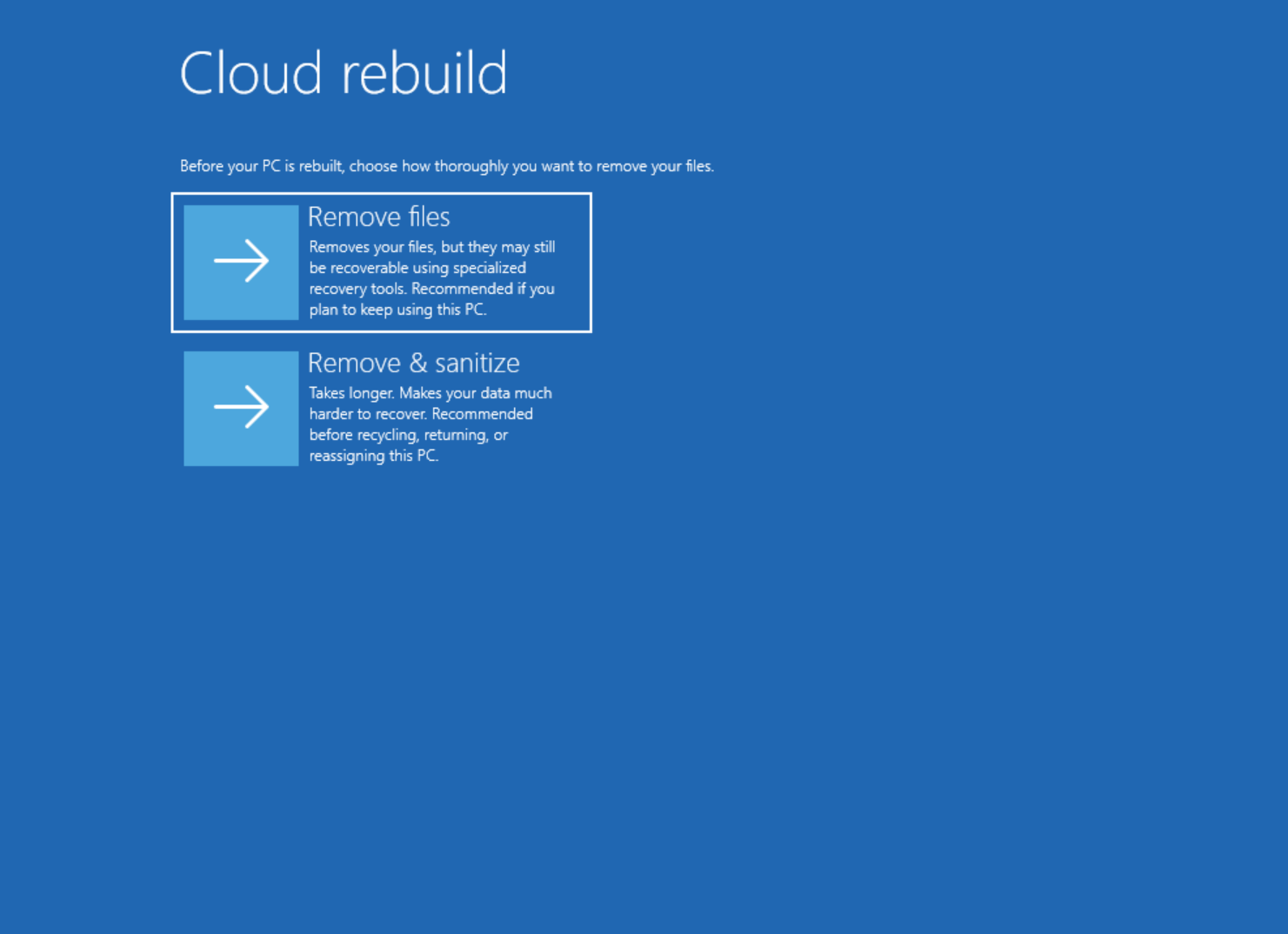
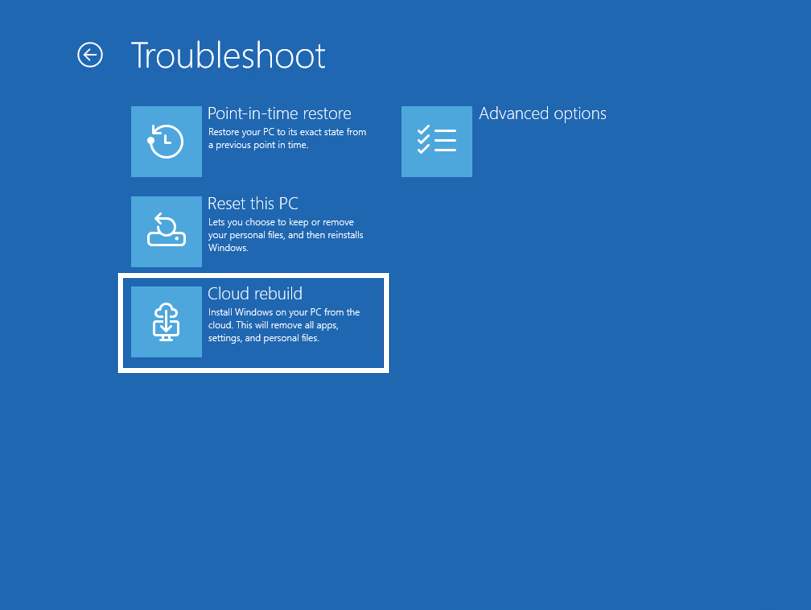
  • We're introducing Cloud rebuild, a new recovery option that restores a Windows 11 PC to a clean, known-good state by performing a full OS reinstall, even when Windows won't boot. Unlike Reset this PC, Cloud rebuild downloads both the target Windows image and the device's drivers from Windows Update, so the device comes back fully functional without USB media, without a custom image, and without depending on the health of the currently installed OS.
[caption id="attachment_179033" align="aligncenter" width="811"]The new Cloud rebuild option in Windows Recovery Environment (WinRE), enabling a full Windows reinstall using files downloaded from Windows Update. The new Cloud rebuild option in Windows Recovery Environment (WinRE), enabling a full Windows reinstall using files downloaded from Windows Update.[/caption] To learn more, see Quick Machine Recovery.

[Account Control]

Release channel: Experimental
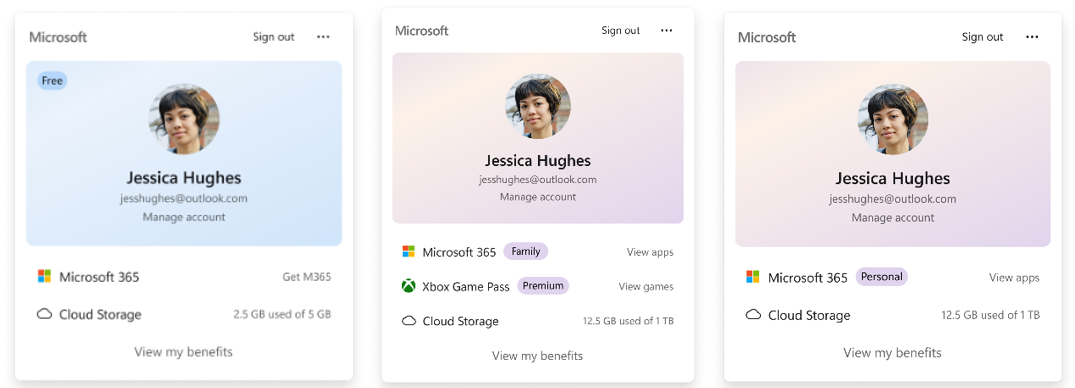
  • The Windows 11 Account Control flyout has a refreshed, modern design and a clear subscription badge to make the user's account status instantly visible. This helps users easily identify their plan, discover benefits, and explore upgrades.
[caption id="attachment_179034" align="aligncenter" width="1024"]UI showing the refreshed Account Control flyout with subscription badges, account benefits, and storage details. UI showing the refreshed Account Control flyout with subscription badges, account benefits, and storage details.[/caption] Thanks, Stephen and the Windows Insider Program team

Source: Announcing new builds for July 6 2026
 
  • Like
Reactions: Khushal
Hello Windows Insiders, You’ve been asking for search that is faster, more relevant, and easier to use—whether you’re opening an app, finding a file, or changing a setting. Because the Windows Search Box is where many people start, we focused first on making results more dependable, easier to scan, and clearer before you click.

Windows Search Box improvements gradually rolling out today to Windows Insiders​
Today, we’re rolling out several improvements to Windows Search Box available to Windows Insiders in the Experimental channel. These improvements are gradually rolling out via Controlled Feature Rollout so not all Insiders will see them right away. You can reboot to see if you receive them today. They are also available via feature flags.
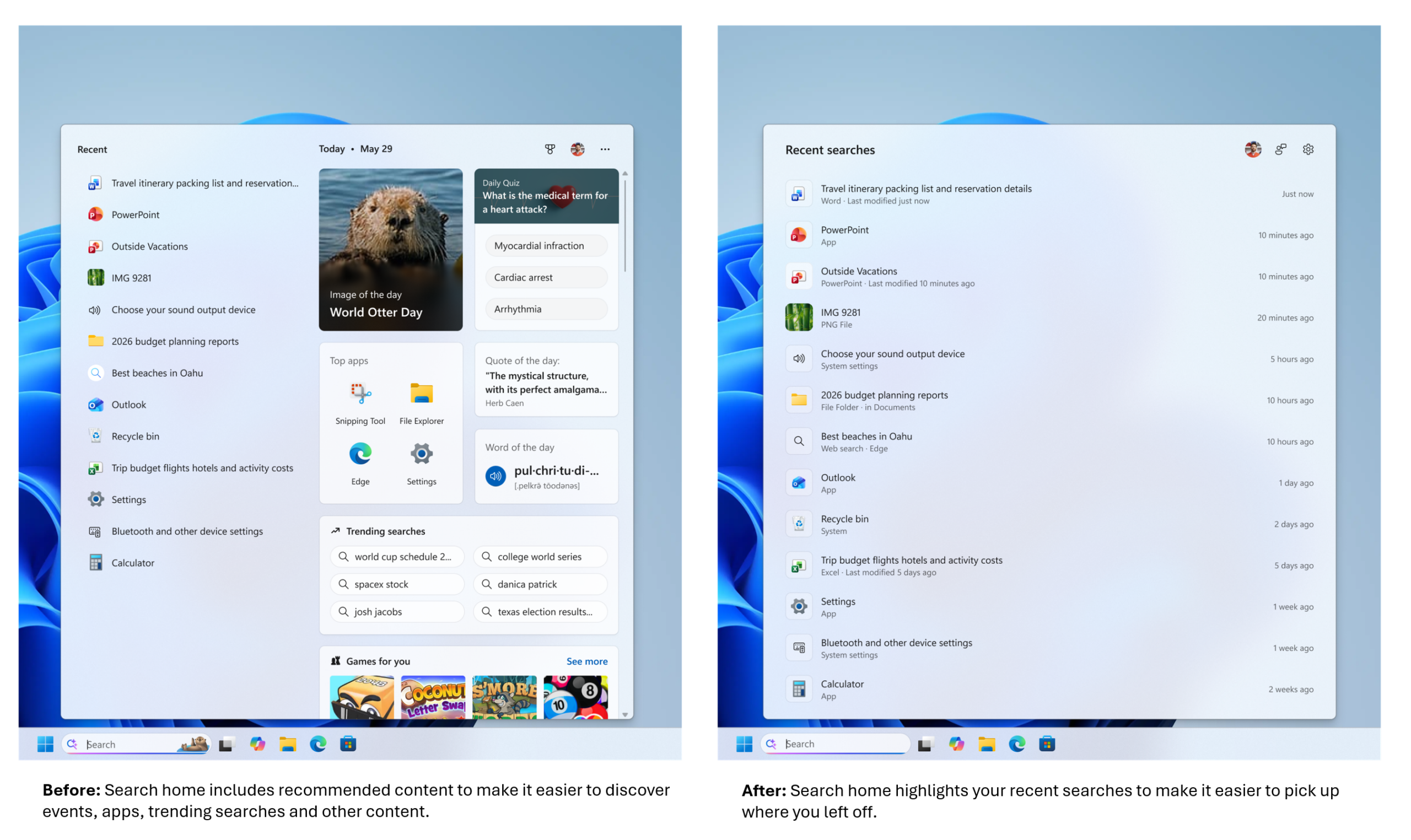
  • A calmer home screen. Search home has been simplified to reduce visual clutter and make it easier to get back to recent searches quickly.

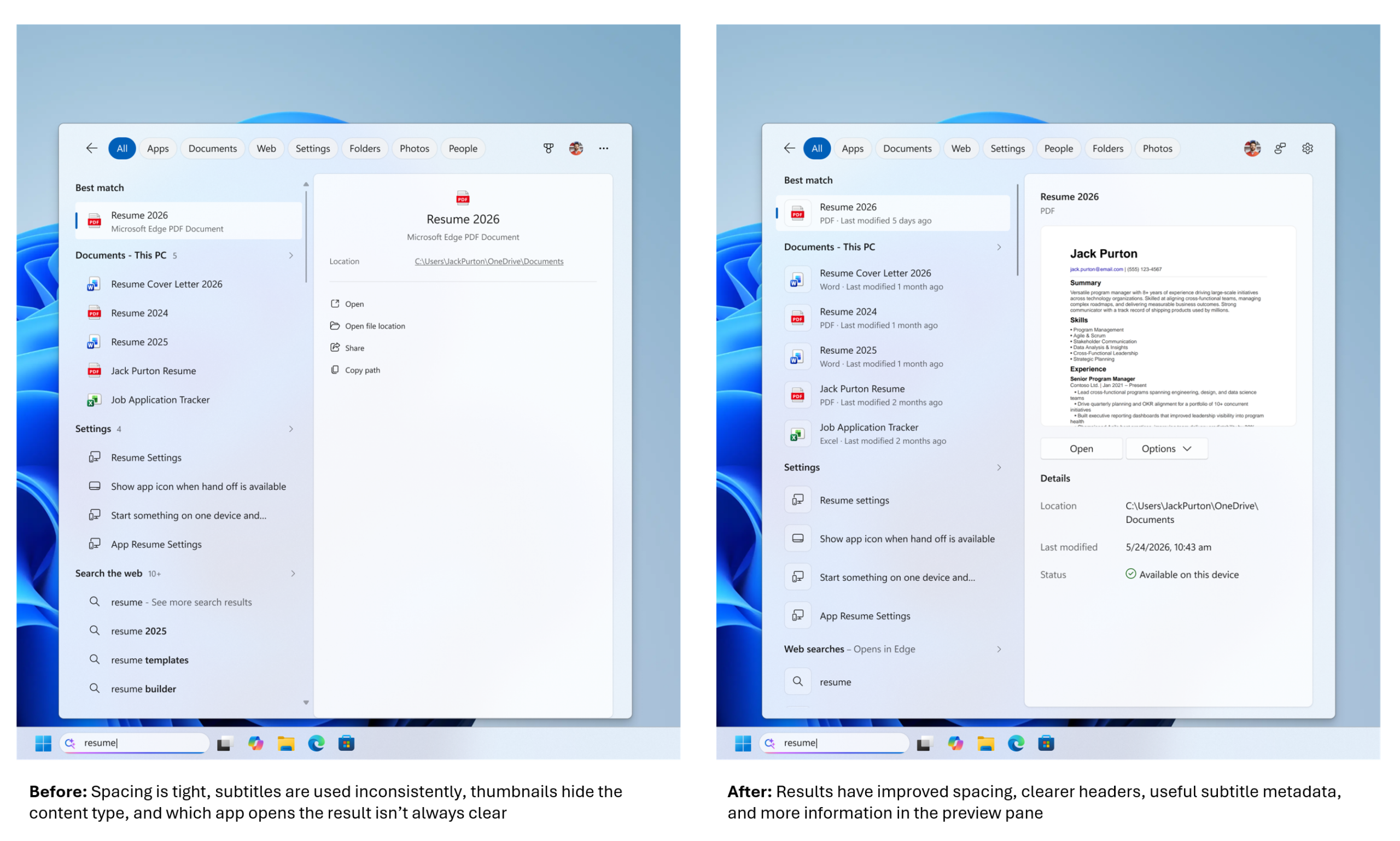
  • Clearer results. Search does a better job showing where a result comes from—app, setting, file, web result, or Store suggestion—so it’s easier to tell what you’re looking at and where you will go before you click.

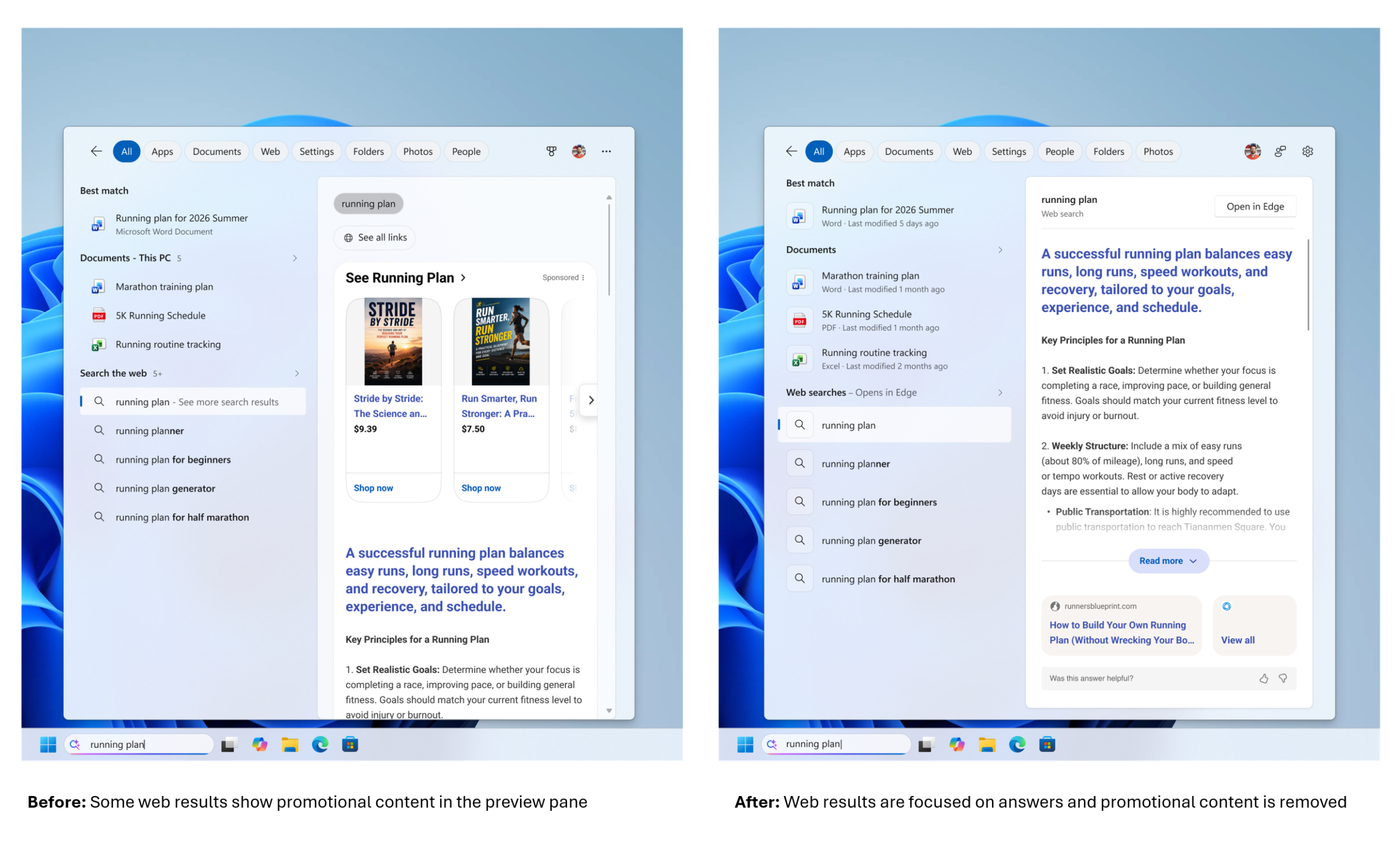
  • Promotional content has been removed from web results. Web results show the most relevant answer, instead of first showing related products and promotions, helping search feel more focused and less distracting.

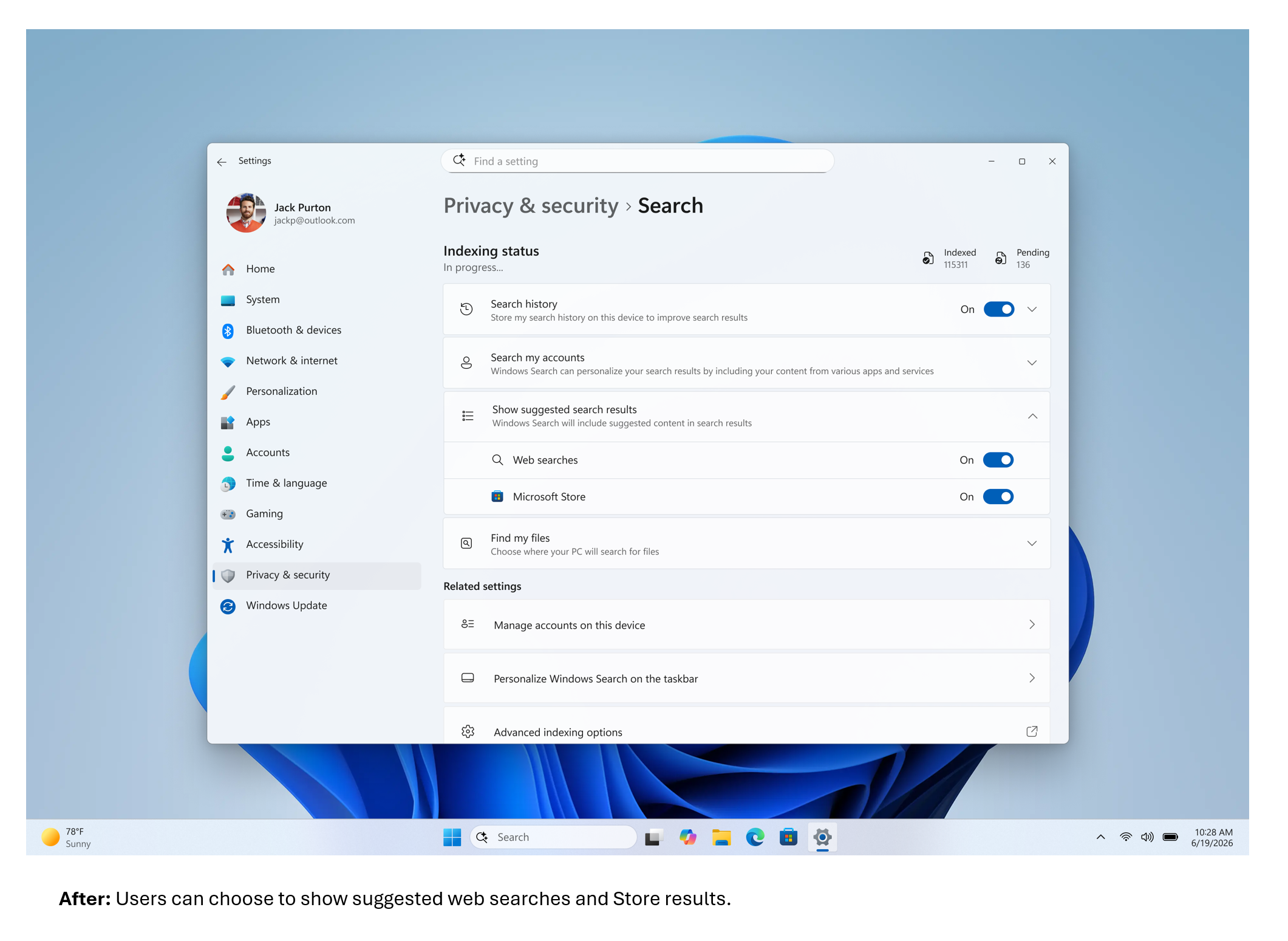
  • You’re in control of web and Microsoft Store results. A new setting in Settings > Privacy & Security > Search lets you choose whether web and Microsoft Store suggestions appear alongside local results.

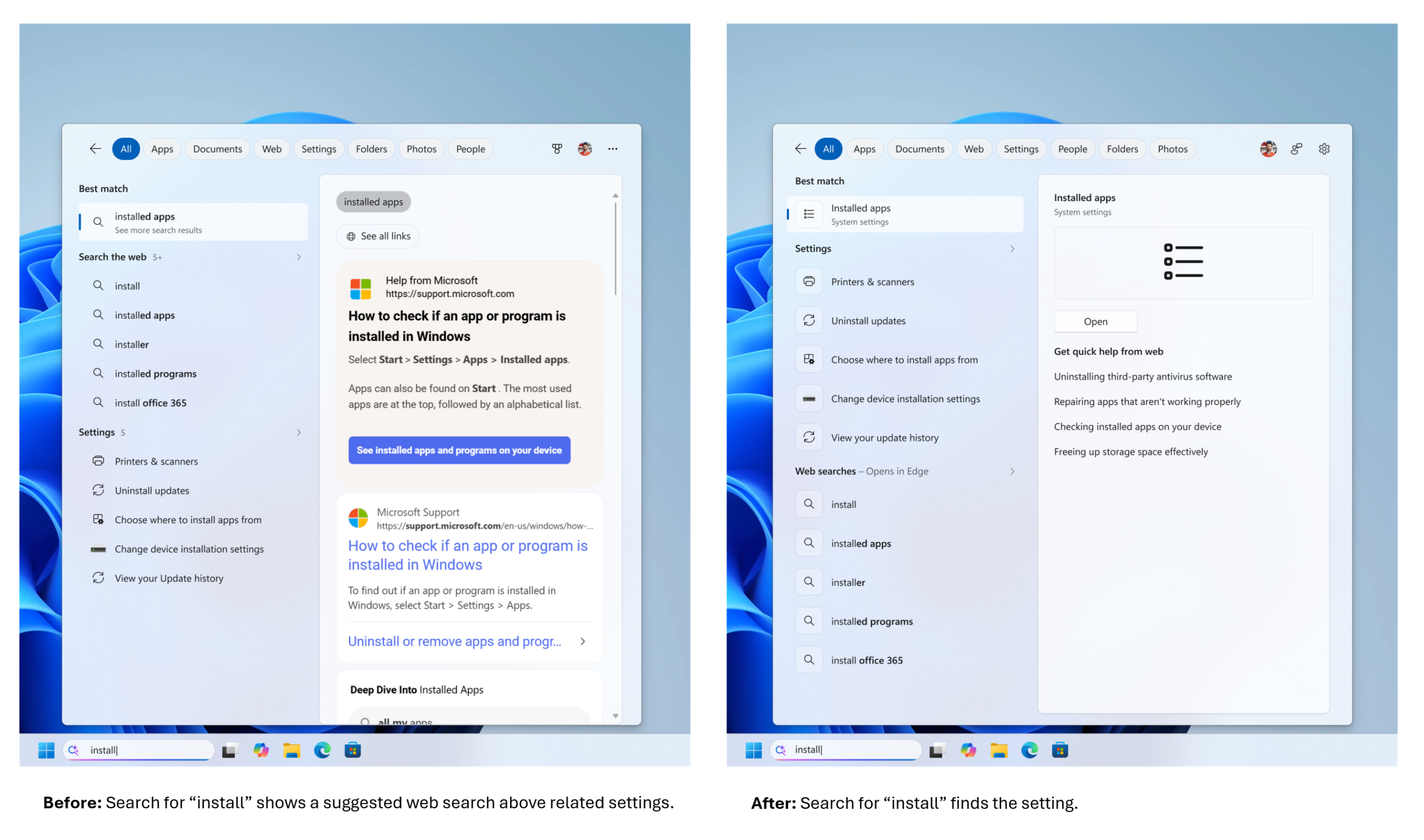
  • Local results prioritized when they’re the better match. Apps, settings, and files more reliably appear ahead of web and Store suggestions when your content is the stronger match. System items like This PC and Recycle Bin are easier to discover.
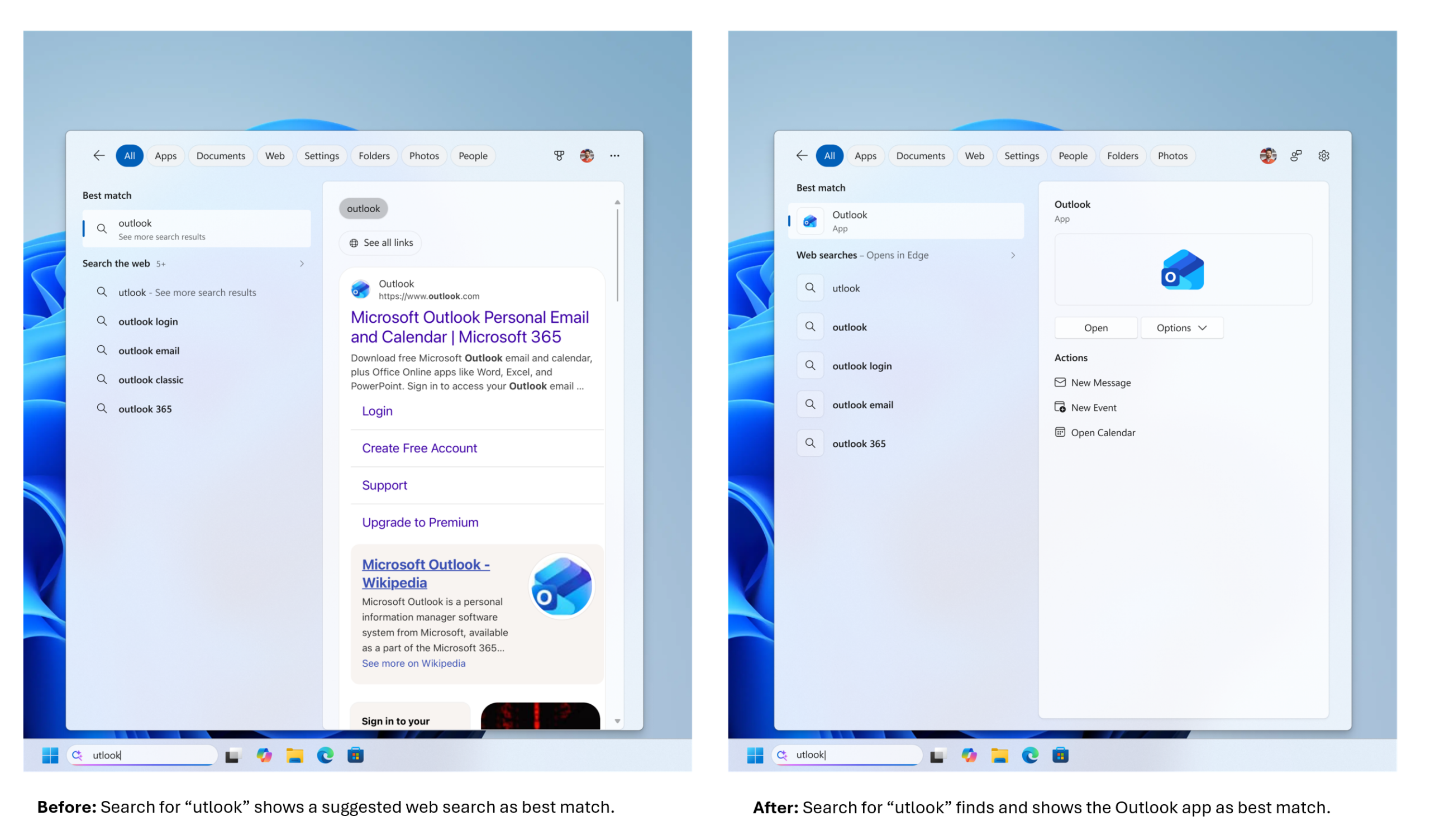
  • Finding apps is more forgiving. Search is better at handling typos, dropped letters, extra letters, and partial words for apps. Queries like “utlook” can still find Outlook.

  • Settings results are improving. We’ve made a first round of ranking improvements to help more relevant settings appear higher in results, with more tuning planned in the coming months.

  • Finding files is improving. Search is better at surfacing the right local files with added support for two-character file searches. We’ve also made improvements to show cloud and connected files in results when they’re the stronger match. These changes help you get to the document, download, or folder you are looking for faster.
  • Reliability is improving. Improved search reliability, including reducing likelihood of crashing and loading issue, with more work underway.

Try the changes and give us feedback​

These improvements become available to Windows Insiders today in the Experimental channel. The changes in this post reflect the feedback you’ve shared, and we’ll keep refining them as they roll out to more Insiders. Share your thoughts in Feedback Hub (WIN + F) under Desktop Environment > Search. Jeff & Anderson NOTE: Experiences vary by region.

Source: Improving Windows Search Box, with less clutter and more control
 
Hello Windows Insiders, Today we are releasing new Windows 11 Insider Preview Builds across Beta, Experimental and Release Preview. See your channel release notes here:
For those on other specific build versions, here are today’s new builds and release notes:
  • Beta (26H1): Build 28020.2539
  • Experimental (26H1): No new build today, please keep an eye out for future blog updates
  • Experimental (Future Platforms): No new build today, please keep an eye out for future blog updates
We also have Release Preview builds today for 24H2/25H2 and 26H1:
Thanks, Stephen and the Windows Insider Program team

Source: Announcing new builds for 20 July 2026
 
Hello Windows Insiders, Today we're releasing build 28120.2546 for the Experimental (26H1) channel. Release notes can be found over in the Windows Insider Documentation Hub as usual, as well as below:

Changes and improvements gradually being rolled out​

- This update includes a small set of general improvements and fixes that improve the overall experience for Insiders running this build on their PCs.

[Smart card removal policy]​

- Administrators can now configure Azure Virtual Desktop (AVD) and Windows 365 sessions that use Microsoft Entra ID (RDS AAD Auth) authentication to automatically disconnect when a redirected smart card is removed. This extends smart card removal policy enforcement to Microsoft Entra authenticated remote sessions, helping organizations meet security and compliance requirements.

[Narrator]​

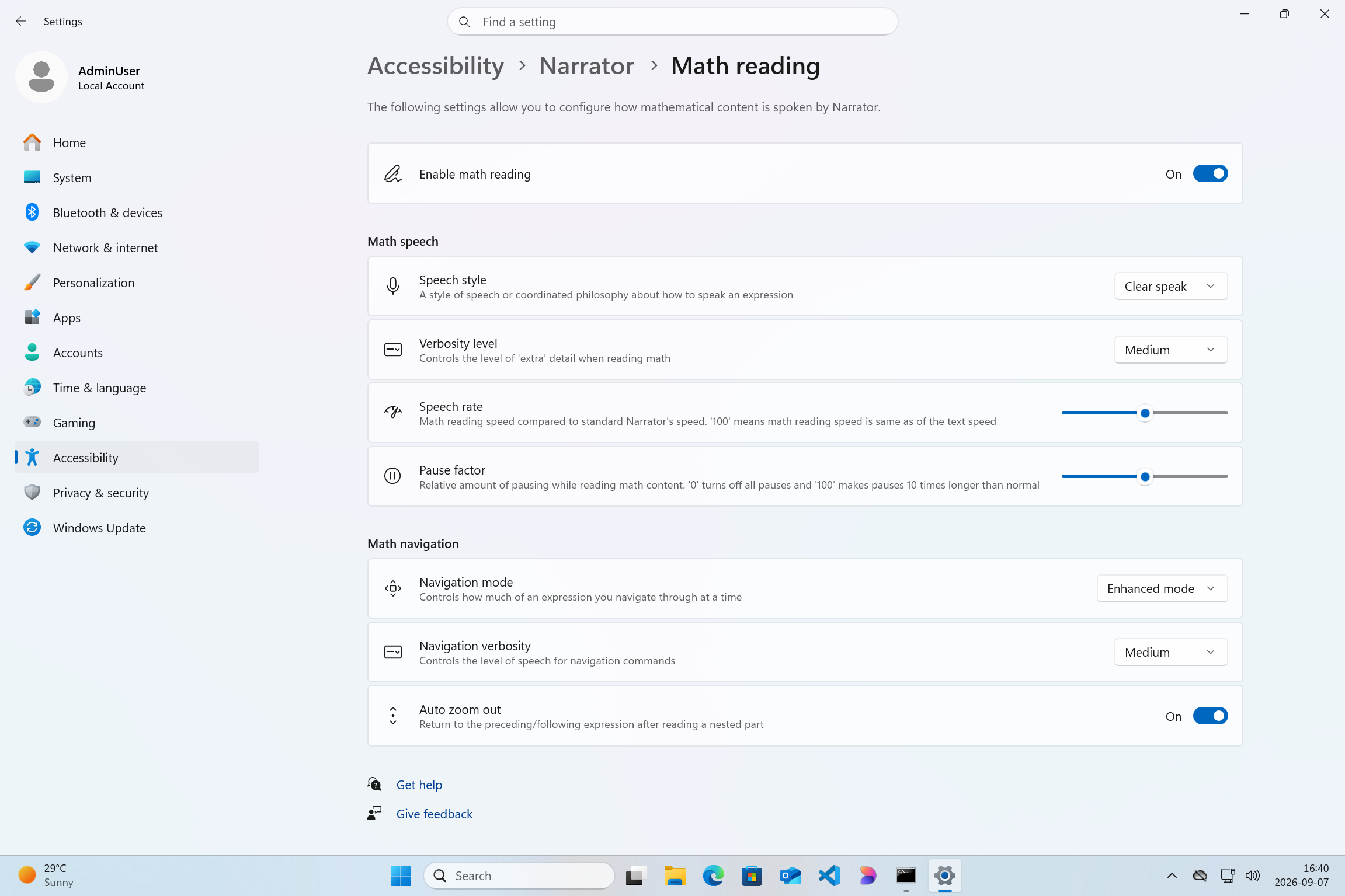
- Braille displays now connect instantly with Narrator. - We're making refreshable braille displays easier to use in Windows. Narrator now supports displays that use the HID standard, an open industry standard for braille displays. If your display supports HID, simply connect it via USB and start reading with no additional setup required. - For Bluetooth, pair your HID braille display in **Settings > Bluetooth & devices** just like any other accessory, and you can work wirelessly without being tethered to your PC. - Compatible HID displays include Orbit Reader 20, Orbit Slate 340, Freedom Scientific Focus 40, and APH Mantis Q40. - HID braille displays now work during the initial Windows setup experience (OOBE) over USB, meaning users who are deaf-blind can set up their PC independently right from the first screen. - You can customize braille input and output options anytime in **Settings > Accessibility > Narrator > Braille**.

[Voice Access]​

- Voice Access now supports Portuguese (Portugal), Portuguese (Brazil), and Korean (South Korea).

[Settings]​

- The Bluetooth quick settings page is now navigable using gamepad input. - Fixed an issue causing the Graphics page in Settings to crash for Insiders after the latest updates.

[Sounds]​

- Improved system sounds when using Windows in dark mode. Thanks! Stephen and the Windows Insider Program team

Source: Announcing Windows 11 Insider Preview Build 28120.2546 for Experimental (26H1)
 
  • Like
Reactions: Khushal
Hello Windows Insiders, Today we’re releasing build 29634.1000 for the Experimental (Future Platforms) channel. Release notes can be found over in the Windows Insider Documentation Hub as usual, as well as below. Renewed Windows Insider flight certificate Today’s Experimental (Future Platforms) build contains a renewed Windows Insider flight certificate. Windows Insider Preview builds use flight certificates that are renewed periodically to help ensure Insider devices remain on supported builds and continue receiving future Insider Preview updates. The current flight certificate expires on August 11, 2026, so please update your device to a build containing the renewed flight certificate before that date. For more information, please visit the certificate renewal FAQ. Experimental (Future Platforms) moves to updated WIP UI We conclude the full transition of all Windows Insider builds to the updated WIP channel UI, with those on the 29600 Preview Builds now seeing Experimental (Future Platforms) in the Windows Insider channel settings.

Release notes for Windows 11 Insider Preview Build 29634.1000 for Experimental (Future Platforms)

Changes and improvements gradually being rolled out [Voice Isolation in Voice Access]
  • We're introducing Voice Isolation, a new option in Voice Access that helps it focus on your voice, even when others are speaking nearby. Whether you're in a shared office, an open floor plan, or at home with family around, Voice Isolation filters out other voices and background noise so Voice Access can better understand you. All processing happens privately on your device.
  • Getting started Voice Access now offers three speech recognition modes under Voice Access settings > Improve speech recognition:
    • Voice Isolation — Filters out other speakers and background noise (one-time voice setup required).
    • Remove background noise only — Filters out non-speech sounds like typing or door slams. No additional setup needed.
    • No filtering — Default microphone input with no additional processing.
  • To set up Voice Isolation, select it from the menu and follow the short, guided setup where you'll read a brief paragraph aloud so Voice Access can learn your voice. It only takes a minute, and your voice data never leaves your device
[Narrator] Braille displays now connect instantly with Narrator
  • We're making refreshable braille displays easier to use in Windows. Narrator now supports displays that use the HID standard — an open industry standard for braille displays. If your display supports HID, simply connect it via USB and start reading — true plug-and-play with no additional setup required. For Bluetooth, pair your HID braille display in Settings > Bluetooth & devices just like any other accessory, and you can work wirelessly without being tethered to your PC.
  • Compatible HID displays include models like the Orbit Reader 20, Orbit Slate 340, Freedom Scientific Focus 40, and APH Mantis Q40.
  • HID braille displays now work during the initial Windows setup experience (OOBE) over USB — meaning users who are deaf-blind can set up their PC independently, right from the first screen. You can customize braille input and output options anytime in Settings > Accessibility > Narrator > Braille.
[Account Control]
  • The Windows 11 Account Control flyout has a refreshed, modern design and a clear subscription badge to make the user's account status instantly visible. This helps users easily identify their plan, discover benefits, and explore upgrades.
Feedback: Share your thoughts in Feedback Hub (WIN + F) under Settings > Start Menu. [Input]
  • The emoji panel (Windows key + period (.)) now uses GIPHY as the GIF provider, delivering a smoother GIF browsing and sharing experience following the deprecation of the Tenor API.
[Settings]
  • Improved reliability of navigating to the Startup apps page in Settings.
[Taskbar]
  • Improved reliability of loading the system tray area of the taskbar when using your PC in a tablet posture.
[Start menu]
  • Improved reliability of Start menu view preferences, ensuring your selected view is retained.
  • Improved keyboard navigation when keyboard focus is set to the apps list within Start menu.
[Date and Time]
  • Improved detection for triggering time zone change notifications.
[Display and Graphics]
  • Improves the reliability of rendering content while scrolling for certain apps spanning across multiple monitors.
Thanks, Stephen and the Windows Insider Program team

Source: Announcing Windows 11 Insider Preview Build 29634.1000 for Experimental (Future Platforms)
 

You may also like...