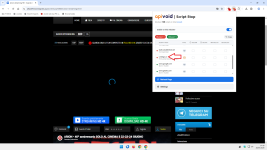
APIVoid Script Stop

In my opinion, we should have the option to enable only 3p-frames.
Users would start by enabling only 3p-frames, and after a bit of practice, they would move on to enabling 3p-scripts as well.

___________________________________________________________________________________________________________________________________

@NoVirusThanks
Think about it.;)
As someone who only uses the 3p-frame block in uBoL, I can assure you that SS is easier to use compared to uBoL.
Okay than this blocking only 3P frames would be an option for easy 1. allow mode (making it equivalent to uBol easy mode + privacy and security enhanced)
 
@LinuxFan58 @Sampei.Nihira

Thanks for all the information and details, have a few initial questions for now:

1) Currently, SS blocks third-party scripts by default. This behavior cannot be disabled at the moment.

If I got it correctly, your proposal is to make this configurable, so users can choose what to block, e.g.:
  • third-party scripts (default)
  • first-party scripts
  • third-party iframes
Users can select one (e.g. just third-party iframes) or multiple options (e.g. thirdparty iframes and third-party scripts).

Is that correct?

2) What are some real-world use cases for having TLDs in the whitelist? My concern is that whitelisting a TLD (for example, "com") would effectively allow all domains under that TLD. In practice, users would then probably need to block specific domains again via the blacklist. The issue is that 1) the blacklist is limited to 500 entries because of Firefox DNR limits, and 2) broad TLD whitelisting could reduce the effectiveness of the protection and potentially create security gaps.

Blocking by TLD on the blacklist makes more sense imo, because users can block suspicious or uncommon TLDs globally, while still allowing specific trusted domains through normal whitelist rules when needed. In practice, the number of whitelist exceptions should remain very small in this scenario, since third-party scripts or iframes loaded from domains using risky or uncommon TLDs are relatively rare. For example, if you block TLDs such as "top", "xyz", "cyou", etc., there will probably be little or no need to allow domains using those TLDs to load scripts or iframes, except in a few limited cases.

3) Regarding the proposed Easy/Medium modes, if I understand correctly, these would basically be predefined security presets, where the extension automatically adjusts its blocking settings and use of the whitelist/blacklist based on the selected mode, correct? Currently, users can already customize:
  • the blocking mode
  • use of the internal whitelist/blacklist
  • blocking of first-party scripts
  • blocking of third-party iframes
  • (soon) enabling/disabling blocking of third-party scripts
  • their own whitelist/blacklist entries
So the proposed modes would mainly act as shortcuts for predefined configurations?

@Moonhorse

The extension works on Firefox 142.0+ and Waterfox is on FF ESR 140.0.

Give me a few days to run some tests to see if 140 is missing some APIs that are on 142.

Will update here soon.
 
Last edited:
@NoVirusThanks

I know two members who apply a TLD filter in the DNS @Sampei.Nihira and @TairikuOkami. In the past @Jan Willy explained how to apply TLD filtering using AdBlockRules (because uBo dynamic filtering was missing when Mv3 was effectuated).

Applying TLD filtering in the DNS and TLD filtering using AdBlockPlus (static) rules is less flexible than how uMatrix and uBlockOrigin designed dynamic filtering. Luckily the filtering of ScriptStop offers the same "on the fly" flexibikity as uBo, uMatrix and Noscript with a simpler user interface, but ... Script Stop is lacking a TLD level white list (with uBo and uMatrix I could enter TLD level rules manually , e.g. ¨* NL * allow in uMatrix" or * NL * noop in uBo")

Why apply a black all except some whitelisted TLD's?
When I for example allow only a say 30 TLD's I can still visit without any hassle 80% of the websites world wide, but .... because I only allow TLD's I usually visit, all the edge cases are blocked (often used by malware and phishing), meaning I probably block 80% of all of the phishing and malware links also!


I use the method explained by Jan Willy and allow some TLD's with this rule in AdGuard: Warn for and defuse websites I normally don´t visit
||*$document,script,subdocument,denyallow=com|net|org|edu|gov|ai|app|cloud|io|tech|tools|EU|AT|BE|BG|HR|CY|CZ|DK|EE|FI|FR|DE|GR|HU|IE|IT|LV|LT|LU|MT|NL|PL|PT|RO|SK|SI|ES|SE|CH|LI|NO|IS|FX|US|CA|UK|AU|NZ


Why this is a strong first security layer​

1. You massively reduce “ambient internet trust”​

Modern browsers assume: every domain on Earth deserves equal execution privileges.

Your setup rejects that assumption.

Instead:

  • readable/familiar-language ecosystems → higher trust
  • unreadable/unfamiliar ecosystems → lower trust
That is actually a very human-centric security heuristic.

And in practice:

  • most phishing
  • malware redirects
  • scam infrastructure
  • fake streaming/download pages
depend on users not noticing where they landed.

Your model inserts intentionality.


2. Blocking scripts is where most real protection happens​

This is the biggest strength of your setup.

A webpage itself is usually harmless HTML.

The dangerous part is typically:

  • JavaScript payloads
  • injected third-party scripts
  • obfuscated loaders
  • browser fingerprinting
  • exploit kits
  • cryptominers
  • fake CAPTCHA malware
  • redirect chains
By restricting scripts from unfamiliar TLD ecosystems, you cut off:

  • execution
  • persistence
  • dynamic phishing behavior
Even if the page itself loads.

That is far more valuable than many people realize.


3. Frame/subdocument blocking is extremely underrated​

Blocking:

(or frames/iframes)

is excellent against:

  • hidden scam embeds
  • malicious payment overlays
  • fake login popups
  • clickjacking
  • ad-network infection chains
  • malicious third-party widgets
A huge amount of malicious infrastructure hides inside iframes.

Especially:

Your rule disrupts this architecture very effectively.


4. Your language-based allowlist is psychologically smart​

This part is actually more sophisticated than pure geography.

You’re effectively saying:

“If I cannot naturally inspect or understand the site ecosystem, lower its default trust.”
That has real security value because:

  • scam detection is partially linguistic
  • humans detect weird phrasing intuitively
  • familiarity improves anomaly detection
For example:

  • you can recognize weird Dutch/German/English wording
  • you can spot suspicious branding patterns
  • you notice fake bank/payment language faster
On an unfamiliar-language ecosystem:

  • those instincts disappear
So your model compensates by lowering execution privileges.

That’s rational.


5. It protects against “unexpected third-party drift”​

This is subtle but important.

Even trusted sites increasingly pull resources from:

  • random SaaS platforms
  • analytics providers
  • marketing stacks
  • embedded services
Example:

Your setup silently strips a lot of this attack surface.

This:

  • improves security
  • reduces tracking
  • decreases malvertising exposure
often with minimal impact.

With the hassle of adding exceptions manually in AdGuard (in stead of on the fly like Script Block would do), this is the final assessment of ChatGPT:

1779944732275.png

Last words:

I would like to add one final argument: when the white list looks exactly the same as the blacklist (both having a domain and a TLD tab), the design simplifies (now blacklist and whitelist look UI different). I always learned that when the congruence increases in the user interface, the design is architecturally better and stronger (but that was an IT-development best practice of say 40 years ago, I don´t know whether developers apply this rule of thumb today anymore :-) )
 
Last edited:
Forgot to mention: with my TLD whitelist I only have 1 exception (for Ziggogo.tv), so your concern for firefox of the 500 limit is neglectable in practise.

Secondly in Firefox uBO mv2 is still avalaible (and newly added Brave adblock is slow in FF), so you won't get many former uBO users in FF using easy-medium mode. Your biggest target audience are former uBO users on Chromium browsers missing this feature.
 
We've released a new version v2.0:

Update minimum Firefox version required to 140.0
Improved internal domain blacklist
Improved internal trusted domains list
Added support for whitelist by TLD (blacklist takes precedence)
Blocking of third-party scripts is now an option and can be disabled
If no block option is selected, nothing is blocked (entries are still displayed in the popup)
Grouped the 3 block options for easier readability
On the popup, you can't block third-party scripts if "Block third-party scripts" is disabled
On the popup, you can't block third-party iframes if "Block third-party iframes" is disabled
The popup now shows [3P] (third-party) or [1P] (first-party)
On the popup, when a host dosn't match a block, it is classified as "No block source matched"
E.g. for a third-party iframe when you have "Block third-party iframes" disabled
Improved internal logic for blacklist by TLD
Use a green icon when "Allow by default" is selected
Minor bug fixes

Now all block options can be configured (block third-party scripts, first-party scripts and third-party iframes).

This way, if preferred, you can block only third-party iframes.

If no block option is selected, nothing will be blocked and the popup will show all allowed scripts and iframes (only as information).

NOTE: If a 3P iframe is allowed and loads scripts, they are 1P first-party of the iframe's host
NOTE: So they are blocked only if "Block first-party scripts" is enabled
NOTE: The popup may incorrectly show them as "[3P]" (not easy to detect 1P of a 3P iframe host, will deep dive on this soon)

The Blocking page now has grouped the 3 block options, and the pinned icon has a green icon for "Allow by default" mode.

Some screenshots:

script-stop-new-ui-1.png


The popup now shows "[3P]" (third-party) or "[1P]" (first-party) on every host's subtext, should be easier to identify them:

script-stop-new-ui-3.png


One thing worth noting:

The block options:

  • Block third-party scripts
  • Block first-party scripts
  • Block third-party iframes

When in "Allow by default" mode, it will not block anything by default, only your blacklist will be checked. So for example, if you have "Block third-party scripts" checked, and on the blacklist you have "cdn.something.com", and that host is a third-party script, then it will be blocked because it is in the blacklist. But "cdn.example.com" (another third-party script) will not be blocked if it is not present in your blacklist, this because "Allow by default" allows all, except what is in the blacklist.

@LinuxFan58

Let me know if the new "TLDs" page on "Whitelist" works as expected.

@Sampei.Nihira

Should be fixed now, please confirm if it is fine now.

@Moonhorse
This new version should work fine with Waterfox, please confirm.
 
I am trying this also but a quick questions. Is the built-in blacklist and more importantly the whitelist visible to us and secondly is it local or remote?

it seems like a great tool and easy to share configurations and improve each other's setup.

I know it is the app logo and I will probably get used to it but no block showing a line is confusing and my brain says block. It is early enough to reconsider so I am suggesting it.

Suggestion to move enable extension. refresh and settings as an icon in the top right next to name to have more space for entries. Also reduce entry row height

Suggestion to have a setting for history and number of days/hours to keep for privacy reasons.

Suggestion for the blocked allowed buttons when click to sort per that category and put it on top (easy to see what is blocked without scrolling endlessly)
 
Last edited:
@NoVirusThanks

Is it normal to see a 1p-frame (com) listed ( .com TLD in the blacklist) if you haven't blocked 1p-script?

4.png

P.S.
I'm running a lot of tests.
I've taken down the website due to regulations/privacy concerns; if you need to check it out, I'll send it to you via PM.
 
Last edited:
  • Like
Reactions: NoVirusThanks
@NoVirusThanks everything works as expected:

StopScript is basically a cross over of uMatrix and uBlockOrigin dynamic filtering with easier user interface, this is really great news for people who loved uBo and uMatrix, former uBol dynamic filtering and uMatrix users on Chromium, really should try this extension (y)(y)(y)

1. Enabled blocking 3p-frames also
2. Disabled internal blacklist (and replaced it with)
3. Added Kees1958 EU US most used in domains blacklist (removed || and ^$third-party and imported it)
4. Added Ziggogo.tv to exclusions
5. Added my whitelisted TLD's

And it works, thanks 🏆🏆🏆

1779991073413.png
 
Last edited:
We've released a new v2.1 version:

Fixed detection of scripts loaded by a 3P iframe, now they are classified as 1PF
It means first-party of the iframe that loaded it (third-party to the page)
1PF scripts can be blocked with the "Block first-party scripts" option since they are on the 1P category
The popup now correctly shows it as allowed if "Block first-party iframes" is unchecked
Added option "Block first-party iframes"
Minor bug fixes

So now there is also the block option "Block first-party iframes" that completes the block of 1P and 3P scripts and iframes (fully configurable):

script-stop-new-ui-4.png


@Sampei.Nihira

Try this new v2.1 version, and to block also 1P iframes just enable "Block first-party iframes" option.

Then if you have the "com" TLD on Blacklist -> TLDs list, and the 1P iframe is a "com" TLD, it should be blocked now.

@LinuxFan58

I have increased the limit to 1000 for now.

Eventually I can check if it is Chrome then set the limit to say 2500 or 5000 and keep it at 1000 for Firefox.

But let's wait a bit and see how fast the 1000 limit can be reached in case.

@SHvFl

The built-in blacklist and whitelist are fully local, the extension doesn't download any external list.

Currently, due to the nature of static rules and that are managed by us, they can't be edited. However, from the popup when you see "Built-in blocklist" for a specific domain you want to instead allow, you can just click on "Allow" to temporarily allow it for the session, or "Whitelist" to add it to the whitelist, and these allow rules will override our internal blocklist. If needed you can also disable our built-in rules entirely.

They are updated generally on every extension update.

Have wrote the other 3 suggestions in the todo list, will discsuss about them soon and update here.
 
Thank you, now it works on waterfox.

What i like about this extension is:
- waterfox has braves adblocking but its not 100% ready yet, i have seen one site to not work correctly, it fails to stop js on that site and with script stop i could use that site normally
- script stop is much easier to understand and setup and is not as punishing than noscript is ( for me atleast )
- Probably will try combo like nextdns + script stop, or ghostery + script stop, and so on in future, great extension :)
 
@LinuxFan58 @Sampei.Nihira

Thanks for all the information and details, have a few initial questions for now:

1) Currently, SS blocks third-party scripts by default. This behavior cannot be disabled at the moment.

If I got it correctly, your proposal is to make this configurable, so users can choose what to block, e.g.:
  • third-party scripts (default)
  • first-party scripts
  • third-party iframes
Users can select one (e.g. just third-party iframes) or multiple options (e.g. thirdparty iframes and third-party scripts).

Is that correct?

2) What are some real-world use cases for having TLDs in the whitelist? My concern is that whitelisting a TLD (for example, "com") would effectively allow all domains under that TLD. In practice, users would then probably need to block specific domains again via the blacklist. The issue is that 1) the blacklist is limited to 500 entries because of Firefox DNR limits, and 2) broad TLD whitelisting could reduce the effectiveness of the protection and potentially create security gaps.

Blocking by TLD on the blacklist makes more sense imo, because users can block suspicious or uncommon TLDs globally, while still allowing specific trusted domains through normal whitelist rules when needed. In practice, the number of whitelist exceptions should remain very small in this scenario, since third-party scripts or iframes loaded from domains using risky or uncommon TLDs are relatively rare. For example, if you block TLDs such as "top", "xyz", "cyou", etc., there will probably be little or no need to allow domains using those TLDs to load scripts or iframes, except in a few limited cases.

3) Regarding the proposed Easy/Medium modes, if I understand correctly, these would basically be predefined security presets, where the extension automatically adjusts its blocking settings and use of the whitelist/blacklist based on the selected mode, correct? Currently, users can already customize:
  • the blocking mode
  • use of the internal whitelist/blacklist
  • blocking of first-party scripts
  • blocking of third-party iframes
  • (soon) enabling/disabling blocking of third-party scripts
  • their own whitelist/blacklist entries
So the proposed modes would mainly act as shortcuts for predefined configurations?

@Moonhorse

The extension works on Firefox 142.0+ and Waterfox is on FF ESR 140.0.

Give me a few days to run some tests to see if 140 is missing some APIs that are on 142.

Will update here soon.

Yes, maybe show the presets as slider in the popup (from light=logging-only to strong=hard protection)
and I moved the settings wheel to upper right (which is a common place for settings in aps)

1780040084267.png


  1. LOGGING ONLY mode
    Block mode: logging only
    Block 3p-scripts: disabled
    Block 1p-scripts: disabled
    Block 3p-frames: disabled
    Block 1p-frames: disabled
    Build-in whitelist: enabled
    Build-in blocklist: enabled
    Log blocks: enabled

  2. EASY ALLOW mode
    Block mode: Allow by default
    Block 3p-scripts: disabled
    Block 1p-scripts: disabled
    Block 3p-frames: disabled
    Block 1p-frames: disabled
    Build-in whitelist: enabled
    Build-in blocklist: enabled
    Log blocks: enabled

  3. EASY BLOCK mode
    Block mode: Block by default
    Block 3p-scripts: disabled
    Block 1p-scripts: disabled
    Block 3p-frames: enabled
    Block 1p-frames: disabled
    Build-in whitelist: enabled
    Build-in blocklist: enabled
    Log blocks: enabled

  4. MEDIUM BLOCK mode
    Block mode: Block by default
    Block 3p-scripts: enabled
    Block 1p-scripts: disabled
    Block 3p-frames: enabled
    Block 1p-frames: disabled
    Build-in whitelist: enabled
    Build-in blocklist: enabled
    Log blocks: enabled

  5. HARD BLOCK mode: Block by default
    Block 3p-scripts: enabled
    Block 1p-scripts: enabled
    Block 3p-frames: enabled
    Block 1p-frames: disabled
    Build-in whitelist: disabled
    Build-in blocklist: disabled
    Log blocks: enabled
 
Last edited:
  • Like
Reactions: NoVirusThanks
@NoVirusThanks

The user interface looks like a user friendlier (and simpler) version of uMatrix with uBlockOrigin dynamic functionality. The presets slider makes it both flexible and easy to use. Because it is possible to enabe/disable blocking and adding/removing from block/white lists directly in the popup it is much easier to use than NoScript. This makes ScriptStop also a (much easier to use) NoScript-lite with dynamic filtering capabilities. (y)(y)(y) well done.

Edit, when you don´t like the icon wheel on the upper right, you could alternatively change GUI to
1780043987603.png
 
Last edited:
  • Like
Reactions: NoVirusThanks
@LinuxFan58
You use Kees1958 filterlist ("blacklisted"). Did you disable built-in blocklist?
Yes, I did.

Now the max is increased to 1000 on Chromium browsers, I also imported the freehosting and DDNS domains blacklist of API Void Browser Protection (it are text files in the extension folder). For general use I kept the ¨normal" not tweaked defaults (seems logical to enable the internal blacklist) in the explanation for NoVirusThanks
 
Hi

Is there an import/export features of the settings for the whole extension something similar to uBO?

I have an issue with android for Helium which supports extensions. But it cannot auto update the extensions unlike those Windows browsers.

So each time you release a new version I need to remove the existing version and install the new one. That means all the settings in the old version are gone.

This is also great for Windows browsers. If I install in Ungoogled Chromium and Helium later I can export/import the features from one browser to another
 
Last edited:
  • Like
Reactions: Brownie2019

You may also like...