

The MalwareTips app
Your community, one tap away.
Open MalwareTips from your Home Screen or desktop. Follow discussions, find answers and pick up where you left off.
- Home Screen access
- Optional push alerts
- Your community
You're ready to explore.Explore what's new
Installation instructions
iPhone & iPad
- Open MalwareTips in Safari and tap Share. You may need to open the Page Menu first.
- Choose Add to Home Screen. If it is not listed, use Edit Actions to add it.
- Keep Open as Web App enabled if shown, then tap Add.
Android
- Open MalwareTips in Chrome or another browser that supports app installation.
- Open the browser menu and look for Install app, Install and create shortcut, or Add to Home screen.
- Choose Install and confirm. Wording varies by browser.
Desktop
- Chrome: use the install icon in the address bar, or the menu under Cast, save and share.
- Edge: open the menu, then More tools, Apps and Install this site as an app.
- Safari on Mac: choose Share or File, then Add to Dock. Firefox on Windows: look for the web apps button in the address bar.
If you cannot find an install option, update your browser or use its bookmark option to keep MalwareTips close.
Keep up with your conversations
After installation, open the app and sign in. Enable push notifications in Preferences if you want alerts. On iPhone and iPad, push requires a Home Screen web app and iOS or iPadOS 16.4 or later.
Sign in to manage notificationsInstallation is optional. Your notification settings stay under your control.
You are using an out of date browser. It may not display this or other websites correctly.
You should upgrade or use an alternative browser.
You should upgrade or use an alternative browser.
Solved browser stopped loading pages after running malwarebytes

Hello,
Please download Farbar Recovery Scan Tool and save it to your desktop.
Note: You need to run the version compatible with your system. If you are not sure which version applies to your system download both of them and try to run them.
Only one of them will run on your system, that will be the right version.
Please download Farbar Recovery Scan Tool and save it to your desktop.
Note: You need to run the version compatible with your system. If you are not sure which version applies to your system download both of them and try to run them.
Only one of them will run on your system, that will be the right version.
- Double-click to run it. When the tool opens click Yes to disclaimer.
- Press Scan button.

- It will make a log (FRST.txt) in the same directory the tool is run. Please attach it to your reply.
- The first time the tool is run, it makes also another log (Addition.txt). Please attach it to your reply.
Hello,
Please download Farbar Recovery Scan Tool and save it to your desktop.
Note: You need to run the version compatible with your system. If you are not sure which version applies to your system download both of them and try to run them.
Only one of them will run on your system, that will be the right version.
- Double-click to run it. When the tool opens click Yes to disclaimer.
- Press Scan button.
- It will make a log (FRST.txt) in the same directory the tool is run. Please attach it to your reply.
- The first time the tool is run, it makes also another log (Addition.txt). Please attach it to your reply.
the farbar recovery scan tool was run and the results are attched with this.looking forward
Attachments
Please download Zemana AntiMalware and save it to your Desktop.
 Scan with ZOEK
Please download ZOEK by Smeenk and save it to your desktop.
Temporary disable your AntiVirus and AntiSpyware protection - instructions here.
Upload it in your next reply.
- Install the program and once the installation is complete it will start automatically.
- Without changing any options, press Scan to begin.
- After the short scan is finished, if threats are detected press Next to remove them.
Note: If restart is required to finish the cleaning process, you should click Reboot. If reboot isn't required, please restart your computer manually.
- Open Zemana AntiMalware again.
- Click on icon and double click the latest report.

- Now click File > Save As and choose your Desktop before pressing Save.
- The only left thing is to attach saved report in your next message.
Please download ZOEK by Smeenk and save it to your desktop.
Temporary disable your AntiVirus and AntiSpyware protection - instructions here.
- Right-click on icon and select
Run as Administrator to start the tool.

- Wait patiently until the main console will appear, it may take a minute or two.
- In the main box please paste in the following script:
Code:createsrpoint; autoclean; emptyclsid; emptyalltemp; ipconfig /flushdns >>"%temp%\log.txt";b - Make sure that Scan All Users option is checked.
- Push Run Script and wait patiently. The scan may take a couple of minutes.
- When the scan completes, a zoek-results logfile should open in notepad.
- If a reboot is needed, it will be opened after it. You may also find it at your main drive (usually C:\ drive)
Upload it in your next reply.
How is your PC behaving now?
HI there
All
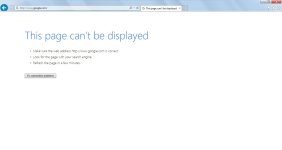
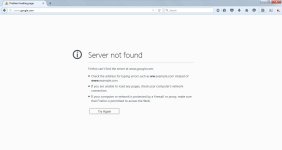
the browsers are still not working.I use ie and firefox. the screen shots of loading google .com is attached.another wnd also came this time.
My skype was working before running zemana and zoek. and i was connecting through hot spot thru the same suspect PC to answer replies .
Earlier the symbol on the system tray for the network connection icon had a Yellow triangle with a Exclamation
but now its changed to a red cross and a fork(or a plug not sure to type in). ANd the home page when i load through the hot spot is now changed to msn.com
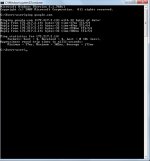
the ping the cmd prompt used to work before.
have i answered your question or let me know if i need to let u know anything else.......thanking you
All
the browsers are still not working.I use ie and firefox. the screen shots of loading google .com is attached.another wnd also came this time.
My skype was working before running zemana and zoek. and i was connecting through hot spot thru the same suspect PC to answer replies .
Earlier the symbol on the system tray for the network connection icon had a Yellow triangle with a Exclamation
but now its changed to a red cross and a fork(or a plug not sure to type in). ANd the home page when i load through the hot spot is now changed to msn.com
the ping the cmd prompt used to work before.
have i answered your question or let me know if i need to let u know anything else.......thanking you
Attachments
Zoek and Zemana did a lot of work, just take a look at their reports and you'll see that a lot of malware was gone.
Okay, let's see fresh FRST reports:
 Scan with Farbar Recovery Scan Tool
Please re-run Farbar Recovery Scan Tool to give me a fresh look at your system.
Okay, let's see fresh FRST reports:
Please re-run Farbar Recovery Scan Tool to give me a fresh look at your system.
- Right-click on icon and select
Run as Administrator to start the tool.
(XP users click run after receipt of Windows Security Warning - Open File). - Make sure that Addition.txt option is checked.

- Press Scan button and wait.
- The tool will produce two logfiles on your desktop: FRST.txt and Addition.txt.

Download attached fixlist.txt file and save it to the Desktop:
Both files, FRST and fixlist.txt have to be in the same location or the fix will not work!
- Right-click on icon and select
Run as Administrator to start the tool.
(XP users click run after receipt of Windows Security Warning - Open File). - Press the Fix button just once and wait.
- If for some reason the tool needs a restart, please make sure you let the system restart normally. After that let the tool complete its run.
- When finished FRST will generate a log on the Desktop, called Fixlog.txt.
Please attach it to your reply.
Attachments
How is your PC behaving now?
My internet connection got established after the running the fix which you provided today morning.
I cannot thank you enough for the flawless technical support, your patience and time that you’ve given over the last couple of days. You also did a wonderful job in providing different solutions and recommending exactly the appropriate software for their preferences.
Thank you Again….
I cannot thank you enough for the flawless technical support, your patience and time that you’ve given over the last couple of days. You also did a wonderful job in providing different solutions and recommending exactly the appropriate software for their preferences.
Thank you Again….
Recently browsing
Members who viewed this thread in the last 5 minutes
You may also like...
-

-
-
 MalwareTips News Chrome 153 update closes flaw already used in attacks
 -

-