

The MalwareTips app
Your community, one tap away.
Open MalwareTips from your Home Screen or desktop. Follow discussions, find answers and pick up where you left off.
- Home Screen access
- Optional push alerts
- Your community
You're ready to explore.Explore what's new
Installation instructions
iPhone & iPad
- Open MalwareTips in Safari and tap Share. You may need to open the Page Menu first.
- Choose Add to Home Screen. If it is not listed, use Edit Actions to add it.
- Keep Open as Web App enabled if shown, then tap Add.
Android
- Open MalwareTips in Chrome or another browser that supports app installation.
- Open the browser menu and look for Install app, Install and create shortcut, or Add to Home screen.
- Choose Install and confirm. Wording varies by browser.
Desktop
- Chrome: use the install icon in the address bar, or the menu under Cast, save and share.
- Edge: open the menu, then More tools, Apps and Install this site as an app.
- Safari on Mac: choose Share or File, then Add to Dock. Firefox on Windows: look for the web apps button in the address bar.
If you cannot find an install option, update your browser or use its bookmark option to keep MalwareTips close.
Keep up with your conversations
After installation, open the app and sign in. Enable push notifications in Preferences if you want alerts. On iPhone and iPad, push requires a Home Screen web app and iOS or iPadOS 16.4 or later.
Sign in to manage notificationsInstallation is optional. Your notification settings stay under your control.
You are using an out of date browser. It may not display this or other websites correctly.
You should upgrade or use an alternative browser.
You should upgrade or use an alternative browser.
Solved Can't remove Obrona
-
 Thread starter
Ed_M1
Thread starter
Ed_M1
- Start date
- 55 Replies
- 12,629 Views

Download attached fixlist.txt file and save it to the Desktop:
Both files, FRST and fixlist.txt have to be in the same location or the fix will not work!
Run FRST.exe
Press the Fix button just once and wait.
When finished FRST will generate a log on the Desktop, called Fixlog.txt.
Please attach it to your reply.
Both files, FRST and fixlist.txt have to be in the same location or the fix will not work!
Run FRST.exe
Press the Fix button just once and wait.
When finished FRST will generate a log on the Desktop, called Fixlog.txt.
Please attach it to your reply.

Log After running FIX:
Fix result of Farbar Recovery Tool (FRST written by Farbar) (x64) Version: 01-02-2015
Ran by emowrey1 at 2015-02-03 14:25:10 Run:1
Running from C:\Users\emowrey1\Downloads
Loaded Profiles: emowrey1 (Available profiles: emowrey1 & Administrator)
Boot Mode: Normal
==============================================
Content of fixlist:
*****************
closeprocesses:
emptytemp:
HKU\S-1-5-21-4150287182-2758880135-4216909146-1001\...\Run: [Obrona Block Ads] => C:\Users\emowrey1\AppData\Local\Obrona Block Ads\ObronaBlockAds.exe [1509336 2014-10-16] (RedSky Sp. z o.o.)
C:\Users\emowrey1\AppData\Local\Obrona Block Ads
SearchScopes: HKLM -> DefaultScope {36CCD620-C670-435D-A0D0-C4BB88D34C7F} URL = http://start.mysearchdial.com/resul...GtB0BtAyBtC0DyCyC0CyE0EtD2Q&cr=1298699287&ir=
SearchScopes: HKLM -> {36CCD620-C670-435D-A0D0-C4BB88D34C7F} URL = http://start.mysearchdial.com/resul...GtB0BtAyBtC0DyCyC0CyE0EtD2Q&cr=1298699287&ir=
CHR HKLM-x32\...\Chrome\Extension: [bmiabdepfhhiieiipmeecdmeljggmfee] - No Path
CHR HKLM-x32\...\Chrome\Extension: [fmgckcapmffomaifonnhgkfdgljnkpgi] - No Path
CHR HKLM-x32\...\Chrome\Extension: [ohhcpmplhhiiaoiddkfboafbhiknefdf] - No Path
*****************
Processes closed successfully.
HKU\S-1-5-21-4150287182-2758880135-4216909146-1001\Software\Microsoft\Windows\CurrentVersion\Run\\Obrona Block Ads => value deleted successfully.
C:\Users\emowrey1\AppData\Local\Obrona Block Ads => Moved successfully.
HKLM\SOFTWARE\Microsoft\Internet Explorer\SearchScopes\\DefaultScope => Value was restored successfully.
"HKLM\SOFTWARE\Microsoft\Internet Explorer\SearchScopes\{36CCD620-C670-435D-A0D0-C4BB88D34C7F}" => Key deleted successfully.
HKCR\CLSID\{36CCD620-C670-435D-A0D0-C4BB88D34C7F} => Key not found.
"HKLM\SOFTWARE\Wow6432Node\Google\Chrome\Extensions\bmiabdepfhhiieiipmeecdmeljggmfee" => Key deleted successfully.
"HKLM\SOFTWARE\Wow6432Node\Google\Chrome\Extensions\fmgckcapmffomaifonnhgkfdgljnkpgi" => Key deleted successfully.
"HKLM\SOFTWARE\Wow6432Node\Google\Chrome\Extensions\ohhcpmplhhiiaoiddkfboafbhiknefdf" => Key deleted successfully.
EmptyTemp: => Removed 1.3 GB temporary data.
The system needed a reboot.
==== End of Fixlog 14:25:54 ====
Fix result of Farbar Recovery Tool (FRST written by Farbar) (x64) Version: 01-02-2015
Ran by emowrey1 at 2015-02-03 14:25:10 Run:1
Running from C:\Users\emowrey1\Downloads
Loaded Profiles: emowrey1 (Available profiles: emowrey1 & Administrator)
Boot Mode: Normal
==============================================
Content of fixlist:
*****************
closeprocesses:
emptytemp:
HKU\S-1-5-21-4150287182-2758880135-4216909146-1001\...\Run: [Obrona Block Ads] => C:\Users\emowrey1\AppData\Local\Obrona Block Ads\ObronaBlockAds.exe [1509336 2014-10-16] (RedSky Sp. z o.o.)
C:\Users\emowrey1\AppData\Local\Obrona Block Ads
SearchScopes: HKLM -> DefaultScope {36CCD620-C670-435D-A0D0-C4BB88D34C7F} URL = http://start.mysearchdial.com/resul...GtB0BtAyBtC0DyCyC0CyE0EtD2Q&cr=1298699287&ir=
SearchScopes: HKLM -> {36CCD620-C670-435D-A0D0-C4BB88D34C7F} URL = http://start.mysearchdial.com/resul...GtB0BtAyBtC0DyCyC0CyE0EtD2Q&cr=1298699287&ir=
CHR HKLM-x32\...\Chrome\Extension: [bmiabdepfhhiieiipmeecdmeljggmfee] - No Path
CHR HKLM-x32\...\Chrome\Extension: [fmgckcapmffomaifonnhgkfdgljnkpgi] - No Path
CHR HKLM-x32\...\Chrome\Extension: [ohhcpmplhhiiaoiddkfboafbhiknefdf] - No Path
*****************
Processes closed successfully.
HKU\S-1-5-21-4150287182-2758880135-4216909146-1001\Software\Microsoft\Windows\CurrentVersion\Run\\Obrona Block Ads => value deleted successfully.
C:\Users\emowrey1\AppData\Local\Obrona Block Ads => Moved successfully.
HKLM\SOFTWARE\Microsoft\Internet Explorer\SearchScopes\\DefaultScope => Value was restored successfully.
"HKLM\SOFTWARE\Microsoft\Internet Explorer\SearchScopes\{36CCD620-C670-435D-A0D0-C4BB88D34C7F}" => Key deleted successfully.
HKCR\CLSID\{36CCD620-C670-435D-A0D0-C4BB88D34C7F} => Key not found.
"HKLM\SOFTWARE\Wow6432Node\Google\Chrome\Extensions\bmiabdepfhhiieiipmeecdmeljggmfee" => Key deleted successfully.
"HKLM\SOFTWARE\Wow6432Node\Google\Chrome\Extensions\fmgckcapmffomaifonnhgkfdgljnkpgi" => Key deleted successfully.
"HKLM\SOFTWARE\Wow6432Node\Google\Chrome\Extensions\ohhcpmplhhiiaoiddkfboafbhiknefdf" => Key deleted successfully.
EmptyTemp: => Removed 1.3 GB temporary data.
The system needed a reboot.
==== End of Fixlog 14:25:54 ====
Very good, how is the situation now?
Done. Rebooted.
At first performance better.
Able to access internet.
"Obrona Block Ads" is still found when I search "Obrona".
When I accessed internet,
Got bunches of pop-ups saying I needed new media software, saying "urgent security breach" etc.
Performance slowing!
I'm now using my old computer to reply because the one we're trying to fix wouldn't let me.
Download
 Malwarebytes Anti-Rootkit to your desktop.
- Double-click the icon to start the tool.
- It will ask you where to extract it, then it will start.
- Warning! Malwarebytes Anti-Rootkit needs to be run from an account with administrator rights.
- Click in the introduction screen "next" to continue.
- Click in the following screen "Update" to obtain the latest malware definitions.
- Once the update is complete select "Next" and click "Scan".
- When the scan is finished and no malware has been found select "Exit".
- If malware was detected, make sure to check all the items and click "Cleanup". Reboot your computer.
- Open the MBAR folder and paste the content of the following files in your next reply:
- "mbar-log-{date} (xx-xx-xx).txt"
- "system-log.txt"
I don't know how to "run from an account with administrator rights".DownloadMalwarebytes Anti-Rootkit to your desktop.
- Double-click the icon to start the tool.
- It will ask you where to extract it, then it will start.
- Warning! Malwarebytes Anti-Rootkit needs to be run from an account with administrator rights.
- Click in the introduction screen "next" to continue.
- Click in the following screen "Update" to obtain the latest malware definitions.
- Once the update is complete select "Next" and click "Scan".
- When the scan is finished and no malware has been found select "Exit".
- If malware was detected, make sure to check all the items and click "Cleanup". Reboot your computer.
- Open the MBAR folder and paste the content of the following files in your next reply:
- "mbar-log-{date} (xx-xx-xx).txt"
- "system-log.txt"
When I download anti-rootkit it prompts me to save the file, but doesn't tell me where it saves it, and I can't find it to execute it
I went to my old computer, downloaded it, ported it on a thumb drive to my new laptop.
Ran it. It made a folder on my desktop.
What next?
Run as Administrator
Attachments
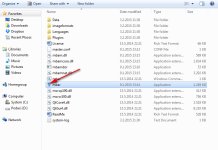


Both files, FRST and fixlist.txt have to be in the same location or the fix will not work!
- Right-click on icon and select
Run as Administrator to start the tool.

(XP users click run after receipt of Windows Security Warning - Open File). - Press the Fix button just once and wait.
- If for some reason the tool needs a restart, please make sure you let the system restart normally. After that let the tool complete its run.
- When finished FRST will generate a log on the Desktop, called Fixlog.txt.
Please attach it to your reply.

Please download AdwCleaner by Xplode and save the file to your desktop.
- Right-click on icon and select
Run as Administrator to start the tool.
- Follow the prompts and click Scan.
- When finished, please click Clean.
- Upon completion, click Report. A log (AdwCleaner[S*].txt) will open.
Please include the contents of that file in your reply.
Attachments
Yes.
Please send URL for AdwCleaner
Ran FRST. Here's the fixlog
Fix result of Farbar Recovery Tool (FRST written by Farbar) (x64) Version: 01-02-2015
Ran by emowrey1 at 2015-02-03 18:24:41 Run:2
Running from C:\Users\emowrey1\Downloads
Loaded Profiles: emowrey1 (Available profiles: emowrey1 & Administrator)
Boot Mode: Normal
==============================================
Content of fixlist:
*****************
closeprocesses:
emptytemp:
HKU\S-1-5-21-4150287182-2758880135-4216909146-1001\...\Run: [Obrona Block Ads] => C:\Users\emowrey1\AppData\Local\Obrona Block Ads\ObronaBlockAds.exe [1509336 2014-10-16] (RedSky Sp. z o.o.)
C:\Users\emowrey1\AppData\Local\Obrona Block Ads
SearchScopes: HKLM -> DefaultScope {36CCD620-C670-435D-A0D0-C4BB88D34C7F} URL = http://start.mysearchdial.com/resul...GtB0BtAyBtC0DyCyC0CyE0EtD2Q&cr=1298699287&ir=
SearchScopes: HKLM -> {36CCD620-C670-435D-A0D0-C4BB88D34C7F} URL = http://start.mysearchdial.com/resul...GtB0BtAyBtC0DyCyC0CyE0EtD2Q&cr=1298699287&ir=
CHR HKLM-x32\...\Chrome\Extension: [bmiabdepfhhiieiipmeecdmeljggmfee] - No Path
CHR HKLM-x32\...\Chrome\Extension: [fmgckcapmffomaifonnhgkfdgljnkpgi] - No Path
CHR HKLM-x32\...\Chrome\Extension: [ohhcpmplhhiiaoiddkfboafbhiknefdf] - No Path
*****************
Processes closed successfully.
HKU\S-1-5-21-4150287182-2758880135-4216909146-1001\Software\Microsoft\Windows\CurrentVersion\Run\\Obrona Block Ads => Value not found.
C:\Users\emowrey1\AppData\Local\Obrona Block Ads => Moved successfully.
HKLM\SOFTWARE\Microsoft\Internet Explorer\SearchScopes\\DefaultScope => Value was restored successfully.
HKLM\SOFTWARE\Microsoft\Internet Explorer\SearchScopes\{36CCD620-C670-435D-A0D0-C4BB88D34C7F} => Key not found.
HKCR\CLSID\{36CCD620-C670-435D-A0D0-C4BB88D34C7F} => Key not found.
HKLM\SOFTWARE\Wow6432Node\Google\Chrome\Extensions\bmiabdepfhhiieiipmeecdmeljggmfee => Key not found.
HKLM\SOFTWARE\Wow6432Node\Google\Chrome\Extensions\fmgckcapmffomaifonnhgkfdgljnkpgi => Key not found.
HKLM\SOFTWARE\Wow6432Node\Google\Chrome\Extensions\ohhcpmplhhiiaoiddkfboafbhiknefdf => Key not found.
EmptyTemp: => Removed 163.2 MB temporary data.
The system needed a reboot.
==== End of Fixlog 18:24:52 ====
Last edited:
Recently browsing
Members who viewed this thread in the last 5 minutes


