

The MalwareTips app
Your community, one tap away.
Open MalwareTips from your Home Screen or desktop. Follow discussions, find answers and pick up where you left off.
- Home Screen access
- Optional push alerts
- Your community
You're ready to explore.Explore what's new
Installation instructions
iPhone & iPad
- Open MalwareTips in Safari and tap Share. You may need to open the Page Menu first.
- Choose Add to Home Screen. If it is not listed, use Edit Actions to add it.
- Keep Open as Web App enabled if shown, then tap Add.
Android
- Open MalwareTips in Chrome or another browser that supports app installation.
- Open the browser menu and look for Install app, Install and create shortcut, or Add to Home screen.
- Choose Install and confirm. Wording varies by browser.
Desktop
- Chrome: use the install icon in the address bar, or the menu under Cast, save and share.
- Edge: open the menu, then More tools, Apps and Install this site as an app.
- Safari on Mac: choose Share or File, then Add to Dock. Firefox on Windows: look for the web apps button in the address bar.
If you cannot find an install option, update your browser or use its bookmark option to keep MalwareTips close.
Keep up with your conversations
After installation, open the app and sign in. Enable push notifications in Preferences if you want alerts. On iPhone and iPad, push requires a Home Screen web app and iOS or iPadOS 16.4 or later.
Sign in to manage notificationsInstallation is optional. Your notification settings stay under your control.
You are using an out of date browser. It may not display this or other websites correctly.
You should upgrade or use an alternative browser.
You should upgrade or use an alternative browser.
New Update CCleaner Updates thread
-
 Thread starter
Gandalf_The_Grey
Thread starter
Gandalf_The_Grey
- Start date
- 155 Replies
- 43,139 Views

V 7 Do Google search, people are hot.... Do NOT like... I still have V6.39, disable auto-update

Gandalf_The_Grey
Level 86
Verified
Honorary Member
Top Poster
Content Creator
Well-known
Forum Veteran
@The_PrivaZer_Team thanks for the kind offer, but I am already on PROHello everyone,
If you are looking for a privacy-focused alternative,
just wanted to let you know we're giving away free one-year PrivaZer PRO licenses to MalwareTips members
as a thank you for all your help and support over the years.
You've helped us make PrivaZer better, and we really appreciate it.
Want one? Just send me a PM and give me an email.
Zero tracking. Zero telemetry. Zero ad.
@Gandalf_The_Grey,
If you're not on PRO yet, shoot me a message and I'll hook you up with a free license.


Shadowra
Level 42
Verified
Top Poster
Content Creator
Malware Tester
Well-known
High Reputation
Forum Veteran
Hello everyone,
If you are looking for a privacy-focused alternative,
just wanted to let you know we're giving away free one-year PrivaZer PRO licenses to MalwareTips members
as a thank you for all your help and support over the years.
You've helped us make PrivaZer better, and we really appreciate it.
Want one? Just send me a PM and give me an email.
Zero tracking. Zero telemetry. Zero ad.
@Gandalf_The_Grey,
If you're not on PRO yet, shoot me a message and I'll hook you up with a free license.
DM send
Pro key sent !
Gandalf_The_Grey
Level 86
Verified
Honorary Member
Top Poster
Content Creator
Well-known
Forum Veteran
CCleaner 7.01.1042 (10 Nov 2025)
 www.ccleaner.com
Improvements
Fixes
- In Uninstaller you can now sort based on all fields.
- In Health Check, updated “Settings” button to “Cookie settings” to recommend the Cookies to Keep.
- In Custom Clean updated the “Close running programs" button to “Continue without closing” should a user not want to close any programs.
- Migrated Driver Updater backups are now applied automatically when a user moves to CCleaner 7
- Renamed Disk Analyzer to Duplicate Finder whilst we add new features to it.
- In Duplicate Finder, if a user has duplicate application files we’ll now tag the oldest one so it’s easy to remove in bulk. We ‘ve also added sorting support for nested file levels in scan results.
- We have also updated “Select all” to “Select all files” for better clarity. And checkboxes in scan results are now aligned for easier review.
- Properly close browsers during cleaning
- Fixed an issue that if the UI was open at the time of an update, CCleaner didn’t relaunch
- “Select all files” no longer appears permanently highlighted
- In Duplicate Finder “Move to Recycle Bin” now works properly during file deletion.
- In Duplicate Finder, deleted files are now shown as deleted.
- In Duplicate Finder, fixed an issue that prevented large tables from paginating.
View Cleaner's version history and release notes
www.ccleaner.com
Gandalf_The_Grey
Level 86
Verified
Honorary Member
Top Poster
Content Creator
Well-known
Forum Veteran
CCleaner 7.02.1080 (01 Dec 2025)
www.ccleaner.com
New
Improvements
- Automatic scheduling for paid users
Paid users can now create automatic cleaning schedules in CCleaner 7! Use our recommended settings or build your own custom schedules. Scheduling feature available within Settings.- A new, smarter tab structure
We’ve improved the design and copy in tabs to better explain what updates are available and why you should update- Updated results pages
Results pages have been redesigned to give you a better view of updates that were successful or that failed- Settings integrated into each feature
Instead of being tucked away, settings now appear directly within the features they relate to.
Bug Fixes
- More reliable scanning experience
We’ve improved cancellation of scans in Software Updater and Performance Optimizer.
- Fixed an issue where the Cloud Drive Cleaner icon in the sidebar was permanently highlighted.
- Fixed an issue where Driver Updater scan would get stuck
View Cleaner's version history and release notes
www.ccleaner.com

CCleaner 7.03.1120 (17 Dec 2025)
www.ccleaner.com
New features to expand cleaning and optimization capabilities:
Updates to improve user experience:
- Cloud Drive Cleaner now supports Dropbox, so you can tidy cloud clutter safely in just a few clicks.
- Startup Manager now lets you view and manage apps that run via Windows scheduled tasks and services, giving you more control over what starts in the background.
Fixed bugs:
- Driver Updater: the “Up-to-date drivers” tab is clearer, with better grouping structure and icons.
- Driver Updater: Skipped and Ignored drivers now have their own tab, making it easier to review and manage them in one place.
- Software Updater now shows a clear “Restart required” screen for updates that need a reboot
- Cleaning safeguards: added clear warnings when enabling rules that clean your Downloads folder, so you don’t remove files you still need by accident.
- We improved Temporary Uninstall to give you more control. You can now choose how long an app stays temporarily removed before CCleaner fully uninstalls it. Adjust this anytime in the feature settings.
- Fixed an issue where the Recycle Bin icon didn’t always show as empty after cleaning with Health Check.
- Fixed a display issue where the new tab layout showed white gaps when the window was maximized.
View Cleaner's version history and release notes
www.ccleaner.com
Gandalf_The_Grey
Level 86
Verified
Honorary Member
Top Poster
Content Creator
Well-known
Forum Veteran
CCleaner 7.03.1120 (17 Dec 2025)
www.ccleaner.com
New features to expand cleaning and optimization capabilities
Updates to improve user experience
- Cloud Drive Cleaner now supports Dropbox, so you can tidy cloud clutter safely in just a few clicks.
- Startup Manager now lets you view and manage apps that run via Windows scheduled tasks and services, giving you more control over what starts in the background.
Fixed bugs
- Driver Updater: the “Up-to-date drivers” tab is clearer, with better grouping structure and icons.
- Driver Updater: Skipped and Ignored drivers now have their own tab, making it easier to review and manage them in one place.
- Software Updater now shows a clear “Restart required” screen for updates that need a reboot
- Cleaning safeguards: added clear warnings when enabling rules that clean your Downloads folder, so you don’t remove files you still need by accident.
- We improved Temporary Uninstall to give you more control. You can now choose how long an app stays temporarily removed before CCleaner fully uninstalls it. Adjust this anytime in the feature settings.
- Fixed an issue where the Recycle Bin icon didn’t always show as empty after cleaning with Health Check.
- Fixed a display issue where the new tab layout showed white gaps when the window was maximized.
View Cleaner's version history and release notes
www.ccleaner.com
v7.04.1172 (27 Jan 2026)
www.ccleaner.com
New
Improved
- Expanded browser cleaning support
- CCleaner now includes cleaning for the Neo Browser.
- Clearer scheduling setup
- We’ve added an information screen to help you better understand how to use the scheduled cleaning feature.
Bug Fixes
- Better recovery when the app disconnects
- If CCleaner loses connection to its background service, you’ll now be prompted to restart it quickly and easily.
- Duplicate Finder accuracy improved
- Improved filters for Duplicate Finder so items are not found in multiple categories.
- Scheduling language issue resolved
- Non-English users will no longer see English text appearing in Scheduling settings.
- Startup Manager interaction fixed
- Resolved an issue that prevented some users from interacting with Startup Manager.
View Cleaner's version history and release notes
www.ccleaner.com

I find CC v.7 shocking.
I'm still on 6.39.
I read that some users now use HDCleaner.
I don't like it because the portable executable is not signed and therefore, with “Validate Admin CS,” it causes the pop-up we all know so well to appear on the screen.
I'm still on 6.39.
I read that some users now use HDCleaner.
I don't like it because the portable executable is not signed and therefore, with “Validate Admin CS,” it causes the pop-up we all know so well to appear on the screen.

I don't use the portable HD Cleaner which (so I've yet to have an issue) & as far as I'm aware the none signing was a one off & was sorted, I may be wrong here as I don't use the portable version? From my point of view HD Cleaner is the best I've used so far, totally fee & has many other useful features, does not phone home to our friends at AVAST & I can use the latest version, I gave up on CCleaner long ago.
Last edited:

I do my own cleaning and dishwashing.I don't use the portable HD Cleaner which (so I've yet to have an issue) & as far as I'm aware the none signing was a one off & was sorted, I may be wrong here as I don't use the portable version? From my point of view HD Cleaner is the best I've used so far, totally fee & has many other useful features, does not phone home to our friends at AVAST & I can use the latest version, I gave up on CCleaner long ago.
It is of some debate if you need such programs in the first place anyway I reckon & at least one well known member just uses the built in MS cleaner whatsit thingmibob, actually for myself the most useful program for such things is HiBit which is totally amazing all-rounder & has so many features, & probably the best program I have on this & other PC's I look after.
My point of view, every single app, even is as small and unintrusive as 7-Zip, is an addition to attack surface area; if not irreplaceable by a built-in tool, then installing is a security risk upscaling.It is of some debate if you need such programs in the first place anyway I reckon & at least one well known member just uses the built in MS cleaner whatsit thingmibob, actually for myself the most useful program for such things is HiBit which is totally amazing all-rounder & has so many features, & probably the best program I have on this & other PC's I look after.
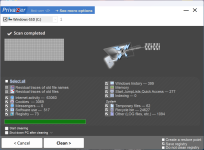
You can try PrivaZer, it is a signed program that is very thorough in cleaning files, and you can disable the “Remnants of Old Files” and “Memory” sections if you don’t need them (which I did).I find CC v.7 shocking.
I'm still on 6.39.
I read that some users now use HDCleaner.
I don't like it because the portable executable is not signed and therefore, with “Validate Admin CS,” it causes the pop-up we all know so well to appear on the screen.
Personally, I replaced CCleaner with Reg Organizer.
Recently browsing
Members who viewed this thread in the last 5 minutes
You may also like...
-
M
- Opera
- Maciej Kocemba
- · 0
-

-
New Update Mullvad VPN - Updates Thread
-
-