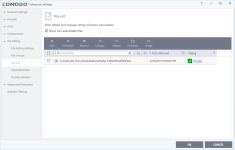
App Review Comodo Firewall 10 Setup

It is advised to take all reviews with a grain of salt. In extreme cases some reviews use dramatization for entertainment purposes.
That's why I don't get rid of the HIPS
HIPS won't help you in these cases. Almost all of the Comodo "bypasses" turn out to be the result of mistaken whitelisting by the cloud lookup, and that will cause HIPS to sleep like a baby, just like autosandbox does.
 
HIPS won't help you in these cases. Almost all of the Comodo "bypasses" turn out to be the result of mistaken whitelisting by the cloud lookup, and that will cause HIPS to sleep like a baby, just like autosandbox does.
I meant HIPS set to Paranoid. I added CLT.exe to the trusted list and also in the allowed "Containment" rules and the HIPS still works when HIPS set to paranoid mode.

Here a video:

 
Last edited:
  • Like
Reactions: AtlBo and shmu26
That's not true, I added CLT.exe to the trusted list and put it also in the allowed "Containment" rules and the HIPS pop's up with no issues when HIPS set to paranoid mode.
Correct. If you are in paranoid mode -- and it did not drive you insane yet -- then you are protected.
 
Correct. If you are in paranoid mode -- and it did not drive you insane yet -- then you are protected.

I did a fresh Windows install. Ran it on training mode a few days and ran every app I had installed twice. And I don't install stuff often, once I have all my stuff installed my system is quiet, haven't had any troubles so far.
 
  • Like
Reactions: AtlBo and shmu26
I did a fresh Windows install. Ran it on training mode a few days and ran every app I had installed twice. And I don't install stuff often, once I have all my stuff installed my system is quiet, haven't had any troubles so far.
Sounds great to me.
It would be a good idea to export your comodo settings, and save them, just in case the forgetting rules bug strikes you.
This bugs likes to strike people like you, who have lots of rules.
 
Sounds great to me.
It would be a good idea to export your comodo settings, and save them, just in case the forgetting rules bug strikes you.
This bugs likes to strike people like you, who have lots of rules.

I know right? I have already made some exports of the settings ;) just in case!
 
  • Like
Reactions: AtlBo and shmu26
Yep, trusted again...

Untitled.png
 
Best comodo config for security without too much hassle : Umbra-style (aka using all features at their best level and prioritizing a tailored paranoid HIPS )
Best comodo config for usability/protection: CS style (aka prioritizing the sandbox)

Worst comodo setting: default one.
 
Last edited by a moderator:
Guys! I can't leave you for a minute, can I?

I just tried this specific malware-dcd0e73b264427269c262d6dc070570ce76c56faaf5ccfcebc0ae79b4e32130d (if you can really call it malware, as it seems this is just a test of a component of an info-stealer of some type), and at my settings it was totally contained. No startups, no real system changes, and certainly no registry changes.

AVG- did you do a scan of your system prior to running the malware? And also, as this particular file, as a component, does not have the ability to make changes as shown in your screenshots, I'm really curious as to how this could have happened anyway.

ps- the only file that would have been contained was the original malware as nothing further was dropped. And being unsigned it certainly wasn't trusted on my system!

 
Best comodo config for security without too much hassle : Umbra-style (aka using all features at their best level and prioritizing a tailored paranoid HIPS )
Best comodo config for usability/protection: CS style (aka prioritizing the sandbox)

Worst comodo setting: default one.
Worst Comodo is uninstalled Comodo.
 
Guys! I can't leave you for a minute, can I?

I just tried this specific malware-dcd0e73b264427269c262d6dc070570ce76c56faaf5ccfcebc0ae79b4e32130d (if you can really call it malware, as it seems this is just a test of a component of an info-stealer of some type), and at my settings it was totally contained. No startups, no real system changes, and certainly no registry changes.

AVG- did you do a scan of your system prior to running the malware? And also, as this particular file, as a component, does not have the ability to make changes as shown in your screenshots, I'm really curious as to how this could have happened anyway.

ps- the only file that would have been contained was the original malware as nothing further was dropped. And being unsigned it certainly wasn't trusted on my system!

Maybe the cloud lookup corrected the error relatively quickly, this time.
 
Why you just dont disable the cloud loukup and the story ends here???:D:p
Advanced users could do that, but you gradually get more and more unrecognized files, and have to make more and more decisions. It is no longer an effortless experience to turn on your computer.
 
Advanced users could do that, but you gradually get more and more unrecognized files, and have to make more and more decisions. It is no longer an effortless experience to turn on your computer.
I disagree. I have it disabled for over a month with HIPS safe mode. It works like a charm. No crazy pop up :rolleyes:
 
I disagree. I have it disabled for over a month with HIPS safe mode. It works like a charm. No crazy pop up :rolleyes:
I see you are using Windows 8, whereas I am on Windows 10 w/updates. Maybe that is the difference? Just guessing.
 
  • Like
Reactions: AtlBo