App Review COMODO Internet Security Pro 2027

It is advised to take all reviews with a grain of salt. In extreme cases some reviews use dramatization for entertainment purposes.
Content created by
Shadowra
I had read it in a moderator's post on the Comodo forum; maybe I misread the post. I tried to find the post but couldn't find it. Thank you for the info and detailed response.

You can ask the moderator about it. Some moderators may know interesting details about CIS.
 
There are some other ways to abuse Trusted executables to bypass auto-containment in CIS.
For example, the LOLBas project shows many LOLBins that can run DLLs. Some of them, like rundll32.exe or regasm.exe, can be hardened via Comodo Script Analysis, but most are not included, and some can be used to bypass CIS via a malicious MSI installation that runs one of those LOLBins + a malicious DLL.
In this scenario, the DLL does not have to be a false negative.
However, this could possibly happen in a highly targeted attack (no worry for home users).
 
Last edited:
the DLL does not have to be a false negative
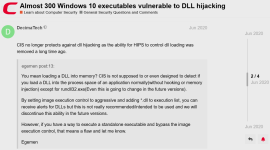
I doubt Comodo will have DLL hijacking protection; they had it and removed it a long time ago, including the manual tweak.

dll.png
 
I should write some good words about CIS.
In the case of a non-targeted attack against home users, the WiseConnect malware is rare. Furthermore, even if the connection to a malicious C2 server is established, the remote attacker can have a hard time doing anything dangerous. Simply, popular LOLBins and scripts are well restricted by Comodo Script Analysis settings.:)
 
I doubt Comodo will have DLL hijacking protection; they had it and removed it a long time ago, including the manual tweak.

View attachment 299085

It is true, of course. I already used it in my POC (you can see it in my video). However, the WiseConnect bypass here is unrelated to DLL hijacking.
CIS can see the difference because the LOLBin rundll32.exe is restricted by Script Analysis.
DLL hijacking abuses one of thousands of vulnerable but Trusted executables to load a malicious DLL instead of a dedicated DLL.
In this thread, the attacker uses a LOLBin (rundll32.exe) that is not vulnerable in any way, but it is generally intended to execute functions from DLLs (that is why it is restricted).

When using rundll32.exe, you must use a CmdLine that includes the concrete DLL.
In DLL hijacking, the Trusted vulnerable executable can be executed without a CmdLine (just double-click the executable in Explorer), and the DLL is loaded silently.
 
Last edited:
Hello Shadowra,
Which version did you test?
Comodo Internet Security 2027 V12.4.0.8170 or
Comodo Internet Security 2027 V12.3.4.8162

The one that was available right when it came out, when a member wrote about it here ;)
 
Comodo had a bug; it didn't contain MSI installers. I'm unsure if it affected the default or all configs and if they fixed it.

I must correct my previous answer related to containing MSI files. In the previous post, I forgot to mention the isolation time limit (3 days).
In the default CIS settings, Unrecognized MSI files less than three days old should be auto-contained. I tested this with the actual CIS version, and it worked as intended.
So the scenario from the test shows the CIS reaction related to the MSI malware more than three days old.
We should see a difference if the test was conducted with the Proactive Security configuration (no isolation time limit).
 
Last edited:
@Shadowra,

It seems that the isolation time limit in the CIS default settings can also affect home users.
Could you test the CIS default settings against a few-day-old malware? It may be only a quick signature detection test (not a video) to see the detection improvement.
Many users can run older installers stored on the hard disk. In such a case, the CIS containment will be ineffective.
 
Last edited:
That is absolutely false. Comodo isolates malicious msi files without regard to file creation date. As I tried to explain earlier, things can be coded as either msi or PE32. For the most part the msi won't be allowed to proceed whereas the PE32 will proceed but within Containment; either way it will be stopped.
 
That is absolutely false. Comodo isolates malicious msi files without regard to file creation date. As I tried to explain earlier, things can be coded as either msi or PE32. For the most part the msi won't be allowed to proceed whereas the PE32 will proceed but within Containment; either way it will be stopped.

I have just tested this, and in the CIS default settings, the isolation time limit works as I posted (also for EXE and MSI files).
You can easily test it.
 
  • Like
Reactions: Divine_Barakah
In my test, I first executed the older MSI file, which was allowed by CIS. Next, I made a copy of this file. The copy was auto-contained.
If I increase the isolation time limit sufficiently, the older MSI file is auto-contained too.
The time is counted from the moment of dropping the file to the hard disk.
 
Last edited: