C
CySecy825
I tested it Today inside VM and it stopped working when executed malware and crashes ,sorry no images because infected VM Resetted


Open MalwareTips from your Home Screen or desktop. Follow discussions, find answers and pick up where you left off.
If you cannot find an install option, update your browser or use its bookmark option to keep MalwareTips close.
After installation, open the app and sign in. Enable push notifications in Preferences if you want alerts. On iPhone and iPad, push requires a Home Screen web app and iOS or iPadOS 16.4 or later.
Sign in to manage notificationsInstallation is optional. Your notification settings stay under your control.
 Thread starter
Kardo Kristal
Thread starter
Kardo Kristal
You COULD do but it is a companion security product, due to its amazing detection a simple AV will do if you use Windows 8, 8.1 or 10 use 'Windows Defender', on other versions of Windows (Windows 7 or older) use 'Microsoft Security Essentials'Do you think that I can use crystal security as main AV ?

YesSo, basically, every time an exe runs on the background, Crystal Security will scan it and let you know if that process is malicious?

For some subjects show only c: xxxxx and does not show the full path c: \ windows \ xxxxx

Do you think that I can use crystal security as main AV ?
I tested it Today inside VM and it stopped working when executed malware and crashes ,sorry no images because infected VM Resetted
You COULD do but it is a companion security product, due to its amazing detection a simple AV will do if you use Windows 8, 8.1 or 10 use 'Windows Defender', on other versions of Windows (Windows 7 or older) use 'Microsoft Security Essentials'
So, basically, every time an exe runs on the background, Crystal Security will scan it and let you know if that process is malicious?
Hello,
Crystal Security 3.5.0.159 released
Changelog
- Fixed bugs in Active protection
- Fixed bug in Checkup
- Fixed bug in Password protection
- Fixed bugs in "Statistics" section
Two different types of downloads
Download installer version of Crystal Security 3.5.0.159
Download portable version of Crystal Security 3.5.0.159
Looking forward to your feedback.
Regards,
Kardo
Fixed bug in Checkup :what news ?
I think Gustom Check Should be too (Folder scan)
Is it ok to check off trust apps with digital signatures?
Also what items can be unchecked to lower the cpu and memory processes?

The Developer must add inside windows file exceptions and to add there his own program ... this was a very often situation years ago when av delete windows files ...don't worry this bug can be fixed really ease i think the DEV will fix this bugThis is funny or sad?
View attachment 91001
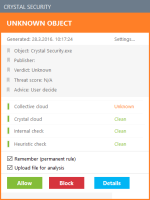
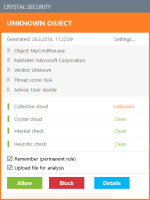
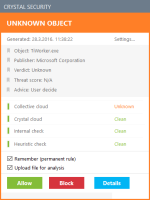
And this...really???
View attachment 91013 View attachment 91014
Members who viewed this thread in the last 5 minutes