printing
Level 1
Hello,
did you run AIDefender.exe wih Admin Rights ? New Update - Defender Hardening Console Exe
Oh no, didnt see that. Yes is working now. Thanks for assistance.


Open MalwareTips from your Home Screen or desktop. Follow discussions, find answers and pick up where you left off.
If you cannot find an install option, update your browser or use its bookmark option to keep MalwareTips close.
After installation, open the app and sign in. Enable push notifications in Preferences if you want alerts. On iPhone and iPad, push requires a Home Screen web app and iOS or iPadOS 16.4 or later.
Sign in to manage notificationsInstallation is optional. Your notification settings stay under your control.
Hello,
did you run AIDefender.exe wih Admin Rights ? New Update - Defender Hardening Console Exe

You're welcomeThanks for assistance.

I will need a debug log to see why it is stuck.@Trident
Hello,
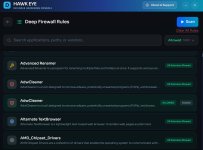
I've just tried again the Deep Firewall scan and it still stays stuck at 0%. I have no other cybersecurity software active except Microsoft Defender. Am I the only one to have this issue ?
Try that or try the uninstallation which does that too.Should I delete the blocking rules already created by the previous AIDefender.exe version (175 rules) before running the scan ?
I choosed to not install DHC but I downloaded the 2 files and put them in the same folder C:\Program Files Portable\Defender Hardening Console\AiDefender.exe and C:\Program Files Portable\Defender Hardening Console\WebView2Loader.dll.the uninstallation which does that too.

Yeah, it is the expected behaviour because otherwise it is too much information.I choosed to not install DHC but I downloaded the 2 files and put them in the same folder C:\Program Files Portable\Defender Hardening Console\AiDefender.exe and C:\Program Files Portable\Defender Hardening Console\WebView2Loader.dll.
Before deleting the 175 rules I noticed than when where is more than one executable the full path isn't shown. I presume this is normal behavior.
View attachment 295226
We’ll have a look.Unfortunately, after deleting the 175 rules (thank you for fixing the "Clear all rules" button, in the previous version it didn't work), the result is the same as before.
View attachment 295227

I've sent you a PM, please check.Hello,
I just tested the new version but unfortunately the Deep Firewall scan still stays stuck at 0% for me.
Secondly, in Antivirus and Hardening sections you have to disable Microsoft Defender Tampering Protection if you wish to modify each of the settings. This is more than I expected. It's not a problem to disable Tampering Protection, modify DHC setting/s and re-enable it/them but, just for comparison, in DefenderUI I manage to modify those settings without need to disable Tamper Protection, with the the only exception of "Threat default action". Moreover, just for example, in DHC I managed to successfully modify and apply a setting (Hardening section - Specific Attack Rules) without disabling Tamper Protection, contrary to the warning, but in doing so DHC automatically disabled "Automatic sample submission" in Antivirus section and I got a yellow mark in Windows Security's tray bar icon, so I think something isn't working like it should.
Members who viewed this thread in the last 5 minutes