New Update Defender Hardening Console Executable

@Trident
Hello,
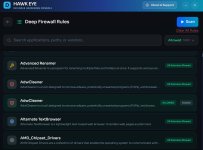
I've just tried again the Deep Firewall scan and it still stays stuck at 0%. I have no other cybersecurity software active except Microsoft Defender. Am I the only one to have this issue ? Does AIDefender have a sort of diagnostic log ?
 
@Trident
Hello,
I've just tried again the Deep Firewall scan and it still stays stuck at 0%. I have no other cybersecurity software active except Microsoft Defender. Am I the only one to have this issue ?
I will need a debug log to see why it is stuck.

I will create a special executable for you and from the next version, encrypted debug logs will always be written by default.
There is a tool coming up that will upload them to me.

It could be an unsupported character in the program names or anything else causing a silent failure.

I am testing a few JSON libraries to see which one can give me the highest performance.
 
Btw because there is a robust error code system for the DFC starting with 1 and then file related errors are 1.1xxx, cloud errors are 1.2xxx and so on, no error fired here so I bet it is an unsupported character breaking the parser.
 
  • +Reputation
Reactions: simmerskool
the uninstallation which does that too.
I choosed to not install DHC but I downloaded the 2 files and put them in the same folder C:\Program Files Portable\Defender Hardening Console\AiDefender.exe and C:\Program Files Portable\Defender Hardening Console\WebView2Loader.dll.
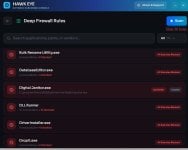
Before deleting the 175 rules I noticed than when where is more than one executable the full path isn't shown. I presume this is normal behavior.

DF rules.jpg
 
I choosed to not install DHC but I downloaded the 2 files and put them in the same folder C:\Program Files Portable\Defender Hardening Console\AiDefender.exe and C:\Program Files Portable\Defender Hardening Console\WebView2Loader.dll.
Before deleting the 175 rules I noticed than when where is more than one executable the full path isn't shown. I presume this is normal behavior.

View attachment 295226
Yeah, it is the expected behaviour because otherwise it is too much information.

More information is available in the modal window on click.

Otherwise the UI starts to look like a P&L sheet.
 
Unfortunately, after deleting the 175 rules (thank you for fixing the "Clear all rules" button, in the previous version it didn't work), the result is the same as before.
DF Scan 0%.jpg
 
Hello,
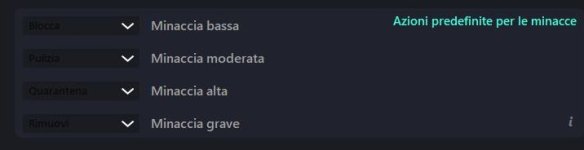
I've a suggestion and I hope it could be implemented. I presume you need to disable Microsoft Defender Tamper Protection only for modifying certain Microsoft Defender settings and not others, as I can deduce from this post on DefenderUI thread New Update - DefenderUI by VoodooShield - Turn on Hidden Security Features of Microsoft Defender
So, if it is the case, it would be better to remove the global warning and put a little note only near the Defender Hardening Console's settings which need to disable Tamper Protection. This would prevent to disable it for the other settings which don't need you to disable Tamper Protection.
On DefenderUI, if I'm not wrong, the only setting which needs to disable Microsoft Defender Tamper Protection is "Threat Default Actions". Is it the same for Defender Hardening Console ?

DefenderUI Tamper Protection.jpg
 
Last edited:
A new version has been released.

In this version manual JSON parsers and hand-rolling are no more.
Previously, a custom parser was used to facilitate SIMD, however, all bugs so far have been caused by the manual parser.

The application has now been migrated to a much more robust JSON library and this should eliminate an entire class of bugs.

In addition, WebView loader has been updated and the installer will be updated soon.
A new ransomware note detection stack is almost complete.

A localised tamper protection warning has been added and will be tweaked in next version.

https://deploy.hea-p.com/executable/Release.zip -> portable archive
https://deploy.hea-p.com/executable/DHCInstaller.exe -> installer

The installed instances will automatically download the update in a few days.

Manual update check will be added soon.

In this version, there doesn't seem to be any Defender detection, tested with high heuristics level.

The official page has been updated and a new logo will be ready soon.

1770378686489.png
 
Last edited:
Hello,
I just tested the new version but unfortunately the Deep Firewall scan still stays stuck at 0% for me.
Secondly, in Antivirus and Hardening sections you have to disable Microsoft Defender Tampering Protection if you wish to modify each of the settings. This is more than I expected. It's not a problem to disable Tampering Protection, modify DHC setting/s and re-enable it/them but, just for comparison, in DefenderUI I manage to modify those settings without need to disable Tamper Protection, with the the only exception of "Threat default action". Moreover, just for example, in DHC I managed to successfully modify and apply a setting (Hardening section - Specific Attack Rules) without disabling Tamper Protection, contrary to the warning, but in doing so DHC automatically disabled "Automatic sample submission" in Antivirus section and I got a yellow mark in Windows Security's tray bar icon, so I think something isn't working like it should.
 
Last edited:
Hello,
I just tested the new version but unfortunately the Deep Firewall scan still stays stuck at 0% for me.
Secondly, in Antivirus and Hardening sections you have to disable Microsoft Defender Tampering Protection if you wish to modify each of the settings. This is more than I expected. It's not a problem to disable Tampering Protection, modify DHC setting/s and re-enable it/them but, just for comparison, in DefenderUI I manage to modify those settings without need to disable Tamper Protection, with the the only exception of "Threat default action". Moreover, just for example, in DHC I managed to successfully modify and apply a setting (Hardening section - Specific Attack Rules) without disabling Tamper Protection, contrary to the warning, but in doing so DHC automatically disabled "Automatic sample submission" in Antivirus section and I got a yellow mark in Windows Security's tray bar icon, so I think something isn't working like it should.
I've sent you a PM, please check.
 
I presume that Defender Hardening Console and DefenderUI use two different methods for managing Microsoft Defender settings as DHC needs to temporary disable Tamper Protection for modifying each of Antivirus and Hardening sections' settings while DefenderUI needs to temporary disable Tamper Protection for modifying only the "Threat Default Action" setting.