Did you get it to work? If not, please let me know!Hi Dan. On my computer the link is dead. I don't know whether it's my computer.


Open MalwareTips from your Home Screen or desktop. Follow discussions, find answers and pick up where you left off.
If you cannot find an install option, update your browser or use its bookmark option to keep MalwareTips close.
After installation, open the app and sign in. Enable push notifications in Preferences if you want alerts. On iPhone and iPad, push requires a Home Screen web app and iOS or iPadOS 16.4 or later.
Sign in to manage notificationsInstallation is optional. Your notification settings stay under your control.
Did you get it to work? If not, please let me know!Hi Dan. On my computer the link is dead. I don't know whether it's my computer.
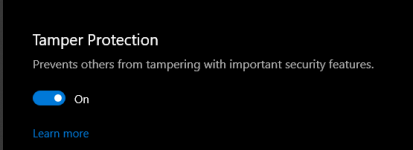
Yeah, the following features require Tamper Protection to be disabled if any third party app is going to make changes to these settings. I can't say that Tamper Protection is totally useless, but for me, I would prefer to disable it so that I can control MD quickly and easily instead of having to dig through tons of settings.First remarks:
During install I'm prompted by VoodooShield if I want to allow the install.
Reported it as false positive but can't find the block in the user log.
When selecting a profile, I'm asked to disable tamper protection.
Is that necessary?
The advanced tab is empty.
Thank you, I appreciate that! I am not sure what you mean by "some info mentioning that the "alternatives" can be changed later", please let me know.Nice, looking forward to it`s future.
2 things:
when installing there could be some info mentioning that the "alternatives" can be changed later.
I am using Sledgehammer by David Xanatos to handle W.updates so it can`t force some installs. That means that it is blocked except the updates for MD that it takes cares of a couple of times a day. Is this soft compatible with S-hammer or does it interupt it`s function?
Edit: i just noticed that when clicking on the icon in sys.tray, i have mine at the top, it´ s box opened at the bottom.
Thank you, I do not need the logs, the info you provided will work. I just have to figure out how to fix itMaybe the block occurs because I'm using AutoPilot Mode?
This is the blocked command line:
Do you need/want the logs?
 .
.
Yeah, there are a lot of features and functions that are not quite ready yet. I was hoping to finish them up in the next day or two, but I got a really bad bug bite on my face, so I might have to take a few days off (it is a little difficult to see). So I figured why not release a PoC / quick preview so you guys can take a quick look. It is functional, but there is quite a bit more to do.Some further testing:
Home tab:
Scan options do not work: "Scan coming soon".
Manage Exclusions and Notification Settings do nothing.
Windows Update works as designed.
Basic tab:
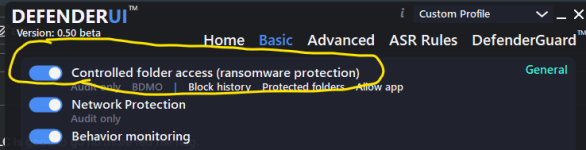
Enabled controlled folder acces, profile becomes custom.
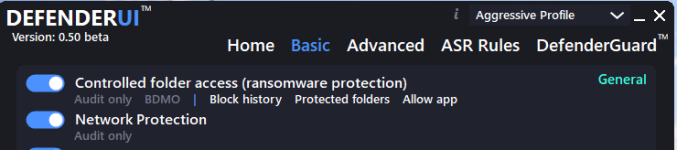
The options Block history, Protected folders and Allow app do nothing.

One has to/can choose 1 of several alternatives, recommended, interactive, default etc, i mean thoose.Thank you, I appreciate that! I am not sure what you mean by "some info mentioning that the "alternatives" can be changed later", please let me know.
Yeah, the DefenderUI function is almost certainly compatible with S-hammer, and it should not interrupt its function.

It's obviously only on my computer. It's no problem.Did you get it to work? If not, please let me know!

No worries, it is an interesting app and I will follow its development closely.Yeah, there are a lot of features and functions that are not quite ready yet. I was hoping to finish them up in the next day or two, but I got a really bad bug bite on my face, so I might have to take a few days off (it is a little difficult to see). So I figured why not release a PoC / quick preview so you guys can take a quick look. It is functional, but there is quite a bit more to do.

This problem does not occur in my environment. I think it's because I didn't make detailed settings.A possible bug I found is that after some time "Prevent malware from ever infecting this system" gets disabled.
).
I removed ConfiguredDefender to install DUI. Nothing wrong with CD, at the contrary I am pleased, just wanting to experiment with DUI on its own.This problem does not occur in my environment. I think it's because I didn't make detailed settings.
You will be prompted to select a profile immediately after installation, but if ConfigureDefender is installed, the settings will be overwritten.(I understand that it is a natural specification
I didn't think the profile screen would be displayed first, so I chose it in a hurry.
It is very convenient that you can easily check the defender setting visually.
Very cool! The Recommended Profile does not have Controlled Folder Access enabled at this point, but we can change that at some point if we want. So you can select Recommended, then enable CFA if you want.Installed after disabling tamper protection. Using recommended setting to get use to it
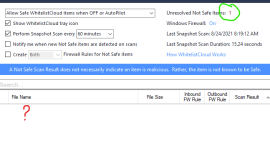
WLC red at first flagging 1 file no details given.
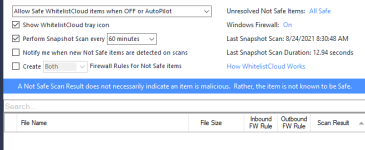
Then after manual scan all clear
Desktop Icon seems not to be working: double click or right click then open, DUI windows setting does not appear on screen.
Taskbar notification Icon works fine.
Just a question, do recommended setting protect from tamper and ransomware?
A lot of the features in DefenderUI will work with Tamper Protection enabled, but if you want to use all of the features, TP has to be disabled.PS
after a restart WLC is good to go no more red file flag.
Found Ransomware setting and enable.
Did enable Tamper Protection on MD. I assumed that I had to disable it for a smooth DUI installation.
I see what you mean, good point, thank you!One has to/can choose 1 of several alternatives, recommended, interactive, default etc, i mean thoose.
Interesting, thank you for letting me know, I will try to reproduce this bug.No worries, it is an interesting app and I will follow its development closely.
A possible bug I found is that after some time "Prevent malware from ever infecting this system" gets disabled.
When you try to enable that feature again the app hangs and becomes unresponsive.
Closing the app through the task manager is the only option but it remains unstable.
Reinstall was the only solution for me.
Looking forward to the next version
CD should be compatible with DefenderUI, and I am trying to make everything as compatible as possible so that users can switch between the two without any conflicts or confusion. Basically, whichever app you are running and using at the time is the one that is doing the actual work. You will notice that if you have both open and are using CD, then when you activate the DefenderUI window, it will auto update all of the settings that the user changed what using CD.I removed ConfiguredDefender to install DUI. Nothing wrong with CD, at the contrary I am pleased, just wanting to experiment with DUI on its own.
@show-Zi you seems to be running both, with not conflict apparent. How are you able to asses which of the two is actually doing the work and how they complement each other?
I guess it easy for anybody who has more than a basic knowledge of these things. But doesn't hurt asking.
When yesterday I tried selecting Interactive it forced Custom Mode with Tamper Protection enabled.A lot of the features in DefenderUI will work with Tamper Protection enabled, but if you want to use all of the features, TP has to be disabled.
Members who viewed this thread in the last 5 minutes