Advanced Plus Security Divine_Barakah's PC Security Config

Original forum configuration · expand details
Last updated
Aug 23, 2026
Main use of this computer
For work or educational use
Operating system
Windows 11
OS version and support details
Windows 11 Enterprise IOT LTSC
On-device encryption
Cryptomator (file vaults, not full-disk encryption)
Device sign-in security
    • Windows Hello PIN or biometric sign-in (face / fingerprint / Touch ID)
Security updates
Allow security updates
Update channels
Allow stable updates only
User Account Control (UAC)
Always notify
Smart App Control
Evaluation mode
Network firewall
Enabled
Router and network details
ISP-provided router.
Real-time protection
MD (default settings)
NVT OSArmor Personal
Adguard for Windows
Device firewall
Microsoft Defender Firewall
Custom security settings
*OSArmor
- added my rules
Periodic malware scanners
EEK
Malware sample testing
I do not participate in malware testing
Environment for malware testing
I don't do malware testing.
Browsers and extensions
Browsers
1- Vivaldi with multiple profile
2- Waterfox

Extensions
Webroot
Secure DNS
Adguard Windows with my personal Adguard DNS
Desktop VPN
Adguard VPN
Password and passkey manager
Sticky Password
Maintenance tools
Uninstalr
Kerish Doctor
Dell Command Update Universal

Hard Disk Sentinel Pro Portable
Bleachbit
Hibit Uninstaller
File and photo backups
Koofr (Cryptomator)
Filejump (Cryptomator)
Cyberduck
Subscriptions
    • Google AI Pro (formerly Google One AI Premium)
System recovery
O&o Diskimage 21 Premium
Usage and exposure
    • Visiting familiar websites
    • Visiting unknown or untrusted websites
    • Working from home
    • Making audio/video calls
    • Opening email attachments
    • Online shopping and card payments
    • Logging into my bank account
    • Downloading software and files from reputable sites
Computer specs
Dell Latitude 7450
Ultra 7 155U
16 GB DDR5 Ram 6400
1TB Micron nVMe Gen4
Notable changes
The inclusion of OSArmor.
Changed main password manager
Ditched Kerish Doctor
Managing Windows updates through GP.
Feedback preference

Detailed suggestions and alternatives welcome

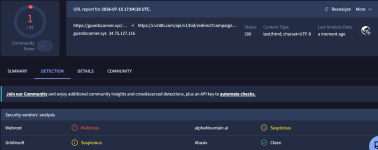
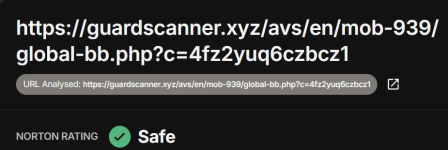
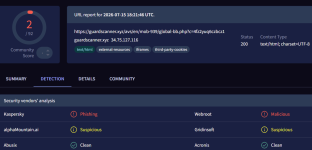
Panda detected the download of the fake Hibit Unsitaller link but without its Security extension.
I wonder how Panda does its Web protection
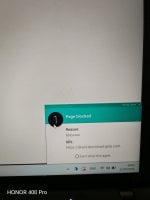
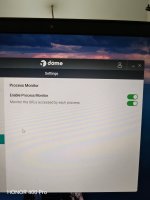
IMG_20260711_040526.jpg
 
I looked everythere and could not find the VPN service. It seems you need to run it once before it gets activated. Good I do not need it.

Have you encountered any issues in enabling Application Control? It kept failing until I restarted the system.
No I did not experience that. Panda is too friendly on my end. It behaves exactly like a good-big pet.
 
Same with Avast, no need to install the browser extension.
But Avast is different. It does filter https connections and install its root certificate (MITM). Panda does not filter https nor install it's root certificate.

Edit:

Your F-Secure does not filter https.
 
Last edited:
But Avast is different. It does filter https connections and install its root certificate (MITM). Panda does not filter https nor install it's root certificate.

Edit:

Your F-Secure does not filter https.

FWIW:
  • Reputation & Safety Ratings: The extension allows F-Secure to check the safety ratings of HTTPS URLs against their Security Cloud before you click them, showing you color-coded icons in search results.
  • Content & Malware Blocking: It scans the web traffic—including modern HTTP/3 traffic—allowing it to block malicious scripts, phishing attempts, and harmful iframes hidden inside encrypted HTTPS pages.
  • Safe Banking & Shopping: When you navigate to a banking or shopping site via HTTPS, the extension recognizes the secure URL and triggers F-Secure's specialized Banking Protection, which locks down your connection to prevent session hijacking.
 
Hello,

No malicious software was found on the website you have sent. The malicious code was probably removed from the server.
If you have a local copy of the suspicious file, please send it in an archive with the password 'infected' (without quotes).

Best regards, Malware Analyst
 

Recently browsing

Members who viewed this thread in the last 5 minutes

You may also like...

Continue exploring the conversation.

Back
Top