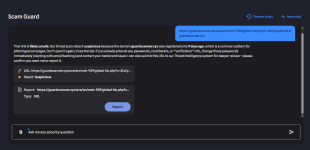
When loaded in Brave, it was past ControlD native malware filter.I got a similar result here but in FF, but was due to NextDNS was blocking it...


Open MalwareTips from your Home Screen or desktop. Follow discussions, find answers and pick up where you left off.
If you cannot find an install option, update your browser or use its bookmark option to keep MalwareTips close.
After installation, open the app and sign in. Enable push notifications in Preferences if you want alerts. On iPhone and iPad, push requires a Home Screen web app and iOS or iPadOS 16.4 or later.
Sign in to manage notificationsInstallation is optional. Your notification settings stay under your control.
 Thread starter
Divine_Barakah
Thread starter
Divine_Barakah
Imported from an earlier discussion · awaiting owner confirmation
Earlier staff assessment. The reviewer, date and configuration version were not recorded. It has not been verified against the current Hub setup.
How members rate the shared configuration. This is community feedback, not a security test.
Shared by the member. This is a configuration record, not a device scan.
When loaded in Brave, it was past ControlD native malware filter.I got a similar result here but in FF, but was due to NextDNS was blocking it...

Maybe ur DNS is blocking jt

kaspersky experts didn't check properly first time?I reported the main URL at 1st, then reported again adding that capture and this time:
View attachment 298833


I am using the same DNS for both Brave and Edge.Maybe ur DNS is blocking jt
Could you please go toI am using the same DNS for both Brave and Edge.
I suspect it is uBOL; it is the only thing different in Edge compared to Brave.Maybe ur DNS is blocking jt
Brave
Yea it is not DNS. You can try disabling uBlock and see if you can access the website
The same with both uBOL and McAfee disabled!Yea it is not DNS. You can try disabling uBlock and see if you can access the website
There must be sth in Edge settingsThe same with both uBOL and McAfee disabled!
I know I can enable MD Web protection, but I will skip it. Instead, I will either use BDTL, or just harden my Adguard DNS.It seems I will install the following.
1- MD (default settings)
2- WFC
3- NVT OSA
Still have not decided what to use for web protection

How to enable MD web protection, and how to harden your AdGuard DNS?I know I can enable MD Web protection, but I will skip it. Instead, I will either use BDTL, or just harden my Adguard DNS.
To enable MD Network ProtectionHow to enable MD web protection, and how to harden your AdGuard DNS?
Are you referring to the premium version of AdGuard for Windows?As for Adguard DNS hardening, I am researching the following to add to Adguard lists
No I am using Adguard DNS (Personal Plan) which is included with my Adguard VPN subscription.Are you referring to the premium version of AdGuard for Windows?
Members who viewed this thread in the last 5 minutes