
Solved dllhost.exe user 27000K

George89

New Member
Hello,
When i open Task Manager always i see 2 dllhost.exe but after 2-5 seconds vanished.
This time i opened Task Manager and i saw3 dllhost.exe and 1 of them is User (the other 2 are System) with 27000K memory without vanishing after seconds.
After all i finished it and didn't see it yet.
Is my pc infected?

(look other 2 dllhost)
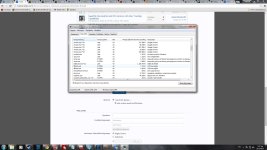
 

Attachments

  • dllhost X2.jpg
    dllhost X2.jpg
    326.7 KB · Views: 26
I do not see active malware, We'll run another test.


Download
51a5f31352b88-icon_MBAR.png
Malwarebytes Anti-Rootkit to your desktop.
  • Double-click the icon to start the tool.
  • It will ask you where to extract it, then it will start.
  • Warning! Malwarebytes Anti-Rootkit needs to be run from an account with administrator rights.
  • Click in the introduction screen "next" to continue.
  • Click in the following screen "Update" to obtain the latest malware definitions.
  • Once the update is complete select "Next" and click "Scan".
  • When the scan is finished and no malware has been found select "Exit".
  • If malware was detected, make sure to check all the items and click "Cleanup". Reboot your computer.
  • Open the MBAR folder and paste the content of the following files in your next reply:
    • "mbar-log-{date} (xx-xx-xx).txt"
    • "system-log.txt"
 
The system is very good. CPU load for dllhost.exe is 0% (Microsoft file). Malware goes to the 100%. All processes are legitimate.
Don't worry.


Download DelFix by Xplode and save it to your desktop.
  • Run the tool by right click on the
    51a5ce45263de-delfix.png
    icon and Run as administrator option.
  • Make sure that these ones are checked:
    • Remove disinfection tools
    • Purge system restore
    • Reset system settings
  • Push Run and wait until the tool completes his work.
  • All tools we used should be gone. Tool will create an report for you (C:\DelFix.txt)
The tool will also record healthy state of registry and make a backup using ERUNT program in %windir%\ERUNT\DelFix
Tool deletes old system restore points and create a fresh system restore point after cleaning.
 
Ok thank you,
Is there something else to do for deleting/uninstalling our used tools (FRST64 and logs texts in my pc) before using delfix?
Also need to attached you Delfix results?
 

Recently browsing

Members who viewed this thread in the last 5 minutes

Back
Top