
Troubleshooting Failed to schedule Software Protection

donzzi

Level 1
Verified
Describe the problem
Failed to schedule Software Protection service for re-start at 2019-02-15T12:11:06Z. Error Code: 0x80070002.
What have you tried?
I look at https://answers.microsoft.com and another pages to create schedule for Software Protection service but don't work. Software Protection service status is Running if i Disable(Stop) my microsoft office don't work !
I have a problem to schedule Software Protection, do you have any idea how to fix it.
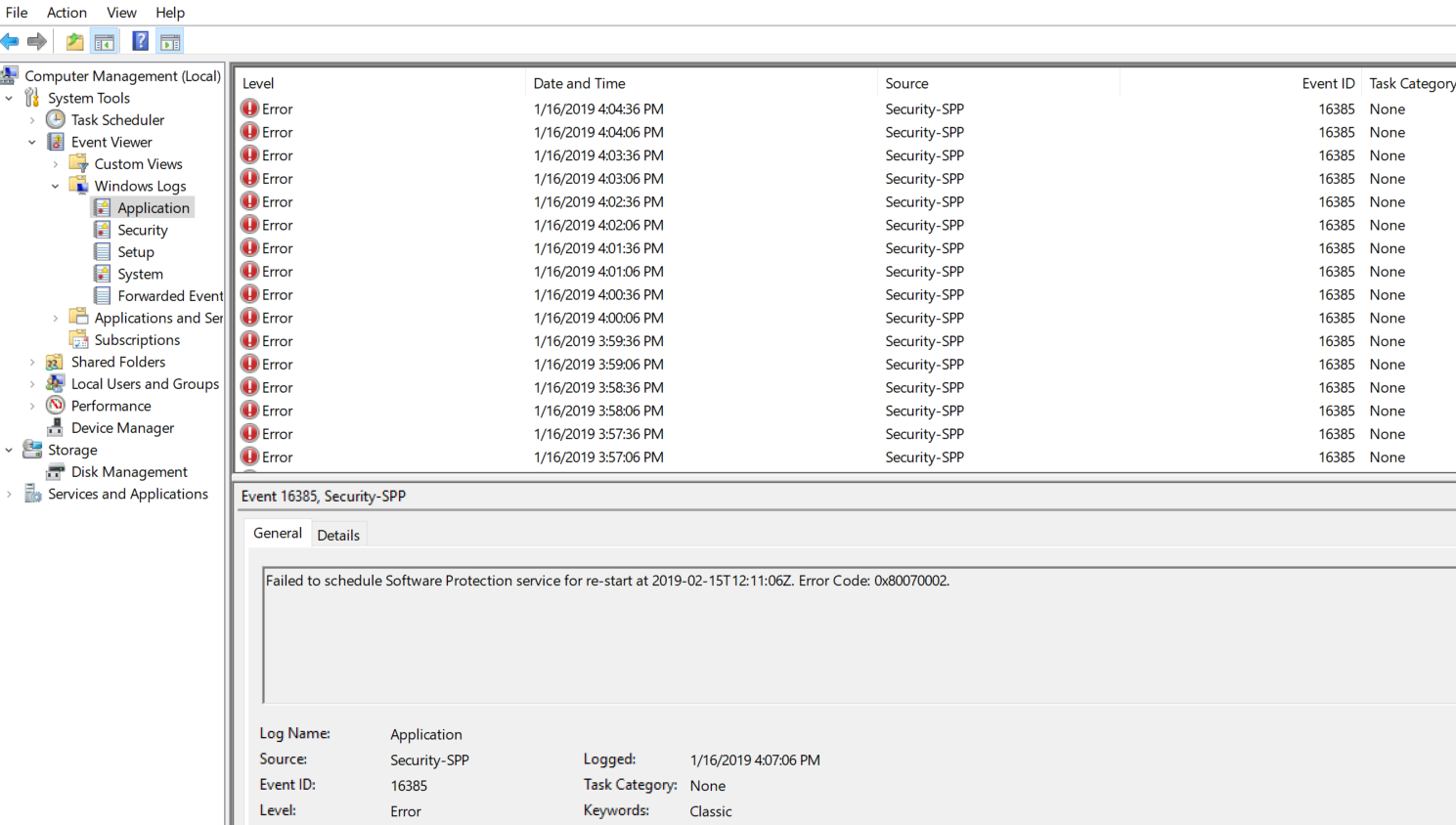
Screenshot_1.png
 
Tracking that down could take quite a while you have to check all those too and compare the error codes, don't assume they are all the same that could hurt and not help. I would try chkdsk/r/f ? Or do you have a clone available ?
 
Upvote 0
I've tried to check for errors, but no any result.
Did you solve?

Did you try the fixes provided by microsoft?
  1. Verify that the Task Scheduler service is running.
  2. Open the Computer Management tool, and then navigate to Configuration -> Task Scheduler -> Task Scheduler Library -> Microsoft -> Windows -> SoftwareProtectionPlatform.
  3. On the General tab of SoftwareProtectionPlatform, select the security options, and then verify that the Software Protection Platform service is set to use the NETWORK SERVICE account.
  4. In Windows Explorer, browse to the C:\Windows\System32\Tasks\Microsoft\Windows\SoftwareProtectionPlatform folder, and then verify that the NETWORK SERVICE account has Read permissions for that folder. (Right click the SoftwareProtectionPlatform folder, go to Advanced settings, and add the account 'NETWORK SERVICE' with read permission.)
  5. Restart the Software Protection service if it is running.
 
Upvote 0
Did you solve?

Did you try the fixes provided by microsoft?
  1. Verify that the Task Scheduler service is running.
  2. Open the Computer Management tool, and then navigate to Configuration -> Task Scheduler -> Task Scheduler Library -> Microsoft -> Windows -> SoftwareProtectionPlatform.
  3. On the General tab of SoftwareProtectionPlatform, select the security options, and then verify that the Software Protection Platform service is set to use the NETWORK SERVICE account.
  4. In Windows Explorer, browse to the C:\Windows\System32\Tasks\Microsoft\Windows\SoftwareProtectionPlatform folder, and then verify that the NETWORK SERVICE account has Read permissions for that folder. (Right click the SoftwareProtectionPlatform folder, go to Advanced settings, and add the account 'NETWORK SERVICE' with read permission.)
  5. Restart the Software Protection service if it is running.
I have solved this problem.
 
Upvote 0

Recently browsing

Members who viewed this thread in the last 5 minutes

Back
Top