
Setup PCPC setup
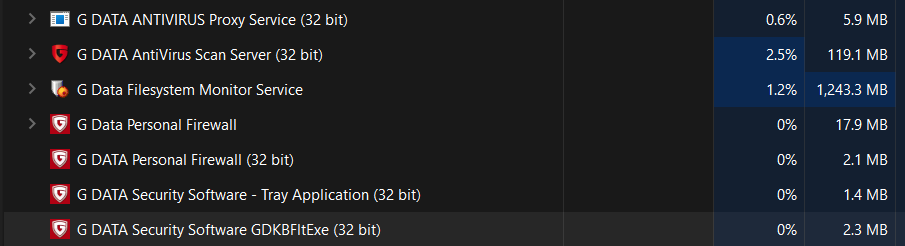
That is a 'interesting' ram usage for G DATA. Nearing some of my VM's 


Open MalwareTips from your Home Screen or desktop. Follow discussions, find answers and pick up where you left off.
If you cannot find an install option, update your browser or use its bookmark option to keep MalwareTips close.
After installation, open the app and sign in. Enable push notifications in Preferences if you want alerts. On iPhone and iPad, push requires a Home Screen web app and iOS or iPadOS 16.4 or later.
Sign in to manage notificationsInstallation is optional. Your notification settings stay under your control.
 Thread starter
Neno
Thread starter
Neno

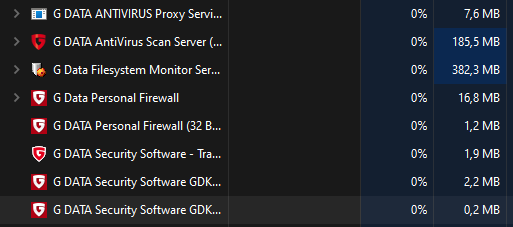
Should go down after a day or two. Had a similar usage.

Did reboot help?Should go down after a day or two. Had a similar usage.

Nope... I guess G-Data does some background scanning or hashing once installed on a new system. But that's just a guess.Did reboot help?

This is normal with G DATA the more memory installed the more memory G DATA uses.
Yes, I did guess as much (I do have 80GB-Ram), still quite the amount.This is normal with G DATA the more memory installed the more memory G DATA uses.
Are you working for NASA or what do you need 80 GB for?Yes, I did guess as much (I do have 80GB-Ram), still quite the amount.

Thanks for your valuable inputWhat junk

As mentioned multiple times now, G DATAs RAM usage normally goes down after a few days of usage. And correct me if I am wrong, but I think RAM is made to be used.It's true ,no good av should have these readings

Partially true, it is made to be used but not just by the antivirus. This is a straight 1.5GB over there and is much higher than the competition. Even on systems with 16GB it’s unacceptable. Considering Windows draws about 4-5 and a browser 0.5-1 GB more. What if users have to use creative software or something? Customers are paying for a balance of performance and protection, and not for the antivirus to take over their PC.As mentioned multiple times now, G DATAs RAM usage normally goes down after a few days of usage. And correct me if I am wrong, but I think RAM is made to be used.
Also not sure what all this RAM is reserved for as the whole Bitdefender engine is about 500-600MB and the CloseGap (engine B) is about 70 (or at least was before). Even if the whole engines are always in memory, there are still about 500MB unexplained. Maybe they are reserved in case something needs to be unpacked. It’s a weird case.Exactly ,ram needs to be used but not this much , what about other things running on your pc ,all the windows stuff and what else your doing. Does not make any sense

If you launch a scan, does it go up?
Yup, quite a bit when initializing the scan. After that it goes down again. But doesn't bother me anyway cause I only do a full system scan once installing a new AV. After that Real-time protection should take care of the rest.If you launch a scan, does it go up?
Post/thread bookmarked and saved for future help reference. Thanks for the info/share.I give up...
Members who viewed this thread in the last 5 minutes


