Will you report the Bug to MS?


Open MalwareTips from your Home Screen or desktop. Follow discussions, find answers and pick up where you left off.
If you cannot find an install option, update your browser or use its bookmark option to keep MalwareTips close.
After installation, open the app and sign in. Enable push notifications in Preferences if you want alerts. On iPhone and iPad, push requires a Home Screen web app and iOS or iPadOS 16.4 or later.
Sign in to manage notificationsInstallation is optional. Your notification settings stay under your control.
 Thread starter
Andy Ful
Thread starter
Andy Ful

Yes, I will. But first, I have to find out how to do it.Will you report the Bug to MS?

What version you installed? What did you do to uninstall Hard_Configurator?Andy, a few weeks ago I installed Hard_Configurator on a Windows 10 Home machine to experiment with it. After a few days I realized I had an old Pro license lying dormant and used that license to install on the machine. Before the switch to Pro I uninstalled HC but even after it uninstalled a remnant of it remains within Settings>Apps>Apps and Features. I've searched regedit and used autoruns and process explorer to try and find the file but cannot find it. Any idea where it may reside so I can remove it?
64 bit version and I uninstalled from Settings>Apps>Apps and Features>Hard_Configurator uninstall. Prior to this I reset within HC to remove applied settings.What version you installed? What did you do to uninstall Hard_Configurator?
I did the same without any issues. Something in your computer prevented the uninstallation.64 bit version and I uninstalled from Settings>Apps>Apps and Features>Hard_Configurator uninstall. Prior to this I reset within HC to remove applied settings.
Only Windows Defender with default settings for exploit protection, controlled folder protection turned off. Smartscreen settings set to block. App store settings set to warn before install.I did the same without any issues. Something in your computer prevented the uninstallation.
What other security applications are installed?
Nothing that could stop uninstallation. You said that you can see the Hard_Configurator entry in Apps and Features. What happens when you click on this entry?Only Windows Defender with default settings for exploit protection, controlled folder protection turned off. Smartscreen settings set to block. App store settings set to warn before install.
Nothing that could stop uninstallation. You said that you can see the Hard_Configurator entry in Apps and Features. What happens when you click on this entry?
If you can see an error alert, then probably something deleted the uninstallation files. The simplest method to repair this will be installing Hard_Configurator again and uninstalling it just after that. Please, use the latest version:
Hard_Configurator/Hard_Configurator_setup(x64)_beta_3.1.0.0.exe at master · AndyFul/Hard_Configurator · GitHub

That is right.This sounds very good!
I´m sure this will make the tool much more easy to use for the average user while it still has all the mighty options to fine tune...
Pressing "Lock" after clean install will enable all default protections, while "Lock" and "Unlock" will toggle custom configuration if there have been made changes to the default configuration, right?
That is fine.@Andy Ful , sounds perfekt to me.
Most of the time it‘s all about problems during installations. So, no scripts and remote access are ok to me.
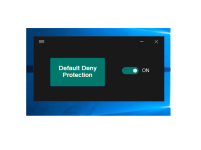
Yes, it is a cosmetic button. But, it can be functional if someone will find out the interesting function for it.Hi Andy,
this really looks great! Just made some short tests and it worked just as intended.
Btw has the "default deny protection" button any use? I mean, it seems to be a button, right?
Members who viewed this thread in the last 5 minutes