Hard_Configurator - Windows Hardening Configurator

Thank you very much for creating this handy tool! It really saves a lot of reg-editing! However, I had one issue: I am using a desktop shortcut with the target C:\Windows\System32\shutdown.exe /s /t 0, I added an exception by hash and by path for the target, as well as an exception by path for C:\Windows\User\Desktop\shutdown.exe as well as for the *.ink shortcut on the desktop, but the action remains blocked. How can I properly add the exception to have back my shutdown button on the desktop under Windows 10?

Thank you very much in advance! And good luck with the last polish of the website!
 
Thank you very much for creating this handy tool! It really saves a lot of reg-editing! However, I had one issue: I am using a desktop shortcut with the target C:\Windows\System32\shutdown.exe /s /t 0, I added an exception by hash and by path for the target, as well as an exception by path for C:\Windows\User\Desktop\shutdown.exe as well as for the *.ink shortcut on the desktop, but the action remains blocked. How can I properly add the exception to have back my shutdown button on the desktop under Windows 10?

Thank you very much in advance! And good luck with the last polish of the website!
Thanks for testing H_C. :giggle:
You probably do not use the recommended settings. Check if the option <More SRP ...><Protect Shortcuts> is set to ON. It blocks shortcuts by default, except the Desktop and Start Menu locations. (y)
 
I want to try Emsisoft Anti-Malware as AV with Hard_Configurator instead of Windows Defender. What is the best way to do so?
First restore Windows Defaults and after installing EAM loading the WIndows_10_Avast_Hardened_Mode_Aggressive.hdc profile?
Or just use the recommended SRP and restrictions?
 
Install EAM. Run H_C to check if it works (it should). Run something from the Download folder with "Run As SmartScreen" (there should not be a problem). You can leave your actual H_C settings.(y)
 
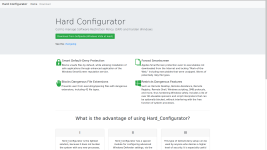
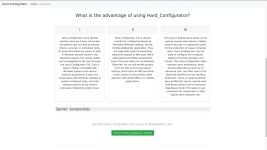
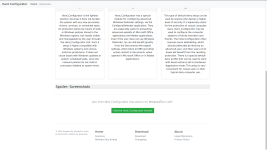
Here are the screenshots of the hard-configurator.com site, which goes online tomorrow. If you have any ideas, please let me know.
So far the site is pretty empty, I know. But I will continue to develop and complete it! I promise!

Many thanks to @Andy Ful and @shmu26!
 

Attachments

  • Bildschirmfoto vom 2019-01-31 20-13-58.png
    Bildschirmfoto vom 2019-01-31 20-13-58.png
    108.9 KB · Views: 615
  • Bildschirmfoto vom 2019-01-31 20-14-11.png
    Bildschirmfoto vom 2019-01-31 20-14-11.png
    113.4 KB · Views: 605
  • Bildschirmfoto vom 2019-01-31 20-14-19.png
    Bildschirmfoto vom 2019-01-31 20-14-19.png
    121.9 KB · Views: 604
Here are the screenshots of the hard-configurator.com site, which goes online tomorrow. If you have any ideas, please let me know.
So far the site is pretty empty, I know. But I will continue to develop and complete it! I promise!

Many thanks to @Andy Ful and @shmu26!

Nice, clean design. Easy to read, and easy on the eyes! (y)
 
Here are the screenshots of the hard-configurator.com site, which goes online tomorrow. If you have any ideas, please let me know.
So far the site is pretty empty, I know. But I will continue to develop and complete it! I promise!

Many thanks to @Andy Ful and @shmu26!
Thank you @askalan for the work.:giggle:
I don't see any error, if I see anything I'll let you know.(y)