Poll How many extensions have you installed in your browsers, but above all, how many are usually enabled?

How many extensions have you installed in your browsers, but above all, how many are usually enabled

  • 0-3 installed

    Votes: 26 41.3%
  • 3-5 installed

    Votes: 20 31.7%
  • 5-10 installed

    Votes: 10 15.9%
  • +10 installed

    Votes: 4 6.3%
  • 0-3 enabled

    Votes: 6 9.5%
  • 3-5 enabled

    Votes: 7 11.1%
  • 5-10 enabled

    Votes: 5 7.9%
  • +10 enabled

    Votes: 6 9.5%

  • Total voters
    63
Cache Killer - This is to remove cookieless cookies. Normal cache clearing I doubt can remove them
What do you use for testing, because a browser can not really clear itself, when it's process is running.
Code:
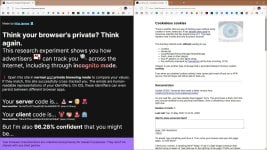
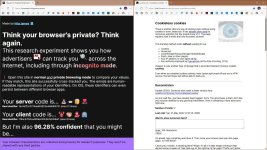
https://fpresearch.httpjames.space
I use clear on exit, wise disk cleaner, plus a manual cleanup and still cookieless cookies persist, but VPN would probably make a difference.

capture_05232026_143457.jpg capture_05232026_143923.jpg
 
  • Like
Reactions: Sorrento
All extensions are enabled in Windows

For my Helium browser. Helium is a niche browser so adding extensions won't make it more unique than original

uBO
APIVoid Browser Protection
APIVoid Script Stop
Dark Reader
Cache Killer
I still don't care about cookies
CSS Sentry
TWP Translate This Page
Ping Blocker
Chromium Web Store
IDM Integration Module
Fingerprint Defender (for Font and WebGPU)
WebRTC Leak Shield
Disable Battery API

Use flags to set fingerprinting protection
- Canvas::measureText() fingerprint deception
- ClientRects() fingerprint deception
- Canvas pixel noising
- Jitter audio context data
- Randomize number of CPU c

Brave browser. I only added the below

APIVoid Browser Protection
APIVoid Script Stop
Dark Reader
IDM Integration Module
Ping Blocker

Brave has strong fingerprinting protection by default

Without Ping Blocker, when tested with Brave it shows

View attachment 297775


Can advise which extension(s) not needed?

These extensions are not necessary:

Cache Killer
I still don't care about cookies
Ping Blocker
Fingerprint Defender (for Font and WebGPU)
WebRTC Leak Shield
Disable Battery API

You may not need this extension if you know how to use dynamic filtering in uBo:

APIVoid Script Stop

The rest depends on your tastes and preferences.
 
These extensions are not necessary:

Cache Killer
I still don't care about cookies
Ping Blocker
Fingerprint Defender (for Font and WebGPU)
WebRTC Leak Shield
Disable Battery API

You may not need this extension if you know how to use dynamic filtering in uBo:

APIVoid Script Stop

The rest depends on your tastes and preferences.

If you have many favorites it's easier to use extensions for specific purpose rather than filtering every site with dynamic filtering in uBO.
 
If you have many favorites it's easier to use extensions for specific purpose rather than filtering every site with dynamic filtering in uBO.

You asked which extensions are useless.
I answered you.
If you don't want to remove the useless extensions you're using,which have nothing to do with dynamic filtering,... it's up to you; I don't care.;)
 
Use of User-Agent Switcher may cause disruption to playing YT videos

This also caught my attention from the Chrome Store:
Please note that this does not provide improved privacy while browsing the Internet and that some sites might have other means to figure out that the browser is not what it pretends to be. Running this extension can have performance impact on your browsing experience due to its need to intercept and modify the data communicated to the server.
 
Chrome Mask ? i never encounted any website not working in Firefox.
It's extremely rare, but I did find some *cough* streaming sites that prevented me from accessing them because I use Firefox. What a crime!

Fun fact: Firefox sometimes pretends as Chrome on its own for sites that work normally, and developers deliberately blocking Firefox. You can see the list of these sites by visiting about:compat.
 
This also caught my attention from the Chrome Store:

Client Hints are a set of HTTP Headers and a JavaScript API that allow web browsers to send detailed information about the client device and browser to web servers. They are designed to be a successor to User-Agent, and provide a standardized way for web servers to optimize content for the client without relying on unreliable user-agent string-based detection or browser fingerprinting techniques.

 
To add on Client Hints

Can set flag using chrome://flags

Removes client hints (information sent to servers about your system, similar to a user agent). ungoogled-chromium flag. – Mac, Windows, Linux

#remove-client-hints

Before setting above flag

1779547850003.png


After setting above flag

1779547764072.png
 
Last edited: