

This small workaround was a huge improvement. Mileage may vary.
If the default Easylist-Cookie list isn't working effectively, try this standalone Cookie Notices filter list and add it to Brave.
 Go to AdGuard Filters.
Right-click Copy Link Address for View Rules (for Cookie Notices), or open View rules and copy the whole address in the URL.
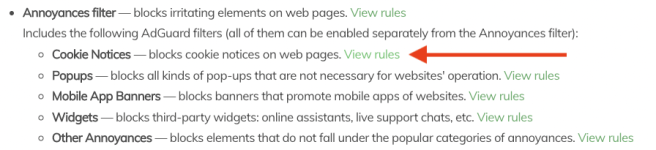
Go to
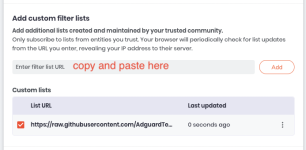
Copy and paste URL or use
Tap Add
If the default Easylist-Cookie list isn't working effectively, try this standalone Cookie Notices filter list and add it to Brave.
Go to AdGuard Filters. Right-click Copy Link Address for View Rules (for Cookie Notices), or open View rules and copy the whole address in the URL. Go to brave://adblock, scroll down to Add custom filter lists Copy and paste URL or use https://raw.githubusercontent.com/AdguardTeam/FiltersRegistry/master/filters/filter_18_Annoyances_Cookies/filter.txt Tap AddBefore with Brave's default
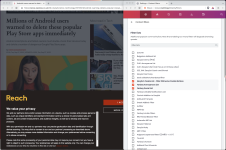
After with AdGuard's Cookie Notice list (standalone).
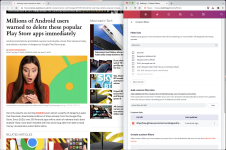
Easylist-Cookie ListAfter with AdGuard's Cookie Notice list (standalone).


